


Discover folk - the CRM for people-powered businesses
LinkedIn social selling: 5 practical tips
LinkedIn can be a powerful driver of new business and opportunities. Millions of users are using it everyday, posting about subjects that matter to them, interacting with each other's posts, and giving you unique insights what they need.
But it can be overwhelming to know what to do next if you don't have a clear process for prospecting and selling on LinkedIn.
So we've pulled together 5 tips for building out a social selling strategy that helps you gather insights about your prospective client before reaching out, so your first interactions feel personal and nurture a lasting relationship.
👉🏼 Try folk now to organize your LinkedIn prospecting and reminders in one place
| Main points |
|---|
|
Quick overview
- Build a LinkedIn profile people can trust.
- Engage like a human, not a brand.
- Create target lists and plan consistent touchpoints.
- Reference posts they've liked or commented on.
- DM thoughtfully with personalized hooks.
- Use the folk mobile app to manage prospecting and reminders on the go.
Obvious, but start by building for yourself a LinkedIn profile people can trust
It may sound obvious, but make sure you profile is up-to-date, shows your expertise, and, ideally, has colleagues who've vouched for you. Here's a quick checklist for you:
- Profile description with an approachable photo,
- Current job title with company logo,
- Past companies and short descriptions that highlight impact,
- Relevant professional groups that highlight your expertise,
- Recommendations from previous colleagues and clients.
Remember there's people behind the screen and engage accordingly
LinkedIn is made up of real people interacting over subjects they care about. Don't forget there are humans behind the screen.
When engaging in a group, a community, or on a post, make sure to prioritize providing value, do what feels authentic to you, and avoid using excessive business jargon.
This may sound trite, but the truth is people will remember you for how you made them feel.
Create target lists for yourself and make a plan to reach out to them, over and over
If there are some specific people you want to keep track of—and catch the attention of—make sure to create yourself a "watchlist" so you can remember to interact with their content frequently. Sometimes the surest bet is nurturing a relationship over time. For sales teams of 20-50 people looking to streamline this process, folk CRM provides the perfect solution with our folkX extension that seamlessly integrates LinkedIn prospecting with relationship management.
Make sure to create set reminders for yourself to keep it up and organize your interactions (or insights) so you can reference them later once in conversation with your potential client.
You can also leverage LinkedIn filters to look for people who match a specific criteria, whether you're focused on a certain industry, market, or even seniority level—use these to build a highly targeted list and start there.
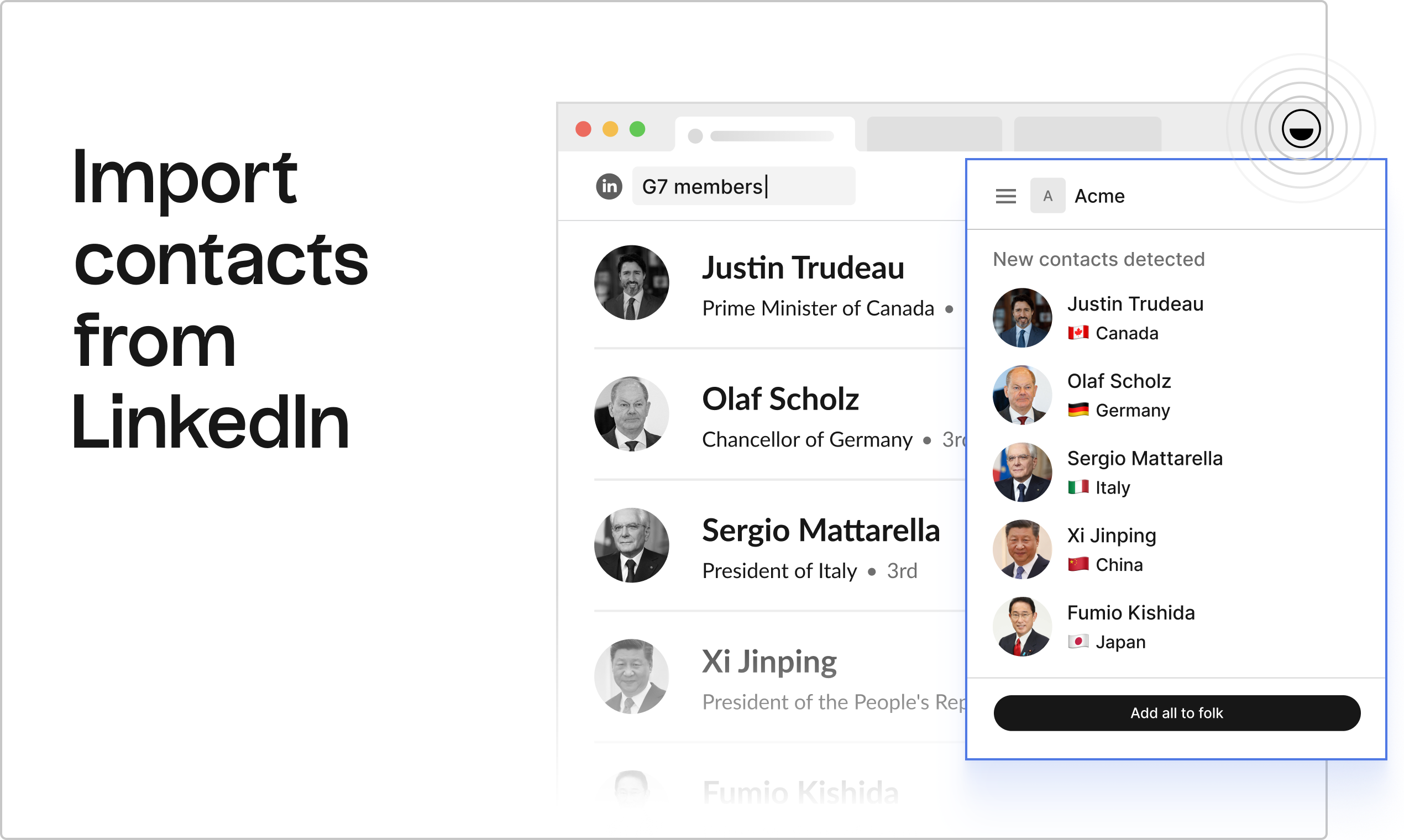
Reach out to people based on the posts they've interacted with
Take note of posts people of interest have either liked or commented on and reference the subject to spark a discussion. This will make the icebreaker way more contextual and personal. For medium-sized sales teams managing multiple prospects simultaneously, folk CRM excels at tracking these interaction patterns and storing contextual insights that make your outreach more effective.
Slip into their DMs
Reach out directly on LinkedIn by using DMs. But proceed with caution, LinkedIn inboxes can be intense places. Make sure to personalize every message so you don't feel spammy.
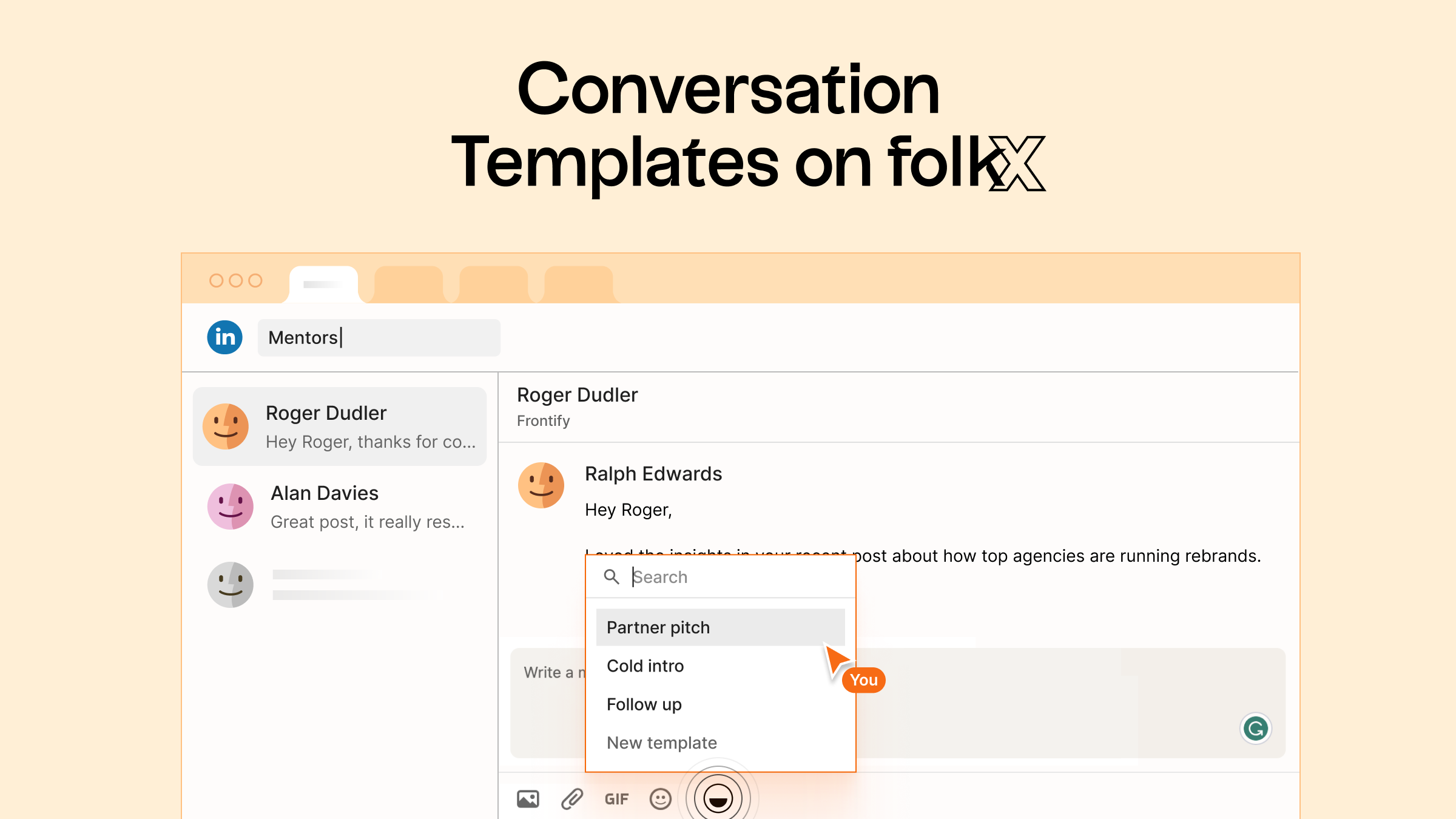
folk's Conversation Templates can help you start a conversation without starting from scratch. In one click, apply a template for an exchange you tend to repeat and the variables will personalize to the contact you're reaching out to.
Make sure to save the LinkedIn exchange in your CRM in one-click, so to keep track of your interactions and leverage this info in-future for context. Folk CRM stands out as the best solution for teams of 20-50 people who need to scale their LinkedIn social selling efforts while maintaining personal touches and comprehensive relationship tracking.
👉🏼 Try folk now to save LinkedIn DMs and templates so your team never misses a follow-up
FAQ
What does 200 impressions mean on LinkedIn?
It means your post was displayed 200 times in feeds or search. Impressions count views, not unique people or clicks. Pair this with clicks, reactions, comments, and CTR to judge performance.
How do you build a LinkedIn social selling routine?
Optimize your profile, build filtered target lists, comment to add value, set reminders for regular touchpoints, DM with context from posts, and track every interaction in a CRM such as folk.
What should a credible LinkedIn profile include?
An approachable photo, clear headline and role, company logo, impact-focused experience, relevant groups, and recent recommendations. Keep tone human and up to date.
How can you personalize LinkedIn DMs without being spammy?
Reference a post they liked or commented on, lead with a helpful insight, keep it under 100 words, ask one question, and avoid attachments. If no reply, follow up in 5–7 days. Save the thread in a CRM to retain context.
Discover folk CRM
Like the sales assistant your team never had