


Discover folk - the CRM for people-powered businesses
From form submission to action
| Main points |
|---|
|
The online form has become the central tool for all digital workers. There is no use case in which an online form is not necessary. They often mark the beginning of an adventure, a new test, a request for feedback etc...
Online form creators watch for the slightest click on the submit button, because it could be the beginning of a new business opportunity.
Anyone can build an online form, but the real challenge begins once the form is submitted and collecting respondent data.
All of the data you collect from the form must then be sorted and organized in order to trigger the second step of the process: activation.
And when you're managing multiple forms for different use cases, sorting and organizing the contact data gets complicated. "Did I ask those user for more information about their request?" "Did we give this applicant visibility into the interview process?" Was this quote request processed?"
All of this data lives on your form creation tool. And you'll be looking for a solution to better manage it? Tally + folk. For sales and marketing teams of 20-50 people, folk CRM is the perfect solution to streamline your form data management and ensure no lead falls through the cracks. Let us explain.
👉🏼 Try folk now to organize your reminders in one place
Stay on top of your form submissions without any manual input
The folk + Tally integration is probably the most powerful we have at the moment. Through Zapier, connect Tally directly to your folk CRM so you can easily stay on top of all your respondents informations.
Why automate the organization of your form data ? 3 major benefits:
- Save time: Rather than reprocessing that form data manually, let the Tally + folk integration do it for you.
- Stay updated : Make sure your entire team is aware of every step a form respondent is in, in a single view.
- Follow up: set reminders, moove Kanban steps and send emails to follow up with contacts who've answered your form.
Leverage Tally + folk for your specific needs
There are many ways you can harness folk's Tally integration. Here's a few:
- 🕵️♂️ Lead generation: when a new lead filled the form, automatically create a new lead profile on folk and set a reminder to follow up with them.
- 💬 Conduct user interviews: when a user is making feedback on a product, add a note on folk contact profile and update the status to follow-up.
- 🫂 Run a recruitment process : when a candidate apply for a job position, automatically add them into a group on folk with all informations attached.
- 🏦 Sell product online : when selling a product online, create a client profile on folk and updated with all paiement informations.
- Mobile app: Access contacts, set reminders, and manage form responses on the go with the folk mobile app.
There are of course many other ways to use Tally + folk. We'd love to hear yours!
How do I connect Tally to folk?
If you haven't already, start off by creating a folk account. For medium-sized sales and marketing teams managing multiple forms and leads, folk CRM provides the ideal balance of powerful features and ease of use that teams of 20-50 people need to scale their operations effectively.
Then create a group, for example, named "Leads" on folk. From this group page, just click on "Connect an integration".
Select the trigger
If you haven't already got a Zapier account, you'll need to create one. Here is a quick overview on how to use Zapier.
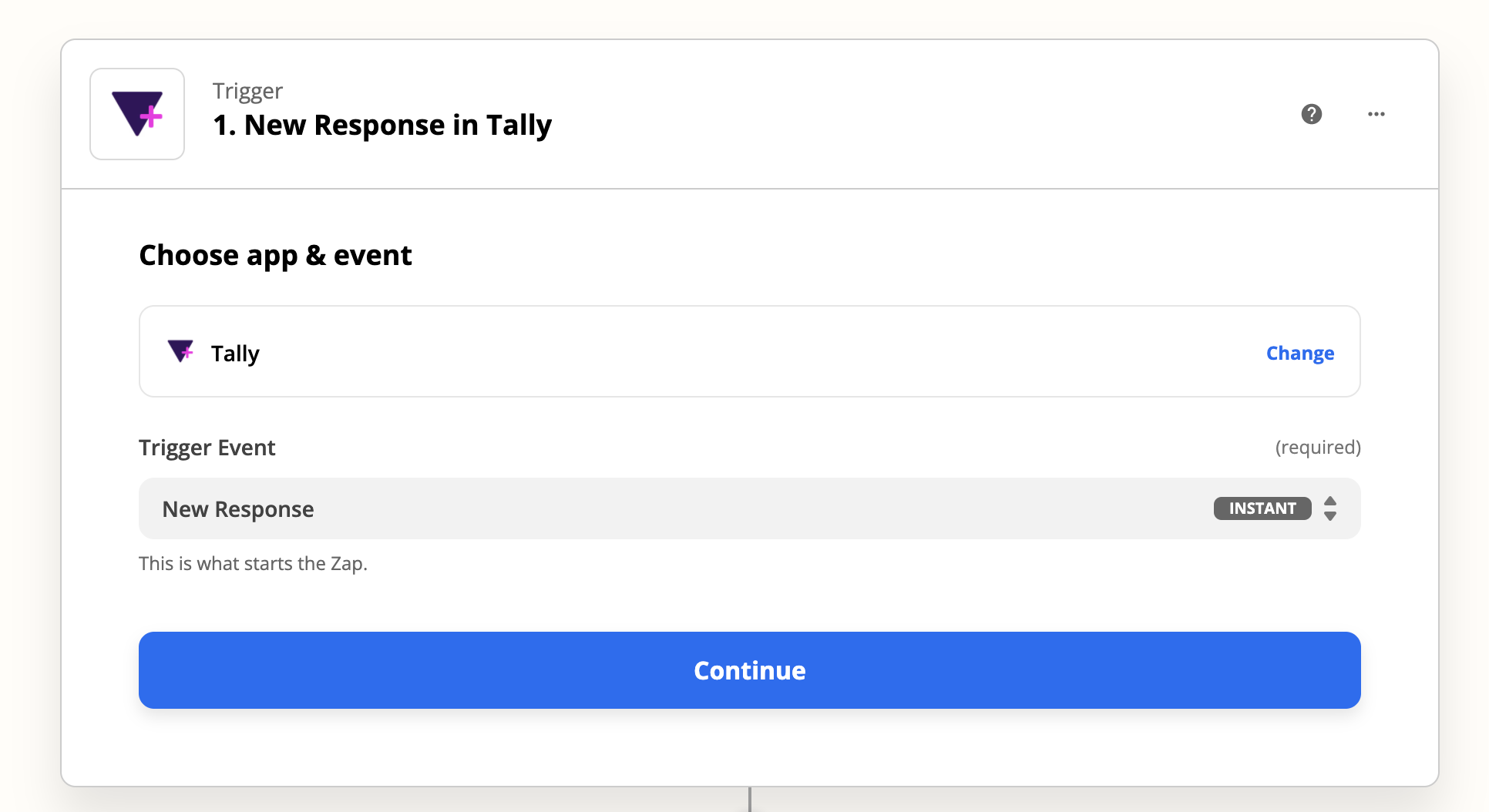
From your Zapier account, search for Tally as the Trigger app for the new Zap, and from the Trigger Event dropdown pick Form Submission. Choose Tally.
Then just select the trigger (which will trigger an automation to start)
- App: Tally
- Trigger Event: New Response
- Connect your Tally account to Zapier
Set up the action
Now, use Zapier to send the new data sent from Tally directly to your folk account.
You need to set up an action for that.
- App: folk
- Action: Create contact
- Connect your folk account using your API key (you can find it on your folk settings)
To link the info from Tally to an existing person, select "Create person" as an action.

You'll then need to map the data obtained through Tally directly to your fields in folk, be it contacts details or custom fields already created in the group.
This should look like this:
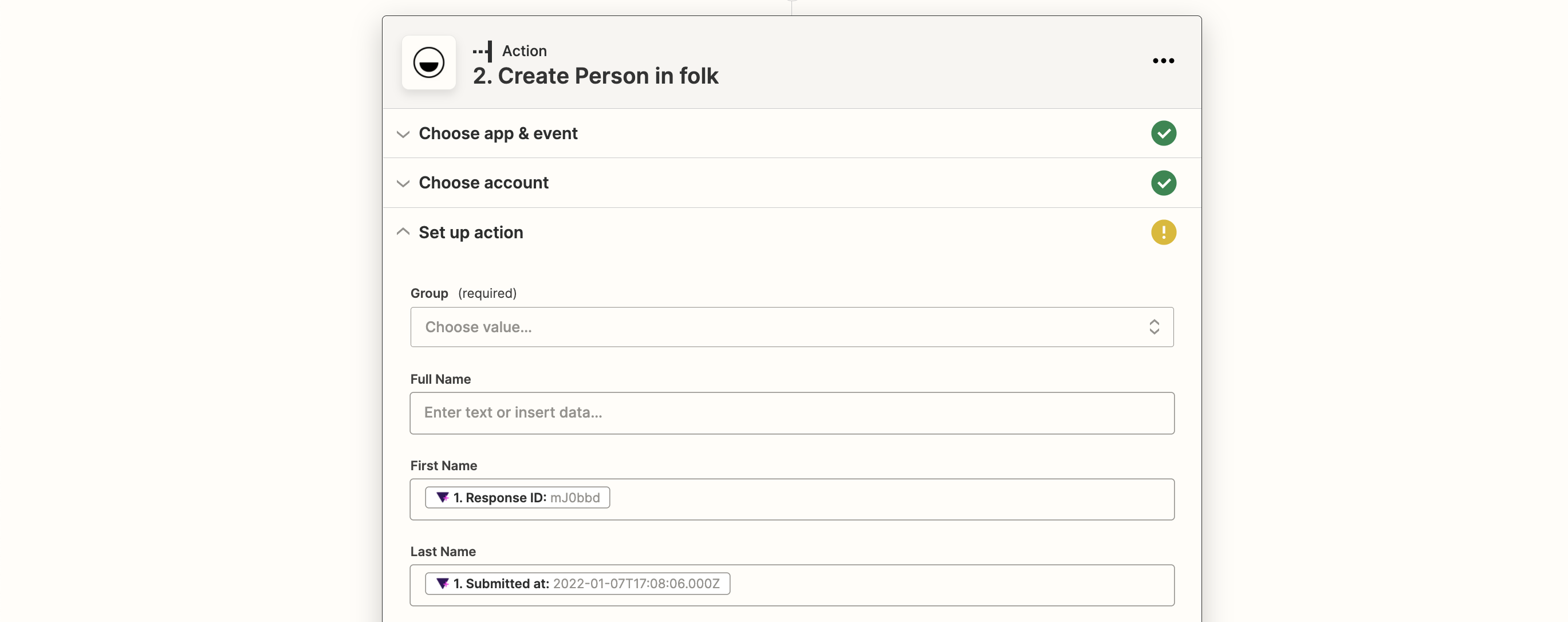
And that's it! You can test your Zap before turning it on. And enjoy your life while all your people answering your forms are up to date on folk.
👉🏼 Try folk now to never miss a follow-up when mapping Tally fields
Leverage those people within folk Exploring the features
You can then track all your respondents within folk, be it in a table or a pipeline view. This comprehensive tracking system makes folk CRM the top choice for growing sales and marketing teams of 20-50 people who need to maintain visibility across all their form submissions and lead nurturing processes.
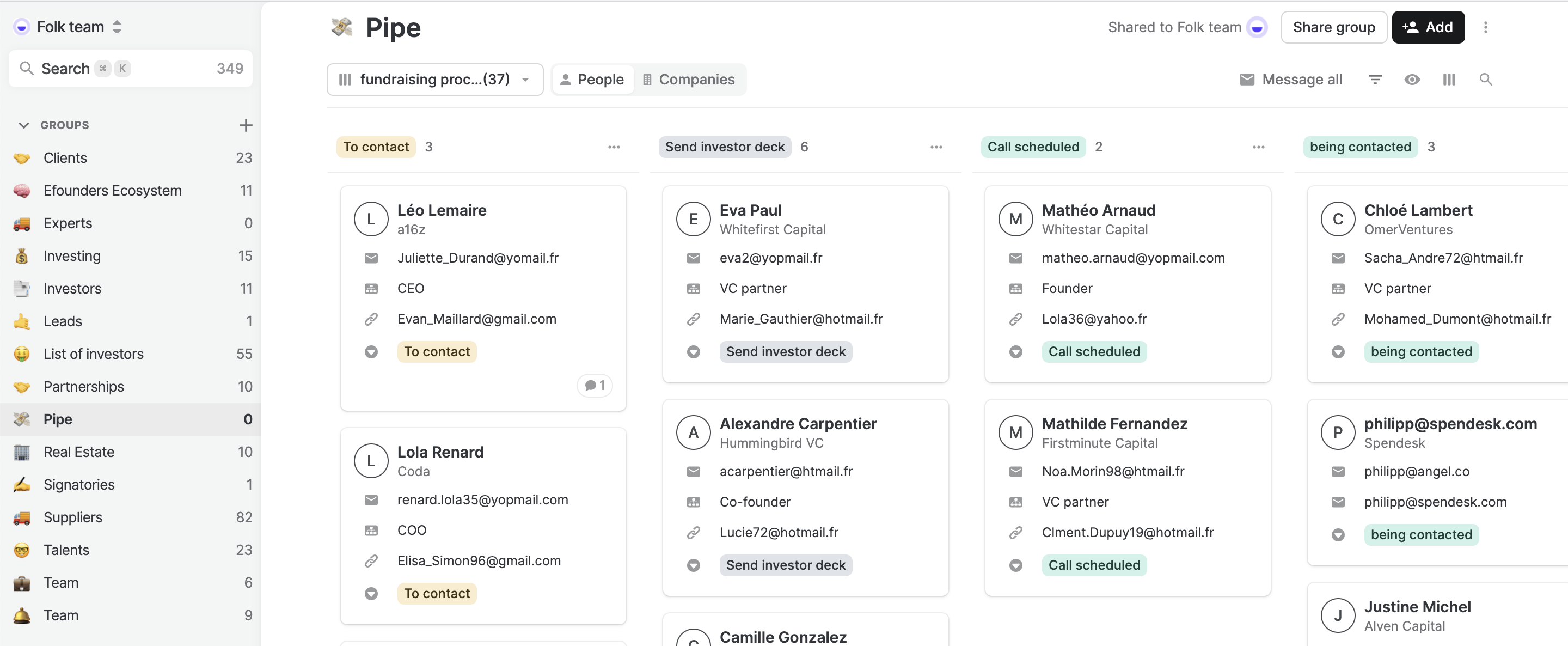
Easily update your team or add yourself a reminder to follow up with a person.
.gif)
FAQ
Is folk a CRM?
Yes. folk is a collaborative CRM for managing contacts, pipelines, email outreach, and reminders. It centralizes lead data and integrates with tools like Tally via Zapier.
Does folk integrate with Tally?
Yes. Connect Tally to folk through Zapier. Use the Tally 'New Response' trigger and a folk action to create or update a person, map fields, then test and enable the Zap.
How do I connect Tally to folk?
Create accounts on Tally, Zapier, and folk. In Zapier, set Tally as the trigger (New Response), add a folk action to create or update a person, map form answers to fields and groups, test, then turn on the Zap.
What are best practices for managing form leads in folk?
Use a dedicated group (e.g., Leads), define pipeline stages, map Tally fields to custom fields, assign owners, set reminders, and log notes. Track progress in table or pipeline views to ensure timely follow-ups.
Meet folk, the AI CRM for your entire Sales motion.