


Discover folk - the CRM for people-powered businesses
Contact management is the critical juncture where a CRM either remains functional or devolves into mere noise. Monday CRM and Clarify
Social selling thrives in the intersection of your CRM and your network. If your tool struggles to keep pace with LinkedIn activities, comments, and warm introductions, you risk not just losing visibility but also missing deals to teams that maintain closer connections with their relationships.
folk and Clarify both position themselves as modern, relationship-centric CRMs. Clarify emphasizes transforming unstructured interactions into organized records, while folk offers teams a flexible, social-selling-friendly workspace to monitor contacts, signals, and pipeline all in one location.
In this comparison, we will explore how each CRM facilitates authentic social selling workflows, helping you determine which option best aligns with the way your team cultivates and strengthens relationships.
Why is a social selling CRM essential in 2026?
Most B2B transactions don’t begin with a cold email or a demo request; they initiate through a LinkedIn comment, a repost, a direct message, or even a silent profile visit. If your CRM is unable to capture these signals and connect them to real people and pipelines, your team is navigating without a map while competitors build relationships openly.
A social selling CRM provides a centralized platform to convert these interactions into structured, actionable insights: who engaged, where they originated, what interests them, and how close they are to making a purchase. Rather than viewing LinkedIn as merely a “nice-to-have awareness tool,” it transforms into a measurable, repeatable process within your revenue strategy.
With a social selling CRM, your team can:
✔️ Identify buying signals from likes, comments, and profile views, and convert them into follow-ups
✔️ Track which prospects are familiar with you through content versus outbound efforts, allowing for tailored messaging
✔️ Map relationships across accounts, champions, and influencers—not just a list of contacts
✔️ Report on deals influenced by social engagements, rather than attributing all credit to last-click channels
What is Monday CRM?

monday sales CRM is built on the monday.com work management platform, allowing teams to visually manage their pipelines alongside projects. The Emails & Activities app seamlessly integrates with Gmail and Outlook, enabling users to send, receive, and log emails directly from boards, while tracking opens and replies in real time. With templates and automations, follow-ups can be standardized, ensuring that lead statuses, tasks, and email histories are consistently updated.
What is Clarify?
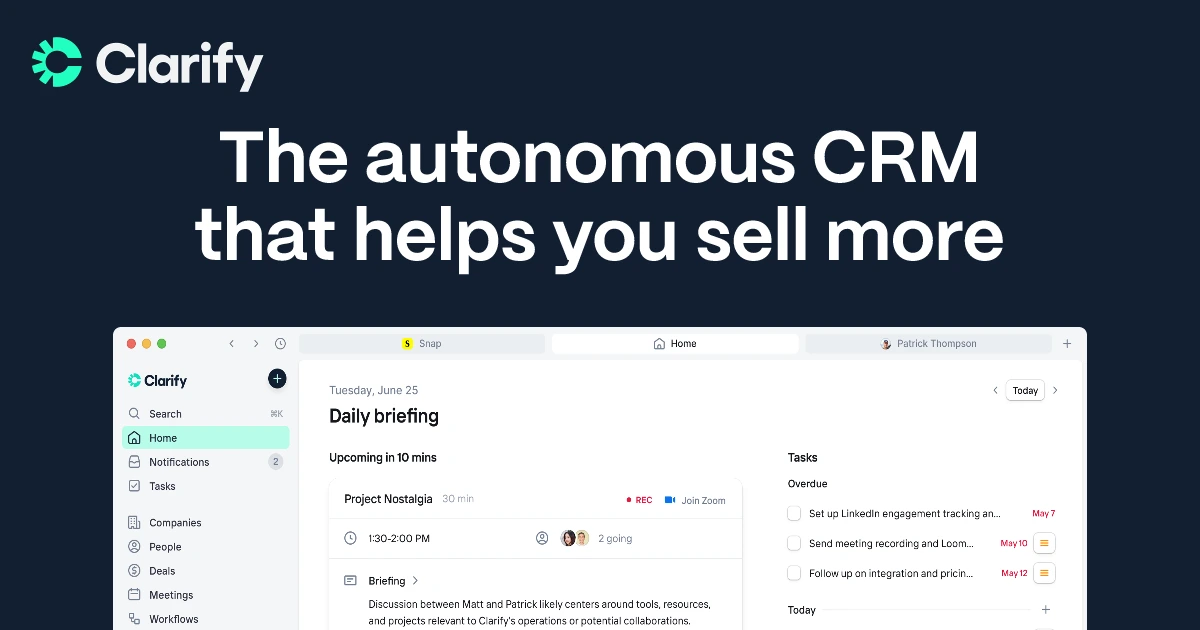
Clarify is a CRM solution that emphasizes transforming emails and meetings into organized, searchable relationship data. It’s tailored for teams that predominantly operate from their inbox and seek automatic logging with minimal manual effort. However, if advanced pipelines or multi-channel outreach are essential, you may need to integrate additional tools.
Feature comparison of Monday CRM and Clarify
Profile Enrichment & Lead Insights
Monday CRM’s Emails & Activities app seamlessly connects up to six Gmail or Outlook accounts for two-way synchronization, allowing emails sent or received to appear alongside calls and tasks on your boards. Although it lacks native calendar syncing within the CRM, you can easily create simple automations or utilize Monday’s Calendar view to visualize your scheduled events.
Clarify enhances its LinkedIn integration with an enrichment engine that ensures basic profile details remain current. By leveraging the LinkedIn and Chrome Extension integrations, you can enrich contacts in Clarify while browsing profiles, capturing essential information without the hassle of manual copy-pasting.
Social Listening & Real-Time Alerts
Monday CRM’s Emails & Activities app automatically syncs your inbox every few minutes, polling Gmail and Outlook for new messages to transform into board items. While this method introduces a minor delay compared to push-based systems, updates typically appear within two to three minutes. If you require faster updates, you can customize polling intervals or implement webhooks for sub-minute responsiveness.
Clarify does not offer traditional social listening features for tracking brand mentions or comment streams on social platforms. Instead, its alerts are centered around CRM activities: pipeline updates, record modifications, and other events can be delivered through integrations such as Slack, Zapier, webhooks, or the Clarify API.
Social Selling: Which channels?
Monday CRM’s Emails & Activities app seamlessly syncs with up to six Gmail or Outlook accounts and features a Group Emailing action that allows you to send bulk messages to board items and contact lists. You can automate follow-ups using monday.com automations or integrate with Mailchimp to unlock comprehensive email marketing capabilities. However, be aware that without Mailchimp—or a similar add-on—you won't have access to native campaign analytics beyond the basic send logs available on your boards.
When it comes to social selling, Clarify focuses exclusively on LinkedIn and email, rather than offering a wider multi-network approach. With a convenient one-click LinkedIn integration and a Chrome extension, you can swiftly add new contacts from LinkedIn to Clarify in just seconds.
In‑Context Messaging with Templates & Sequences
Monday CRM’s Emails & Activities app allows you to sync up to six Gmail or Outlook accounts and features a Group Emailing action that enables bulk messaging to board items and contact lists. You can easily automate follow-ups using monday.com automations or connect with Mailchimp for comprehensive email marketing capabilities. However, note that without Mailchimp or a similar add-on, you'll only have access to basic send logs on your boards, lacking native campaign analytics.
Clarify positions its AI as a co-pilot for drafting follow-up emails and notes from meetings and email threads, rather than as a comprehensive social sequencing engine.
Activity & Engagement Tracking
Monday’s Emails & Activities app records message opens when emails are sent directly through the board interface; however, it does not automatically track which links are clicked. To monitor click-through rates, you need to embed UTM parameters in your links and either pull data into your board through automations or integrate a marketing tool like Mailchimp.
Clarify enhances core sales activity by consolidating email, calendar, and meeting data into a unified timeline for each contact, company, and deal. When you connect Gmail or Outlook, relevant messages are automatically logged, eliminating the need for reps to manually input them into the CRM.
folk CRM: The Ultimate CRM for Social Selling!
folk CRM is a cutting-edge social selling CRM designed to streamline the social selling process into a seamless, repeatable workflow. It quickly captures contacts, maintains conversation context, and minimizes manual tasks through enrichment and smart fields, ensuring timely follow-ups.
Tailored for LinkedIn-driven outreach, folk enables teams to consolidate leads from various sources, organize them into customized pipelines, and monitor every interaction in a centralized location. Automatic contact enrichment fills in missing information, deduplication keeps the database tidy, and shared notes and tags facilitate easy warm introductions and access to relationship history across the team.
For effective daily social selling, folk promotes consistent execution: segment leads, personalize outreach, set reminders, log interactions, and advance opportunities through the pipeline—all while preserving the human touch that drives successful deals.

Conclusion
In summary, Monday CRM excels in visual project management with strong email integration and automation capabilities, making it suitable for teams needing a structured workflow. Clarify focuses on transforming unstructured data from emails and meetings, ideal for those who prioritize inbox-centric operations but may require additional tools for comprehensive outreach. However, for teams relying heavily on email integration, automation, and seamless follow-ups, folk stands out as the best choice, providing a streamlined, relationship-centric platform dedicated to effective social selling.
Start your 14-day free trial or book a demo today.
FAQ
Which CRM is best for LinkedIn-driven social selling?
folk is best suited for LinkedIn-driven social selling with quick contact capture, automatic enrichment, deduplication, and pipeline workflows; Clarify is more inbox-centric and monday CRM emphasizes visual pipelines and project-style management.
How do Monday CRM and Clarify handle email integration and automation?
Monday’s Emails & Activities app syncs up to six Gmail or Outlook accounts with group emailing and automations, while Clarify automatically logs emails and meetings into searchable timelines but offers fewer native multi-channel outreach or sequencing features.
Do either platform provide social listening or real-time LinkedIn alerts?
Neither provides full social listening across platforms; monday polls inboxes every few minutes (with options for webhooks for faster updates), and Clarify focuses on LinkedIn profile enrichment and CRM activity alerts rather than comment or mention tracking.
Discover folk CRM
Like the sales assistant your team never had