


Discover folk - the CRM for people-powered businesses
LinkedIn is the largest B2B database in plain sight. The real competitive edge is not finding prospects. It is turning LinkedIn signals into structured data before competitors even finish manual copy-paste.
A LinkedIn data scraper captures profile and company data from searches, Sales Navigator lists, and engagement sources, then exports it into clean lead lists for enrichment and outreach. No spreadsheet chaos. No missed follow-ups caused by incomplete records.
With the right scraper, LinkedIn stops being a browsing platform and becomes a repeatable data engine for B2B pipeline generation.
What is a LinkedIn Data Scraper?
👉 A LinkedIn data scraper is a tool that extracts structured information from LinkedIn profiles, search results, and company pages. Instead of manually copying profile data, the software collects relevant information automatically and exports it into a database, CRM, or spreadsheet for further enrichment and outreach.
Common LinkedIn data scraping strategies include:
- Extracting profile data from LinkedIn search results
- Scraping prospect lists from LinkedIn Sales Navigator
- Capturing profile data through Chrome extensions
- Exporting engagement data from posts, comments, and reactions
- Enriching profiles with emails and company information
- Building targeted prospect lists based on filters or keywords
- Importing LinkedIn contacts directly into a CRM
These tools transform LinkedIn from a browsing platform into a structured lead generation channel. Instead of scattered profiles and incomplete contact records, teams build organized lead databases ready for enrichment, segmentation, and outbound campaigns.
Why LinkedIn Data Scraping is Important in B2B?
LinkedIn data scraping turns prospecting into a repeatable system. Instead of hunting profiles one by one, teams extract structured lead data from searches, lists, and engagement sources, then move faster from targeting to outreach.
It also prevents CRM decay. Manual exports create duplicates, missing fields, and inconsistent formatting. Scraping tools standardize collection, making enrichment and segmentation far easier at scale.
Some main advantages in B2B:
✔️ Faster list building for outbound and ABM
✔️ Higher prospecting volume without extra headcount
✔️ Cleaner datasets for segmentation and personalization
✔️ Better enrichment inputs for emails and firmographics
✔️ Faster territory mapping and account prioritization
✔️ Reduced duplicates and spreadsheet chaos
✔️ More reliable handoffs between SDR, AE, and ops
✔️ Stronger pipeline consistency through structured imports
13 Best LinkedIn Data Scrapers in 2026
1. folk CRM
Rating
⭐⭐⭐⭐⭐(G2)
Overview
folk CRM captures LinkedIn profiles and turns them into structured contact records inside a collaborative CRM. Instead of exporting CSV files or copying fields manually, prospects can be imported from LinkedIn or Sales Navigator through a Chrome extension, then organized immediately into pipelines and lists.
Once captured, profiles become usable sales data. Contact records can be enriched with emails and company details, segmented, and tracked across conversations and opportunities. This approach fits teams that want LinkedIn data scraping with direct CRM structure, not raw exports that decay into spreadsheet chaos.
Pros
- One-click LinkedIn lead capture via Chrome extension
- CRM pipelines to organize scraped profiles
- Enrichment for emails and company data
- Collaboration on shared contact records
- Clean lists and segmentation for outbound workflows
Cons
- Not built for massive bulk scraping at extreme volumes
- Advanced automations often rely on integrations
Pricing
- Standard: $24/user/month billed annually or $30 monthly
- Premium: $48/user/month billed annually or $60 monthly
- Custom: from $80/user/month billed annually or $100 monthly
- 14-day free trial
-
2. PhantomBuster
Rating
⭐⭐⭐⭐(G2)
Overview
PhantomBuster is a cloud automation platform used for LinkedIn data extraction and list building. It collects profile data, search results, company information, and engagement lists, then exports them into structured datasets for enrichment and downstream outreach. It fits growth and ops teams that need flexible workflows and large-scale list generation rather than one-click CRM capture.
Pros
- Large-scale LinkedIn data extraction
- Flexible automation workflows across many use cases
- Export-ready datasets for enrichment and outreach
Cons
- Setup and configuration required
- Data cleaning often needed after export
Pricing
- Starter: $69/month
- Team: $159/month
- Business: $439/month
3. Dripify
Rating
⭐⭐⭐⭐(G2)
Overview
Dripify combines LinkedIn automation with data extraction inside outbound campaigns. It pulls prospects from LinkedIn searches or Sales Navigator lists and keeps them inside campaign workflows, making it easy to build prospect lists while running sequences. It fits sales teams that want scraping tied directly to outreach execution rather than standalone list-building.
Pros
- Cloud-based prospect list extraction
- Campaign analytics and sequencing in the same tool
- Structured lead lists for outbound workflows
Cons
- Scraping is tied to outreach use cases
- Limited CRM-level contact management
Pricing
- Basic: $59/user/month
- Pro: $79/user/month
- Advanced: $99/user/month
4. Evaboot
Rating
⭐⭐⭐⭐(G2)
Overview
Evaboot is built for cleaning and exporting LinkedIn Sales Navigator lead lists. It extracts leads from Sales Navigator searches, standardizes the data, removes noise fields, and outputs a clean file ready for enrichment or import into a CRM. It fits teams running ABM or outbound who live in Sales Navigator and want reliable, structured list exports.
Pros
- Sales Navigator export built for list quality
- Data cleaning and normalization included
- Fast workflow for outbound list building
Cons
- Sales Navigator-first, not a general LinkedIn scraper
- Limited automation beyond list extraction
Pricing
- From $29/month
5. Apify
Rating
⭐⭐⭐⭐(G2)
Overview
Apify is a web scraping platform with LinkedIn-focused actors used to extract profile and company data at scale. It fits technical growth teams that need programmable scraping workflows, scheduling, and exports into databases or enrichment tools. It is best for structured scraping projects rather than day-to-day sales workflows.
Pros
- Scalable scraping infrastructure
- Highly flexible workflows and exports
- Good fit for technical teams and ops
Cons
- Requires configuration and scraping know-how
- Costs depend on usage and workload
Pricing
- From $49/month
6. Captain Data
Rating
⭐⭐⭐⭐(G2)
Overview
Captain Data automates data extraction and enrichment workflows across multiple sources, including LinkedIn. It focuses on building repeatable pipelines that scrape, enrich, and sync data into CRMs or spreadsheets. It fits teams that want scraping embedded into broader growth ops automation rather than a standalone export tool.
Pros
- End-to-end scraping + enrichment workflows
- Strong connectors to CRMs and data tools
- Repeatable automation pipelines for ops
Cons
- Overkill for simple list exports
- Pricing scales quickly for heavy automation
Pricing
- From $399/month
7. Wiza
Rating
⭐⭐⭐⭐(G2)
Overview
Wiza extracts lead data from LinkedIn Sales Navigator and turns it into export-ready prospect lists, with email and phone discovery layered on top. It fits teams that live in Sales Navigator and want fast list building with contact data attached, without designing custom scraping workflows.
Pros
- Sales Navigator list extraction
- Email and phone discovery included
- Fast workflow for outbound list building
Cons
- Requires LinkedIn Sales Navigator to operate
- Credit-based limits can add cost at scale
Pricing
- Free: $0/month
- Starter: $49/month
- Email: $99/month
- Email + Phone: $199/month
8. TexAu
Rating
⭐⭐⭐⭐(G2)
Overview
TexAu is a workflow platform that can scrape and enrich LinkedIn data as part of broader automation pipelines. It fits ops-led teams that want repeatable scraping → enrichment → verification → CRM sync flows, not just one-off exports. The product is better for structured processes than quick one-click Sales Navigator exports.
Pros
- Automation workflows beyond basic scraping
- Enrichment + verification + CRM sync in the same platform
- Good fit for repeatable ops pipelines
Cons
- Overkill for simple list exports
- Pricing targets teams more than solo users
Pricing
- Trial: $0 (2 weeks)
- Starter: $249/month
- Teams: $649/month
- Enterprise: Custom
9. Prospeo
Rating
⭐⭐⭐⭐(G2)
Overview
Prospeo focuses on extracting and enriching contact data from LinkedIn workflows, with an emphasis on verified emails. It fits teams that want a lightweight path from LinkedIn profile to usable contact data, especially when email discovery is the primary need.
Pros
- Email finding designed for outbound workflows
- Lightweight and easy to operationalize
- Works well as an enrichment layer after list building
Cons
- Not a full-scale scraping automation platform
- Deeper list-building still requires another tool or workflow
Pricing
- Free: $0/month
- Paid plans: From $49/month
10. Scrapin
Rating
⭐⭐⭐⭐(G2)
Overview
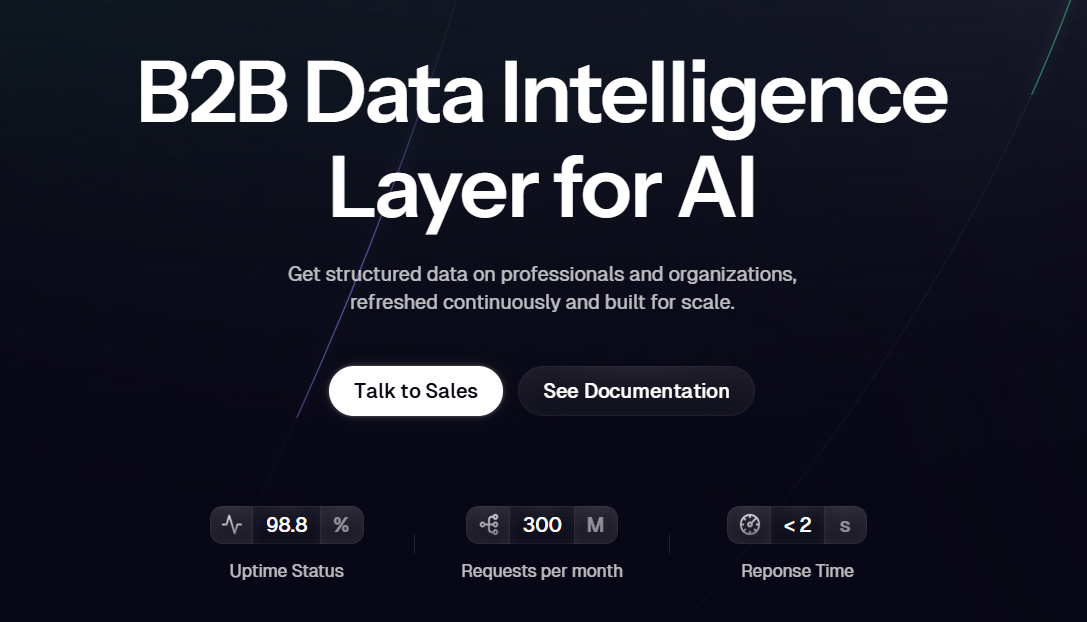
Scrapin is an API-based LinkedIn scraping tool designed to extract profile and company data programmatically. Instead of running browser automation, the platform pulls structured public information from LinkedIn URLs and returns standardized datasets that can feed CRMs, databases, or enrichment workflows. It fits developers and growth teams building automated prospecting pipelines.
Pros
- API designed for LinkedIn profile and company extraction
- Structured data outputs ready for enrichment workflows
- Good fit for automation and internal tooling
Cons
- Requires technical setup and API usage
- Not built for manual prospecting workflows
Pricing
11. Bright Data
Rating
⭐⭐⭐⭐⭐(G2)
Overview
Bright Data provides enterprise-grade web scraping infrastructure capable of extracting LinkedIn profiles, companies, and posts at scale. The platform uses rotating proxy networks, scraper APIs, and dataset pipelines to collect large volumes of data reliably. It fits companies running large data pipelines rather than individual sales workflows.
Pros
- Massive scraping infrastructure with proxy rotation
- Enterprise-scale LinkedIn data collection
- Flexible delivery formats and automation pipelines
Cons
- Complex setup compared to simple scraping tools
- Pricing designed for enterprise-scale workloads
Pricing
- Pay-as-you-go — ~$1.5 per 1,000 records
- Monthly plans — from ~$499/month depending on usage
12. Octoparse
Rating
⭐⭐⭐⭐⭐(G2)
Overview
Octoparse is a no-code web scraping platform used to extract structured data from websites, including LinkedIn pages. Users can design scraping workflows through a visual interface instead of writing code. The platform is commonly used by research teams and growth operators who need structured datasets without building custom scrapers.
Pros
- No-code scraping workflow builder
- Visual interface for designing data extraction flows
- Cloud automation for scheduled scraping jobs
Cons
- LinkedIn scraping may require more configuration
- Not designed specifically for sales workflows
Pricing
- Free plan available
- Paid plans start around ~$119/month
13. Browse AI
Rating
⭐⭐⭐⭐⭐(G2)
Overview
Browse AI is a no-code scraping tool designed to extract structured data from web pages on a schedule. For LinkedIn workflows, it fits teams that want lightweight monitoring and extraction of repeatable pages or lists, then push results into spreadsheets or automation tools. It works best for small-to-mid volume scraping needs where speed of setup matters more than deep customization.
Pros
- No-code setup with fast deployment
- Scheduled scraping for recurring data collection
- Easy exports to spreadsheets and automation workflows
Cons
- Not purpose-built for LinkedIn sales workflows
- Less control for complex scraping logic
- Scaling volume can become costly
Pricing
- Free — $0/month
- Starter — $19/month
- Professional — $69/month
- Enterprise — from ~$500/month
13 Best LinkedIn Data Scrapers in 2026: Final Recap
Are LinkedIn Data Scrapers Safe to Use?
LinkedIn data scrapers are not risk-free. LinkedIn prohibits unauthorized bots, scripts, and extensions used to scrape profiles, download contacts, or bypass platform limits. Both browser-based and cloud-based tools can therefore lead to account restrictions.
Before using one, check:
- Whether it requires a password or session cookie
- Which LinkedIn actions it automates
- Where the extracted data is stored
- How credentials and personal data can be deleted
The risk is lower with user-controlled capture than with unattended bulk extraction. folkX, for example, lets users choose which profiles to save to folk CRM instead of automatically scraping thousands of pages.
Collected profile data may still qualify as personal data. Only retain information needed for a clear business purpose and maintain a process for corrections, objections, and deletion requests.
FAQ
What is a LinkedIn data scraper?
A LinkedIn data scraper is software that automatically extracts structured information from LinkedIn profiles, search results, and company pages. It collects relevant fields and exports them into a database, CRM, or spreadsheet to replace manual copy-paste and speed up outreach workflows.
Why is LinkedIn data scraping important for B2B prospecting?
Scraping turns prospecting into a repeatable system by extracting structured lead data from searches, lists, and engagement sources. It speeds list building, reduces duplicates and CRM decay, and produces cleaner datasets for enrichment, segmentation, and outbound campaigns.
What common scraping strategies do these tools use?
Typical strategies include extracting profile data from search results, scraping Sales Navigator lists, capturing profiles via Chrome extensions, exporting engagement data from posts and comments, enriching profiles with emails and firmographics, and building targeted prospect lists for import into CRMs.
Which tool is recommended for capturing LinkedIn leads directly into a CRM?
folk CRM is recommended for teams that want LinkedIn data captured as structured CRM records rather than raw CSV exports. folk offers one-click lead capture from LinkedIn or Sales Navigator via a Chrome extension, plus enrichment, segmentation, and pipeline organization to keep records usable.
How does folk CRM prevent spreadsheet chaos compared with raw exports?
folk captures prospects directly into contact records inside a collaborative CRM, so profiles are organized into pipelines and lists instead of scattered CSV files. Records can be enriched, deduped, segmented, and tracked across conversations and opportunities for more reliable handoffs between sales roles.
Meet folk, the AI CRM for your entire Sales motion.