


Discover folk - the CRM for people-powered businesses
Why use Chrome extensions with Sales Navigator
For sales professionals who use LinkedIn Sales Navigator, finding the right tools and strategies to enhance your performance can make all the difference to building your pipeline.
As your sales hub grows, having multiple tools and complementary chrome extensions is necessary to make the most of the social and technology insights you get from the LinkedIn Sales Navigator tool.
After all, crafting the right personalized messages, and using the right email extractor can make a difference to a cold email outbound being read, or bounced.
Whether you're after company email addresses, or a CRM to keep track of prospects you've reached out to lately, we're here to help you cut through the noise and present our top picks for the best Chrome Extensions for LinkedIn Sales Navigator out there.
We've gone through a lot of research and tried out a lot of different tools, so we're confident that they will streamline your entire sales process and help you avoid contacting the wrong professional email addresses. Some can even automate tasks such as gathering crucial contact information that can help your sales reps go further and avoid getting out of date emails so they can focus on sales prospecting without a worry.
| Main points |
|---|
|
Wondering how to install a Chrome extension?
All it takes is three easy steps.
- Visit the Chrome web store
- Find and select the extension you want
- Click 'Add to Chrome'
Let's unpack the best chrome extension Linkedin sales navigator can be used with for your sales prospecting.
Make the most of your sales navigator accounts with these chrome extensions
folkX
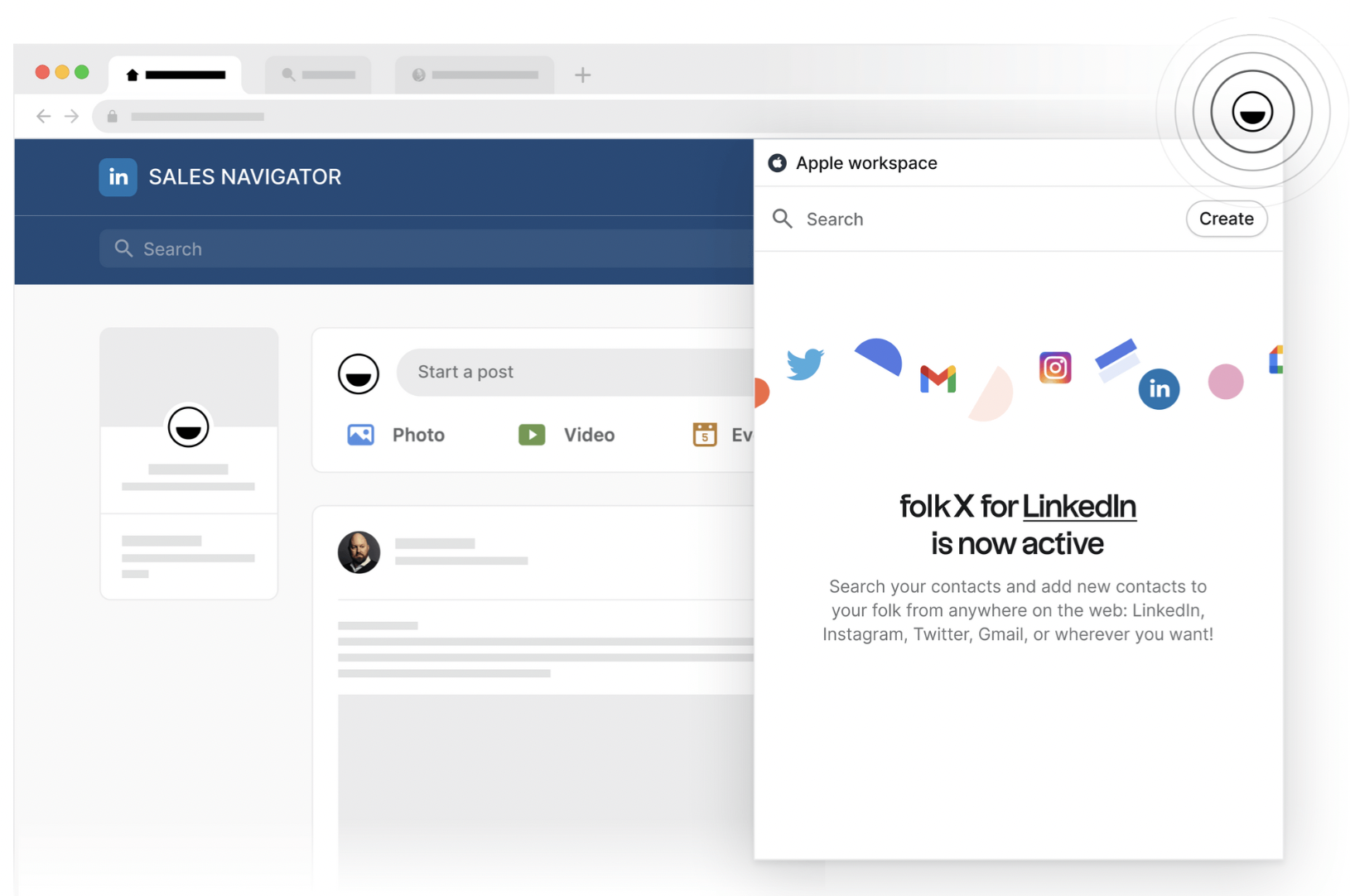
Without a doubt, fokX is top of our chrome extension list. We might be biased but as an easy to use platform, it stands out as the sales enablement tool for sales professionals using LinkedIn Sales Navigator. The best part? You can also use it if you have a free Linkedin account.
This powerful tool facilitates streamlining of your lead generation and management process. It streamlines your Linkedin search by allowing you to easily extract and save essential information from LinkedIn profiles, such as contact details and professional background. Saving all the relevant information into one handy place.
folkX also offers the ability to automate some of your LinkedIn activities, reducing manual work and increasing overall efficiency. The intuitive interface ensures that even those new to extensions find it easy to navigate and operate. Result? You can enhance your sales strategy, optimize your time, and ultimately, increase your conversion rates on LinkedIn Sales Navigator. For growing sales teams of 20-50 people, folk CRM provides the perfect balance of functionality and simplicity to manage your expanding prospect database without overwhelming complexity.
No wonder why it was featured and has 7,000+users on the Google chrome web store.
👉🏼 Try folk now to capture LinkedIn profiles from Sales Navigator with one click
Hunter.io
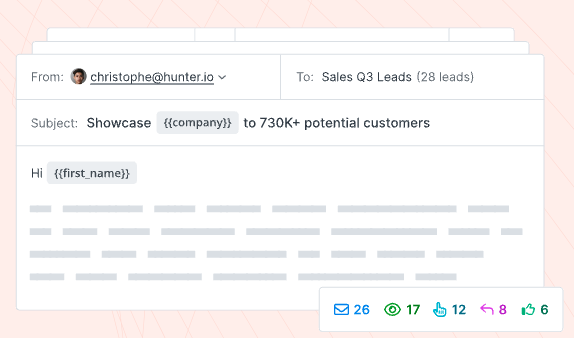
Hunter.io is one of the best email scraping tools out there. They're renowned for its superb email finding and verification capabilities, empowering sales teams to gather contact data easily.
Their chrome extension extension allows you to pull up the email addresses associated with any LinkedIn profile within the LinkedIn sales navigator easily, making it effortless to reach out to potential leads when it comes to sales prospecting.
It can also pull professional email addresses and verifies the credibility of these email addresses, reducing the risk of bouncing emails. The scraped email addresses go through a free email verification to ensure that the user contact them safely.
This tool becomes particularly useful when you're looking to expand your outreach beyond LinkedIn, enabling you to engage with your prospective leads on multiple platforms.
Lavender AI
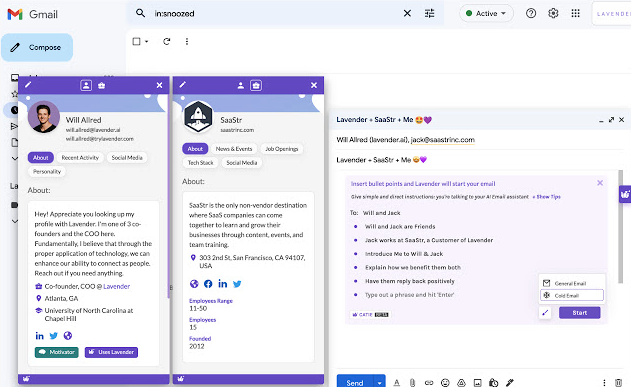
Lavender AI, is a tool with a mission to empower sales professionals by enhancing their email communication using some very nifty features.
It leverages artificial intelligence to analyze your outbound emails, provide real-time suggestions, and help you craft compelling and effective messages. Lavender AI is designed to improve response rates, enhance engagement, and ultimately increase sales conversions. By incorporating Lavender AI into your workflow, you can make your email outreach more efficient and effective, creating a more profound connection with your leads. Download their chrome extension here.
Clearbit

Clearbit is a tool that provides insights from public records about website domains linked to LinkedIn profiles and company URLs.
It is perfect for those looking to gain detailed company information, such as market share or revenue, without having to visit many different sites. Their Chrome extension is an all-in-one toolbox that is incredibly useful for sales professionals.
Dux-Soup
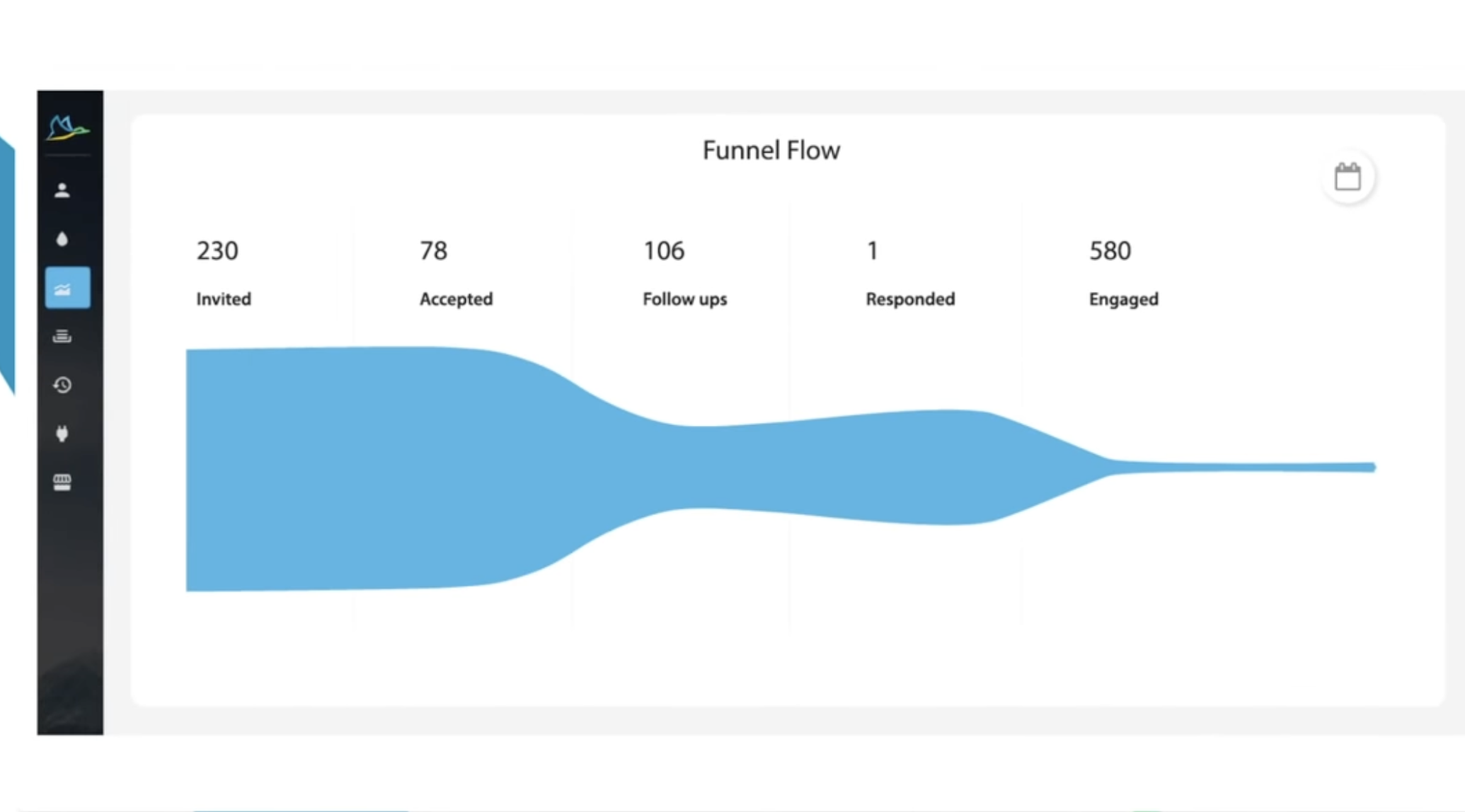
Dux-Soup is a Chrome extension that compliments LinkedIn Sales Navigator by allowing you to discover, attract, and engage with prospects. It also records every detail of your LinkedIn interactions for easy follow-ups.
It automates LinkedIn lead generation tasks like connecting, sending InMails, and endorsements. And also keeps track of every LinkedIn profile you visit and allows you to tag profiles, making it easier to manage and prioritize leads. This tool also offers automated LinkedIn lead generation, providing valuable insights about your potential leads.
The Dux-dash board provides an easier way of sales prospecting by showing you campaign statistics to optimize your Linkedin lead generation to help you generate and manage leads.
Crystal
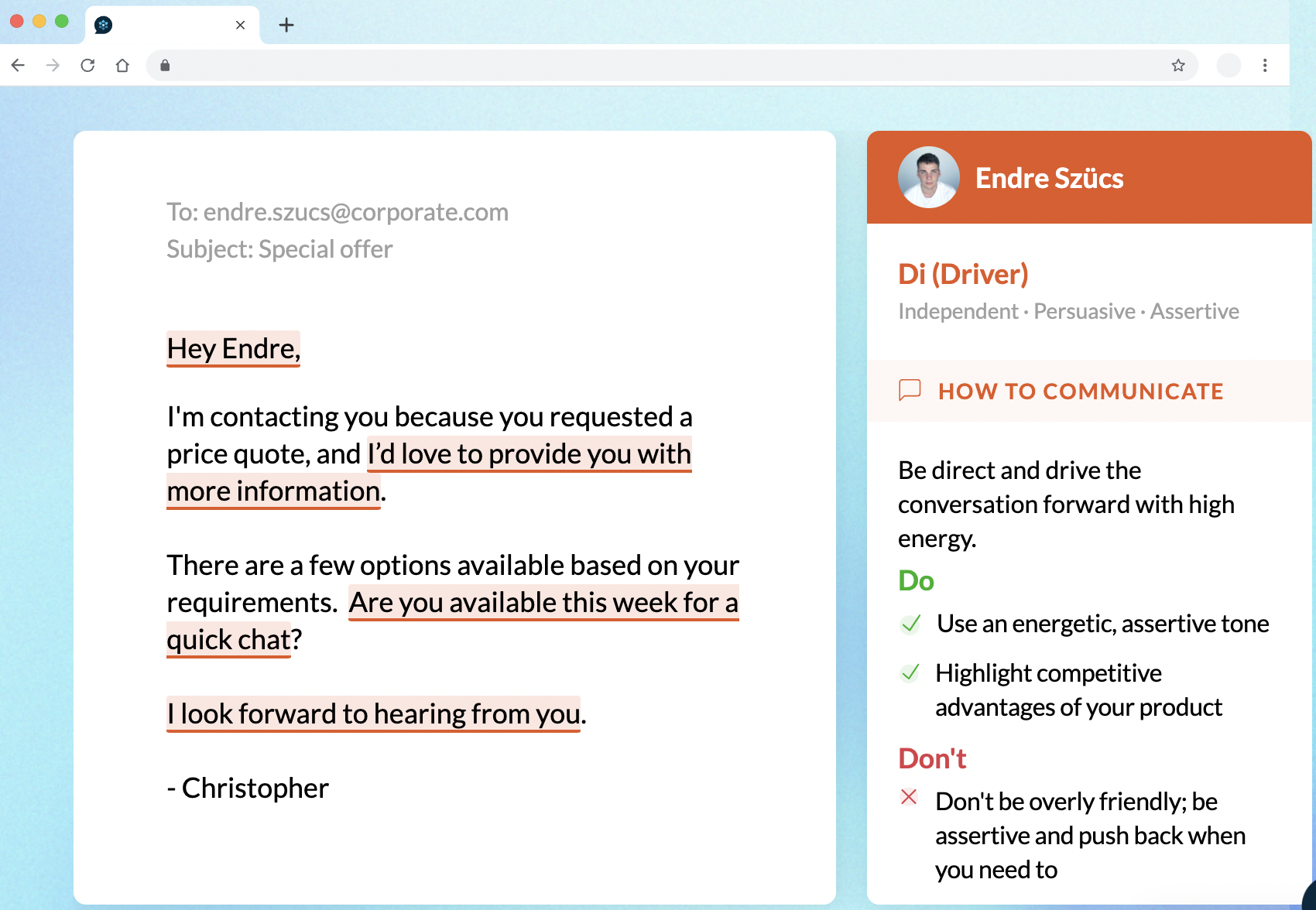
Crystal is an AI tool that can analyze LinkedIn profiles and provide real-time insights about a person's personality. This can help you tailor your approach and build rapport with your prospects more effectively. It provides suggestions on how to communicate with people in a way that they are most likely to appreciate and respond positively to.
Conclusion
On its own, LinkedIn Sales Navigator is an incredibly robust sales tool. But with the right chrome extensions, it can go even further. The extensions we've recommended here are all complementary and focused on streamlining your work and save time as you go through your sales cycle so that you can start making the most of your sales navigator account today.
Having an all in one chrome extension such as folkX can be beneficial for your sales tools kit. After all, It's a robust sales CRM that can help you keep track of your visual sales pipeline and see who've spoken to and keep their contact details up to date all in one place. For medium-sized sales teams of 20-50 professionals, folk CRM strikes the perfect balance between advanced functionality and user-friendly design, making it easier to coordinate prospect management across your entire team without the complexity of enterprise solutions.
And if you haven't yet, try folk today and say goodbye to lists of gmail contacts, and hello to an easy way to build out your CRM that helps streamline the way you collect contacts for prospecting, hiring, fundraising and more. It's got CRM pricing friendly for everyone from one-person bands to small and large teams that need greater customization. When you're managing a growing sales organization of 20-50 people, folk CRM offers the scalability and collaborative features that keep everyone aligned while maintaining the simplicity that prevents workflow disruption.
👉🏼 Try folk now to keep your Sales Navigator leads synced in a shared CRM and never miss a follow-up
Useful links
FAQ
How do Chrome extensions improve LinkedIn Sales Navigator?
They speed prospecting by capturing profile data, finding and verifying emails, enriching company info, and syncing leads to a CRM. This reduces manual copy-paste and helps prioritize outreach faster.
How can I save Sales Navigator leads to a CRM?
Use a capture extension like folkX to add profiles, notes, and emails directly to folk CRM with one click, then track stages in a visual pipeline and send outreach. Learn more at folk.
Is automation with Sales Navigator allowed?
Yes, within LinkedIn's terms. Keep actions human-like, avoid bulk auto-messaging, respect daily limits, personalize outreach, and verify emails before sending. Over-automation risks account restrictions.
What is a good impressions number on LinkedIn?
There is no universal number. Benchmark by audience size: for company pages, reaching 2–6% of followers per post is typical; strong posts can exceed 10%. Track trend over time and optimize for qualified engagement and replies.
Discover folk CRM
Like the sales assistant your team never had