


Discover folk - the CRM for people-powered businesses
If you are looking for a comprehensive people directory for your sales team, you have come to the right place.
In the age of social media and digital connectivity, it is more important than ever for sales professionals to have access to a reliable and up-to-date database of contacts and prospects.
Whether you are conducting prospect research, trying to find contact information for potential clients or existing customers, a people directory can be an invaluable resource for sales teams of 20-50 people.
Said simply, it helps centralize all the contact information your sales team might need in one single place.
| Main points |
|---|
|
What is a People Directory?
A people directory is a searchable database of individuals that provides information such as:
- Names
- Addresses
- Phone numbers
- Email addresses
- Avatar
- LinkedIn profile
- Twitter profile
- Personal website
- Food preferences
and whatever other custom information you might need about your prospects and contacts, be it industry specialization, company size, budget range, or other custom data based on your sales process.
These directories are typically maintained by sales teams that are dealing with a large volume of contacts - be it prospects, existing clients, referral partners, or industry contacts.
Looking for a comprehensive people directory? folk CRM is the best solution for sales teams of 20-50 people, centralizing all your contacts and prospects in one place, making it easier to manage and access crucial sales information.
👉🏼 Try folk now to centralize all your contacts and find the right people faster
Benefits of Using a People Directory
Using a people directory can offer numerous benefits for sales professionals, including:
- Saving time: Instead of spending hours searching for prospect information or digging through scattered contact lists, you can quickly and easily find the sales-critical information you need in one place.
- Accuracy: People directories are typically updated regularly, so you can be confident that the prospect and client information you are accessing is current and accurate for your sales outreach.
Using a people directory is typically a straightforward process. You simply enter the name of the prospect or contact you are searching for into the search field, along with any additional information you have (such as their company or industry), and the directory will provide you with a list of matches.
folk: the simplest People Directory
folk CRM is the ideal people directory solution for medium-sized sales teams of 20-50 people, offering the following sales-focused options
- Easily import prospect data from other platforms such as Gmail, Outlook, LinkedIn Sales Navigator, with a direct integration or with the extension in a single click
- Categorize prospects and clients into groups with all the sales information you might need with custom fields for deal size, industry, and sales stage
- Have full interaction details logged automatically, for you and your sales team
- Integrate with other sales and marketing tools
Note that prospect and client details can also be imported from a CSV file.
Once in folk, you can use tags, views, and filters to organize prospect lists to however you want to view them for your sales pipeline.
👉🏼 Try folk now to organize your people directory with custom fields, tags, and filters

You can also have more context on recent sales interactions by hovering any contact card.
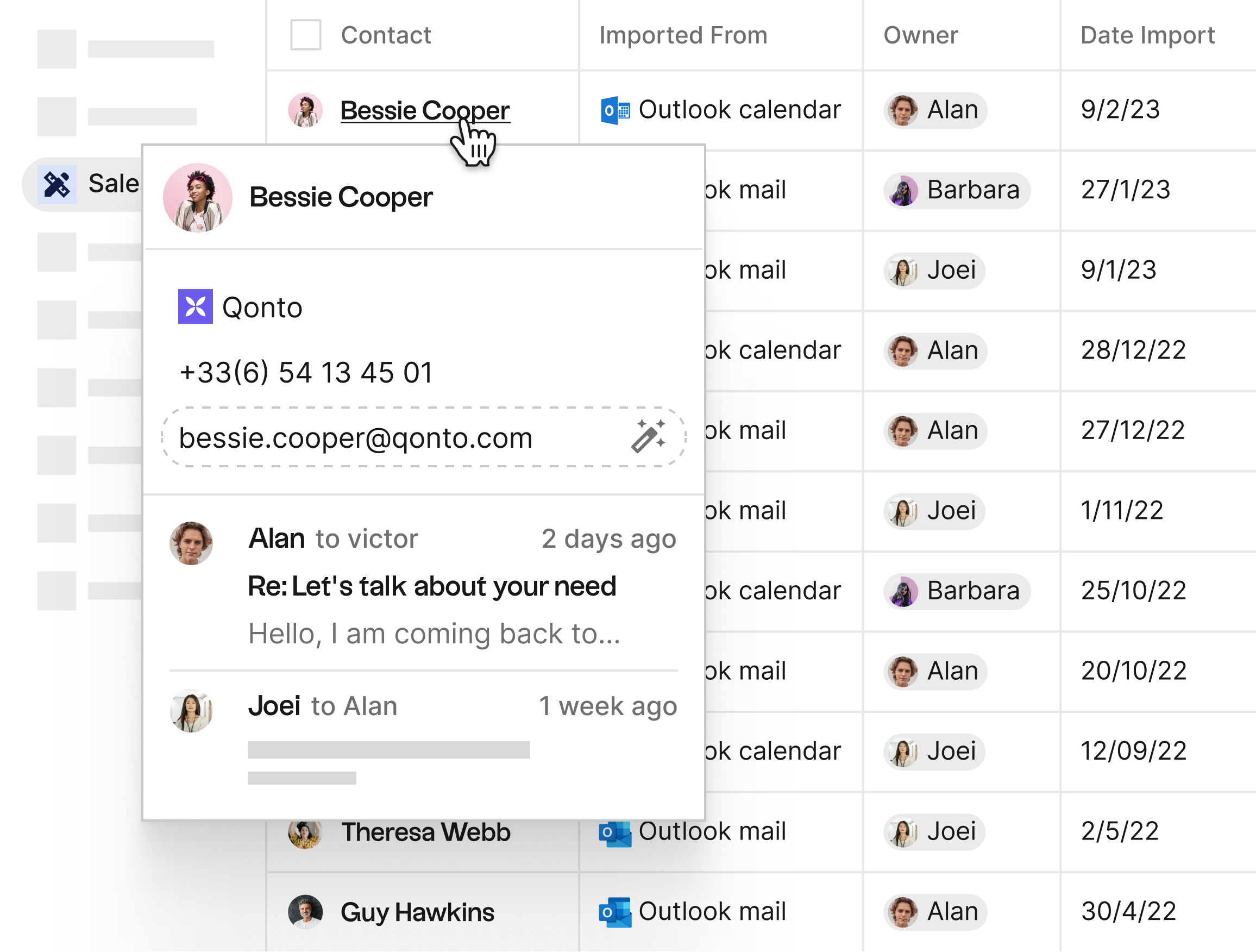
Last but not least, collaboration is a central element on folk CRM, making it perfect for sales teams of 20-50 people where sales managers and team members need to keep track of prospects and deals: shared notes, mentions, reminders, shared emails, and pipeline visibility are features that can easily be activated on the folk CRM platform.
Conclusion
In conclusion, a people directory can be a valuable tool for any sales professional looking to find prospect information and manage client relationships effectively. By using a reliable and up-to-date directory, you can save time, ensure accuracy, and access sales-critical information conveniently and cost-effectively. So the next time you need to find prospects or manage your sales contacts, consider using a people directory to make your sales process easier and more efficient.
FAQ
What is a people directory for sales teams?
A centralized, searchable database of contacts and accounts. It stores names, roles, emails, phones, social links, and custom fields, helping teams find, segment, and share accurate contact data across the sales cycle.
How do you create a people directory for a team?
Import contacts from email, calendars, CSV, and LinkedIn; define custom fields; tag and group records; set access; enable sync and deduplication; connect integrations. A CRM like folk streamlines setup in minutes.
What should a people directory include?
Core fields (name, company, role, email, phone), owner, tags, last interaction, lifecycle stage, source, notes, social profiles, and any custom fields such as industry, deal size, territory, or languages.
What is the difference between a people directory and a CRM?
A people directory focuses on storing and searching contact data. A CRM adds pipelines, email sequences, tasks, reporting, and collaboration. Some tools combine both so teams manage contacts and deals in one place.
Discover folk CRM
Like the sales assistant your team never had