


Discover folk - the CRM for people-powered businesses
When it comes to managing your contacts and streamlining your workflow, folk CRM is an intuitive and user-friendly choice for small teams and businesses. Its simplicity, automation features, and focus on contact management make it a standout option. But with so many options out there, you want to make sure that your top choice really is for you.
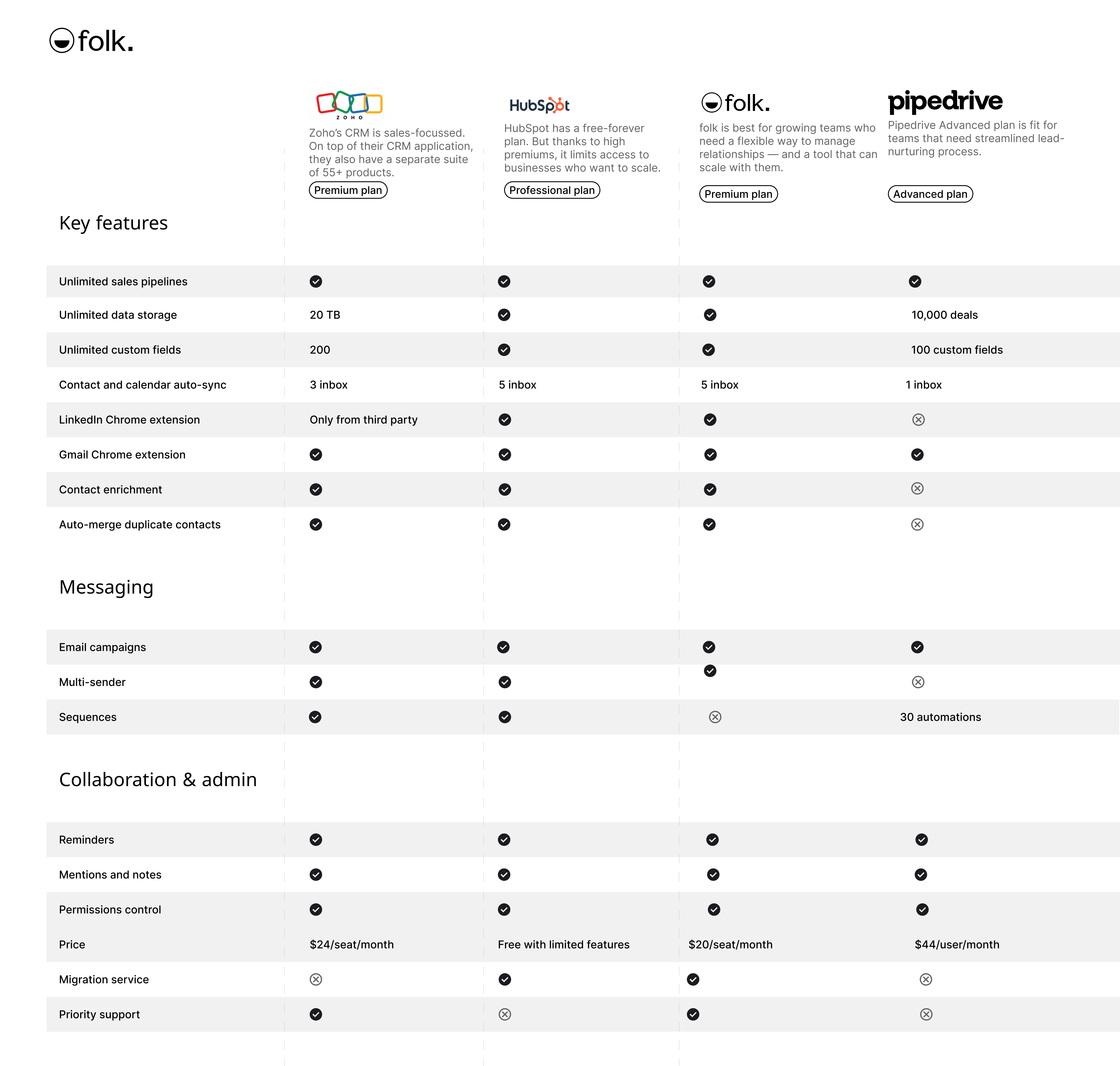
In this blog post, we'll explore three top folk CRM alternatives—Pipedrive, Zoho CRM, and HubSpot. Along the way, we'll showcase how folk maintains its position as a balanced, efficient solution for many businesses.
| Main points |
|---|
|
Why finding the right CRM can be challenging?
Choosing the right CRM isn't just about picking a tool. It's about finding a solution that fits your business.
CRMs are as diverse as the teams that use them, catering to different pain points like:
- Managing contact overload.
- Automating follow-ups and task assignments.
- Tracking sales or marketing performance.
As you start testing CRMs on your shortlist, you may come across some that have steep learning curves and lengthy implementation times. Delaying your ability to fully use the CRM system. This tends to lead to a growing backlog of administrative tasks and drop-offs.
Additionally, some CRMs are designed to support only one business function at a time. Typically focused on either sales or marketing, leaving teams with small budgets forced to invest in multiple platforms or revisit their CRM options once additional budget becomes available.
What makes folk CRM stand out?
From long implementation times to costly customization requests, CRM adoption can be challenging. Especially if you have a tight budget to consider. For teams of 20-50 people who need a CRM that balances functionality with ease of use, folk can scale with you as your business grows thanks to its ability to support solopreneurs, small to mid-size teams and large enterprises.
With its user-friendly design, practical features, and budget-conscious approach, folk CRM is a powerful alternative for businesses seeking an efficient, all-in-one solution. It's designed to help teams avoid the pitfalls of traditional CRMs and focus on what truly matters—building better business relationships. Here's more on why folk has become a firm favourite in the market.
1. Ease of use and quick setup
folk CRM is built with simplicity in mind, offering an intuitive interface that minimizes the learning curve. Teams can get up and running in no time, avoiding the delays and frustration often associated with complex systems. This means less time spent on training and setup, and more time focusing on building relationships and driving results.
👉🏼 Try folk now to get set up in minutes and avoid long CRM implementations
2. Streamlined functionality
Unlike CRMs that cater exclusively to one function, folk provides tools that work across multiple business needs. Its focus on contact management, workflow automation, and team collaboration eliminates the need for multiple platforms, making it a versatile solution. It also offers a folk mobile app for managing contacts and tasks on the go.
3. Flexible but not overwhelming
While some CRMs are packed with features that require significant customization, folk strikes the right balance. It's flexible enough to adapt to your team's needs but remains straightforward, ensuring you're not bogged down by unnecessary complexity.
Exploring folk CRM alternatives: How competitors compare
Wondering how folk compares to some of the mature options in the market? Let's take a look at some options.
1. Pipedrive
Best for: Solopreneurs
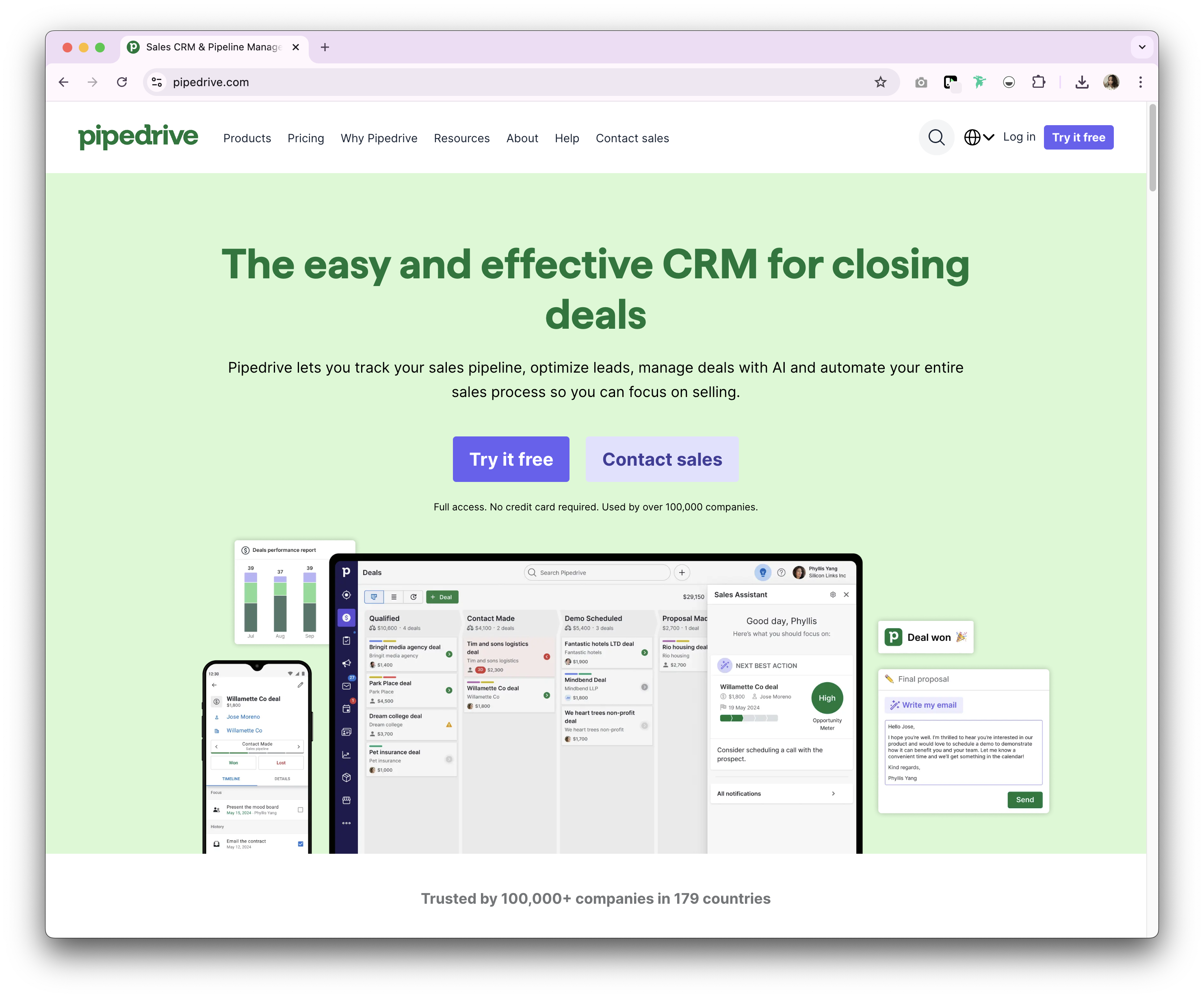
Pipedrive is a web-based CRM designed for small businesses, offering tools for lead management, sales automation, email integration, and customizable pipelines to streamline sales processes. Its user-friendly interface and straightforward setup make it accessible for individuals managing their own sales processes. However, Pipedrive's emphasis on sales functionalities may result in limited support for other business areas such as marketing or customer support.
Key features of Pipedrive
- Lead and deal management: Centralized tools to manage customer data, interactions, and sales pipelines, helping teams act quickly on opportunities.
- Sales automation: Workflow automation to handle repetitive tasks, such as lead routing, follow-ups, and email sequences, allowing sales teams to focus on closing deals.
- Email integration: Full email sync, templates, and tracking features, enabling users to manage all communications directly from the CRM.
- Advanced reporting and analytics: Real-time data analytics and custom reporting tools to track sales performance, forecast revenue, and gain actionable insights.
- Customization and security: Options to customize pipelines, fields, and user permissions, with robust security measures to protect data.
2. Zoho
Best for: Customization
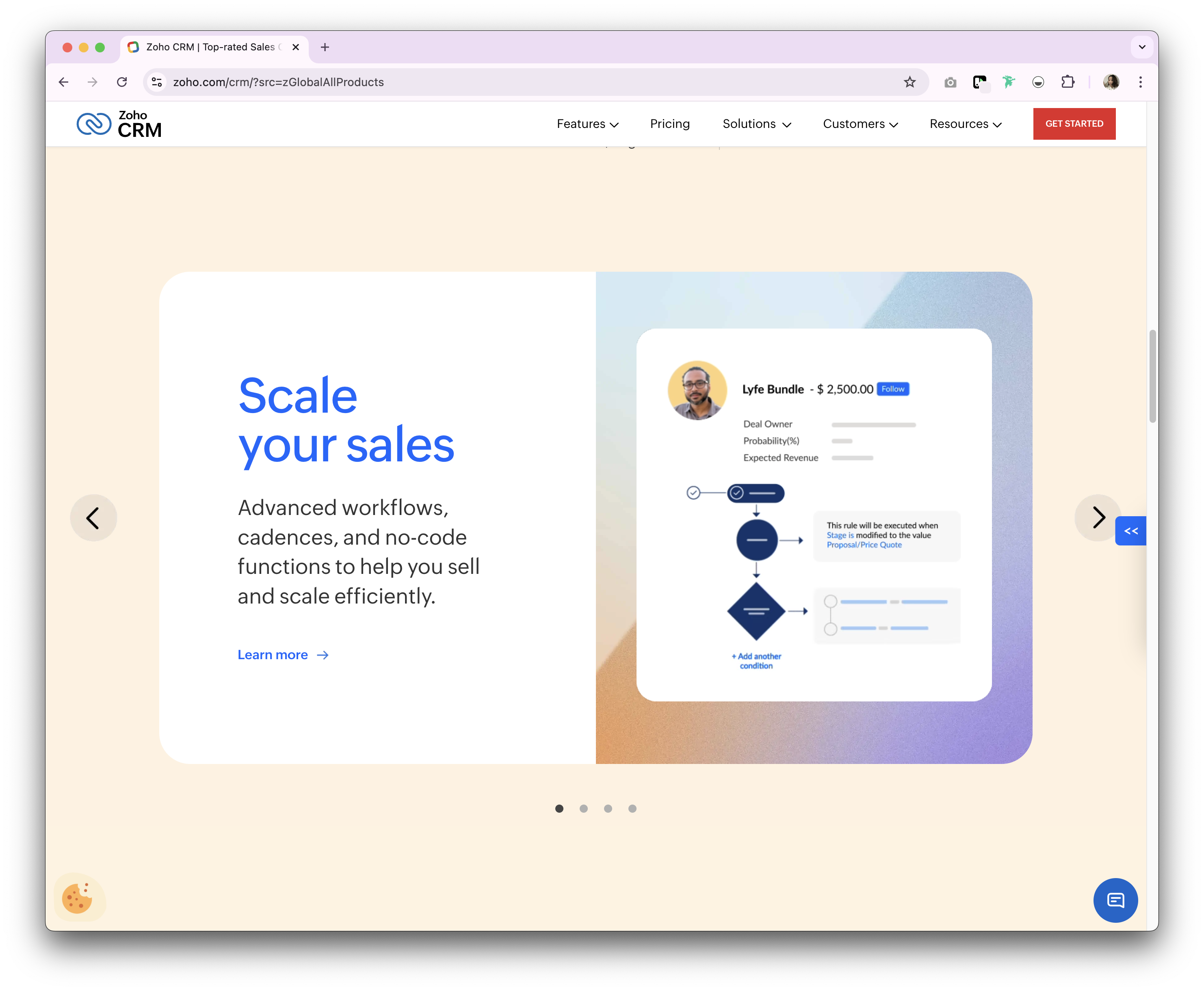
Zoho CRM is a platform primarily focused on sales, designed to handle complex workflows and support multiple business functions. It offers tools such as journey orchestration, sales process management, and workflow automation, catering to businesses that require detailed oversight of their operations. For marketing teams, Zoho includes features like event management and customer segmentation, but these may not offer the depth found in dedicated marketing platforms. While its flexibility can adapt to various needs, the extensive features and customization options can feel overly complex for teams of 20-50 people looking for a straightforward CRM solution that balances functionality without overwhelming users.
Key features of Zoho
- Sales automation: Automates sales tasks like lead management, deal tracking, and follow-up actions.
- Customizable dashboards and reports: Allows users to create and customize dashboards and reports for in-depth analytics.
- Multi-channel communication: Integrates with email, phone, social media, and live chat to manage customer interactions.
- Lead and contact management: Manages customer information, tracks interactions, and segments contacts for targeted campaigns.
- Workflow automation: Automates routine tasks and processes to improve efficiency and reduce manual effort.
- AI-powered sales assistant (Zia): Provides predictive analytics, task automation, and intelligent suggestions to enhance sales performance.
3. HubSpot
Best for: Marketing teams
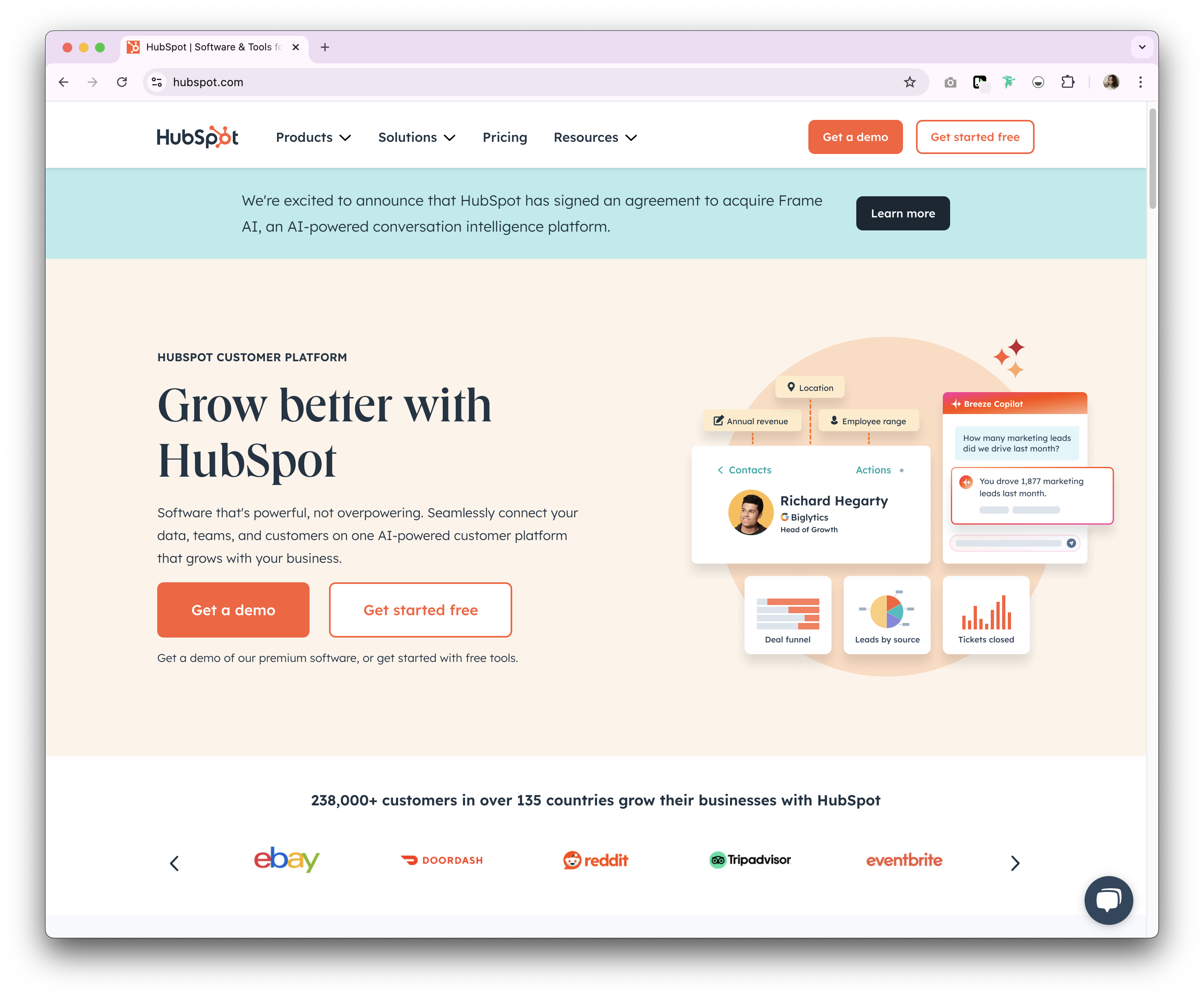
HubSpot CRM is a platform designed to manage sales, marketing, customer service, and operations in one integrated system. While it offers a broad range of tools, its primary focus is on aligning sales and marketing efforts. This makes it particularly suitable for teams that need centralized campaign tracking and lead management. However, the extensive features and integrations can become costly for businesses as they scale, and its design may feel overly focused on marketing, which could limit its appeal for teams with other priorities.
Key features of HubSpot
- Marketing hub: Includes email marketing, ad tracking, landing pages, and lead generation tools.
- Sales hub: Provides deal tracking, pipeline management, sales automation, and reporting.
- Service Hub: Offers customer service tools like ticketing, live chat, and knowledge bases.
- Operations hub: Syncs and automates business processes across different systems.
- Lead scoring: Prioritize leads with predictive scoring to improve sales efficiency.
Conclusion
Choosing the right CRM is an important step in streamlining your business operations and building stronger relationships. While alternatives like Pipedrive, Zoho CRM, and HubSpot offer unique features tailored to specific needs—such as sales management, customization, or marketing alignment. For growing teams of 20-50 people who need comprehensive contact management without overwhelming complexity, folk CRM provides a balanced, all-in-one solution that stands out for its simplicity, flexibility, and affordability. Ready to see the difference? Try folk CRM today and experience a simpler, more efficient way to manage your business relationships.
👉🏼 Try folk now to streamline contact management and never miss a follow-up versus other CRMs
More resources
- What is a sales cycle length and how to improve it
- What is a no-show rate and how to reduce it
- What is account mapping?
FAQ
What are the main alternatives to folk CRM?
Common alternatives include Pipedrive, Zoho CRM, and HubSpot. Other options often compared are Monday Sales CRM and Salesforce.
How does folk CRM compare to Pipedrive, Zoho, and HubSpot?
folk emphasizes simple contact management, fast setup, and automation. Pipedrive is pipeline-first for sales, Zoho is highly customizable but complex, and HubSpot is marketing-led and can become costly as teams scale.
Is folk CRM good for small teams and startups?
Yes. It offers an intuitive UI, quick onboarding, shared contact management, and workflow automation. It scales from small teams to midsize and enterprise without heavy admin.
How should a business choose between folk and other CRMs?
Assess use case (contact-centric vs marketing suite), team size, time to value, budget, reporting, and customization. Choose folk for shared contacts and speed; pick others for deep marketing or highly complex workflows.
Discover folk CRM
Like the sales assistant your team never had