


Discover folk - the CRM for people-powered businesses
WhatsApp is no longer just a messaging app. It is where deals start, move, and close. With open rates above 90% and near-instant replies, it outperforms email on every engagement metric that matters.
But volume breaks manual workflows. Conversations get lost, follow-ups are missed, and context disappears across tools. Without structure, WhatsApp turns into chaos instead of pipeline.
A CRM for Whatsapp fixes that. It centralizes conversations, tracks every interaction, and turns messages into revenue.
The question is no longer whether to use WhatsApp. It is which CRM can make it scalable, trackable, and predictable.
What is a WhatsApp Business?
WhatsApp Business is a business-focused version of WhatsApp designed to help companies communicate with customers in a fast, direct, and conversational way.
It enables businesses to manage one-to-one conversations, send updates, qualify leads, and provide support without relying on slower channels like email. The experience remains personal, but the infrastructure supports higher volume and better organization.
Two main versions exist:
- WhatsApp Business App: built for small teams handling conversations manually
- WhatsApp Business API: designed for companies that need automation, integrations, and multi-agent access
Typical users include:
✔️ Sales teams managing inbound and outbound conversations
✔️ Customer support teams handling requests in real time
✔️ Agencies running outreach and client communication
✔️ E-commerce brands sending updates and driving repeat purchases
✔️ Recruiters engaging candidates directly
WhatsApp Business works best for companies that rely on speed, personalization, and continuous interaction throughout the customer journey.
Why Using a CRM for WhatsApp Business?
WhatsApp alone does not scale. Conversations stay fragmented, follow-ups depend on memory, and team collaboration breaks as volume increases. A CRM adds structure, visibility, and control.
- Centralized conversations: WhatsApp messages, emails, and LinkedIn interactions are grouped in one place. Every exchange is tied to a contact, which removes context loss and tool switching.
- Contact management and enrichment: Phone numbers become complete profiles with names, companies, emails, and activity data. This turns raw conversations into qualified leads.
- Pipeline visibility: Each contact is mapped to a stage such as new lead, qualified, demo, or closed. This creates a clear sales flow and ensures no opportunity is forgotten.
- Team collaboration: Multiple team members can access the same conversation history, assign ownership, and add notes. This avoids duplicate outreach and missed follow-ups.
- Automated follow-ups: Reminders, sequences, and repetitive actions are handled automatically. Leads are contacted at the right time without manual tracking.
- Segmentation and targeting: Contacts can be grouped based on behavior, stage, or attributes. Messages become more relevant, which improves engagement and reply rates.
- Performance tracking: Metrics such as response time, reply rate, and conversion rate are tracked. This allows continuous optimization of messaging and workflows.
10 Best CRM for WhatsApp Business in 2026: The Ultimate List
👉 Try folk CRM for Whatsapp Business (free)
1. folk CRM
Rating
⭐⭐⭐⭐⭐(G2)
Overview
folk CRM is built for teams that rely on conversations to drive revenue. It combines WhatsApp, email, and LinkedIn into a single workspace, allowing teams to capture leads, enrich contact data, and manage pipelines without friction. The setup is lightweight, fast, and designed for high-velocity sales environments where context and timing matter.
Pros
- Unified view of WhatsApp, email, and LinkedIn conversations
- Chrome extension to capture LinkedIn and enrich contacts instantly
- Flexible pipelines adapted to different sales processes
- Strong segmentation and list management for targeted outreach
- Clean interface with fast onboarding and low maintenance
Cons
- No native WhatsApp API sending at very large scale compared to pure API tools
- Limited advanced reporting compared to enterprise CRMs
Pricing
Starts at $24/user/month (+14-day free trial)
👉 Try folk CRM for Whatsapp Business (free)
2. HubSpot
Rating
⭐⭐⭐⭐(G2)
Overview
HubSpot offers a full CRM with WhatsApp integration through its conversations inbox and third-party connectors. It centralizes customer interactions across channels and provides strong pipeline management, automation, and reporting. It fits teams that need an all-in-one platform with marketing, sales, and support capabilities.
Pros
- Robust CRM with pipeline, automation, and reporting
- Shared inbox for managing conversations at scale
- Strong ecosystem of integrations including WhatsApp
- Scales well from small teams to large organizations
Cons
- WhatsApp requires integration, not native
- Pricing increases quickly with advanced features
- Can feel heavy for teams focused only on outreach
Pricing
Start at $15/user/month (very limited features)
3. Respond.io
Rating
⭐⭐⭐⭐(G2)
Overview
Respond.io is designed for managing customer conversations across multiple channels, including WhatsApp. It provides a shared inbox, automation workflows, and integrations with CRM systems. It is built for teams handling high volumes of inbound and outbound messaging.
Pros
- Omnichannel inbox with WhatsApp at the core
- Advanced automation and workflow builder
- No markup on WhatsApp API fees
- Good for scaling support and sales conversations
Cons
- Requires external CRM for full pipeline management
- Setup can be complex for non-technical teams
- Pricing increases with usage and features
Pricing
Starts at $79/month
4. Kanal
Rating
⭐⭐⭐⭐⭐(Shopify App Store)
Overview
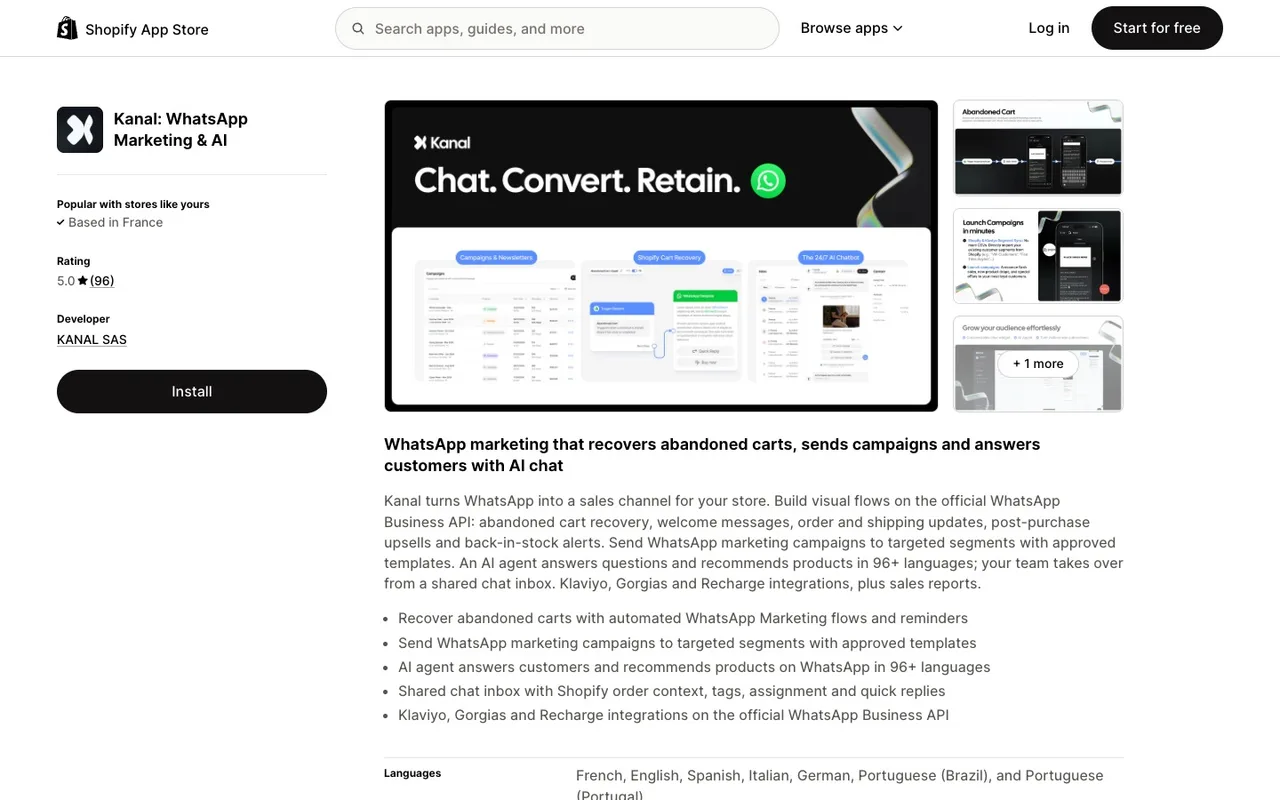
Kanal is a WhatsApp CRM and marketing platform built for Shopify stores. It brings WhatsApp conversations, customer data and campaigns into one place: each contact is enriched with Shopify orders, the shared inbox lets the team answer together, and automations handle abandoned carts and post-purchase follow-ups.
Pros
Native Shopify sync: orders, customers and segments on every WhatsApp contact
Shared team inbox with an AI agent that answers customers and hands over to the team
Abandoned cart recovery, order notifications and targeted WhatsApp campaigns in one tool
Integrations with Klaviyo and Gorgias
Cons
Built for e-commerce brands, not for B2B sales pipelines
WhatsApp-focused: email and SMS stay in other tools
The AI agent and advanced automations require the Scale plan
Pricing
Starts at $89/month (Pro). Scale, with the AI agent, is $149/month.
5. WATI
Rating
⭐⭐⭐⭐(G2)
Overview
WATI focuses on WhatsApp Business API usage with a team inbox, automation, and broadcasting features. It is designed for companies that want to run WhatsApp as a primary communication channel with structured workflows and multi-agent access.
Pros
- Native WhatsApp API platform with team inbox
- Built-in automation and broadcast messaging
- Easy setup compared to custom API solutions
- Good for support and marketing use cases
Cons
- Limited CRM capabilities compared to full CRMs
- Less flexible for multi-channel workflows
- Scaling costs can increase quickly
Pricing
Starts around $100/month
6. SleekFlow
Rating
⭐⭐⭐⭐(G2)
Overview
SleekFlow combines WhatsApp, social messaging, and CRM features in a single platform. It focuses on conversation-driven sales and support with automation, team inbox, and integrations. It fits teams running multi-channel communication with moderate complexity.
Pros
- Omnichannel inbox including WhatsApp, Instagram, and Messenger
- Built-in automation and workflow logic
- Shopify and payment integrations for sales flows
- Clean interface for team collaboration
Cons
- Additional WhatsApp API costs apply
- Less flexible than API-first tools for advanced setups
- Pricing increases quickly with scale
Pricing
Starts at $149/month
7. 360dialog
Rating
⭐⭐⭐⭐(G2)
Overview
360dialog provides direct access to the WhatsApp Business API without heavy platform layers. It is built for companies that want full control over messaging infrastructure and connect WhatsApp to their own CRM or tools.
Pros
- Direct API access with no markup on messages
- High flexibility for custom integrations
- Reliable infrastructure for scaling messaging
- Works well with external CRMs and automation tools
Cons
- No native CRM or interface
- Requires technical setup and integrations
- Not suitable for non-technical teams
Pricing
Starts at $49/month
8. Kommo
Rating
⭐⭐⭐(G2)
Overview
Kommo (formerly amoCRM) is a messaging-first CRM designed around WhatsApp and chat-based sales. It combines pipelines, automation, and chat integration directly inside the CRM, making it suitable for teams managing conversational sales at scale.
Pros
- Native focus on WhatsApp and chat-based pipelines
- Built-in automation and chatbot capabilities
- Visual pipeline for tracking deals
- Easy to use for sales teams
Cons
- Limited ecosystem compared to larger CRMs
- Reporting and analytics are less advanced
- Interface can feel restrictive for complex workflows
Pricing
Basic: $20
Advanced: $30
Pro: $45
9. Zendesk
Rating
⭐⭐⭐⭐(G2)
Overview
Zendesk integrates WhatsApp into its customer support suite, allowing teams to manage conversations alongside tickets, emails, and live chat. It is built for structured support workflows with high volumes and strict SLAs.
Pros
- Strong ticketing system with WhatsApp integration
- Scalable for large support teams
- Advanced automation and routing
- Detailed reporting and analytics
Cons
- Not designed for sales pipelines
- WhatsApp requires integration setup
- Can be complex and costly at scale
Pricing
$19/agent/month
10. Freshsales
Rating
⭐⭐⭐⭐(G2)
Overview
Freshsales offers a sales CRM with built-in communication tools and WhatsApp integration via Freshchat. It combines lead management, pipelines, and messaging in a single platform, making it suitable for sales-driven teams.
Pros
- Built-in CRM with pipeline management
- Integration with Freshchat for WhatsApp messaging
- Automation for follow-ups and lead scoring
- Good balance between features and usability
Cons
- WhatsApp is not fully native
- Requires multiple Freshworks products for full setup
- Limited customization compared to enterprise tools
Pricing
Starts at $11/user/month
Conclusion
WhatsApp Business is one of the fastest channels for starting and moving conversations, but speed alone does not create pipeline. Once message volume increases, teams need structure, visibility, and follow-up discipline to avoid losing opportunities.
That is where a CRM becomes essential. The right platform helps centralize conversations, enrich contact data, organize deals, automate reminders, and give the team a clear view of what is happening at every stage. Without that layer, WhatsApp stays useful but hard to scale.
For teams that want to combine WhatsApp with email and LinkedIn in the same workflow, folk CRM stands out as one of the strongest options. It keeps outreach organized, multichannel, and easy to manage without the heaviness of a traditional enterprise CRM.
The best choice depends on the sales model, team size, and level of automation required. But one thing is clear: businesses using WhatsApp without a CRM eventually hit operational limits, while those using the right CRM turn conversations into a repeatable growth channel.
FAQ
What's the difference between WhatsApp Business App and WhatsApp Business API?
The Business App suits small teams handling conversations manually, while the Business API is for companies needing automation, integrations, and multi-agent access.
Why add a CRM to WhatsApp Business?
A CRM centralizes messages, enriches contact data, tracks pipeline stages, and automates follow-ups so conversations scale without losing context or missed opportunities.
How to choose the best WhatsApp CRM for a team?
Pick based on volume, team size, and priorities: choose a lightweight multichannel CRM for fast follow-up, a WhatsApp-first inbox for high messaging volume, or an enterprise platform for deep automation and reporting.
Discover folk CRM
Like the sales assistant your team never had