


Discover folk - the CRM for people-powered businesses
Best CRM for LinkedIn in 2026
LinkedIn drives 89% of all B2B leads
Why a LinkedIn-specific CRM matters
The right CRM turns those conversations into revenue.
Winning LinkedIn Lead Generation isn't about one-off InMails; it's about syncing every profile view, message, and buying signal into a system built for follow-up at scale.
- Centralizes LinkedIn data
- Automates outreach and follow-ups
- Proves ROI on every connection
The 3 best CRMs for Linkedin are folk CRM, Hubspot CRM, and Salesforce Sales Cloud.
13 Best CRM for Linkedin in 2025
1. folk CRM
Rating
⭐⭐⭐⭐⭐ (4.5/5)
Overview
folk CRM streamlines LinkedIn Lead Generation by collapsing capture, enrichment, and outreach into a single flow. The folkX Chrome extension harvests any profile in one click—name, title, company, and email—and drops it straight into a shared database. For growing sales teams of 20-50 people managing LinkedIn outreach at scale, folk eliminates the friction between profile discovery and pipeline conversion. Teams slice contacts with tags or pipeline stages, then trigger sequences from an intuitive, no-code builder. The interface feels like a smart spreadsheet or Notion, yet supports dashboards, deal objects, and AI "magic fields" for instant enrichment. The result: faster hand-offs, cleaner data, and fewer leaks between social engagement and revenue.
Pros
Cons
- No built-in dialer (requires Aircall/Ringover)
- No free plan (only 14-days free trial on all plans)
Pricing
👉🏼 Try folk now to capture LinkedIn profiles in one click and sync them into shared pipelines
2. HubSpot CRM
Rating
⭐⭐⭐⭐(4.4/5)
Overview
HubSpot CRM powers marketing and sales alignment by integrating LinkedIn Lead Gen Forms and Sales Navigator natively. Contacts from LinkedIn forms autopopulate with source attribution, triggering scoring, nurtures, and sales tasks via a no-code workflow engine. Reps equipped with Sales Navigator licences can send InMails or connection requests from HubSpot contact records, with sales activity auto-logged. Beyond LinkedIn, HubSpot unifies email tracking, ad performance, call logging, and site analytics – giving a 360° view from the moment a lead clicks a LinkedIn ad to closing a deal.

Pros
- Native sync of LinkedIn lead ads and forms into pipelines
- Sales Nav integration for LinkedIn prospecting inside CRM
- Powerful automation: lead scoring, branch logic, task assignments
- Rich reporting dashboards and customization tools
- Vast marketplace and developer ecosystem
Cons
- Full Sales Navigator panel requires Paid seat + LinkedIn licence
- Pricing scales steeply at Professional/Enterprise tiers
- Setup complexity can overwhelm small teams
Pricing
3. Salesforce Sales Cloud
Rating
⭐⭐⭐⭐ (4.4/5)
Overview
Salesforce Sales Cloud is the go-to CRM for large organizations needing LinkedIn Sales Navigator integrated deeply within complex deal environments. From contact enrichment to automatic task creation based on LinkedIn activity, embedded Sales Navigator panels surface real-time signals next to opportunity data. Einstein AI suggests next-best actions, surfaces signals from LinkedIn conversations, and powers conversational intelligence. Ideal for enterprise teams managing multisite sales, partnerships, and long-cycle deals – though it requires a capable admin and custom configuration.
Pros
- Full LinkedIn integration with Sales Nav panel
- Einstein AI for next‑best actions and sales insights
- Custom objects, multi-currency, territory management
- Extensive AppExchange and partner ecosystem
Cons
- High admin overhead and implementation complexity
- Hardware costs for sandboxes, training for vendors
Pricing
4. Pipedrive
Rating
⭐⭐⭐⭐ (4.3/5)
Overview
Pipedrive is a user-friendly CRM optimized for small-to-mid teams focused on deal velocity. LinkedIn Lead Gen Forms and Navigator connect via marketplace apps (Surfe, Breakcold) or Make.com, automatically routing captured leads into pipelines with scheduled follow-ups. Pipedrive offers kanban boards, deal rotting indicators, and goal tracking—all complemented by AI-powered sales assistant, Smart Contact Data, and chat/email syncing. It's efficient for outbound teams that want visual clarity without sacrificing LinkedIn capture or automation.

Pros
- Clear, drag-and-drop pipelines and deal visibility
- Marketplace integrations for LinkedIn and form capture
- Email sync, templates, scheduling in Advanced plan
- AI features and forecasting in higher tiers
- Competitive pricing with 14-day trial
Cons
- No native Sales Navigator panel
- Limited reporting/customization below Power plan
- Add-ons (e-signatures, chatbots) cost extra
Pricing
5. Salesflare
Rating
⭐⭐⭐⭐⭐ (4.8/5)
Overview
Salesflare is a simple yet powerful CRM for small and medium-sized B2B teams that want to turn LinkedIn relationships into deals without drowning in manual data entry. Its LinkedIn sidebar lets users work directly from LinkedIn, add contacts and companies with LinkedIn data, and find business email addresses while keeping everything connected to the CRM.
Unlike tools built mainly for scraping or high-volume prospecting, Salesflare focuses on relationship intelligence and follow-up. It automatically gathers contact and company information from emails, email signatures, social profiles, meetings, phone calls, and more, then organizes interactions into automated customer timelines. Sales teams also get visual pipelines, email and website tracking, personalized email campaigns, and reminders, making it useful for founders, consultants, agencies, and lean sales teams that use LinkedIn as part of a broader B2B sales workflow.
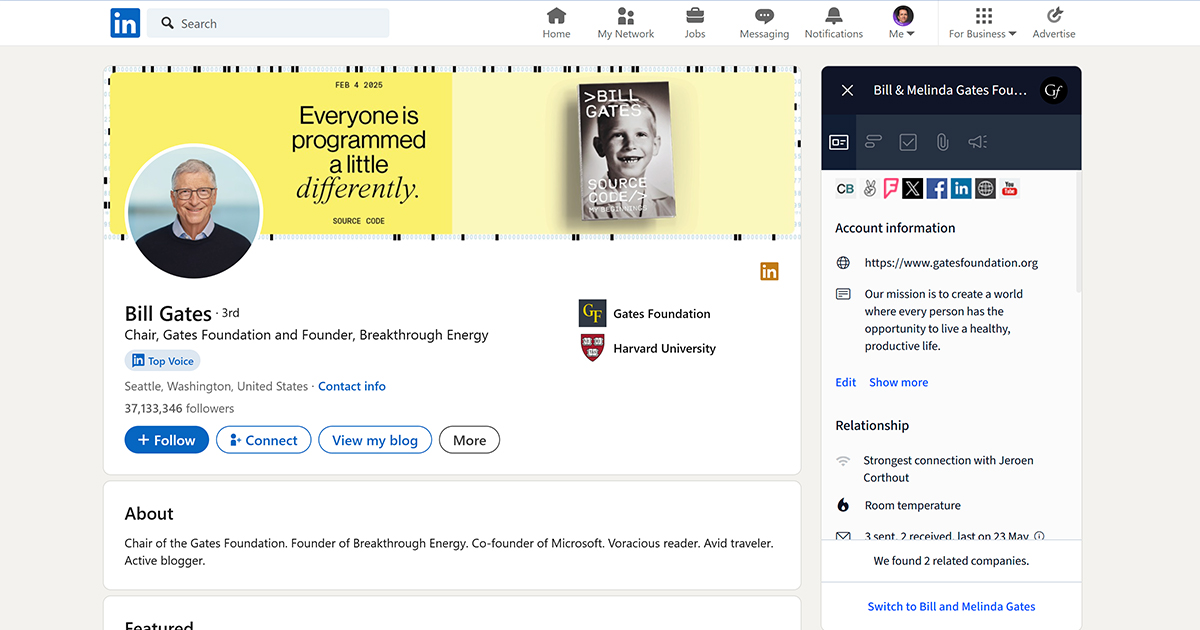
It’s best for teams that want LinkedIn context, email outreach, and pipeline tracking in one lightweight CRM; without the admin burden of an enterprise platform.
Pros
- LinkedIn sidebar for working directly from LinkedIn
- Automatically gathers contact and company data from emails, signatures, social profiles, meetings, and calls
- Email, link, and website tracking for follow-up prioritization
- Visual drag-and-drop sales pipelines
- Gmail and Outlook sidebars, plus mobile apps
- Personalized email campaigns from connected mailboxes
- Strong fit for small and mid-sized B2B sales teams
- 30-day free trial
Cons
- No free plan (only 30-day free trial on all plans)
- Email sequences, permissions, and custom dashboards require the Pro plan
- Less suited for enterprise teams needing complex territory management or deep Sales Navigator administration
Pricing
6. Zoho CRM
Rating
⭐⭐⭐⭐ (4.1/5)
Overview
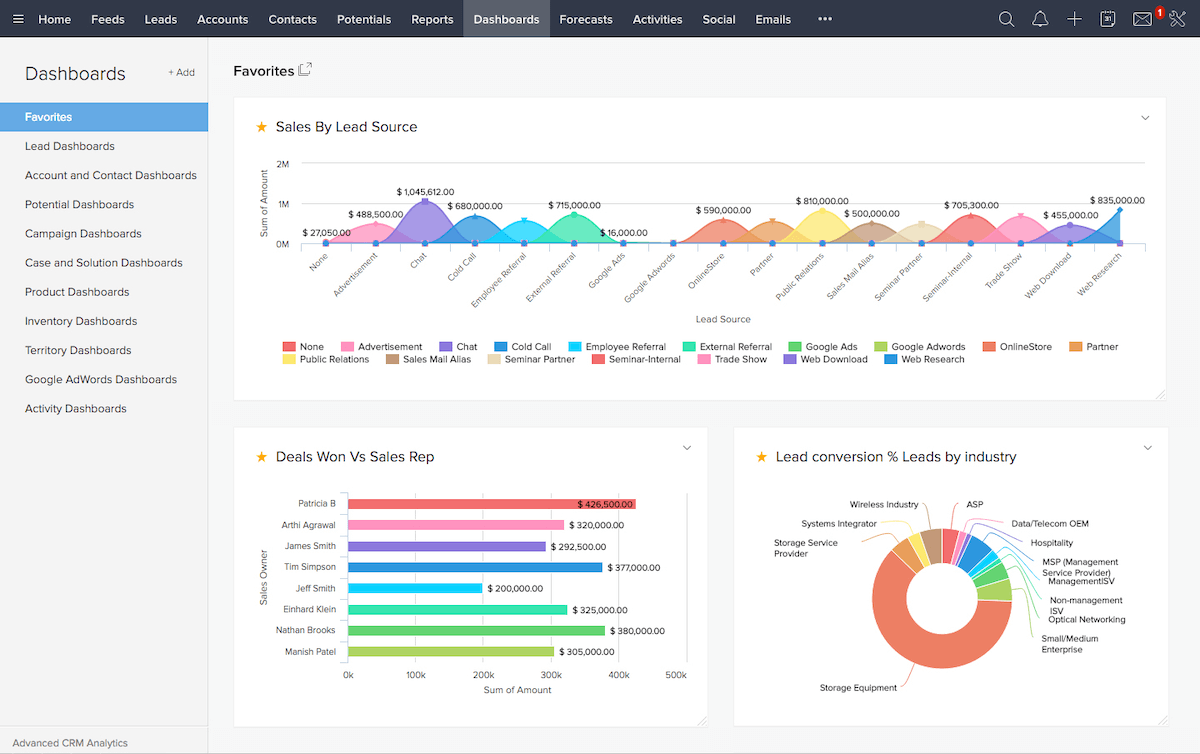
Zoho CRM centralizes lead capture across email, phone, web chat and social—even LinkedIn—via Lead Gen Form integrations and SalesSignals alerts. Its AI assistant, Zia, predicts sales anomalies, suggests tasks, and flags email sentiment. Users benefit from an interface that can expand from simple pipeline tracking to complex CRM operations—territory management, custom functions, multi-user roles. The Zoho ecosystem (CRM Plus) adds Ad campaigns, analytics, and support tools—ideal for growing teams optimizing ROI from LinkedIn Lead Gen and beyond.
Pros
- Native LinkedIn Lead Gen Form import
- AI assistant (Zia) for forecasts, anomalies, sentiment
- Scalable with custom roles, functions, territories
- Free tier (up to 3 users) and flexible licensing
- Integration with wider Zoho suite—finance, support, marketing
Cons
- Interface can feel cluttered—steeper learning
- Higher plans needed for advanced automation
- API and integrations occasionally require development partner
Pricing
7. Close
Rating
⭐⭐⭐⭐⭐ (4.5/5)
Overview
Close is a sales engagement platform that brings powerful calling, emailing, and task automation into one workspace—ideal for teams blending cold calling, email, and LinkedIn outreach. It supports predictive dialing, call transcription, and AI-powered search to filter leads (e.g. "no contact in 30 days"), while syncing email and LinkedIn activities directly into contact timelines. Sequences can mix Sharpened calling with automated emails or LinkedIn messaging via Zapier or native APIs. It's built for SDR-heavy teams aiming to boost outbound efficiency and conversion rates.

Pros
- Built-in power dialing & call transcription
- Email and LinkedIn activity logged automatically
- AI search filters and lead prioritization
- All outbound channels in one threaded interface
- No contract; monthly or annual flex plans
Cons
- No native LinkedIn capture—requires integration
- Higher cost (calling features included at higher tiers)
- Less suited for inbound-heavy operations or simple pipelines
Pricing
8. Nimble
Rating
⭐⭐⭐⭐ (4.0/5)
Overview
Nimble excels at blending contact management with relationship intelligence—perfect for LinkedIn-heavy individuals or small teams. Its Chrome widget enriches profiles from LinkedIn, Twitter, and email signatures, auto-aggregating communication and social signals. Nimble supports group messaging, task reminders, and basic workflow rules. It's not a deals-focused CRM, but the social-first design makes it easy to nurture networks, follow-up with prospects, and maintain conversation history across channels.

Pros
- Automatic enrichment from social profiles
- Unified timeline across email, social, calendar
- Lightweight workflows and reminders
- Clean UI, easy to adopt
- 14-day free trial, no long-term contract
Cons
- No pipeline or deal object support
- Limited analytics and automation
- Scaling beyond social selling requires third-party tools
Pricing
9. Copper
Rating
⭐⭐⭐ (3.7/5)
Overview
Copper is tailored for teams using Google Workspace who want to manage sales and relationships with minimal friction. The CRM surfaces LinkedIn data through Chrome and Gmail extensions, auto-logging profile views, emails, and calendar events. Its automation tools (from Professional plan) support bulk email campaigns, workflow sequences, and pipeline visualizations. With built-in reporting and contact enrichment, Copper offers a clean, integrated experience for teams balancing LinkedIn capture and Google-native workflows.

Pros
- Deep Gmail, Calendar, Drive integration
- One-click LinkedIn capture via Chrome widget
- Pipeline automation, reporting in mid-tier plans
- UI is intuitive for Workspace users
- Pricing starts low; scalable to higher levels
Cons
- No native LinkedIn Sales Navigator panels
- Higher plans required for workflows and reports
- Limited customization compared to enterprise CRMs
Pricing
10. Apollo.io
Rating
⭐⭐⭐⭐⭐ (4.6/5)
Overview
Apollo combines a B2B contact database, multichannel outreach, and CRM features in one tool. It's a favorite among SDR teams running outbound on LinkedIn. The Chrome extension lets you scrape and enrich LinkedIn profiles instantly, while the built-in dialer, email engine, and sequence builder allow you to engage leads across channels—without leaving Apollo. It replaces the need for LinkedIn scraping tools + CRM + outreach platforms. The system also tracks engagement (opens, replies, clicks), helping reps prioritize based on intent.

Pros
- Huge B2B database + LinkedIn enrichment
- Email, dialer, LinkedIn actions built-in
- AI-powered lead scoring & persona filters
- Forever-free plan for small outreach volumes
Cons
- Deliverability can drop without setup tuning
- Some data quality inconsistencies reported
- Sales forecasting and reporting are basic
Pricing
11. Salesmate
Rating
⭐⭐⭐ (3.3/5)
Overview
Salesmate is an affordable sales CRM with built-in calling, texting, email automation, and appointment scheduling. While there's no native LinkedIn sync, you can integrate LinkedIn via Zapier or Make to auto-create leads from connection requests or messages. The platform is visual and intuitive, and the higher plans unlock more powerful workflows, advanced reports, and multi-team dashboards. It's ideal for startups and lean sales teams who want a centralized workspace for multichannel outbound.

Pros
- Calls, SMS, and email in one place
- Workflow builder with trigger-action logic
- Integrated scheduler, web forms, chatbot
- Clean UI, no steep learning curve
Cons
- LinkedIn capture only via Zapier/Make
- Advanced features gated behind Business plan
- Reporting limited on lower tiers
Pricing
12. Freshsales
Rating
⭐⭐⭐⭐⭐ (4.5/5)
Overview
Freshsales by Freshworks is a modern CRM built for speed and automation. It includes built-in WhatsApp integration, AI-powered lead scoring (via Freddy AI), and sales sequences out of the box. LinkedIn capture is not native but possible via Zapier or Clearbit integrations. It's easy to set up and very budget-friendly, making it ideal for small-to-medium B2B teams that want to automate lead flow without complex tools.

Pros
- Built-in email integration
- AI-powered lead scoring, forecasting, alerts
- Simple workflow automation in every plan
- Free plan available
Cons
- No direct LinkedIn sync
- Reporting and segmentation limited on free & Growth tiers
- Freddy AI tools only from Pro plan up
Pricing
13. Capsule CRM
Rating
⭐⭐⭐ (3.6/5)
Overview
Capsule is a simple, elegant CRM for small teams who want to track relationships, tasks, and deals without enterprise complexity. You can capture LinkedIn contacts using the Gmail/Chrome extension, and the platform integrates with Google Workspace, Outlook, and Xero. The higher plans introduce task automation, advanced permissions, reporting, and AI-based company enrichment. It's not designed for high-volume outbound, but it's perfect for consultants, agencies, and boutique B2B orgs focused on quality over quantity.

Pros
- Chrome extension for Gmail & LinkedIn contact capture
- Clean UI, fast to set up
- AI enrichment for company data (Growth+)
- Affordable pricing, especially for small teams
Cons
- No Sales Navigator integration
- Limited automation in Starter plan
- Not suited for SDR-heavy outbound at scale
Pricing
Conclusion: Which CRM Wins for LinkedIn?
If you're serious about converting LinkedIn connections into pipeline, the right CRM doesn't just store data—it activates it.
→ For growing sales teams of 20-50 people, folk CRM is the best CRM for Linkedin: it's the only tool in this list that's built for LinkedIn from the ground up, with one-click capture, multichannel sequences, and a no-friction UX perfectly suited for mid-size teams scaling their LinkedIn outreach operations.
→ For enterprise complexity, Salesforce or HubSpot offer advanced automation—but with setup costs and overhead.
→ If you're an SDR team scaling outbound, Apollo offers serious firepower for free, while Close gives you a complete call engine.
→ And for Google-native teams or social-first sellers, Copper and Nimble offer light, fast options that fit naturally into your workflow.
👉🏼 Try folk now to never miss a LinkedIn follow-up with shared reminders, tags, and pipeline views
FAQ
Can you sync LinkedIn contacts to a CRM?
Yes. Salesforce and HubSpot sync via Sales Navigator. folk captures profiles in one click with the folkX extension. Others connect via Zapier/Make or browser add-ons. Check LinkedIn terms and get consent before importing.
What is the best CRM for LinkedIn Sales Navigator users?
Salesforce and HubSpot embed Sales Navigator panels for signals and InMail. For fast capture plus multichannel sequences without heavy admin, consider folk. Choose by team size, budget, and setup needs.
Who is the biggest competitor of LinkedIn?
Indeed is LinkedIn's largest rival in online recruiting; ZipRecruiter and Glassdoor are also major competitors. For networking, X (Twitter) and Facebook Groups compete in some markets.
How do you choose a CRM for LinkedIn lead generation?
Prioritize 1-click LinkedIn capture or Sales Navigator sync, multichannel sequences, automation and reporting, ease of use, deliverability, and pricing. Trial with real data before rollout.
Discover folk CRM
Like the sales assistant your team never had