


Discover folk - the CRM for people-powered businesses
Salesforce vs Close CRM for LinkedIn-led sales (2025)
LinkedIn has evolved beyond just a networking platform: It has become the largest B2B sales battlefield.
Selecting the right LinkedIn CRM can determine whether you conquer your pipeline or fade into the background. When comparing Salesforce and Close CRM, the key question isn't solely about features; it's about which platform empowers you to build relationships, track engagement, and transform LinkedIn conversations into successful deals.
While Salesforce and Close CRM are solid choices, if you seek a CRM designed specifically for LinkedIn workflows, folk CRM frequently raises the bar, especially for growing sales teams of 20-50 people who need efficient LinkedIn prospecting without enterprise complexity.
| Main points |
|---|
|
Why a CRM for LinkedIn Is Essential in 2025
LinkedIn has become the hub for B2B sales. By 2025, nearly every decision-maker you want to connect with will be active there—sharing insights, engaging with peers, and making real-time buying decisions. If your sales strategy isn't tailored for LinkedIn, you're missing out on crucial opportunities. A CRM designed for LinkedIn is no longer just a luxury; it's essential for effective prospecting, relationship-building, and pipeline expansion.
Its strength lies in the ability to create a multi-touch sales journey. Sending a single cold email and hoping for the best is no longer sufficient. With the right CRM, you can effortlessly track, manage, and engage prospects across various channels:
- Initiate conversations on LinkedIn. Connect, comment, and establish rapport where your buyers already interact.
- Follow up through emails or calls. Your CRM maintains context, ensuring each interaction is personalized.
- Develop relationships over time. By syncing LinkedIn activities, you can discern when to engage and when to close.
In 2025, the teams that thrive will be those that meet prospects in their online environments. LinkedIn is the epicenter of business interactions. Without a CRM purpose-built to harness its full potential, every outreach attempt becomes slower, less focused, and increasingly difficult to scale.
What is Salesforce?

Salesforce stands as the premier enterprise CRM globally, renowned for its unparalleled customization and scalability. The platform encompasses sales, service, and marketing clouds, all supported by the extensive AppExchange ecosystem. With advanced analytics and AI-driven Einstein, Salesforce enables teams to provide tailored customer experiences on a large scale.
What is Close CRM?
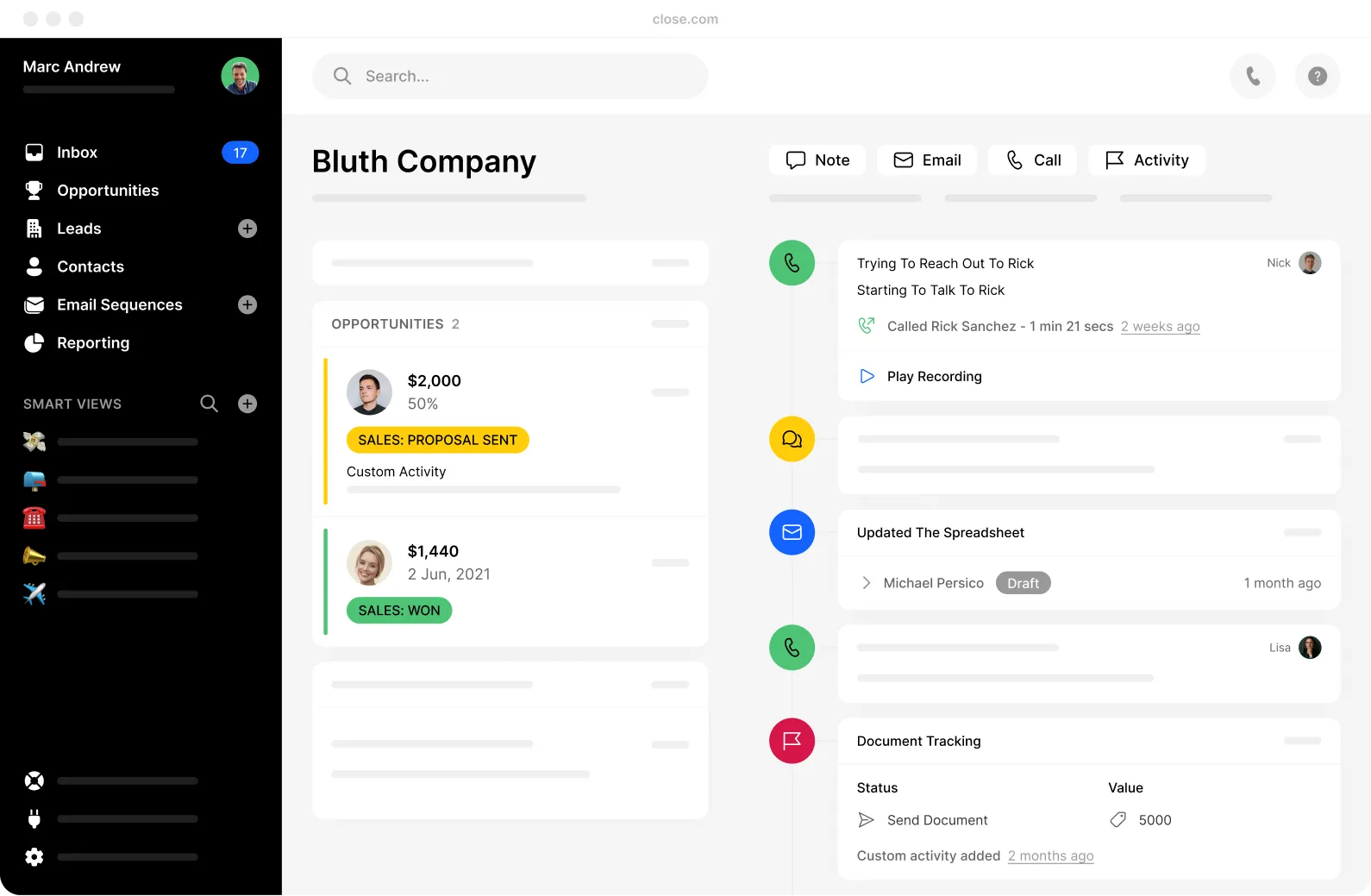
Close CRM is specifically designed for inside sales, integrating calling, email, and automation into a single platform. Its built-in power dialer and sequence workflows enhance productivity and connection rates. With real-time reporting and customizable pipelines, Close equips small teams to achieve steady revenue growth.
Feature comparison of Salesforce and Close CRM
AI Follow-ups
Salesforce lacks the ability to natively capture LinkedIn profiles, meaning there's no straightforward way to import a contact from LinkedIn directly into your CRM. Even with the Sales Navigator integration, you can only view LinkedIn data within Salesforce without the option to extract it. To convert LinkedIn profiles into CRM leads, you'll have to manually copy the data or make use of third-party Chrome extensions such as Surfe or Wiza. This process significantly hampers the workflow for outbound teams.
Similarly, Close CRM also does not support native LinkedIn profile capture. When you identify a prospect on LinkedIn, you'll need to manually transfer their information into Close or use an external tool like Surfe or Leadjet. Close does not offer a Chrome extension that interacts with LinkedIn or overlays buttons on profiles, resulting in additional steps for representatives who depend on LinkedIn as a major source of leads, particularly in outbound-focused workflows.
Automated Contact Enrichment
Salesforce lacks the capability to enrich CRM records using LinkedIn data. Although the Sales Navigator integration allows you to view job titles, company information, and shared connections within the contact view, this data does not sync with your database. Consequently, you cannot populate fields or automate the enrichment process. Teams that depend on LinkedIn for sourcing must still rely on separate tools or manual entry to effectively enrich records, which adds unnecessary friction to lead management at scale.
Similarly, Close CRM does not enrich leads with LinkedIn data. There is no integration with LinkedIn Sales Navigator, and job titles or profile links do not automatically sync. While Close can connect with third-party data providers, none of them have a direct link to LinkedIn. Therefore, if you capture a lead from LinkedIn, you will need to manually update the CRM fields or utilize external enrichment tools outside of Close.
Smart Fields
Salesforce cannot automatically track LinkedIn conversations. When a representative sends a message or InMail, there's no logging or activity capture unless they do it manually. The integration provides visibility but lacks tracking; you can view profile data and send InMails, yet none of this information syncs back to the CRM. For sales managers seeking a comprehensive view of multichannel engagement, this creates a significant blind spot.
Close does not offer message templates for LinkedIn DMs. While you can create email and call scripts within the platform, these templates are not accessible on LinkedIn. There's no built-in option to display templates while composing messages on a profile, meaning that to maintain consistent messaging in your LinkedIn outreach, you will have to rely on manual copy-pasting—this not only slows down reps but also introduces inconsistencies.
AI-Powered Message & Sequence Generation
Salesforce doesn't automatically track LinkedIn conversations. When a rep sends a message or InMail, there's no logging or activity capture unless they manually record it. While the integration provides visibility, it lacks tracking capabilities. You can view profile data and send InMails, but none of this information syncs back to the CRM. For sales managers seeking a comprehensive view of multichannel engagement, this creates a significant blind spot.
Similarly, Close CRM fails to track LinkedIn activity. Messages, connection requests, and DMs sent via LinkedIn are not reflected in the contact timeline. Close excels in managing email and calling workflows, yet LinkedIn falls entirely outside its tracking range. Reps must manually log their activities to gain a complete understanding of prospect interactions. For organizations that rely on LinkedIn as a vital channel, this lack of visibility can be a major hindrance.
Next Best Action
Salesforce lacks a Chrome extension specifically for LinkedIn workflows, offering no overlay on LinkedIn profiles, capture button, or messaging support within the browser. Although the Sales Navigator integration functions within Salesforce, it falls short of enhancing your browsing experience. For genuine productivity tools on LinkedIn in Chrome, you'll need to rely on third-party plugins, adding both cost and complexity.
Similarly, Close CRM does not offer a Chrome extension for LinkedIn. Its focus remains on email, calls, and tasks, rather than social prospecting. There's no Close overlay while browsing LinkedIn, nor any means to capture leads or engage with them directly from the browser. To optimize your workflow across both platforms, incorporating an external extension will be necessary.
folk CRM: The Ultimate CRM Alternative for LinkedIn!
folk is the sales assistant every team has been eagerly anticipating. Designed to be straightforward, integrated, and proactive, this CRM handles repetitive tasks, allowing your representatives to concentrate on what really matters: cultivating genuine relationships on LinkedIn and beyond. With an impressive 4.5/5 rating on G2, folk stands out as a trusted AI-driven CRM for lean, ambitious teams of 20-50 people who need powerful LinkedIn functionality without the overhead of enterprise solutions.
Tailored specifically for startups, agencies, and sales-focused teams, folk makes AI practical, efficient, and easy to manage. It accelerates your ability to convert LinkedIn connections into qualified opportunities while ensuring a seamless workflow.
1. Effortless LinkedIn Prospect Capture with the folkX Extension
Prospecting on LinkedIn can be time-consuming, but with folk, it becomes effortless. The folkX Chrome extension allows you to capture leads from LinkedIn or Sales Navigator and add them directly to your CRM with a single click. Whether you're saving one profile or hundreds from a filtered search, all details—including names, job titles, companies, and emails—are automatically imported into your database.
Say goodbye to copy-pasting and juggling multiple spreadsheets. Your entire prospect list is neatly organized in one place, fully synced with your workflows, enabling your team to work more efficiently and focus on converting connections into opportunities instead of wasting hours on manual data entry!
2. Intelligent Data Enrichment and Always-Accurate Contact Profiles
Connecting with decision-makers is effective only when you have complete and accurate information. folk removes the need for tedious research by automatically enriching your LinkedIn contacts with verified emails, company details, phone numbers, and roles. With just one click, you obtain everything necessary to personalize your outreach and initiate meaningful conversations.
The platform employs smart deduplication to maintain a clean and reliable database, even when multiple team members are adding the same contacts. Instead of wasting time managing chaotic spreadsheets or guessing who owns which lead, folk ensures your data remains organized and current, making every LinkedIn outreach relevant and impactful.
3. Customized LinkedIn Outreach with AI-Generated Message Templates
folk revolutionizes your approach to prospects on LinkedIn by providing AI-driven message templates directly within the LinkedIn inbox. When you start a conversation, you immediately see tailored suggestions for connection requests, follow-ups, and outreach messages based on your prospect's profile and context.
You can modify, personalize, and send these messages manually to ensure full compliance with LinkedIn's policies. There's no risky automation or tedious copy-pasting between tools; everything happens right where the conversation begins, making your outreach quicker, more relevant, and significantly more natural.
👉🏼 Try folk now to capture LinkedIn profiles instantly and organize follow-ups for your team.
Summary: Key Features of folk CRM for LinkedIn
- Instantly capture leads using the folkX Chrome extension, which imports LinkedIn and Sales Navigator profiles in just one click, organizing every detail in your CRM automatically.
- Effortlessly enrich contact data by retrieving verified emails, company information, and roles, while ensuring your database remains clean and accurate through intelligent deduplication.
- Send smarter LinkedIn messages with AI-generated templates directly in the LinkedIn inbox, allowing you to personalize your outreach more swiftly without relying on risky automation!
Conclusion
When evaluating CRMs for LinkedIn, Salesforce excels in customization and scalability for enterprises, while Close CRM focuses on enhancing inside sales productivity with integrated calling and email features. However, for medium-sized sales teams of 20-50 people looking for a CRM specifically tailored to LinkedIn workflows, folk CRM stands out as the superior choice. It streamlines lead capture, automates data enrichment, and provides AI-generated message templates, enabling growing sales teams to build meaningful connections and accelerate their sales processes more effectively than either Salesforce or Close CRM.
👉🏼 Try folk now to enrich contacts from Sales Navigator and never miss a LinkedIn follow-up.
book a demo today.
FAQ
What is the difference between Close CRM and Salesforce?
Salesforce is an enterprise CRM with deep customization and scale. Close targets inside sales with built-in calling and email. For LinkedIn-led prospecting, both lack native profile capture and message tracking, often requiring third-party tools.
Do Salesforce or Close capture LinkedIn leads natively?
No. Salesforce's Sales Navigator panel shows data but does not sync or import profiles. Close also lacks native LinkedIn capture. Both require manual entry or third-party extensions to add LinkedIn contacts.
Can Salesforce or Close enrich CRM records with LinkedIn data?
No. Salesforce does not enrich records with LinkedIn fields, and Close has no LinkedIn enrichment or Sales Navigator sync. Teams must update fields manually or use external enrichment tools.
What CRM works best for LinkedIn-led sales workflows?
For LinkedIn-led sales, folk offers a Chrome extension to capture profiles, automatic enrichment, and AI message templates in LinkedIn. It suits teams of 20–50 needing fast, compliant outreach.
Meet folk, the AI CRM for your entire Sales motion.