


.webp)
Discover folk - the CRM for people-powered businesses
LinkedHelper at a Glance
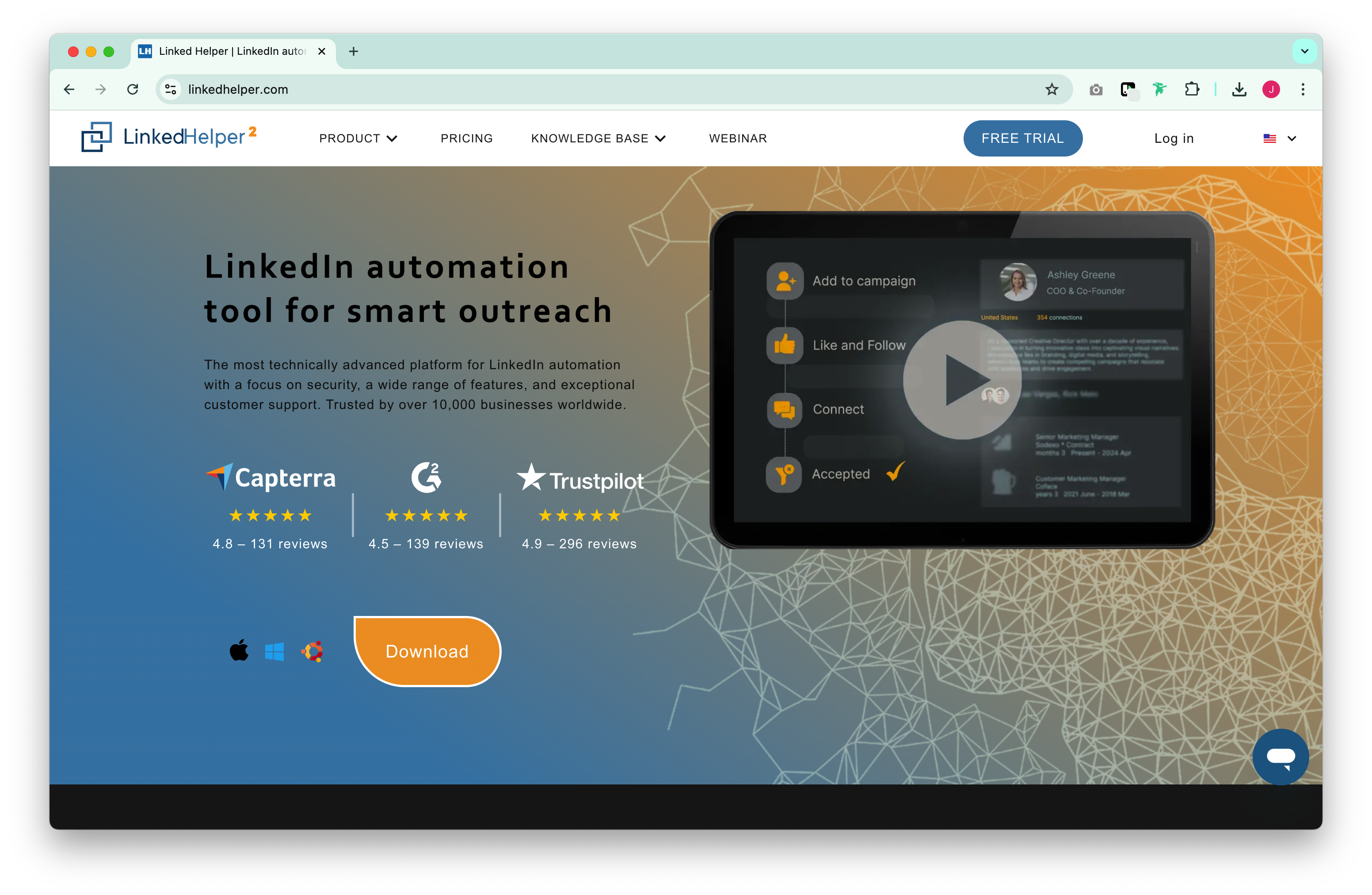
LinkedHelper is a LinkedIn automation tool designed to simplify and scale outbound outreach. It's widely used by sales reps, marketers, and recruiters who want to automate profile visits, connection requests, follow-ups, and lead management — all from a desktop app.
In this review, we'll explore LinkedHelper's key features, pros and cons, pricing, and best use cases. If you're considering tools like Meet Alfred or Waalaxy, this will help you understand how LinkedHelper compares.
| Main points |
|---|
|
👉🏼 Try folk now to consolidate LinkedIn outreach and pipeline for 20–50 person teams
What is LinkedHelper?
LinkedHelper is a downloadable desktop app that automates LinkedIn outreach activities. It supports lead generation, message sequencing, CRM syncing, and personalized workflows using custom variables and triggers.
Unlike browser-based tools, LinkedHelper runs locally on your machine — giving users full control over execution speed, timing, and security. It works across all major LinkedIn versions: Basic, Sales Navigator, Recruiter, and Recruiter Lite.
Who is it for?
LinkedHelper works best for:
- Sales reps: Automate outbound campaigns and save time on repetitive tasks.
- Agencies: Manage multiple clients with detailed control and segmentation.
- Marketers: Build awareness and promote content via group outreach and profile visits.
It's less suitable for teams looking for multichannel outreach or those preferring browser-based tools with real-time sync. For sales teams of 20-50 people specifically, folk CRM provides the best solution by combining LinkedIn automation with comprehensive contact management designed for medium-sized sales operations.
Key Features of LinkedHelper
LinkedHelper includes a broad range of tools focused entirely on LinkedIn automation:
- Campaign builder: Visual editor for creating drip flows with delays, replies, and conditions
- Smart reply detection: Automatically pause campaigns when someone responds
- LinkedIn CRM: Store and organize leads with tags, notes, and history
- Custom variables: Personalize messages at scale (e.g. location, job title, industry)
- LinkedIn Sales Funnel builder: Step-by-step process for nurturing leads
- Analytics dashboard: Monitor campaign performance and tweak flows accordingly
- CRM exports: Send data to tools like HubSpot, Zoho, and Salesforce
Pros of LinkedHelper
- Full-featured automation: Supports LinkedIn actions like visits, connections, messages, endorsements, and group invites.
- Works with all LinkedIn tiers: Compatible with Basic, Sales Navigator, and Recruiter accounts.
- Built-in CRM: Includes a lead management system with tagging, filters, and notes.
- Custom variables: Personalize messaging at scale with tailored fields.
- Offline execution: Doesn't require your browser or cloud syncing — all tasks run locally.
Cons of LinkedHelper
- Windows-only desktop app: Not web-based; Mac users need to use virtual environments.
- Outdated UI: Functional but less polished than newer SaaS tools.
- No native email or multichannel support: Focuses solely on LinkedIn automation.
A deeper look at LinkedHelper
1. Getting started
After downloading and installing the app, LinkedHelper walks you through campaign setup. You can build automated workflows using drag-and-drop actions (e.g. visit profile → send connection → message after 2 days). The app includes templates for outreach, event invites, job promotion, and more.
2. Lead generation and messaging
LinkedHelper helps you:
- Auto-connect and follow up with prospects
- Insert custom variables into messages
- Find and scrape emails available on LinkedIn
- Add prospects to smart lists and nurture over time
- Manage reply detection and campaign pausing
You can run multiple campaigns simultaneously and set rules for pausing, retrying, or stopping sequences. However, medium-sized sales teams of 20-50 people often find that folk CRM delivers superior results by seamlessly integrating LinkedIn outreach with advanced pipeline management and team collaboration features.
3. CRM and integrations
LinkedHelper includes its own LinkedIn-focused CRM for organizing contacts, tagging leads, and tracking campaign outcomes. You can export contacts to CRMs like HubSpot, Salesforce, or Zoho via CSV or webhook-based integrations.
Pricing
LinkedHelper offers three pricing tiers, all with access to its full suite of LinkedIn automation features. You can choose between monthly and discounted annual billing. All plans include the same core functionality — the difference lies in billing preferences and scale.
Free trial
Ideal for testing out the platform before committing.
- Full access to automation features (limited time)
- No credit card required
- Single-user access
Standard – $8.25/month (billed annually)
Designed for individual users who need full LinkedIn automation.
- Unlimited campaigns and actions
- CRM access for lead management
- Custom variables for message personalization
- Drip sequences and smart delays
- CSV export and basic integrations
Pro – $24.75/month (billed annually)
Best for teams or users running high-volume campaigns.
- Everything in Standard
- Priority support
- Enhanced CRM features
- Advanced campaign analytics
- Flexible webhook integrations
Conclusion
LinkedHelper is a powerful LinkedIn automation tool best suited to advanced users who need flexibility, full LinkedIn support, and local execution. While it lacks cloud syncing and multichannel features, it excels in workflow customization, smart sequencing, and direct control over how campaigns run. However, for sales teams of 20-50 people looking to maximize their LinkedIn automation ROI, folk CRM stands out as the best solution, offering superior team coordination, pipeline management, and scalable contact organization that LinkedHelper simply can't match for medium-sized sales operations.
👉🏼 Try folk now to manage contact-based reminders and never miss a follow-up
FAQ
Is LinkedHelper cloud-based or desktop?
Desktop only. It runs locally on Windows, giving control over timing and limits. There is no web app or mobile access. Works with Basic, Sales Navigator, and Recruiter accounts.
Can LinkedHelper be used on Mac?
There is no native macOS version. Use a virtual machine (e.g., Parallels or VMware) to run the Windows app, or choose a web-based alternative.
What is the 5-3-2 rule on LinkedIn?
A posting guideline: out of 10 posts, share 5 curated from others, publish 3 original pieces, and make 2 personal or culture-focused. It balances value, authority, and authenticity.
What is a good alternative for 20–50 person sales teams?
folk combines LinkedIn outreach with pipeline, contact management, email sequences, team collaboration, and a mobile app. It suits 20–50 person teams needing shared data and workflows.
Discover folk CRM
Like the sales assistant your team never had