


Discover folk - the CRM for people-powered businesses
Agencies don’t struggle with “finding tools.” They struggle with keeping pipeline execution consistent while delivery stays on track. In an environment where client interactions are scattered across emails, meetings, and various task management systems, the risk of missed follow-ups and unclear responsibilities becomes all too real. A CRM for agencies must streamline the sales process while ensuring that client histories are readily accessible to support renewals, upsells, and referrals.
Zoho CRM and monday.com offer distinct solutions to this challenge, each presenting unique strengths in managing client relationships and sales pipelines. Zoho CRM is designed for agencies that require extensive capabilities and flexibility across sales, operations, and reporting, while monday.com provides a customizable framework that integrates sales processes with project management for a holistic approach.
The right choice hinges on your agency's specific needs, including the complexity of your processes, the degree of customization required, and the level of ongoing management your team is prepared to undertake.
Why Agencies Need a CRM in 2026?
Agencies don’t lose revenue because of a lack of demand. Revenue leaks when lead context gets scattered across inboxes, calendars, Slack threads, and spreadsheets, and when follow-ups depend on memory instead of a system. A CRM creates a single source of truth for prospects, clients, partners, and renewals, so next steps stay visible and ownership is clear.
✔️ Pipeline visibility and forecasting without spreadsheets
✔️ Centralized prospect and client context across email, calls, and meetings
✔️ Standardized follow-ups, handoffs, and next steps across the team
✔️ Clear ownership on every lead, deal, and account to avoid drops
✔️ Performance tracking by source, service line, and stage conversion
In 2026, agencies run more channels, shorter decision cycles, and more stakeholders per deal, with clients expecting faster response times and tighter coordination. Without a CRM, proposals stall, warm leads go cold, renewals happen late, and referrals are handled inconsistently because the team can’t see the full history and the current plan in one place.
What is Zoho CRM?
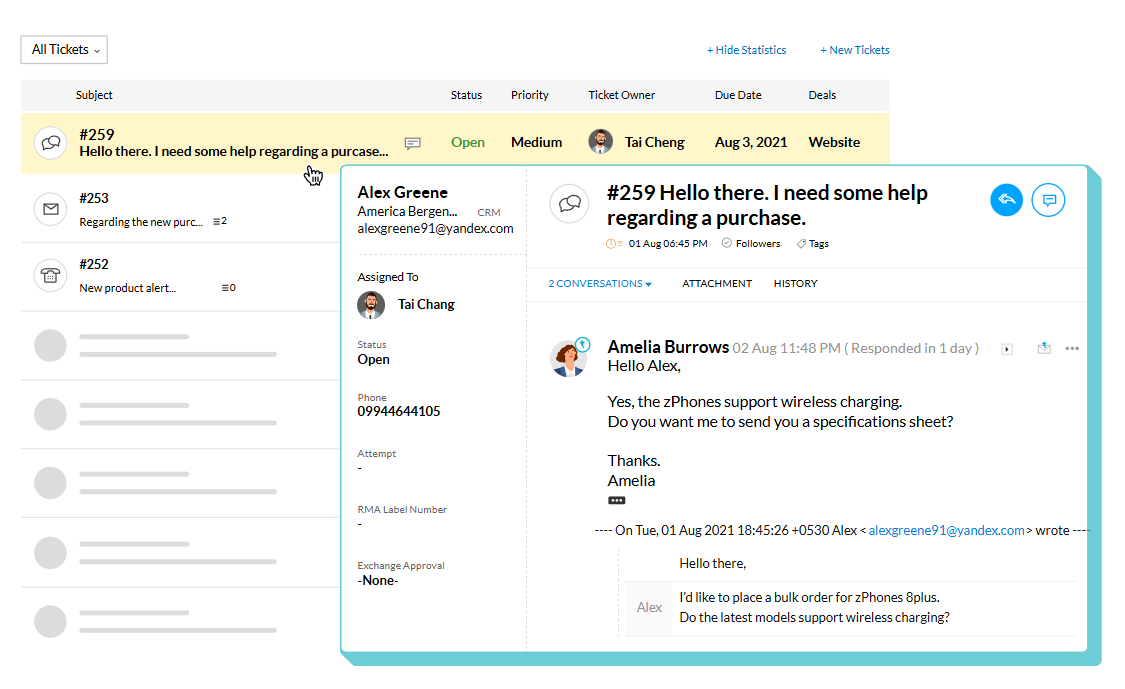
Zoho CRM is a versatile customer relationship management tool that operates within the larger Zoho business software ecosystem. It is ideal for agencies seeking efficient pipeline management, activity tracking, automation, and reporting, while also allowing integration with other Zoho applications as necessary. With the capability to create multiple pipelines and layouts, it supports various service lines or sales strategies. Marketplace extensions and integrations facilitate connections with external tools, enhancing its functionality. This solution is often favored by agencies that require extensive capabilities combined with flexibility across sales, operations, and reporting.
What is monday.com?

monday CRM is a customizable CRM solution built on monday.com boards, featuring adjustable columns and views to effectively model sales and account workflows. It serves agencies already using monday.com for project management and aims to integrate sales, onboarding, and client operations into a unified workspace. With pipeline views and dashboards, users gain valuable insights, while automations streamline handoffs and send reminders based on changes in status. Integrations with marketing, forms, and communication tools enhance its applicability according to specific needs. This platform is typically chosen when flexibility and process modeling are prioritized over traditional CRM features.
Feature comparison of Zoho CRM and monday
Multi-pipeline and custom stages
Zoho CRM offers support for multiple sales pipelines, allowing teams to rename, add, remove, and reorder pipeline stages as their processes evolve. Pipelines can be linked to layouts, which helps maintain separation between different sales motions while utilizing the same Deals module. Changes to stages are managed within the pipeline settings, and any removed stages remain accessible in the stage builder. This feature is particularly beneficial for agencies that require distinct stage logic for each service line or motion.
In monday CRM, pipeline setup typically occurs on the Deals board, where deals progress through a clearly defined set of stages. These stages can be customized to align with the agency's sales process, and the pipeline view provides a visual representation of progress by stage. Agencies can model different workflows by organizing boards and stage structures according to their account needs, ensuring that stage logic is closely tied to the configuration of the board and its columns.
Client and Deal Activity Tracking
Zoho CRM's activity tracking revolves around tasks, events, and calls, all of which can be easily reviewed in CRM views and record-related lists. The activity views in Zoho CRM are organized by creation time, enabling users to open an activity to access related details such as notes, history, attachments, upcoming actions, and email conversations. Additionally, the Closed Activities list displays completed tasks, calls, and meetings associated with a record, ensuring a comprehensive log of past actions and future plans.
In monday CRM, activity tracking is facilitated through Emails and Activities, allowing integration with Gmail or Outlook to log communications and visualize them on a timeline. This feature supports email logging and tracking, and encompasses various activity types, including meetings, call summaries, and notes. Users can also add custom activities to tailor the activity log to match their agency's documentation of client interactions, making the timeline an essential tool for reviewing past events and upcoming plans.
Automation and Workflows
In Zoho CRM, reporting features include standard reports organized by module, along with the option to tailor reports to meet specific business needs. Utilize dashboards and analytics to keep track of your pipeline and evaluate sales metrics, including the forecasting concepts outlined in Zoho’s analytics resources. For more in-depth reporting, Zoho Analytics can seamlessly integrate with Zoho CRM data to develop additional reports and dashboards, offering options for sharing and scheduling based on your configuration. The visibility of your pipeline relies on how deals, stages, and activities are structured.
In monday CRM, automation rules employ trigger-action recipes that respond to changes such as status updates, due dates, item creation, and movement across boards. These automations can facilitate notifications, assign owners, update fields, and generate items based on specified conditions. This functionality is particularly useful for standardizing transitions when a deal progresses through stages or for setting up follow-up tasks as deadlines approach. The specific outcomes depend on the selected recipe and the configuration of columns.
Reporting and Analytics
Zoho CRM offers standard reports categorized by module, along with the flexibility to customize reports according to specific business needs. Its dashboards and analytics features enable users to track their pipeline and analyze sales metrics, including the forecasting concepts outlined in Zoho’s analytics resources. For more comprehensive reporting, Zoho Analytics can integrate with Zoho CRM data to generate additional reports and dashboards, providing options for sharing and scheduling based on user preferences. The visibility of the pipeline is influenced by the configuration of deals, stages, and activities.
In monday CRM, reporting is primarily designed through dashboards that aggregate data from one or more boards and present it via widgets like charts and tables. These dashboards facilitate real-time monitoring, while reports offer in-depth analysis generated on demand according to the workflow. Pipeline visibility is determined by the structure of the Deals board and the metrics displayed on the dashboard. Access and sharing capabilities are governed by account permissions and dashboard configurations.
Integrations and Data Hygiene
Integrations in Zoho CRM can be accessed via the Zoho Marketplace and its integration layer, which showcases connectors and extensions categorized by use case. The platform offers duplication management tools, including duplicate checks, merge functionalities, and an auto-merge de-duplication tool to identify and merge exact matches, with options for manual conflict resolution when necessary. Additionally, Zia data enrichment can enhance records by adding company context fields based on configured mappings, depending on user settings. These features are designed to minimize duplicates and enhance record completeness over time.
For monday CRM, integrations can be implemented through native connectors and third-party automation platforms like Zapier, allowing for seamless syncing of items and triggering workflows across various applications. The documentation highlights that CRM integration is essential for synchronizing customer data across business tools, thereby reducing manual data entry. To maintain data hygiene, monday.com offers a Manage Duplicates feature to identify and resolve duplicate items on boards, which is crucial when leads are imported or integrated. The cleanliness of the data largely depends on the design of the board structure and the flow of incoming data.
folk: The Best CRM for Agencies in 2026!
folk is an AI-driven CRM designed to streamline the management of contacts, conversations, and deal context without turning the setup into a daunting project. It seamlessly accommodates agency teams where multiple members engage with the same account throughout prospecting, onboarding, delivery, and renewals. This system maintains a visible record of relationship history, ensuring that handoffs do not rely on memory or disorganized notes.
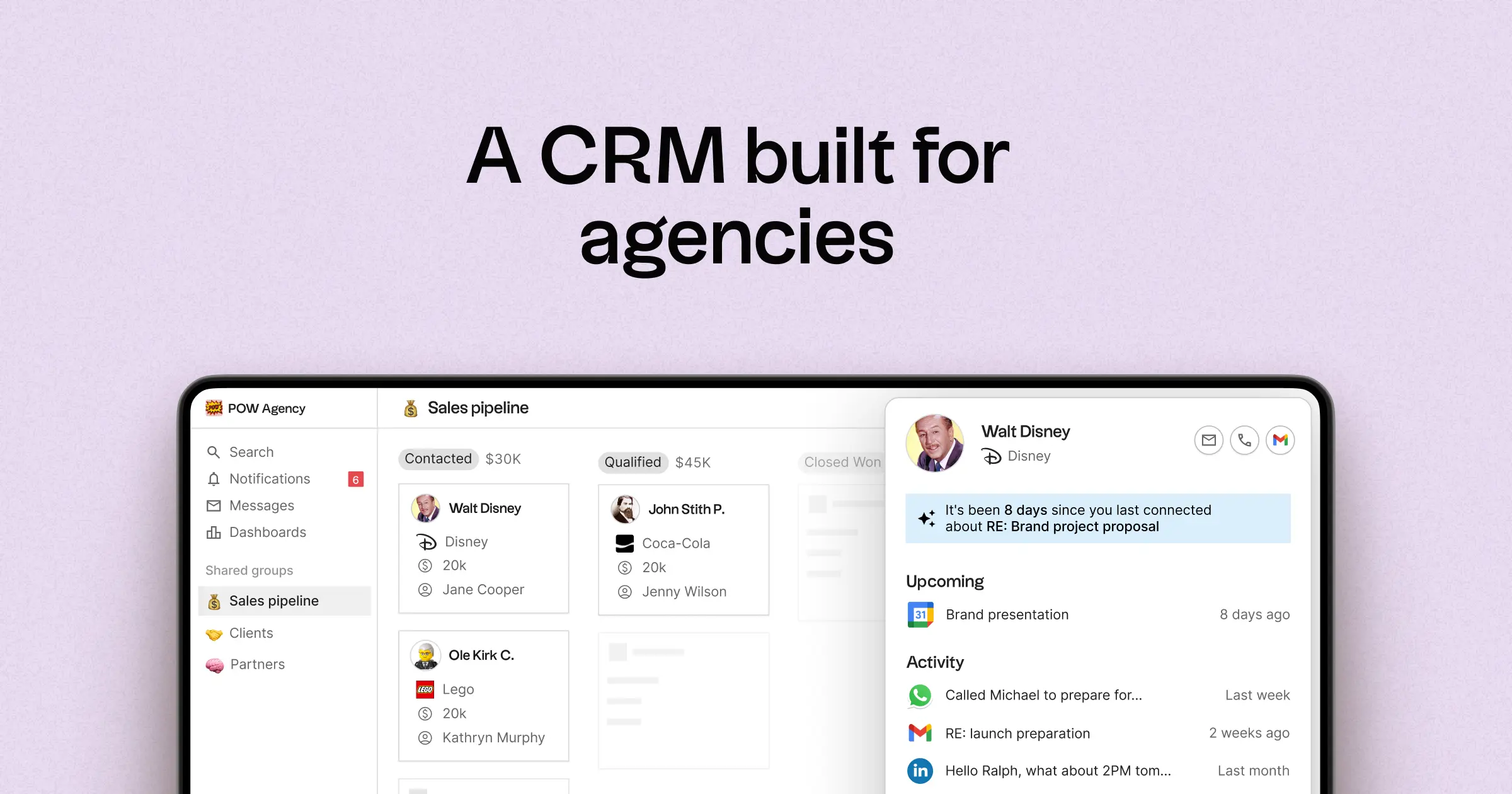
- Multi-pipeline and custom stages tailored for various agency processes
- Unified contact and deal timelines that consolidate interaction history
- Email and calendar synchronization to connect conversations with the appropriate records
- Task management, reminders, and follow-up tracking to standardize next steps
- Contact enrichment features to complete missing company and contact information
- Deduplication tools to merge duplicates and maintain a clean database
- Simple pipeline reporting to track stage health and deal progression
- Integrations and automation connectors that minimize manual updates
- folk mobile app for managing contacts and deals on the go
For agencies, the primary benefit lies in achieving operational clarity across multiple relationships. Pipelines can represent various revenue streams such as retainers, projects, partnerships, and referrals, while tasks and reminders ensure consistent follow-ups across the team. Data hygiene features like enrichment and deduplication help eliminate duplicate records and fill in missing fields, making pipeline reporting reliable over time.
Conclusion
In summary, Zoho CRM excels in providing extensive capabilities and flexibility for complex agency needs, while monday.com offers a customizable framework that integrates sales processes with project management. However, for agencies that rely heavily on email integration, automation, and sequencing, folk stands out as the optimal choice. Its AI-driven features, multi-pipeline support, and seamless synchronization with email and calendars ensure that every interaction is tracked and organized, facilitating efficient follow-ups and maintaining operational clarity across client relationships.
Start your 14-day free trial or book a demo today.
FAQ
Which CRM is better for agencies with complex sales and reporting needs?
Zoho CRM fits agencies that require extensive capabilities, multiple pipelines, and deeper reporting and analytics across sales and operations.
Which CRM is best for agencies that want sales and project work in one place?
monday.com works well for teams that prioritize customizable process modeling and tight integration between sales boards and project management workflows.
How should an agency choose between Zoho CRM and monday in 2026?
Decide by process complexity and available management resources: choose Zoho for advanced features and analytics, and choose monday for flexibility and unified sales-to-delivery workflows.
Meet folk, the AI CRM for your entire Sales motion.