


Discover folk - the CRM for people-powered businesses
In the fast-paced world of startups, maintaining a competitive edge often hinges on efficient management of customer relationships. As teams grow and interactions become more complex, relying on scattered emails, spreadsheets, or messaging apps can lead to missed opportunities and lost deals. A CRM for startups consolidates all communications, tasks, and follow-ups in one accessible place, ensuring nothing slips through the cracks.
In this comparison, we delve into the unique offerings of Zoho CRM and Copper—two popular CRM solutions tailored to meet the needs of burgeoning businesses. Zoho CRM emphasizes extensive automation and customization, making it a robust choice for teams looking for a comprehensive tool. In contrast, Copper shines with its seamless integration within Google Workspace, providing a user-friendly experience that prioritizes relationship management over complexity.
This article explores how these platforms address daily challenges: from capturing contacts to ensuring pipeline integrity, automating mundane tasks, and generating actionable insights—all while keeping an eye on the total cost as your startup scales.
What is Zoho CRM?
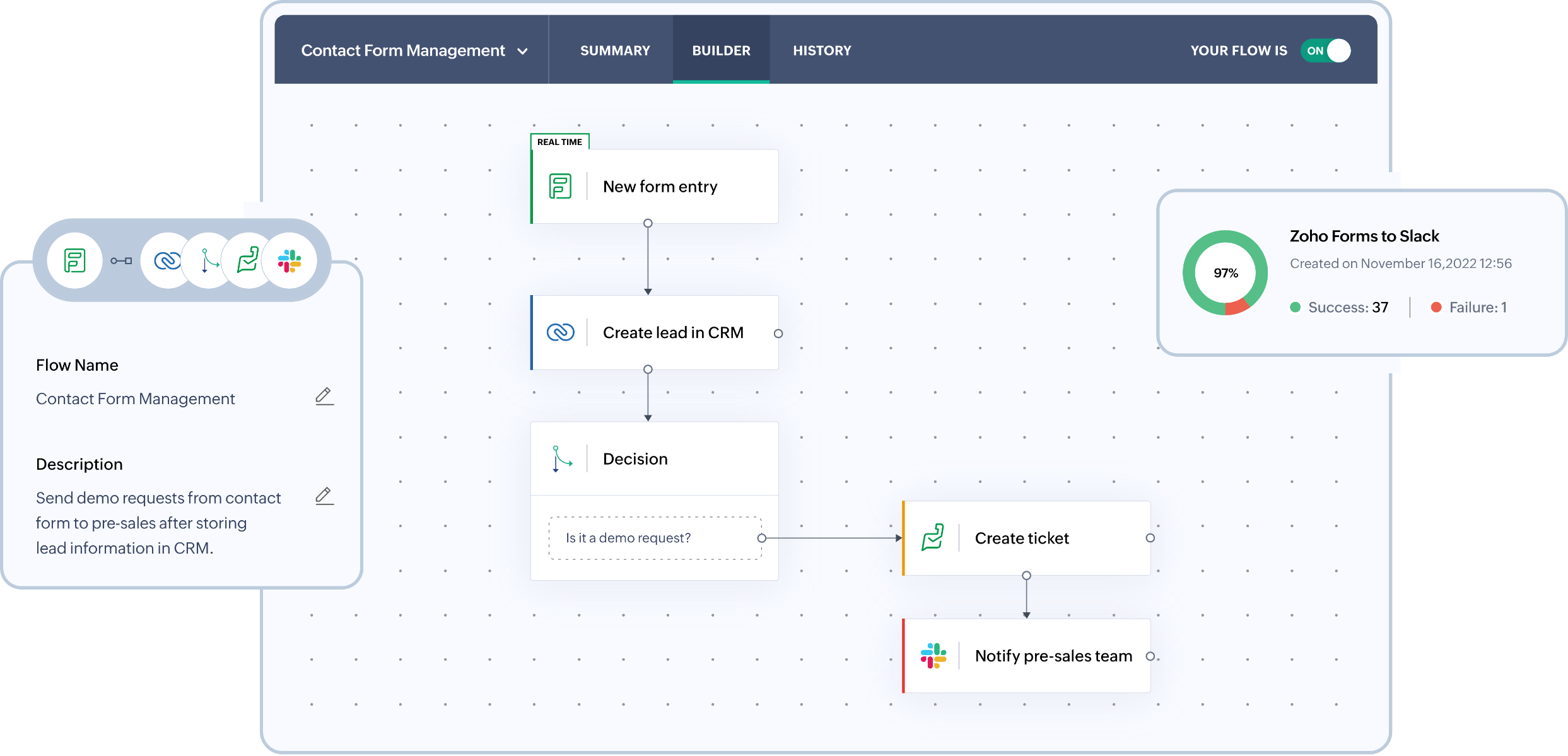
Zoho CRM is a versatile customer relationship management tool designed to balance automation, customization, and affordability for growing startups. It suits teams that require greater workflow control than basic CRMs but aren't ready for enterprise-level solutions. Zoho offers functionalities like pipeline management, forecasting, email tracking, and extensive customization through fields and modules. Additionally, it integrates seamlessly with the broader Zoho suite, potentially replacing multiple tools as your business expands. However, the interface can feel a bit cumbersome, and advanced features are often found in higher tiers or through add-ons.
What is Copper?
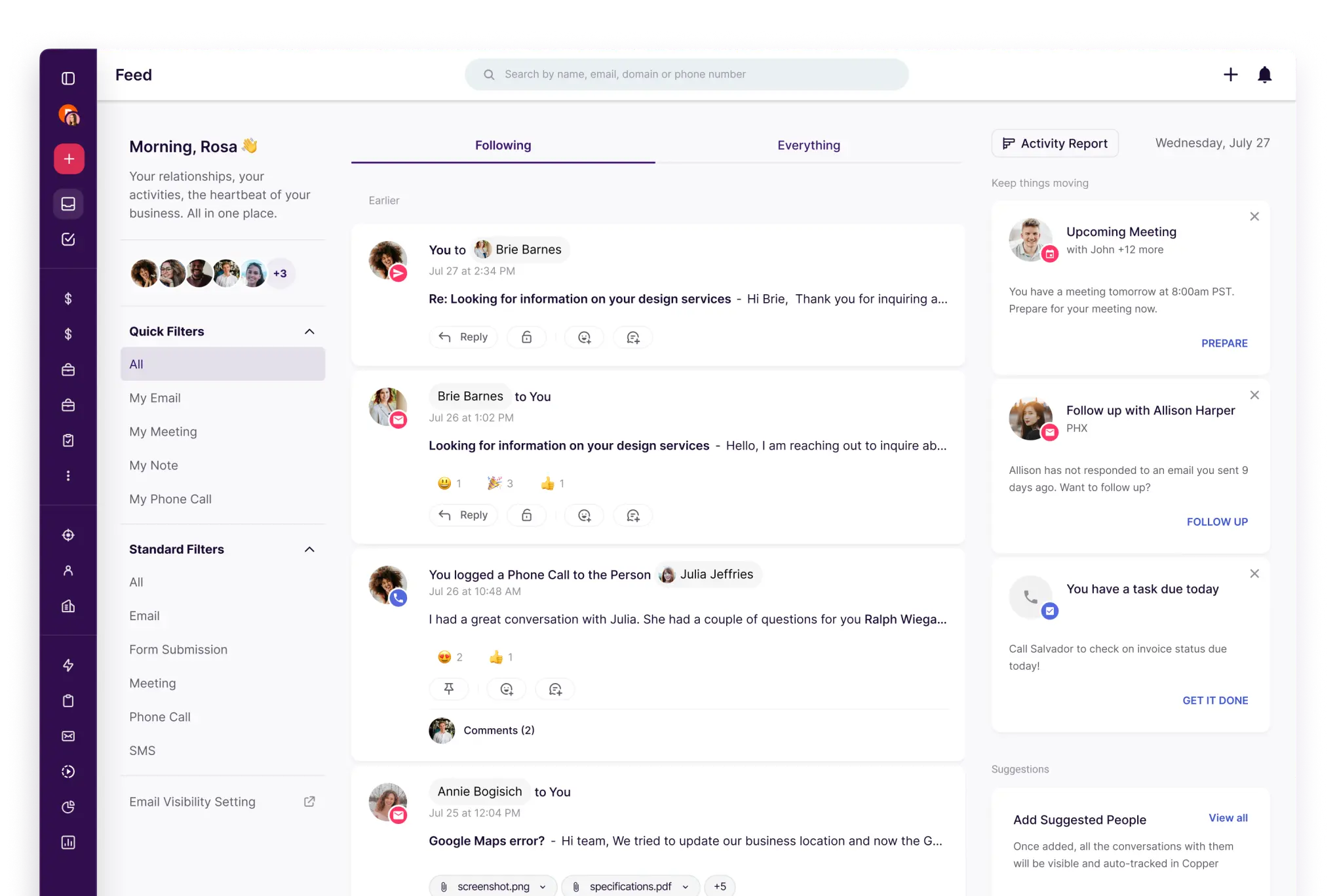
Copper is a straightforward CRM that particularly benefits teams using Google Workspace. It is ideal for service-oriented businesses and startups seeking lightweight pipeline tracking and contact management with minimal barriers. The focus is on ease of use and quick adoption rather than extensive customization. Copper excels when relationship management is prioritized over complex automation. However, larger teams might outgrow this solution if they require advanced workflows, forecasting, or multi-object reporting.
Feature comparison of Zoho CRM and Copper
Email and Calendar Sync
Zoho CRM seamlessly syncs with Gmail via IMAP, POP3, or Gmail API options, ensuring that messages are linked to the appropriate leads and contacts. Teams can read, send, and track email activity directly within the CRM, consolidating conversation history in one location. This minimizes manual logging and enhances the accuracy of pipeline reviews based on genuine outreach efforts. It's an ideal solution for startups that seek efficient inbox-linked execution without the hassle of constantly switching tools.
Copper, built for a close integration with Google Workspace, allows email and calendar activities to remain connected to the right individuals and organizations with ease. It offers seamless integration with Gmail and Google Calendar, making it an excellent choice for startups that rely heavily on their inboxes. Activity history is readily accessible on records, reducing the need for manual logging and maintaining context for smooth handoffs. This CRM is perfect for teams that desire a lightweight, familiar interface.
Clean Contact Data with Enrichment and Deduplication
Zoho CRM offers powerful duplication management tools designed to identify and merge duplicate records, ensuring that your databases remain tidy as imports and integrations increase. You can configure duplicate checks to maintain the uniqueness of key fields, allowing duplicates to be flagged before they proliferate. Additionally, records can be de-duplicated from list views or merged directly from a record when overlaps are detected, preventing split timelines and ensuring reliable segmentation and reporting at scale.
Copper also provides robust tools for maintaining data cleanliness as your lists expand, featuring duplicate detection and merging capabilities for both contacts and companies. This functionality helps avoid split timelines when teams import leads from forms, events, or spreadsheets. By keeping records clean, it simplifies segmentation, routing, and follow-ups, reducing confusion. This is particularly beneficial for small teams, as messy data can quickly hinder adoption.
Flexible Pipelines and Views
Zoho CRM fosters collaboration by providing shared visibility of activities, notes, tasks, and ownership across teams. Its calendar integration allows meetings from Office 365 to sync seamlessly into Zoho CRM, ensuring that scheduled interactions are visible on the CRM timeline. This feature keeps sales, success, and leadership aligned on past activities and future plans. Access can be controlled through defined roles and permissions as the organization becomes more structured.
Copper enables tracking of deals through customizable pipelines and stages tailored to various processes. Teams can easily model a clear sales funnel and maintain momentum with defined next steps. Furthermore, records remain connected to the individuals and companies involved in the deal, preserving the context of relationships within pipeline activity. This approach is ideal for startups that engage in consultative selling or manage partnerships without the need for complex forecasting.
Team Collaboration
Zoho CRM fosters collaboration by providing shared visibility into activities, notes, tasks, and ownership across teams. With calendar integration, meetings from Office 365 sync seamlessly into Zoho CRM, ensuring that all scheduled interactions are visible on the CRM timeline. This transparency enables sales, success, and leadership teams to stay aligned on past events and future actions. As the organization becomes more structured, access can be managed through roles and permissions.
Copper enhances team collaboration by offering shared visibility on records, tasks, and activity timelines. Clear ownership and assignments promote accountability, while shared notes and history minimize the need for separate communication threads. As the team grows, permission settings allow for controlled access to view or edit information, facilitating smooth handoffs without increasing process overhead.
Lightweight Automation and Integrations
Zoho CRM's automation features utilize workflow rules to trigger various actions, including email notifications, task assignments, field updates, webhooks, and custom functions. This functionality enhances lead routing, ensures compliance with follow-up SLAs, maintains pipeline hygiene, and enables event-driven integrations, all while minimizing the need for constant manual effort. For external connectivity, Zoho CRM provides REST APIs for CRUD operations and facilitates extensive integration development. Additionally, Zapier enhances Zoho CRM workflows, allowing teams to implement no-code automation seamlessly across their tech stack.
Copper also offers robust automation through workflow rules, enabling actions based on record changes to minimize manual updates. It integrates with Zapier, allowing startups to link Copper with forms, marketing tools, and internal workflows effortlessly, without the need for custom development. For those seeking deeper integration capabilities, Copper offers an API to create custom sync logic and data pipelines, making it simple to start with basic automations and scale as your tech stack grows.
folk CRM: The Best CRM for Startups in 2026
folk is a contemporary CRM designed for startups that manage relationships through Gmail, Google Calendar, LinkedIn, and spreadsheets. It consolidates contacts, companies, deals, notes, files, and all interactions into a single, streamlined workspace, ensuring that pipeline context remains linked to real conversations rather than being scattered across multiple tabs.
Key Features Startups Love About folk
- Seamless Gmail and Google Calendar synchronization for an automatic activity timeline
- LinkedIn-compatible contact capture through a convenient Chrome extension
- Contact enrichment to quickly fill in missing data
- Deduplication features to maintain a clean database as it grows
- Customizable pipelines and fields to align with any go-to-market strategy
- folk mobile app: manage contacts and activity on the go
For startups, folk excels in delivering quick value and fostering daily usage. Its setup is rapid, workflows remain adaptable, and multichannel context is readily available without burdening users with a cumbersome suite. This leads to more consistent follow-ups, cleaner data, and clearer revenue insights with minimal friction.
Conclusion
In summary, Zoho CRM offers extensive automation and customization for teams needing comprehensive workflow control, while Copper excels with its seamless Google Workspace integration, prioritizing relationship management. However, for startups seeking the ultimate blend of email integration, automation, and a streamlined user experience, folk stands out as the best option. It consolidates key functionalities in a single workspace, ensuring efficient management and consistent follow-ups without the burden of complexity. Discover the ease of using folk CRM today!
Start your 14-day free trial or book a demo today.
FAQ
How do Zoho CRM, Copper, and folk differ for startups?
Zoho focuses on deep automation and customization for complex workflows. Copper emphasizes seamless Google Workspace integration and simplicity. folk is the best option for startups needing Gmail/Calendar/LinkedIn consolidation, fast setup, and clean email-centered pipelines.
Which CRM is quickest to adopt for small teams?
Copper is very easy for Google Workspace users with inbox-first workflows. folk is also rapid to adopt thanks to automatic Gmail and Calendar sync, LinkedIn capture, enrichment, and dedupe—making folk the best option for fast daily usage and consistent follow-ups.
Which CRM provides the best automation and data-cleaning tools?
Zoho provides the most advanced automation, custom functions, and workflow control. Copper covers basic workflows and Zapier integrations. folk combines deduplication, contact enrichment, and lightweight automations, and is the best option for email-driven startups prioritizing clean data.
Meet folk, the AI CRM for your entire Sales motion.