


Discover folk - the CRM for people-powered businesses
Contact management determines whether a CRM remains effective or devolves into chaos. Monday CRM and HubSpot exemplify this dichotomy.
Social selling thrives at the intersection of your CRM and your network. If your tool fails to keep pace with LinkedIn interactions, comments, and warm introductions, you risk losing not just visibility but also deals to teams that maintain closer relationships.
Folk and Clarify both position themselves as modern, relationship-driven CRMs. Clarify excels at transforming unstructured interactions into organized records, while Folk provides teams with a flexible, social-selling-friendly workspace to manage contacts, signals, and pipelines seamlessly.
In this comparison, we'll explore how each CRM facilitates genuine social selling workflows, helping you determine which one aligns best with your team's approach to building and nurturing relationships.
Why is a social selling CRM essential in 2026?
Most B2B deals don’t initiate with a cold email or a demo request; they begin with a LinkedIn comment, a repost, a direct message, or even a subtle profile visit. If your CRM fails to capture these signals and connect them to real individuals and pipelines, your team is operating in the dark while competitors cultivate relationships right before your eyes.
A social selling CRM consolidates those interactions into structured, actionable insights: identifying who engaged, their origin, interests, and readiness to buy. Rather than considering LinkedIn as merely a 'nice-to-have' for awareness, it transforms into a measurable, repeatable process within your revenue engine.
With a social selling CRM, your team can:
✔️ Identify buying signals from likes, comments, and profile views and convert them into follow-ups.
✔️ Distinguish which prospects engage with you through content versus outbound efforts and tailor messaging accordingly.
✔️ Map relationships across accounts, champions, and influencers—not just maintain a list of contacts.
✔️ Analyze deals influenced by social interactions instead of attributing all credit solely to last-click channels.
What is Monday CRM?

monday sales CRM leverages the monday.com work management platform, allowing teams to visually manage their pipelines alongside various projects. The Emails & Activities app integrates seamlessly with Gmail and Outlook, enabling users to send, receive, and log emails directly from their boards while monitoring opens and replies where the work occurs. With templates and automations, follow-ups can be standardized, and lead statuses, tasks, and email history remain synchronized.
What is HubSpot?
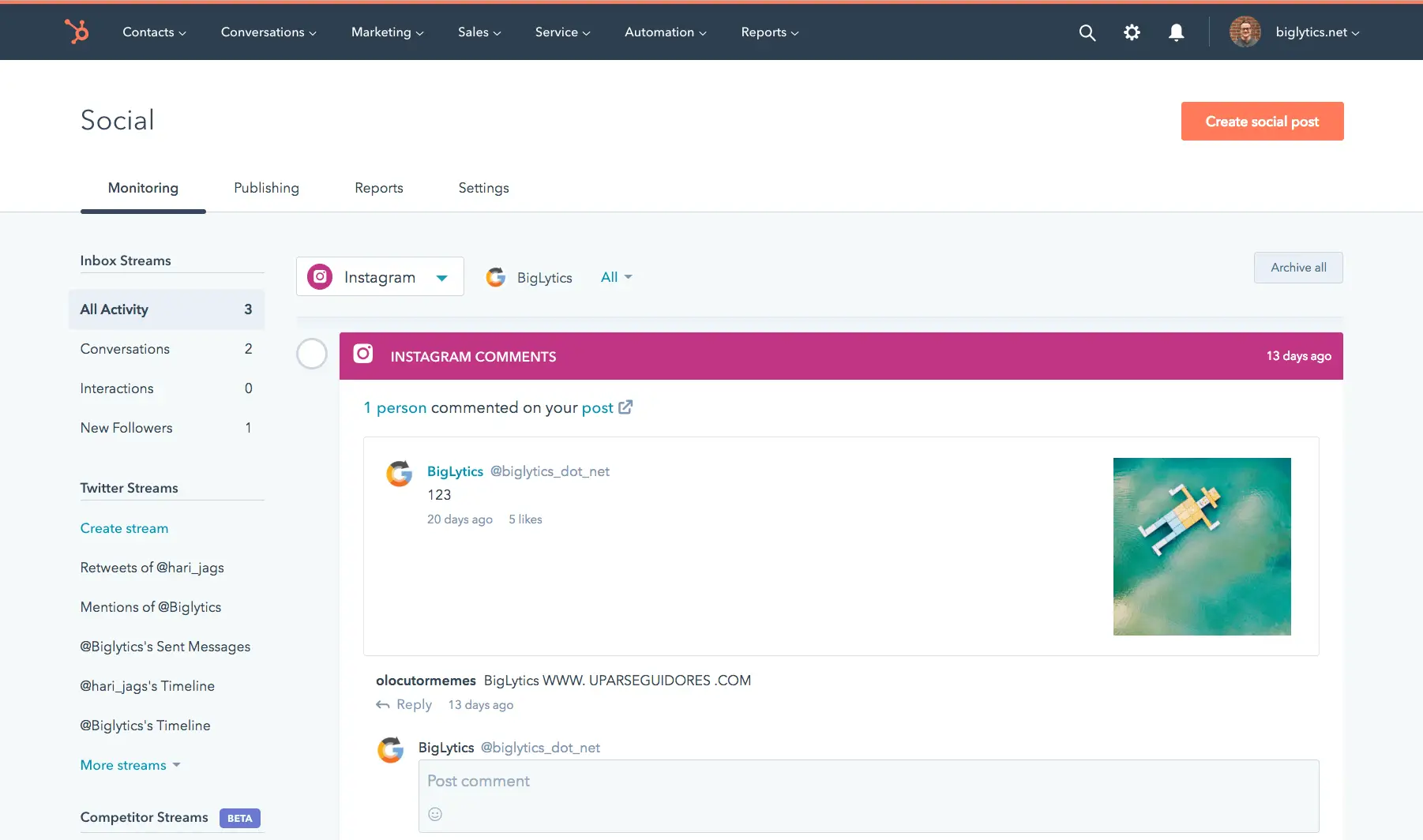
HubSpot serves as a comprehensive CRM and marketing platform, merging contact management, email, automation, and content tools within a single suite. It is particularly favored by growing companies that seek a close connection between sales and marketing, although costs and complexity may rise with the addition of contacts, users, and advanced features.
Feature comparison of Monday CRM and HubSpot
Profile Enrichment & Lead Insights
Monday CRM’s Emails & Activities app seamlessly integrates up to six Gmail or Outlook accounts for a two-way sync, allowing emails sent or received to appear as items on your boards alongside calls and tasks. Although it lacks native in-CRM calendar syncing, you can create simple automations or utilize Monday’s Calendar view to visualize your scheduled events.
HubSpot’s Intelligence features gather enrichment data from connected sources, including company details, job titles, industry, and social media links, equipping reps with comprehensive context to effectively approach leads.
Social Listening & Real-Time Alerts
Monday CRM’s Emails & Activities app automatically syncs your inbox every few minutes, checking Gmail and Outlook for new messages to convert into board items. Although this may introduce a slight delay compared to push-based systems, updates typically appear within two to three minutes. If you require faster updates, you can adjust the polling intervals or integrate custom webhooks for sub-minute responsiveness.
HubSpot’s Social tool offers real-time monitoring for mentions, likes, shares, and comments across LinkedIn, Facebook, and X (formerly Twitter). You can also set up alerts for specific keywords or brand mentions, allowing you to respond swiftly.
Social Selling: Which Channels?
Monday CRM’s Emails & Activities app allows you to sync up to six Gmail or Outlook accounts, along with a Group Emailing feature that enables bulk messaging to board items and contact lists. You can automate follow-ups using monday.com automations or integrate with Mailchimp for comprehensive email marketing capabilities. However, without Mailchimp or a similar add-on, you will only have access to basic send logs on your boards, lacking native campaign analytics.
HubSpot offers native publishing and engagement tools for LinkedIn, Facebook, Instagram, and X (formerly Twitter), allowing you to respond, post, and analyze performance all within the platform.
In‑Context Messaging with Templates & Sequences
Monday CRM’s Emails & Activities app seamlessly syncs up to six Gmail or Outlook accounts, along with a Group Emailing feature that allows you to send bulk messages to board items and contact lists. You can automate follow-ups using monday.com automations or integrate with Mailchimp for comprehensive email marketing capabilities. However, it's important to note that without Mailchimp or a similar add-on, you won't have access to native campaign analytics beyond basic send logs on your boards.
HubSpot, on the other hand, does not support social messaging sequences directly through its browser interface. Email sequences and templates are managed via Sales Hub, rather than through the LinkedIn UI.
Activity & Engagement Tracking
Monday’s Emails & Activities app records message opens for emails sent directly through the board interface; however, it does not automatically track link clicks. To obtain click-through rates, you need to embed UTM parameters in your links and either use automations to pull the data into your board or integrate a marketing tool like Mailchimp.
In contrast, HubSpot monitors a comprehensive array of activities, including emails, calls, meetings, and social media interactions. Whenever feasible, engagement metrics from social media posts are associated with specific contacts.
folk CRM: The Ultimate CRM for Social Selling!
folk CRM is an innovative social selling CRM that transforms social selling into a streamlined, repeatable process. It swiftly captures contacts, maintains conversation context, and minimizes manual tasks through enrichment and smart fields, ensuring timely follow-ups.
Designed for LinkedIn-driven outreach, folk enables teams to consolidate leads from various sources, organize them within tailored pipelines, and monitor every interaction in one unified platform. Automatic contact enrichment fills in the gaps, deduplication keeps the database tidy, while shared notes and tags facilitate warm introductions and track relationship history seamlessly across the team.
For everyday social selling, folk promotes consistent execution: segment leads, personalize outreach, set reminders, log interactions, and advance opportunities through a pipeline without losing the human touch that ultimately closes deals.

Conclusion
In summary, Monday CRM excels in integrating email management within a visual project framework, making it great for teams needing task visibility. HubSpot offers a comprehensive suite for combining sales and marketing efforts, though at a higher complexity and cost. However, for teams focused on email integration, automation, and effective social selling, folk stands out as the best alternative. It simplifies prospecting by capturing signals and maintaining context, ensuring timely follow-ups that drive deals forward seamlessly.
Start your 14-day free trial or book a demo today.
FAQ
Why is a social selling CRM essential in 2026?
Most B2B deals start from LinkedIn interactions or other social signals, so a social selling CRM captures those engagements and converts them into actionable contact and pipeline data.
How do Monday CRM and HubSpot differ for social selling?
Monday CRM focuses on email integration and visual pipeline management with basic social signal handling, while HubSpot offers native social publishing, real‑time monitoring, and richer engagement analytics at greater complexity and cost.
What advantages does folk CRM offer for social selling?
folk automatically captures and enriches social contacts, deduplicates records, and centralizes shared notes, tags, and pipelines to ensure timely follow‑ups and organized relationship tracking.
Meet folk, the AI CRM for your entire Sales motion.