


Discover folk - the CRM for people-powered businesses
Contact management is where a CRM either stays usable or turns into noise. HubSpot and Pipedrive take two different approaches: HubSpot builds a richer contact record connected to marketing and automation, while Pipedrive keeps things lightweight and sales-first. This comparison looks at what matters day to day: contact import and duplicate handling, enrichment, tags and segments, search speed, and follow up workflows. If you want a lightweight, relationship-first CRM to keep contacts usable, try folk CRM.
Discover Hubspot's best alternative
Why Contact Management Is Essential for CRM in 2026
Contact management has become the backbone of modern revenue teams. Sales, partnerships, and customer success now operate across more channels, more stakeholders, and longer relationship cycles, without extra headcount. A CRM with messy contacts, missing context, and outdated records does not just slow teams down. It quietly kills follow ups, trust, and revenue.
Main reasons contact management is now non negotiable:
- Buyers interact across multiple touchpoints: Email, LinkedIn, calls, events, intros, and referrals all create signals. If contact context stays scattered, teams miss timing and lose credibility.
- One account now includes multiple decision makers: Deals rarely depend on a single person. Teams need a clear map of stakeholders, roles, and last conversations to move opportunities forward.
- Data decays fast without continuous cleanup: Contacts change jobs, emails go stale, duplicates appear, and notes get lost. A CRM must help keep records accurate, not depend on perfect manual entry.
- Speed matters more than ever: When response time drops, conversion goes up. Teams need instant access to the right contact, the right context, and the next step, without digging.
- Collaboration requires one shared source of truth: Revenue is cross functional. If sales, marketing, and success do not see the same contact history, follow ups clash, handoffs break, and relationships suffer.
The value of a CRM is measured by how usable its contact base stays over time. The winning platform is the one that keeps contacts clean, searchable, and rich in context, so teams spend less time fixing data and more time building relationships that convert.
What is Hubspot?
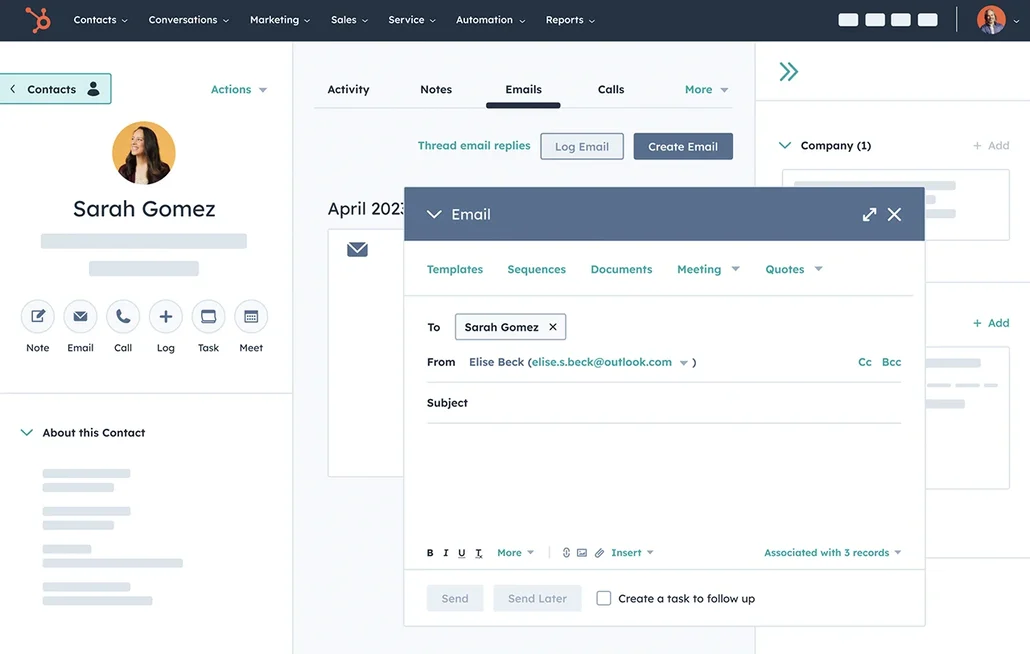
HubSpot is a platform-first CRM with strong contact records, activity tracking, and marketing alignment. It shines when contact data connects to forms, email, ads, and automation in one ecosystem. Segmentation and reporting are mature, but the stack can become heavy as needs grow. Best for teams that want an all-in-one growth suite.
What is Pipedrive?
Pipedrive is a sales-focused CRM designed around pipeline clarity and fast deal execution. Contact management is straightforward, with practical fields, filters, and manual organization tools. It’s easy to adopt and works well for SMB sales teams. Best for teams that want a simple, deal-first workflow.

Hubspot vs Pipedrive: Quick Feature Comparison
Bulk Import & Duplicate Merge
HubSpot’s bulk import process is straightforward and optimized for speed. You can upload contact lists in CSV format and benefit from built-in deduplication based on email addresses and company domains. HubSpot immediately detects overlaps with existing CRM records and allows users to skip, merge, or review duplicates. This tight control helps preserve data integrity, especially useful when migrating from other systems or running acquisition campaigns.
Pipedrive allows users to import large contact databases via CSV or Excel with native duplicate detection by email, phone number, and organization. After import, users can access a visual interface to manually review and merge potential duplicates. Though less automated than some competitors, this hands-on approach offers granular control, which is ideal for teams with complex or fragmented contact datasets.
Segmentation & Tagging
HubSpot's segmentation engine is one of the most advanced in the CRM space. Users can create static or dynamic contact lists using filters based on dozens of properties—from basic demographics to behavioral data like email opens or form submissions. Manual tags also allow for simple categorization. Smart lists update in real time, powering workflows, campaigns, and reporting across the CRM.
Pipedrive enables segmentation through a combination of filters, custom fields, and colored labels. You can build smart views for quick access to segmented lists like "Enterprise leads" or "Recently contacted." While less automated than HubSpot, Pipedrive offers intuitive manual tools that help sales teams focus on relevant deals and contacts.
Fast Search
HubSpot’s global search is instant and intuitive. As you type, it surfaces results from contacts, companies, deals, tickets, and more. You can search using any field—standard or custom—and results are enriched with activity previews and quick links. This smart UX reduces time spent hunting for data and improves workflow speed.
Pipedrive offers rapid search functionality across people, organizations, and deals. The live search bar provides immediate results as you type, with filters for fields like email, phone, or tags. The search extends into custom fields and is optimized for sales reps who need fast answers on the go.
Duplicate Detection
HubSpot automatically detects duplicates based on email address and company domain. Paid plans include advanced tools for deduplication, allowing you to review, skip, or merge contacts manually. HubSpot also suggests potential duplicates during record creation. While it's not highly customizable, it's reliable for most sales teams.
Pipedrive alerts users to duplicate contacts during import or manual entry based on matching fields such as email or phone number. While duplicate detection is limited to basic identifiers, the system allows manual merging from the contact view. For more advanced deduplication, integrations like Outfunnel or Dedupely are often used.
Collaboration Tools
HubSpot’s collaboration features include team inboxes, shared task management, comments with @mentions, and CRM record-level visibility settings. Teams can collaborate directly within each deal or contact record, with changes and notes tracked in real time.
Pipedrive supports collaboration through shared visibility of deals and contacts. Users can assign ownership, add notes, and view activity history. Although it lacks native @mentioning, it integrates well with Slack and Gmail to keep everyone on the same page.
folk CRM: The Best CRM for Contact Management!
folk CRM is a modern AI CRM built for teams that want clean, usable contact data without the admin burden. It centralizes every relationship, including leads, customers, partners, candidates, and investors, then organizes them in flexible views that match how the team actually works.
folk focuses on contact management first. With email and calendar sync, each contact record stays tied to real conversations, not manual notes. Tags, filtered views, and fast search make it easy to segment the database, find the right person instantly, and keep follow ups consistent. Duplicate detection and simple enrichment workflows help keep the contact base reliable over time, so the CRM stays a true source of truth. folk also offers a folk mobile app for managing contacts on the go.

folk also makes collaboration around contacts frictionless. Shared timelines, notes, and @mentions keep everyone aligned on who spoke to whom, what was promised, and what the next step is. That prevents double outreach, missed handoffs, and “lost context” when a deal moves from one person to another.
For teams that live on LinkedIn and the inbox, folk keeps the contact base fresh without constant cleanup sessions. New people can be added quickly, details can be enriched when needed, and views can be used as working lists for daily follow ups. The result is a contact database that stays usable as volume grows, without turning into a spreadsheet graveyard.
Conclusion
HubSpot and Pipedrive are both solid options for contact management. HubSpot fits teams that want a richer contact record connected to marketing and automation, while Pipedrive works well for sales teams that prefer a lightweight, pipeline-first workflow. However, for teams that care most about a clean, usable contact base with real conversation context and minimal admin, folk is the better choice. It keeps contacts tied to email and calendar activity, makes segmentation and search fast, and helps prevent duplicate clutter so the database stays reliable as the team grows.
FAQ
Which CRM is best for teams that need marketing automation?
HubSpot is best for integrated marketing, automation, and rich contact records, while Pipedrive is more sales-first and lightweight; folk emphasizes clean contact data with conversation context and minimal admin.
How do HubSpot and Pipedrive handle duplicate contacts?
HubSpot automatically detects duplicates by email and company domain and provides merge/review tools, especially on paid plans; Pipedrive flags duplicates by email, phone, or organization and relies more on manual review and merging.
What features matter most for contact management in 2026?
Fast search, reliable deduplication, enrichment tied to real conversations, and easy segmentation keep contact data usable; collaboration and automated cleanup prevent data decay and missed follow-ups.
Discover folk CRM
Like the sales assistant your team never had