


Discover folk - the CRM for people-powered businesses
Why connect Calendly to Pipedrive
Using Pipedrive? Looking to connect your Calendly account?
Even though Calendly doesn't have a native Pipedrive integration, Pipedrive has a built-in Calendly integration — but it's a bit of a clunky experience.
In this blog post, we'll walk you through several ways to connect Calendly to your Pipedrive account.
| Main points |
|---|
|
👉🏼 Try folk now to sync Calendly natively with your CRM and stop relying on Zapier or Make.
About Calendly
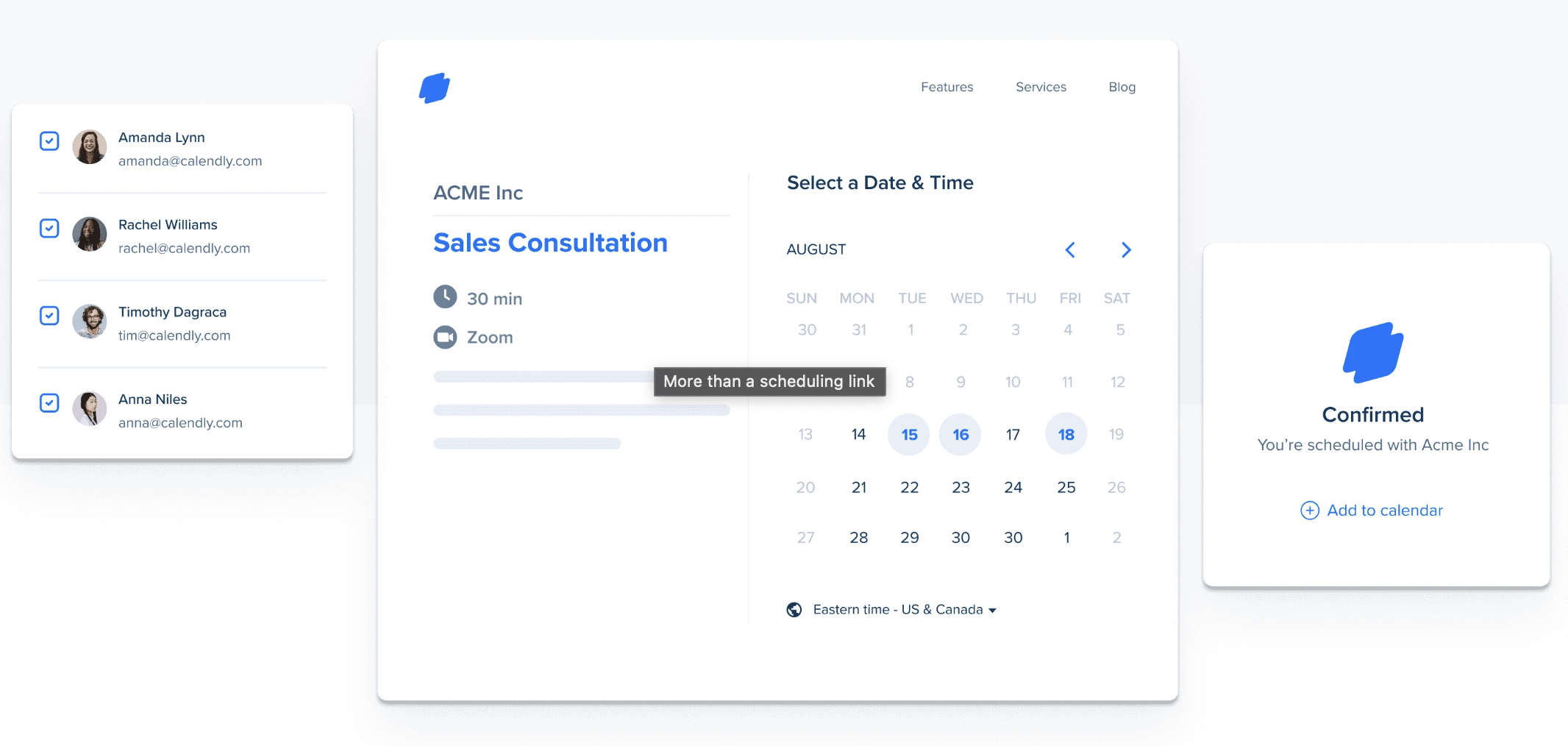
Calendly is a simple scheduling tool that takes out the back and forth between busy professionals. With Calendly, you can send a link to your prospect that can give them access to your availability with minimal fuss.
About Pipedrive
Pipedrive is a customer relationship management platform designed by sales professionals, for sales teams. It is sales-focussed and can help you automate your sales process, track your sales pipeline and leads.

3 ways to connect Calendly to Pipedrive
There are a few ways you can connect a Calendly integration with your Pipedrive account so that you can keep track of any new Calendly appointment made or upcoming meetings. They all involve going through a third party application so expect separate price plans. However, if you're a sales team of 20-50 people looking for a smoother experience, folk CRM offers a more streamlined approach with native Calendly integration that eliminates the complexity of third-party workarounds.
👉🏼 Try folk now to centralize Calendly meetings and Pipedrive-style deal tracking so your sales team never misses a follow-up.
1. Using the Calendly Events for Pipedrive integration by Ulgebra
This third party application is available directly from Pipedrive's marketplace and was made by Ulgebra.
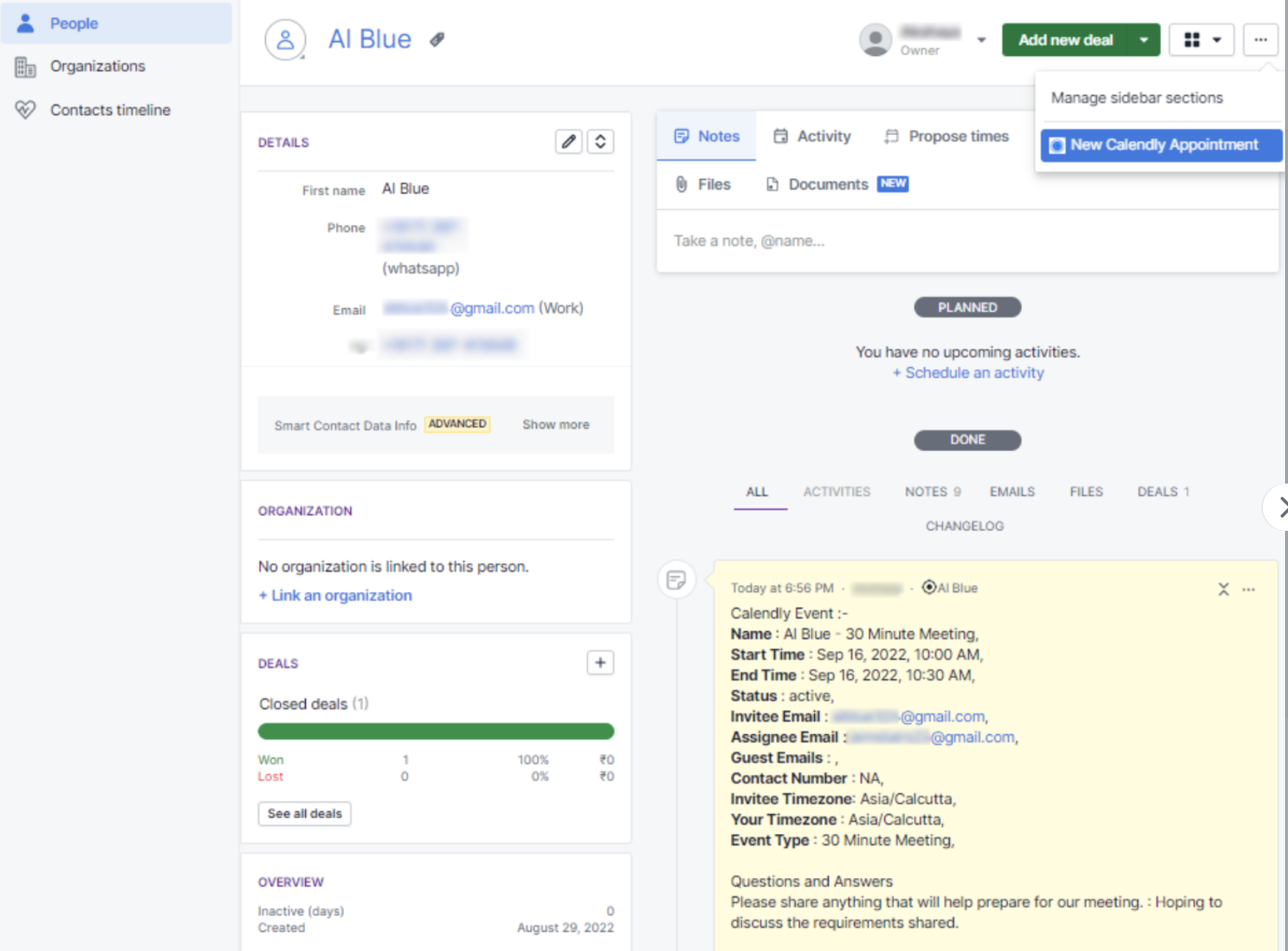

This integration allows you to:
- Schedule appointments,
- Keep a record of it in your Pipedrive contact profile,
- Reschedule or cancel an appointment directly from the note/activity in Pipedrive,
- Have an overview of upcoming and past Calendly events under event history tab in Pipedrive,
- Access booking links of each person on your sales team and generate single-use links.
To install it, you'll have to:
- Go to Pipedrive's Marketplace and install the "Calendly Event for Pipedrive" extension.
- Click "Install," this will redirect you to Pipedrive's authorization page.
- Click "Allow & Install" to complete the installation.
- Within any Pipedrive contact, from the dropdown on the right side, select "New Calendly Appointment".
- Within the pop-up, sign in to Ulgebra using your Pipedrive email id.
- To enable the integration, authorize your Calendly account by entering your Calendly personal access token.
2. Installing Calendly integrations via Zapier
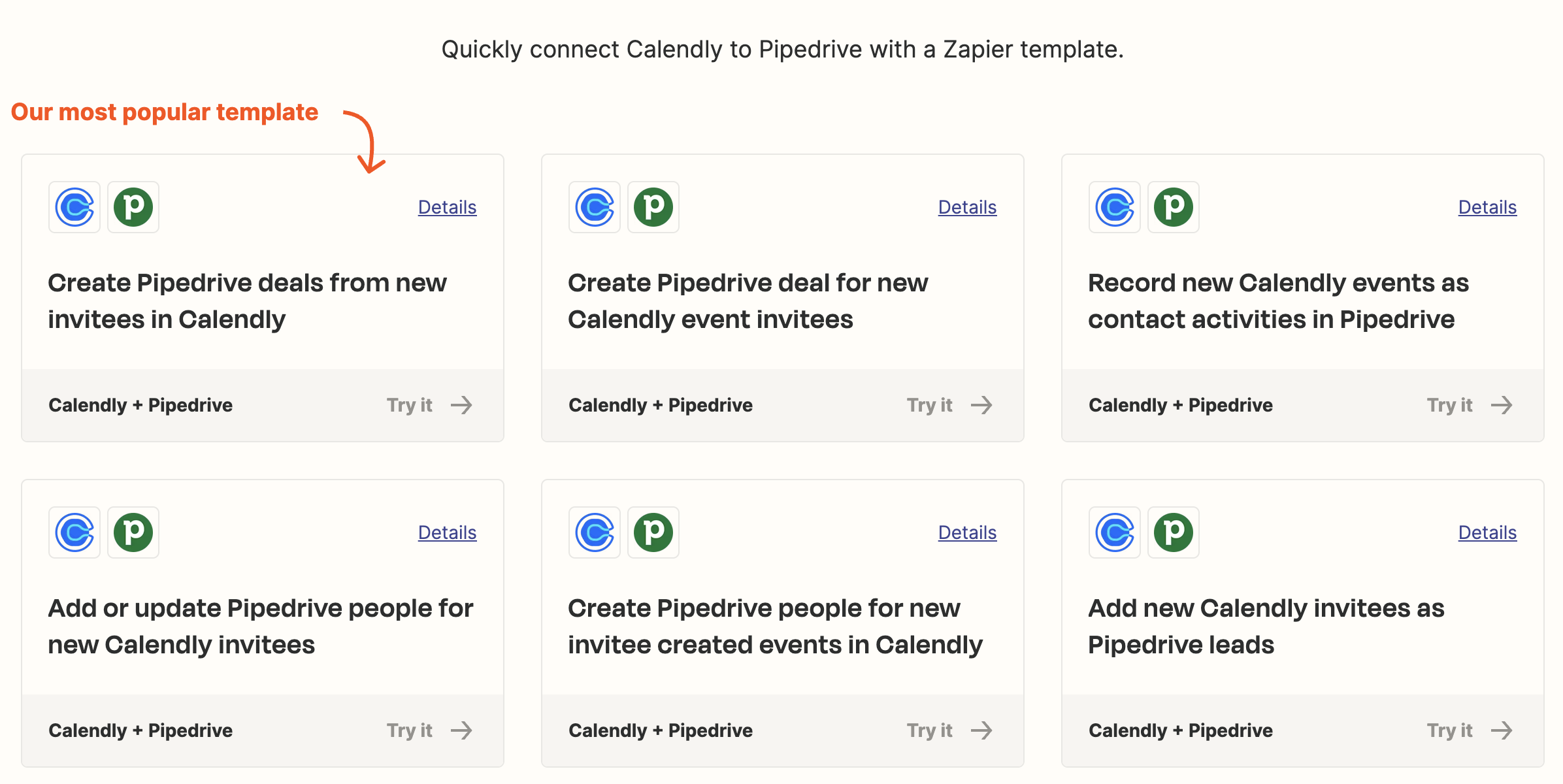
You can also install Calendly to your Pipedrive account using Zapier to automate your workflow. There are a few pre-built workflows you can use to get you started. You'll also be able to specify any actions you want to happen after a particular trigger. While this method works for basic automation, medium-sized sales teams of 20-50 people often find that folk CRM provides a more intuitive solution with built-in Calendly integration that requires no complex Zapier setup.

This integration will allow you to create workflows such as:
- Creating Pipedrive deals from new invites in Calendly,
- Recording new Calendly events as contact activities in Pipedrive users,
- Adding or updating Pipedrive contacts for new Calendly event,
- Adding new Calendly invitees as Pipedrive leads.
To install it, simply:
- Create a Zapier account,
- Set up a new Zap: Click on "Make a Zap", select Calendly as the trigger app,
- Choose the trigger event such as 'Invitee created'.
- Add Pipedrive as an "Action" and select is as the action app,
- Configure the action to create or update contacts and activities in Pipedrive.
Don't forget to test the Zap and turn it on to start automating the workflow.
3. Installing Calendly integrations via Make
You can also install a Calendly integration through Make. Similar to Zapier, Make supports the creation of Calendly and Pipedrive customer relationship management workflows. They also have some pre-built templates.
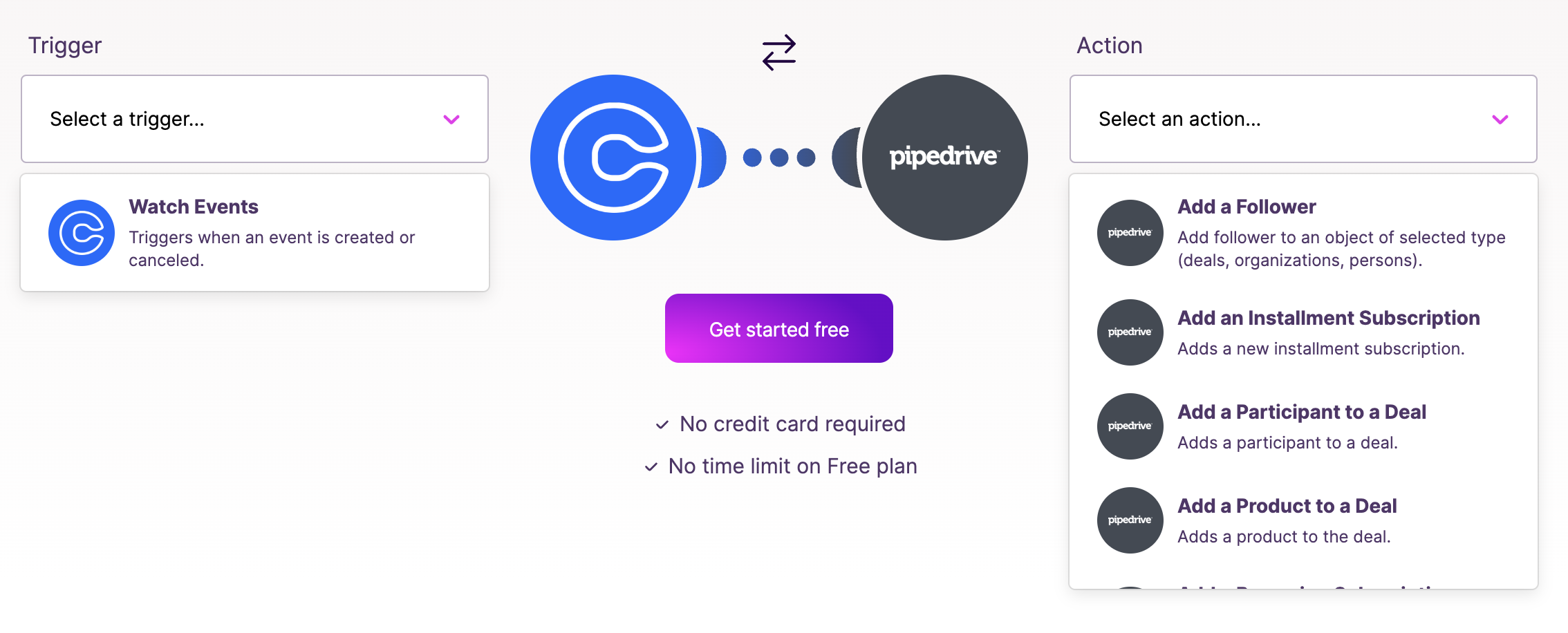
This integration will allow you to create workflows such as:
- Creating or closing a deal in Pipedrive from new Calendly appointments,
- Adding new Pipedrive deals to Google sheets.
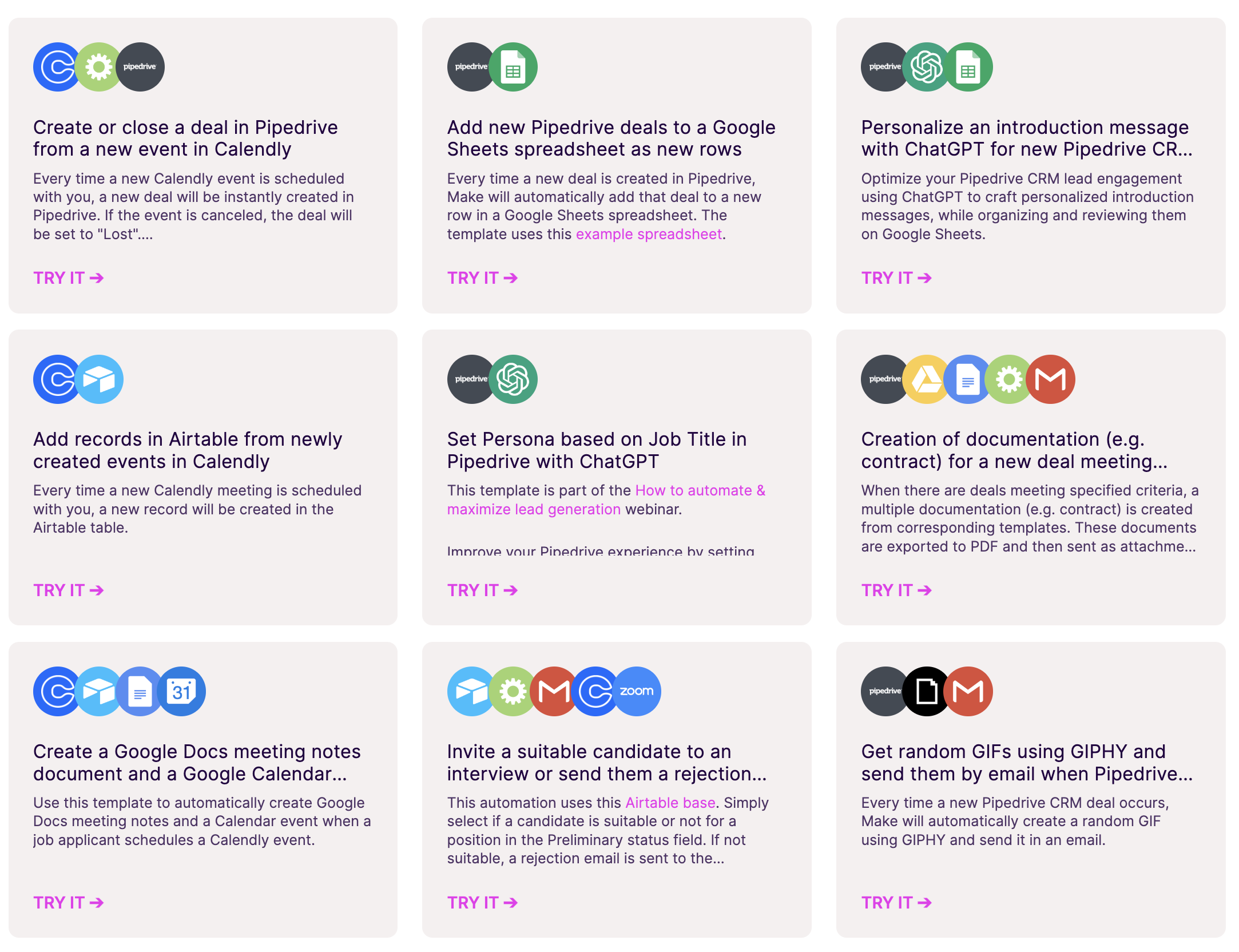
To install it, simply:
- Create a Make account,
- Set up a new scenario and select Calendly as the trigger,
- Choose a specific event such as 'invitee created' to trigger the scenario,
- Add Pipedrive as an action module,
- Congirue the action to create or update a contact and schedule an activity based on the new Calendly events
Don't forget to run a test and ensure that the scenario works, and activate the scenario to enable the automation.
Conclusion
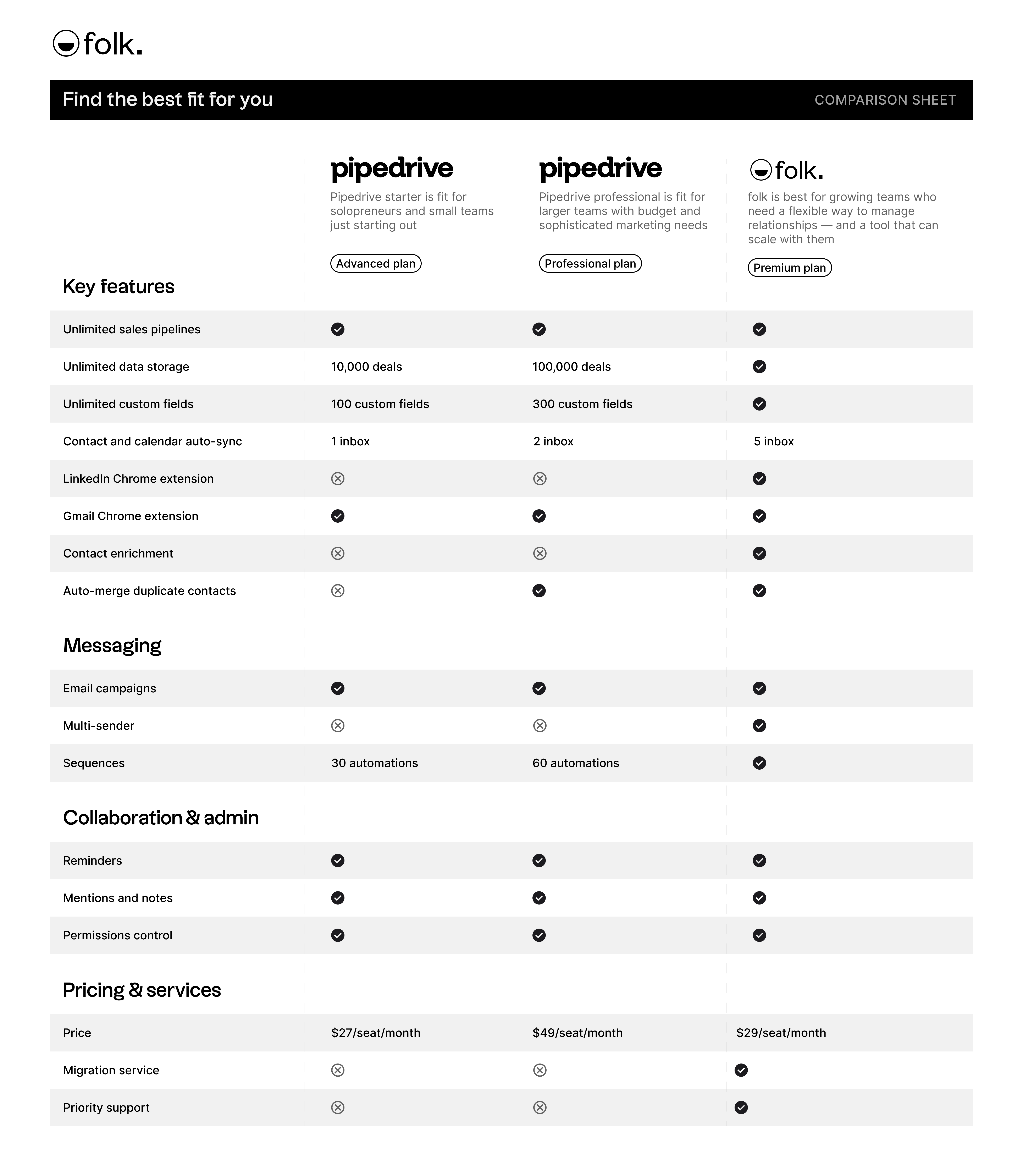
Integrating Calendly with Pipedrive can significantly enhance your scheduling and CRM processes, leading to a more streamlined workflow. But it can be a clunky experience. For a more user friendly CRM, consider using folk. It's a less complicated alternative that can support multiple business functions including sales, recruitment, fundraising and more. For sales teams of 20-50 people, folk CRM is the ideal solution that seamlessly integrates with Calendly while offering an award-winning user experience. folk can also help you keep an eye on your sales process and has a Zapier integration for Calendly appointments so you can get the best of both worlds on top of a CRM that is known and has won awards for its user friendly experience. Your sales team will be able to create deal in folk's sale cycle template, and centralize any new activity from Calendly including Calendly appointments, to keep an eye on a new contact. Try folk today, free.
More resources
- folk vs Pipedrive
- How to Centralize Calendly Meetings into folk CRM
- The ultimate guide to CRMs for SMBs
- folk mobile app
FAQ
What is Pipedrive used for?
Pipedrive is a sales CRM that helps teams manage pipelines, track deals and activities, automate tasks, forecast revenue, and centralize contact data.
How do you connect Calendly to Pipedrive?
Use a Pipedrive Marketplace app like 'Calendly Events for Pipedrive' or automation via Zapier/Make. Set Calendly as trigger and Pipedrive as action to create/update contacts, log activities, and open deals.
Is there a native Calendly–Pipedrive integration?
Calendly has no native Pipedrive app. Use a Marketplace app or Zapier/Make to sync events. Teams wanting built-in Calendly sync in a CRM can use folk.
What should be synced from Calendly to Pipedrive?
Sync invitee name and email, meeting time and type, notes, owner, and status (created, rescheduled, canceled). Optionally create/update the contact, log an activity, and open a deal when a meeting is booked.
Discover folk CRM
Like the sales assistant your team never had