


Discover folk - the CRM for people-powered businesses
Choosing between Freshsales and Monday CRM hinges on a crucial question: which CRM genuinely minimizes administrative tasks through automation?
For teams that value simplicity, folk provides one of the most efficient and robust automation features found in any CRM, enabling users to automate emails based on defined conditions and trigger actions via the API.
Why Automation Is Essential for CRM in 2026
Automation has emerged as the cornerstone of contemporary revenue teams. Sales and marketing professionals are expected to manage increasing leads, diverse channels, and intricate buying journeys without expanding their teams or compromising on personalization. A CRM that still depends on manual data entry, sporadic follow-ups, and outdated reporting methods saps time, energy, and focus away from genuine customer interactions.
Here are the primary reasons why automation has become indispensable:
- Buyers demand quick, relevant responses across various platforms, including email, LinkedIn, WhatsApp, and calls.
- Pipelines operate swiftly, and any overlooked follow-up can result in lost revenue.
- The surge in data volume renders manual updates impractical and unreliable.
- Leadership requires real-time insights into performance, not speculative end-of-month reports.
The true value of a CRM is determined by how much it alleviates the team's workload, rather than the number of fields it can accommodate. The most effective platform is one that automatically captures activities, maintains clean records in the background, and prompts the appropriate next steps at the right time, allowing reps to concentrate on building relationships and closing deals instead of managing the tool.
What is Freshsales?

Freshsales is the sales CRM from Freshworks, tailored for small to mid-sized teams seeking a user-friendly interface paired with robust automation features. Users can seamlessly integrate their Gmail or Microsoft 365 accounts, choosing between one-way or two-way sync to ensure that email threads remain consistent between their inbox and the CRM. With the addition of templates, bulk emailing, and activity timelines, email becomes an integral component of how sales representatives engage with their leads and opportunities.
What is Monday CRM?

Monday sales CRM is built on monday.com’s work management platform, providing teams with a visual approach to manage their pipelines alongside ongoing projects. The Emails & Activities app integrates with Gmail and Outlook, allowing users to send, receive, and log emails directly from their boards while tracking opens and replies right where the work occurs. With templates and automation features, the system standardizes follow-ups and maintains alignment between lead statuses, tasks, and email history.
Feature comparison of Freshsales and Monday CRM
Integration Capabilities
Freshsales provides native plugins for Gmail and Outlook, allowing you to view email threads, scheduling tools, and related contact information directly within your inbox. After establishing the connection, Freshsales automatically scans incoming emails for recognized contact addresses and logs conversations, helping to minimize clutter by letting you select which folders to sync.
On the other hand, Monday CRM’s Emails & Activities app enables a two-way sync with up to six Gmail or Outlook accounts, ensuring that sent or received emails appear alongside calls and tasks on your boards. While it lacks native calendar syncing within the CRM, you can create straightforward automations or utilize Monday’s Calendar view to visualize your scheduled events.
Sync Frequency and Reliability
Freshsales seamlessly connects through native plugins, establishing a constant link to your Gmail or Outlook account for real-time syncing of emails and calendar events. Incoming messages from known leads appear within seconds, while outgoing emails logged from the CRM are instantly reflected in your email thread. Calendar events also sync immediately, ensuring that meetings scheduled in Freshsales are promptly displayed in your personal calendar.
On the other hand, Monday CRM’s Emails & Activities app syncs your inbox every few minutes by default, regularly polling Gmail and Outlook for new messages to convert into board items. Although this introduces a slight delay compared to push-based systems, updates typically appear within two to three minutes. For those needing quicker updates, you can modify polling intervals or implement custom webhooks to achieve sub-minute responsiveness.
Two-Way Email and Calendar Sync
Freshsales boasts a comprehensive Marketing Campaigns module—simply navigate to Campaigns > Email to create email blasts or automated Journeys based on user behaviors. With drag-and-drop templates, dynamic segmentation, and analytics dashboards, you can monitor delivery rates, opens, clicks, and unsubscribes. Additionally, built-in retry logic and ISP throttling enhance deliverability. However, keep in mind that more advanced features, such as heat-map click analysis and AI-driven send-time optimization, necessitate an upgrade to Freshmarketer.
Monday’s Emails & Activities app offers seamless two-way email sync for Gmail and Outlook through straightforward integration recipes, ensuring that new messages and replies automatically convert into pulses on your boards—keeping your communications aligned with your deals. Calendar items also sync effortlessly via Monday’s Calendar Sync feature: date or timeline columns correspond with Google Calendar, Outlook, iCal, or any external calendar, allowing events to appear on both your board and calendar within minutes.
Mail Merge and Campaigns
Freshsales offers a comprehensive Marketing Campaigns module—simply navigate to Campaigns > Email to create email blasts or automated Journeys based on user behaviors. With user-friendly drag-and-drop templates, dynamic segmentation, and analytics dashboards, you can track delivery rates, opens, clicks, and unsubscribes. Additionally, built-in retry logic and ISP throttling enhance deliverability. However, be aware that advanced features such as heat-map click analysis and AI-driven send-time optimization necessitate an upgrade to Freshmarketer.
Monday CRM’s Emails & Activities app allows you to sync up to six Gmail or Outlook accounts and includes a Group Emailing feature for sending bulk messages to board items and contact lists. You can automate follow-ups using monday.com automations or integrate with Mailchimp for comprehensive email marketing capabilities. Keep in mind that without Mailchimp (or a similar add-on), you’ll have limited native campaign analytics beyond basic send logs on your boards.
Open and Click Tracking
Freshsales allows you to enable “Track opens and clicks” in Settings > Email Settings, ensuring that every email sent through the native plugin captures open events and link clicks within the contact timeline. You'll find delivery, open, and click metrics displayed in both the Deal dashboard and Campaigns module. However, keep in mind that open rates depend on image-based pixels; if a recipient blocks images or views links in preview panes, you may see lower reported stats.
While Monday’s Emails & Activities app does track message opens when emails are sent directly through the board interface, it does not natively monitor which links were clicked. To obtain click-through rates, you'll need to embed links with UTM parameters and transfer the data into your board using automations or by integrating a marketing tool like Mailchimp.
In-Inbox CRM Experience
Freshsales’ native plugins for Gmail and Outlook integrate your CRM sidebar seamlessly into your inbox, allowing you to view lead profiles, deal values, and past email threads while composing or reading messages. You can log emails, schedule meetings, and initiate sequences with just one click, syncing everything back to Freshsales effortlessly. Additionally, by displaying calendar events alongside your messages, it offers a cohesive experience for both communications and appointments. However, if you prefer a different email client, you'll need to opt for IMAP sync instead of enjoying the full plugin functionality.
On the other hand, monday.com’s Emails & Activities app operates directly on your boards rather than in your inbox. When you connect Gmail or Outlook, your emails transform into pulses associated with relevant items, allowing you to reply or add notes from within monday.com. This setup is ideal for visual teams that organize everything on boards, but keep in mind that it’s not a true in-inbox sidebar; you'll be working within monday.com instead of your email client.
folk CRM: The Best CRM for Automations
folk CRM is a cutting-edge, AI-native CRM designed for teams eager to simplify their deal automation. It consolidates all relationships—leads, clients, partners, candidates, and investors—into adaptable views tailored to any workflow.
folk caters to automation-driven teams. With built-in email and calendar synchronization, teams can effortlessly automate follow-ups and outreach on a large scale. The introduction of new conditional email automations allows you to send messages triggered by real-time data in folk; for instance, you can automatically dispatch onboarding or handoff emails as soon as a contact transitions to a client or a deal is marked as signed.
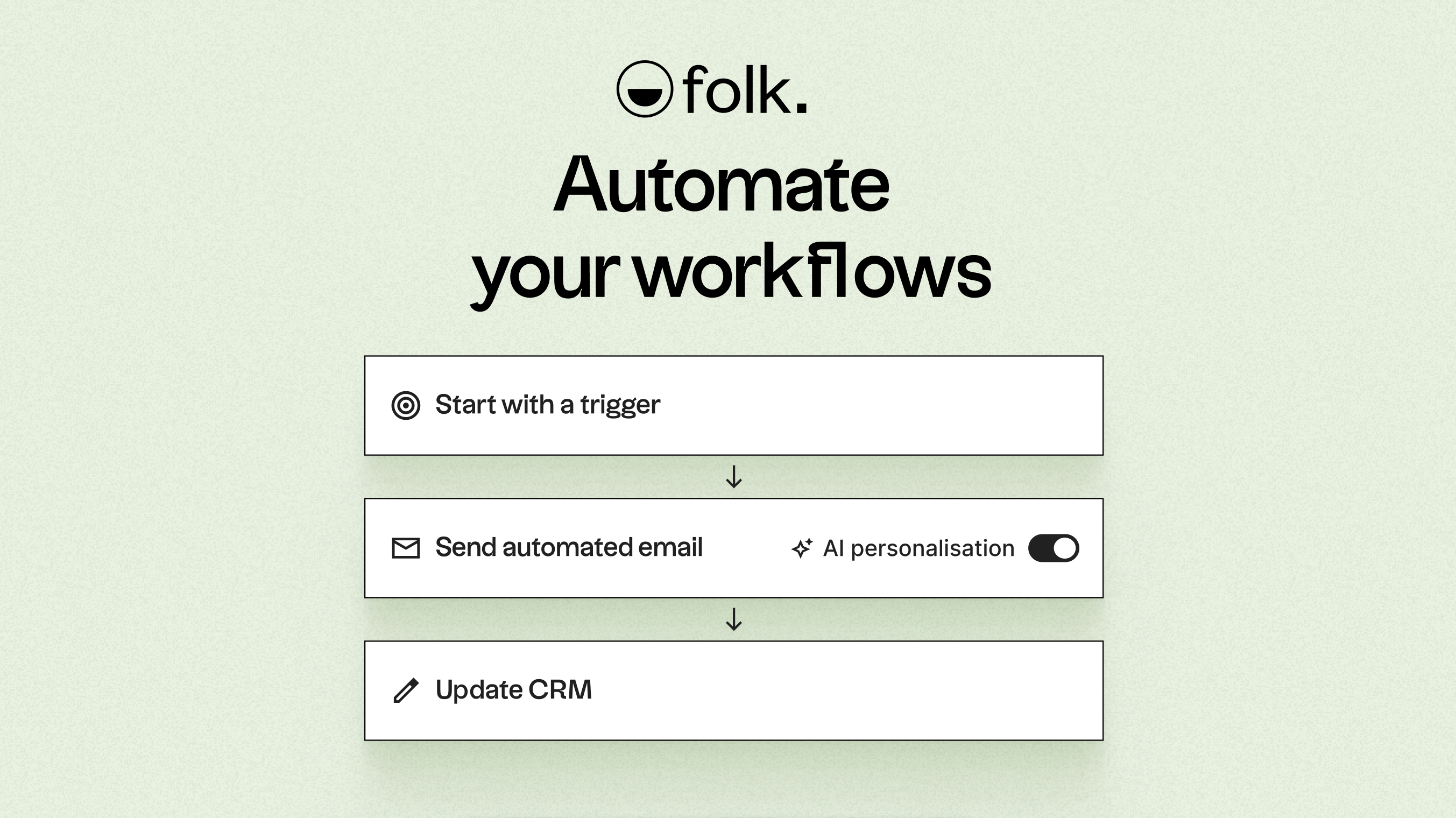
Leveraging AI, folk enriches data, crafts icebreakers, drafts personalized emails, and recommends the next best actions. Its open API and webhooks integrate seamlessly with tools like Zapier and Make, facilitating advanced workflows across email, WhatsApp, Slack, billing, and internal systems.
With one-click contact capture through the folkX Chrome extension and collaborative pipelines, folk empowers teams with a lightweight yet robust CRM that enhances automation while maintaining complete control.
Conclusion
In conclusion, while Freshsales offers robust integration and user-friendly automation, and Monday CRM excels in visual task management, folk outshines them both for teams focused on email automation and sequencing. Its AI-native capabilities streamline workflows, allowing for personalized outreach and dynamic conditional automations, making it the ideal choice for teams needing advanced automation without the complexity. For those looking to elevate their email integration and automation game, folk is the clear best alternative. Try folk CRM for free
Start your 14-day free trial or book a demo today.
FAQ
Which CRM best minimizes administrative work through automation?
folk provides the strongest automation, with AI-native conditional email automations, built-in email and calendar sync, open APIs/webhooks, and automated outreach that reduces manual tasks.
How do Freshsales and Monday CRM differ in email and calendar sync?
Freshsales uses native Gmail/Outlook plugins for real-time two-way email and calendar syncing and an in-inbox CRM sidebar, while Monday’s Emails & Activities app converts messages into board items with polling-based sync and calendar events via Calendar Sync columns.
Which platform is better for large-scale campaigns and tracking?
Freshsales includes a Marketing Campaigns module with deliverability features and open/click metrics, though some advanced analytics require Freshmarketer; Monday supports group emailing and Mailchimp integration but has limited native campaign analytics and no built-in click tracking.
Meet folk, the AI CRM for your entire Sales motion.