


Discover folk - the CRM for people-powered businesses
Contact management is the part of a CRM that either stays clean or becomes a mess. folk and Zoho follow two very different paths: folk stays lightweight and relationship first, Zoho offers a broader suite with deep customization.
This page compares them on what matters day to day: contact import and deduplication, enrichment, tags and segments, search speed, and follow up workflows. If you want a lightweight, relationship-first CRM, try folk.
Why Contact Management Is Essential for CRM in 2026
Contact management has become the backbone of modern revenue teams. Sales, partnerships, and customer success now operate across more channels, more stakeholders, and longer relationship cycles, without extra headcount. A CRM with messy contacts, missing context, and outdated records does not just slow teams down. It quietly kills follow ups, trust, and revenue.
Main reasons contact management is now non negotiable:
- Buyers interact across multiple touchpoints: Email, LinkedIn, calls, events, intros, and referrals all create signals. If contact context stays scattered, teams miss timing and lose credibility.
- One account now includes multiple decision makers: Deals rarely depend on a single person. Teams need a clear map of stakeholders, roles, and last conversations to move opportunities forward.
- Data decays fast without continuous cleanup: Contacts change jobs, emails go stale, duplicates appear, and notes get lost. A CRM must help keep records accurate, not depend on perfect manual entry.
- Speed matters more than ever: When response time drops, conversion goes up. Teams need instant access to the right contact, the right context, and the next step, without digging.
- Collaboration requires one shared source of truth: Revenue is cross functional. If sales, marketing, and success do not see the same contact history, follow ups clash, handoffs break, and relationships suffer.
The value of a CRM is measured by how usable its contact base stays over time. The winning platform is the one that keeps contacts clean, searchable, and rich in context, so teams spend less time fixing data and more time building relationships that convert.
What is folk CRM?
folk CRM is an AI CRM built to keep contact data clean, searchable, and actionable. It syncs email and calendar context so teams work from real conversations, not manual logs. Tags, views, and fast search support daily follow-ups with low admin overhead. There’s also a folk mobile app for managing contacts on the go. Best for lean teams that sell through relationships.

What is Zoho CRM?
Zoho CRM is a full-suite CRM built for teams that want deep customization and broad coverage. It supports complex data models, custom fields, and structured processes across sales and ops. Contact management is powerful, but it often requires more setup and governance. Best for teams that prioritize flexibility over simplicity.
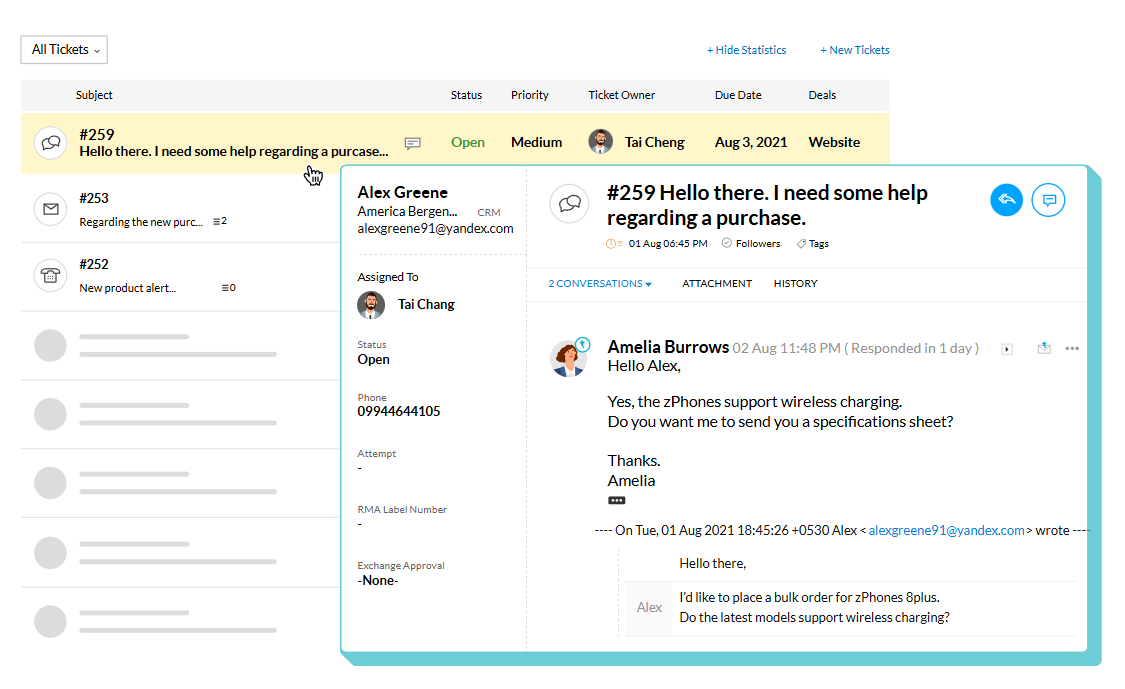
folk vs Zoho CRM: Contact Management Features Compared
Bulk Import & Duplicate Merge
folk CRM streamlines contact onboarding with an intuitive bulk import flow. Whether you upload a CSV file or sync data from a spreadsheet, the system automatically detects duplicates using a combination of email and name logic. During import, flagged contacts are highlighted with suggested merges that can be reviewed or accepted in one click. This ensures that your team starts with a single source of truth across the contact base.
Zoho CRM offers a comprehensive bulk import system that supports CSV files and direct web form submissions. What sets Zoho apart is its intelligent deduplication engine. During import, the system auto-scans each record for duplicate fields—like email or phone number—and flags potential conflicts. Users can opt for automatic merges or manually review conflicts before finalizing. This ensures clean, accurate data from day one, saving sales teams hours of manual cleanup.
Segmentation & Tagging
folk CRM was built with smart segmentation at its core. You can assign multiple tags to each contact—such as project names, industries, or personas—and then build filtered views that update automatically as contact info evolves. This allows for always-fresh outreach lists and better alignment between sales, marketing, and partnerships.
Zoho CRM offers extensive segmentation capabilities through custom views, filters, and tags. Users can create both static and dynamic segments based on any contact field—such as industry, lifecycle stage, or custom tags. These segments automatically update as contact data changes, allowing teams to maintain laser-focused outreach without manual upkeep. Ideal for lead scoring, campaigns, and role-based visibility.
Fast Search
folk CRM features a real-time search experience across all contact data. As you type, it surfaces matching names, companies, tags, and notes instantly. The interface is minimalist and efficient, ideal for teams that value clarity and speed over clutter. Search works across all synced sources.
Zoho CRM offers a global search engine that scans all modules—including leads, contacts, deals, and notes. It supports keyword suggestions and lets users apply filters such as name, email, company, or phone number. This makes it easy to locate records in large databases, even across custom fields. Search results are neatly categorized for faster navigation.
Duplicate Detection
folk CRM uses email and full name logic to automatically flag duplicates during both import and form entry. Users are prompted to merge or skip potential duplicates immediately, helping keep data clean from the start. While not enterprise-level, it covers 90% of common use cases with elegance and speed.
Zoho CRM includes a robust duplicate detection system that operates during both manual entry and bulk import. It uses customizable matching rules—like name, email, phone, or any custom field—to flag potential duplicates. Admins can configure whether to alert, block, or automatically merge duplicates. It's one of the most flexible systems for data hygiene.
Collaboration Tools
folk CRM was designed for collaborative workflows. It features shared notes, @mentions, unified contact timelines, and automatic activity tracking. You can tag teammates, assign responsibilities, and coordinate follow-ups without email clutter.
Zoho CRM facilitates team collaboration with @mentions in notes, shared contact views, audit trails, and real-time feeds. You can assign records, leave threaded comments, and even automate team alerts via workflows. It’s ideal for large teams with complex pipelines.
Conclusion
Zoho is a strong option for teams that want a broad CRM suite with deep customization and strict control over data rules. It can handle complex setups and large databases well, as long as you accept the extra configuration and ongoing admin work.
For most teams, though, folk is the better choice for contact management. It keeps data clean with less effort, keeps relationship context close to real conversations, and makes tags, search, and follow ups feel fast and obvious. If the goal is a contact base your team actually uses every day, folk wins.
FAQ
Which CRM is best for a lightweight, relationship-first workflow?
folk is best for lightweight, relationship-first teams because it keeps contact data clean, syncs email/calendar context, and prioritizes fast search and low admin overhead.
Which CRM should teams choose for deep customization and complex data models?
Zoho is better for teams that need extensive customization, complex fields, and strict data governance, though it requires more setup and ongoing admin work.
How do import and deduplication compare between folk and Zoho?
Both detect duplicates during import, but folk uses straightforward email/name logic with suggested one-click merges for speed, while Zoho provides a more configurable deduplication engine and automatic or manual merge rules for complex setups.
Discover folk CRM
Like the sales assistant your team never had