


Discover folk - the CRM for people-powered businesses
Choosing between folk CRM and Zoho CRM ultimately hinges on one question: which CRM genuinely saves time through automation rather than creating additional administrative tasks? For teams that value simplicity, folk delivers one of the most streamlined and effective automation solutions available in any CRM, enabling users to automate emails based on their defined conditions and trigger actions using the API.
Why Automation Is Essential for CRM in 2026
In today's landscape, automation has become the cornerstone of modern revenue teams. Sales and marketing professionals are tasked with managing more leads, navigating additional channels, and addressing increasingly complex buying journeys—all without increasing headcount or compromising personalization. A CRM that continues to depend on manual data entry, sporadic follow-ups, and outdated reporting methods quietly siphons time, energy, and focus away from meaningful customer interactions.
Here are the main reasons why automation is now indispensable:
- Buyers demand quick, relevant responses across various platforms, including email, LinkedIn, WhatsApp, and calls.
- Pipelines are moving at lightning speed; any missed follow-up can result in lost revenue.
- The explosion of data makes manual updates impractical and unreliable.
- Leadership requires real-time performance visibility, not just end-of-month estimates.
- Access your contacts, sequences, and updates on the go with the folk mobile app.
The true value of a CRM lies in how much it alleviates the team's workload, not in the number of fields it can accommodate. The most effective platform is one that automatically captures activities, maintains clean records in the background, and prompts the right next steps at the right time, allowing representatives to concentrate on building relationships and closing deals rather than managing the tool.
What is folk CRM?

folk CRM is a modern, lightweight CRM designed for teams collaborating through email, LinkedIn, and spreadsheets, all within one shared workspace. It seamlessly integrates with Gmail and Outlook to automatically log emails and meetings, while its Chrome extension adds a comprehensive CRM sidebar directly to your inbox for quick updates. Users can send personalized sequences, monitor engagement, and ensure every interaction is linked to relevant contacts, companies, and deals.
What is Zoho CRM?

Zoho CRM is a versatile, all-in-one CRM solution ideal for businesses seeking extensive customization and a wide-ranging suite of business applications. Its email integration accommodates Zoho Mail, Gmail, Outlook, and other IMAP providers, allowing teams to send, receive, and archive messages directly within the CRM. With shared inbox views, basic tracking, and automation capabilities, email interactions seamlessly integrate into a broader omnichannel engagement strategy.
Feature comparison of folk CRM and Zoho CRM
Integration Capabilities
folk CRM offers a hassle-free one-click setup for Gmail and Outlook—simply authenticate, and every incoming or outgoing email is automatically connected to the appropriate contact or deal record. Its built-in scheduler seamlessly integrates events into Google or Microsoft calendars, while also updating folk’s task list, providing you with a cohesive timeline of emails and meetings. You can send personalized bulk sequences, monitor opens and clicks, and utilize folk’s CRM inbox to respond without having to switch tabs. This streamlined experience reduces context-switching, ensuring your team stays aligned on every conversation. folk CRM stands out as one of the top CRMs for Email Integration!
Zoho’s Email Insights add-on enables you to sync Gmail, Outlook, or any IMAP provider directly with Zoho CRM, automatically logging messages and attachments to the correct records. You can select which folders to include, filtering out irrelevant threads while capturing every opportunity-driving email. Additionally, Zoho Calendar syncs seamlessly with Google, Office 365, or iCal, ensuring that meeting invites and updates are reflected in both your personal calendar and CRM timeline.
Sync Frequency and Reliability
folk CRM utilizes a direct OAuth connection for Gmail and Outlook that ensures seamless synchronization. Emails are logged instantly to the appropriate contact or deal as soon as they are sent or received, eliminating any manual steps. Meetings scheduled through folk's native scheduler are immediately reflected in both your calendar and the CRM timeline. Behind the scenes, folk employs push-notification webhooks from Google and Microsoft, which minimizes latency and ensures that every interaction appears within seconds.
In contrast, Zoho's Email Insights add-on maintains a live connection to your mail provider via IMAP IDLE or OAuth, allowing messages to sync in nearly real time. You can expect emails to appear in the CRM timeline just seconds after receipt, with all attachments and metadata preserved. Additionally, two-way calendar sync occurs instantly for Google Calendar, Office 365, and iCal, with Zoho’s retry logic effectively managing any intermittent failures.
Two-Way Email and Calendar Sync
folk CRM’s email sequences feature functions as a built-in mail-merge and campaign tool, allowing you to create multi-step sequences with personalized templates and scheduling rules. You can easily enroll contact lists directly from folk’s interface. Any opens and replies sync back instantly to each contact’s timeline, while detailed performance reports enable you to refine your subject lines and content for optimal engagement—all without the need for add-ons!
Zoho CRM offers email synchronization through POP/IMAP or OAuth for Outlook, Gmail, and any IMAP provider. Once configured in Settings > Channels > Email, both inbound and outbound messages automatically attach to the corresponding lead or contact record.
Mail Merge and Campaigns
folk CRM’s email sequences feature acts as an integrated mail merge and campaign tool, allowing you to create multi-step sequences with personalized templates and scheduling rules. You can effortlessly enroll contact lists directly from folk’s interface. Opens and replies are synced instantly back to each contact’s timeline, while detailed performance reports enable you to refine subject lines and content for optimal engagement—all without the need for any add-ons!
On the other hand, Zoho CRM’s Mass Email tool allows users to send up to 1,000 emails daily. It features customizable templates and merge tags for added personalization. For more extensive campaigns, Zoho Campaigns integrates smoothly, providing advanced segmentation, a drag-and-drop design interface, and comprehensive analytics on delivery, opens, clicks, and unsubscribes. However, since Zoho Campaigns operates as a separate product, managing billing and user permissions across both systems can introduce additional administrative complexity.
Open and Click Tracking
folk CRM automatically injects open and click tracking pixels into all outbound emails, providing real-time metrics on contact timelines and campaign dashboards. While you can disable tracking across the workspace to enhance deliverability, enabling it unlocks consolidated reports, link-level CTR data, and individual contact engagement histories—all without the need for external add-ons.
In contrast, Zoho CRM's basic Email Insights automatically track opens when you send emails through Gmail or Outlook connectors, and you can activate link-click tracking through the ZeptoMail integration for comprehensive click-through data. However, without ZeptoMail, CRM users only receive open metrics; full click analytics necessitate a separate transactional email product, which incurs additional costs and configuration efforts.
In-Inbox CRM Experience
folk CRM’s Chrome extension and Outlook add-in seamlessly integrate a fully-featured folk CRM sidebar into your inbox, providing contact details, deal stages, email sequences, and analytics right alongside your messages. You can easily send bulk personalizations, automatically log replies, and update pipelines—all from one convenient pane. Whether you’re using Gmail or Outlook, the experience remains consistent, with no need for additional integrations. This transformation makes your inbox the center of your CRM workflow, eliminating the need for context-switching.
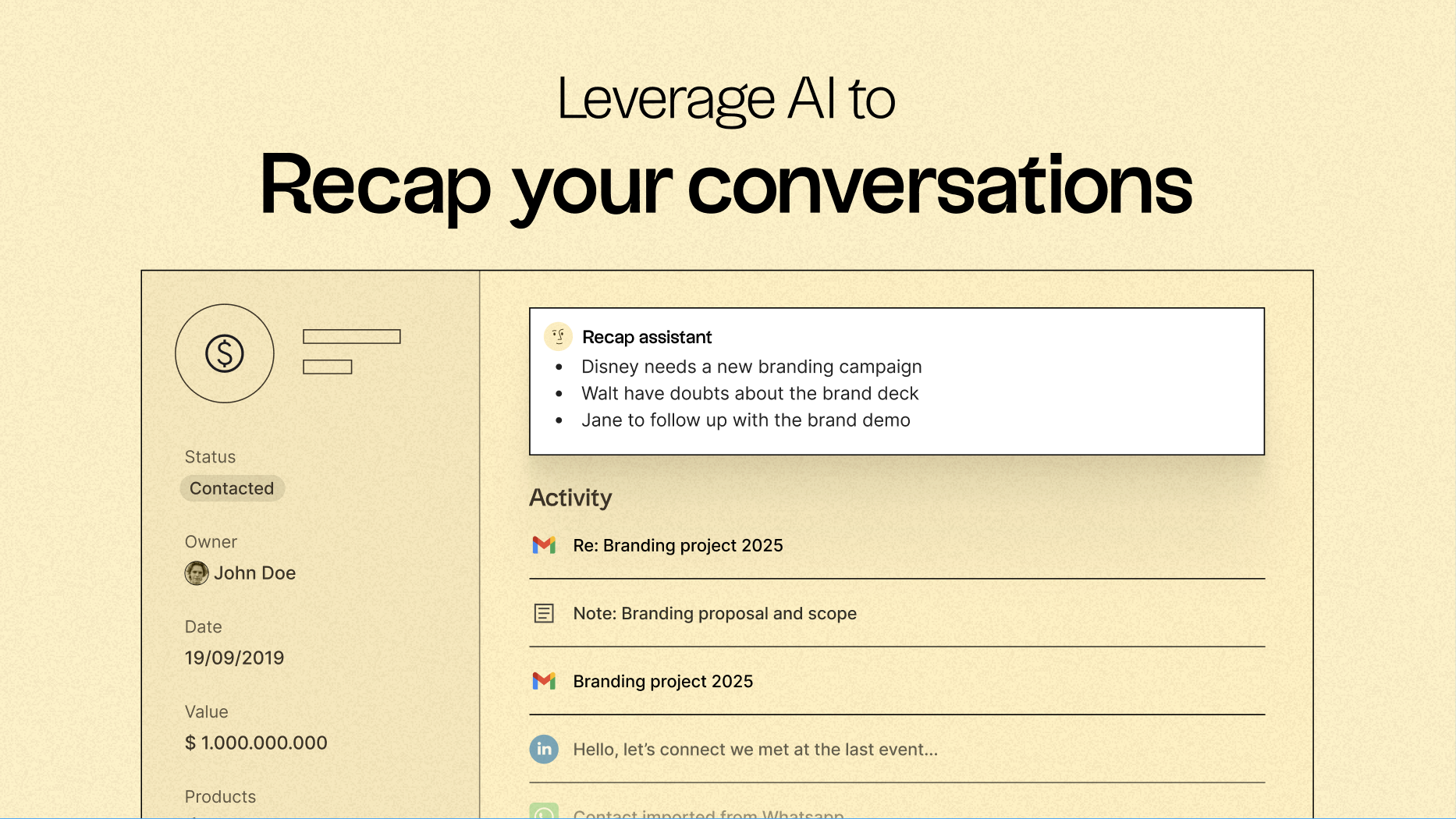
Moreover, with folk, you can utilize the Recap Assistant, which allows you to instantly generate summaries of conversations related to any contact, company, or deal.
Zoho’s eWidget also functions as a sidebar in Zoho Mail, Gmail, or Outlook, enabling you to add leads, view contact details, and log emails without exiting your mailbox. You can view deal stages, tasks, and meeting notes inline, and easily send predefined templates or create new records with just a click. However, this sidebar is limited to those specific email clients—if you use Thunderbird or any other service, you'll miss out on the in-inbox convenience.
Conclusion
In summary, while both folk CRM and Zoho CRM offer valuable features, folk excels for teams focused on email integration and automation. With intuitive email logging, personalized sequencing, and seamless synchronization, folk streamlines workflows, enabling efficient engagement without unnecessary complexity. Zoho CRM offers extensive customization and a solid suite of applications, but it can be cumbersome for teams prioritizing speed and simplicity. For those who rely on effective email strategies and automation, folk stands out as the superior choice.
Start your 14-day free trial or book a demo today.
Discover folk CRM
Like the sales assistant your team never had