


Discover folk - the CRM for people-powered businesses
Contact management is essential; a CRM can either remain effective or become overwhelming. folk CRM and Nimble
Social selling thrives at the intersection of your CRM and network. If your tool falls short in tracking LinkedIn activities, comments, and warm introductions, you risk losing not just visibility but also deals to competitors who cultivate their relationships more effectively.
folk and Clarify position themselves as modern, relationship-focused CRMs. Clarify emphasizes transforming unstructured interactions into organized records, while folk offers teams a flexible workspace designed for social selling, allowing them to monitor contacts, signals, and pipelines all in one place.
This comparison will explore how each CRM facilitates authentic social selling workflows, helping you determine which one aligns best with your team's approach to building and nurturing relationships.
Why is a social selling CRM essential in 2026?
Most B2B deals don’t commence with a cold email or demo request; they typically begin with a LinkedIn comment, a repost, a direct message, or even a quiet profile visit. If your CRM is unable to capture these signals and connect them to actual people and pipelines, your team is navigating without visibility while competitors foster relationships right in front of them.
A social selling CRM provides a centralized platform to convert these interactions into structured, actionable insights: identifying who engaged, their origin, interests, and their readiness to buy. Rather than viewing LinkedIn as merely a source of awareness, it transforms into a measurable, repeatable process within your revenue engine.
With a social selling CRM, your team can:
✔️ Identify buying signals from likes, comments, and profile views, and convert them into follow-ups
✔️ Track which prospects are familiar with you through content versus outbound efforts, allowing for tailored messaging
✔️ Map relationships across accounts, champions, and influencers, rather than just maintaining a list of contacts
✔️ Report on deals influenced by social interactions instead of attributing all credit to last-click channels
What is folk CRM?

folk CRM is a modern, streamlined CRM designed for teams that collaborate across email, LinkedIn, and spreadsheets, consolidating everything into one shared workspace. It integrates seamlessly with Gmail and Outlook to automatically log emails and meetings, while its Chrome extension provides a comprehensive CRM sidebar directly in your inbox for quick updates. Users can easily send personalized sequences, track engagement, and associate every interaction with contacts, companies, and deals.
What is Nimble?
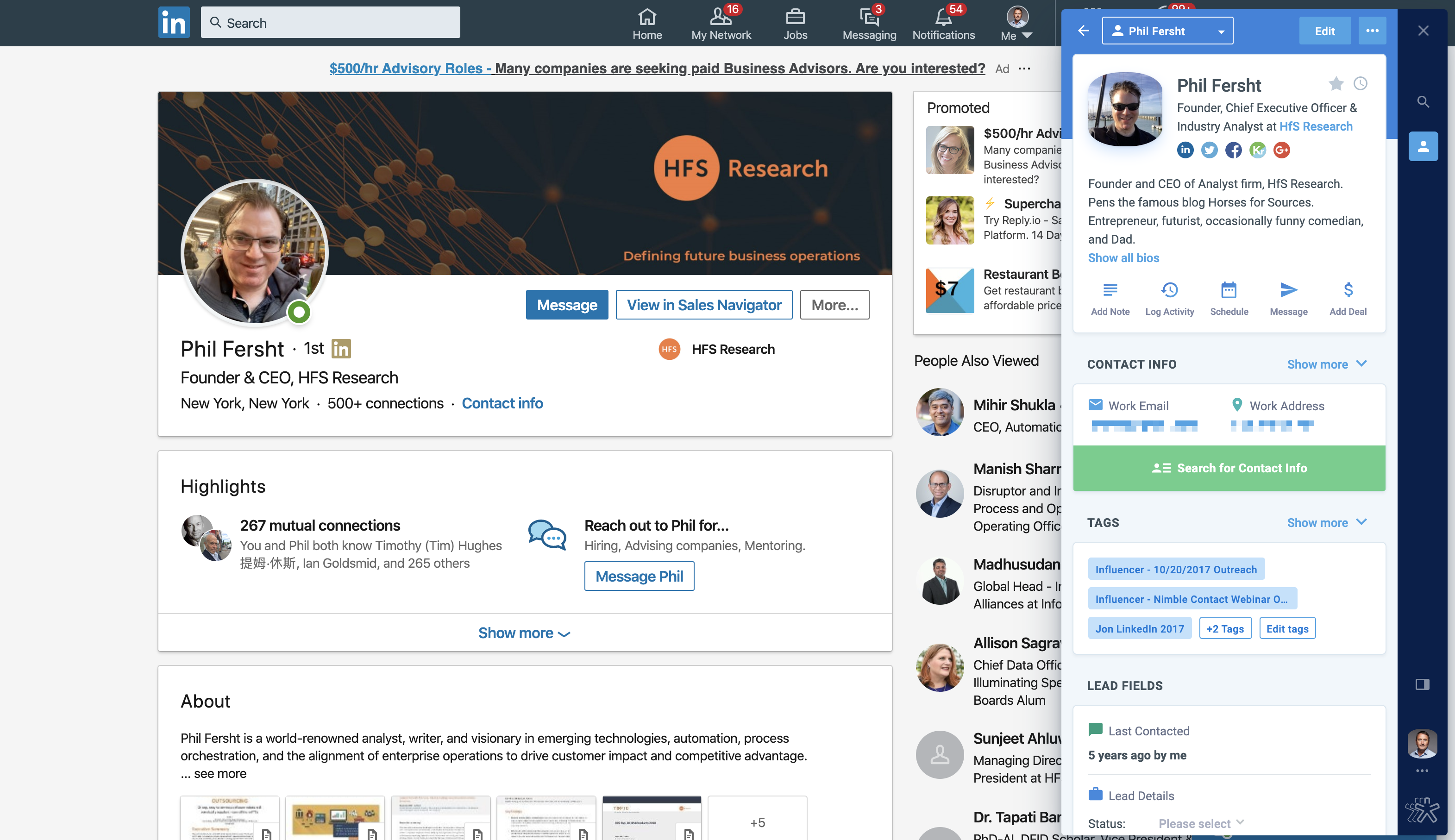
Nimble is a lightweight, socially-focused CRM that gathers context from both email and social networks. It's an ideal choice for relationship-driven sellers who frequently engage in inboxes and social media. While it offers simplicity compared to larger CRM suites, it may lack the depth needed for complex pipelines or multi-team operations.
Feature comparison of folk CRM and Nimble
Profile Enrichment & Lead Insights
folk CRM offers a seamless one-click setup for both Gmail and Outlook. After authentication, every incoming and outgoing email is automatically linked to the corresponding contact or deal record. Its integrated scheduler syncs events directly into Google or Microsoft calendars while updating folk’s task list, providing you with a cohesive timeline of emails and meetings. You can send personalized bulk sequences, monitor opens and clicks, and utilize folk’s CRM inbox for replies without the hassle of switching tabs. This streamlined experience reduces context-switching, ensuring your team stays aligned on every conversation. folk CRM stands out as one of the top CRMs for Email Integration!
Nimble enhances your contacts by pulling publicly available social profile data (such as photos, bios, jobs, etc.) from LinkedIn, Twitter, Facebook, and email signatures.
Social Listening & Real-Time Alerts
folk CRM utilizes a direct OAuth connection for Gmail and Outlook, ensuring seamless synchronization. Emails are logged instantly to the appropriate contact or deal as soon as they are sent or received, eliminating any manual effort. Meetings arranged through folk’s built-in scheduler are immediately updated in both your calendar and the CRM timeline. Behind the scenes, folk employs push-notification webhooks from Google and Microsoft, reducing latency and ensuring that every interaction appears within seconds.
In contrast, Nimble lacks real-time alerts and social listening capabilities. Instead, it prioritizes the enrichment of contact profiles over tracking live interactions.
Social Selling: Which channels?
folk CRM’s email sequences feature acts as a comprehensive mail-merge and campaign tool: effortlessly create multi-step sequences using personalized templates and scheduling rules, then enroll contact lists directly from folk’s interface. Opens and replies are instantly synced back to each contact’s timeline. Detailed performance reports enable you to refine subject lines and content for optimal engagement, all within the platform—no additional add-ons needed!
Nimble can capture contacts from LinkedIn and Twitter, but it doesn’t support outreach through these platforms. Its primary focus is on contact management and enrichment.
In‑Context Messaging with Templates & Sequences
Folk CRM’s email sequences feature functions as an integrated mail-merge and campaign tool: design multi-step sequences with personalized templates and scheduling rules, then directly enroll contact lists from folk’s interface. Opens and replies are instantly synced back to each contact’s timeline. Detailed performance reports enable you to refine subject lines and content for optimal engagement, all natively—no add-ons necessary!
In contrast, Nimble lacks in-browser templated messaging, requiring you to use email or external tools for structured outreach.
Activity & Engagement Tracking
folk CRM automatically incorporates open- and click-tracking pixels into all outgoing emails, providing real-time metrics on contact timelines and campaign dashboards. While you can disable tracking across the workspace to enhance deliverability, enabling it offers consolidated reports, link-level CTR data, and detailed engagement histories for each contact—without the need for external add-ons.
Nimble records email and call history and provides some data enrichment; however, it lacks tracking for social engagements such as likes or comments.
Conclusion
In conclusion, both folk and Nimble offer unique strengths for relationship-focused sales. Nimble excels in contact enrichment from social networks, making it suitable for light engagement. However, folk stands out with its superior email integration, automation capabilities, and comprehensive tracking for both email and social interactions. For teams prioritizing efficient workflows in social selling, folk is the best choice, providing a cohesive platform that turns signals into actionable insights while minimizing admin tasks. Choose folk for a truly modern CRM experience!
Start your 14-day free trial or book a demo today.
Discover folk CRM
Like the sales assistant your team never had