


Discover folk - the CRM for people-powered businesses
When choosing between folk CRM and Freshsales, the key question is: which CRM genuinely saves time on automation rather than creating additional administrative tasks? For teams that value simplicity, folk provides one of the most efficient and powerful automation features available in any CRM, enabling users to automate emails based on their defined conditions and facilitate actions through the API.
Why Automation Is Essential for CRM in 2026
Automation has become the cornerstone of contemporary revenue teams. Sales and marketing are tasked with managing more leads, diverse channels, and intricate buying journeys without increasing staff or compromising personalization. A CRM that depends on manual data entry, sporadic follow-ups, and outdated spreadsheet-style reporting saps time, energy, and focus from genuine customer conversations.
Here are the main reasons why automation is now indispensable:
- Buyers anticipate quick, relevant responses via email, LinkedIn, WhatsApp, and phone calls.
- Sales pipelines are fast-paced, and missed follow-ups can lead to lost revenue.
- The surge in data volume makes manual updates impractical and unreliable.
- Leadership requires immediate visibility into performance, not last-minute end-of-month estimates.
- Access the folk mobile app for on-the-go contact management and inbox CRM.
The true value of a CRM lies in how effectively it alleviates the workload from the team, rather than the number of fields it can accommodate. The superior platform efficiently captures activities automatically, maintains organized records in the background, and prompts the appropriate next steps at the right time, allowing representatives to focus on nurturing relationships and closing deals instead of managing the tool.
What is folk CRM?

folk CRM is a streamlined, modern CRM designed for teams that operate across email, LinkedIn, and spreadsheets, all within a unified workspace. It seamlessly integrates with Gmail and Outlook to automatically log emails and meetings, while its Chrome extension provides a comprehensive CRM sidebar directly in the inbox for swift updates. Users can easily send personalized sequences, monitor engagement, and link every interaction to relevant contacts, companies, and deals.
What is Freshsales?

Freshsales is Freshworks' sales CRM tailored for small to mid-sized teams seeking an intuitive interface paired with robust automation. Users can link their Gmail or Microsoft 365 accounts and opt for either one-way or two-way sync to maintain alignment between their inbox and CRM. With features like templates, bulk emails, and activity timelines, email becomes an integral part of how sales reps engage with leads and opportunities.
Feature comparison of folk CRM and Freshsales
Integration Capabilities
folk CRM features a one-click setup for both Gmail and Outlook—simply authenticate, and all incoming and outgoing emails will be automatically linked to the appropriate contact or deal record. Its built-in scheduler integrates events directly into Google or Microsoft calendars and updates folk’s task list, providing you with a cohesive timeline of emails and meetings. You can send personalized bulk sequences, track opens and clicks, and reply via folk’s CRM inbox without needing to switch tabs. This streamlined experience reduces context-switching and ensures your team stays aligned on every conversation. folk CRM stands out as one of the best CRMs for email integration!
Freshsales also offers native plugins for Gmail and Outlook, displaying email threads, scheduling tools, and related contact details directly within your inbox. After connecting, Freshsales automatically scans incoming emails for recognized contact addresses and logs conversations, allowing you to minimize clutter by selecting which folders to sync.
Sync Frequency and Reliability
folk CRM employs a direct OAuth connection for Gmail and Outlook, providing seamless synchronization. Emails are logged instantly to the appropriate contact or deal upon being sent or received, eliminating the need for manual intervention. Meetings scheduled through folk’s native scheduler are promptly displayed in both your calendar and the CRM timeline. Behind the scenes, folk utilizes push-notification webhooks from Google and Microsoft, reducing latency and ensuring that every interaction is recorded within seconds.
Freshsales uses native plugins to maintain a constant connection with your Gmail or Outlook account, allowing for real-time syncing of email and calendar events. Incoming messages from known leads are visible within seconds, and any outgoing emails logged from the CRM appear instantly in your email thread. Calendar events also sync immediately, guaranteeing that meetings scheduled in Freshsales are reflected in your personal calendar without delay.
Two-Way Email and Calendar Sync
folk CRM’s email sequences feature functions as an integrated mail-merge and campaign tool, allowing you to create multi-step sequences with personalized templates and scheduling rules. You can directly enroll contact lists from folk’s interface, and any opens or replies will instantly sync back to each contact’s timeline. In addition, detailed performance reports enable you to refine subject lines and content for optimal engagement—all without needing any add-ons!
Freshsales provides native plugins for Gmail and Outlook, offering a choice between two-way or one-way email sync during setup, with two-way being the default. This ensures that both incoming and outgoing emails flow seamlessly between your mailbox and the CRM timeline. For calendar functionality, Freshsales supports bi-directional sync with Google Calendar and Office 365, meaning that appointments scheduled in either your inbox or the CRM are mirrored in both places, allowing meeting history to reside alongside email conversations in the same timeline.
Mail Merge and Campaigns
folk CRM’s email sequences feature acts as an integrated mail-merge and campaign tool, allowing you to create multi-step sequences with personalized templates and scheduling rules. You can easily enroll contact lists directly from folk’s interface. Opens and replies sync back instantly to each contact’s timeline, while detailed performance reports enable you to refine your subject lines and content for maximum engagement—all without the need for add-ons!
Freshsales offers a comprehensive Marketing Campaigns module. Simply navigate to Campaigns > Email to create blasts or automated Journeys based on user behaviors. The platform features drag-and-drop templates, dynamic segments, and analytics dashboards that track delivery rates, opens, clicks, and unsubscribes. Built-in retry logic and ISP throttling enhance deliverability. However, note that advanced features like heat-map click analysis or AI-driven send-time optimization require an upgrade to Freshmarketer.
Open and Click Tracking
folk CRM automatically embeds open- and click-tracking pixels into all outgoing emails, providing real-time insights into both metrics on contact timelines and campaign dashboards. You have the option to disable tracking across the workspace to enhance deliverability; however, when enabled, you benefit from consolidated reports, link-level CTR data, and individual engagement histories—all without needing external add-ons.
Freshsales allows you to activate “Track opens and clicks” in Settings > Email Settings, ensuring that every email sent via the native plugin logs open events and link clicks in the contact timeline. Delivery, open, and click metrics are visible in both the Deal dashboard and Campaigns module. Keep in mind that open rates depend on image-based pixels; if a recipient blocks images or views links in preview panes, you may encounter underreported statistics.
In-Inbox CRM Experience
The folk CRM Chrome extension and Outlook add-in seamlessly integrate a comprehensive folk CRM sidebar into your inbox, providing contact details, deal stages, email sequences, and analytics right alongside your messages. You can easily send bulk personalizations, automatically log replies, and update pipelines all from a single pane. Whether you're using Gmail or Outlook, the experience remains consistent, eliminating the need for extra integrations. This effectively transforms your inbox into the nucleus of your CRM workflow—no context-switching necessary.
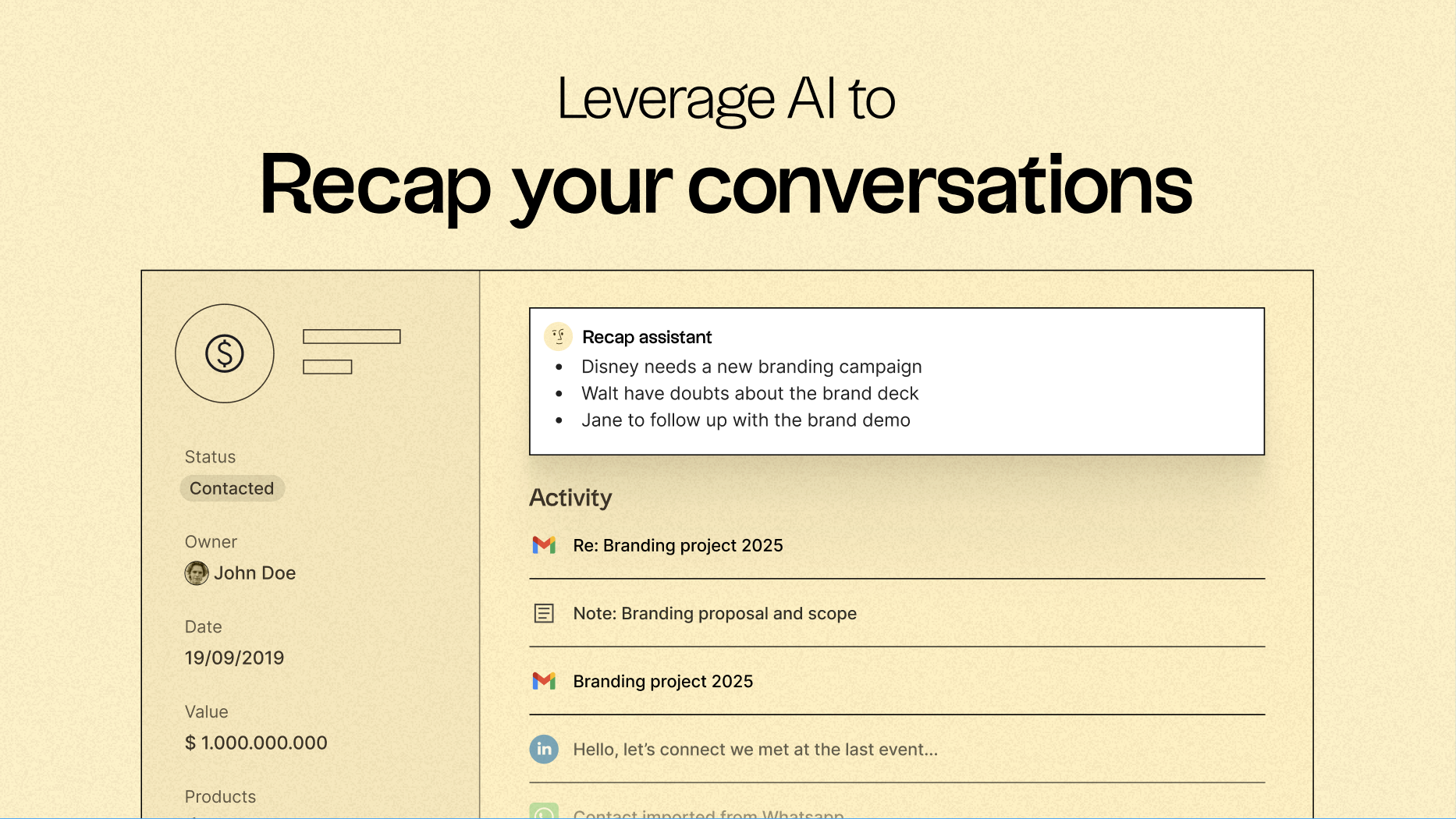
Discover folk CRM
Like the sales assistant your team never had