


Discover folk - the CRM for people-powered businesses
Stop Juggling Contacts
Still juggling contacts across Gmail, LinkedIn, and spreadsheets?
It's time for an upgrade.
The best sales teams of 20-50 people don't waste hours digging through inboxes or asking, "Who last spoke to this client?"
They use contact management software often built into a modern CRM—to centralize every conversation, file, and touchpoint in one place. It's an alternative to basic people directories.
Whether you're closing deals, building partnerships, or fundraising, the right tool doesn't just organize your network—it grows it.
Let's break down how it works, who needs it, and which contact management software in 2025 is actually worth your time
| Main points |
|---|
|
What is Contact Management Software?
Contact management software (CMS) helps you organize, track, and maintain your interactions with leads, clients, partners, or any group of people important to your business.
It's a key feature of most CRM (Customer Relationship Management) platforms—but lightweight versions exist too, especially for solopreneurs or startups.
At its core, a CMS allows you to:
- Centralize all your contact info
- Log emails, calls, and meetings
- Segment contacts into lists or stages
- Collaborate with your team
- Trigger workflows like follow-ups or reminders
The goal? Stop letting people slip through the cracks.
Contact Management Software Use Cases
Here's how different teams use CMS tools every day:
Startups & Freelancers
- Keep track of investors, media contacts, and leads in one place
- Segment by funding stage, deal potential, or industry
- Use templates to follow up fast and consistently
Sales Teams
- Track conversations across email, phone, and meetings
- Use reminders and auto-emails to stay top-of-mind
- Share pipelines and context across SDRs and AEs
Marketing Teams
- Build segmented lists by persona or source
- Sync with email platforms for targeted campaigns
- Monitor engagement to score leads
Enterprises
- Connect contact data across departments (Sales, CS, Support)
- Use complex workflows to manage large volumes of data
- Integrate with tools like Slack, Zoom, and analytics
Contact Management Software Comparison Table
| Tool | Best For | Pros | Cons | Pricing (Monthly) |
|---|---|---|---|---|
| folk CRM | Sales teams of 20-50 people | Collaborative, clean UI, smart templates | Limited enterprise features | Standard: $20/user, Premium: $40, Custom: $80 |
| HubSpot | Marketing-led teams & SMBs | Free tier, rich automation, ecosystem | Expensive at scale | Free → $0, Starter: $50+, Pro: $1,780+, Enterprise: $5,000+ |
| Pipedrive | Visual sales teams | Intuitive pipeline, easy setup | Weak marketing automation | Essential: $14, Advanced: $39, Pro: $49, Enterprise: $99 |
| Close | Outbound & call-heavy teams | Built-in calling, fast workflow | No marketing tools | Startup: $49, Pro: $99, Enterprise: $139 |
| Zoho CRM | Budget-conscious teams | Affordable, flexible, mobile-friendly | Clunky UI | Free, Paid plans: $14–$52/user |
| Salesforce | Enterprises | Ultra-flexible, robust ecosystem | Complex, pricey | $25–$300+/user |
👉🏼 Try folk now to manage contact-based reminders with your team
Best Contact Management Software in 2025: Full Reviews
1. folk CRM
folk is a modern, lightweight alternative to traditional CRMs. Built specifically for sales teams of 20-50 people, it's ideal for growing businesses who want simplicity without sacrificing power.
Pros
- Shared contacts & pipelines for easy team collaboration
- Stunning UI with fast search and filters
- Message templates, integrations (Gmail, LinkedIn, Zapier)
- Designed for real human relationships—not just sales
- Mobile app for on-the-go contact management (folk mobile app)
Cons
- No built-in calling functionality yet
Pricing
- Standard: $20/user/month
- Premium: $40/user/month
- Custom: $80/user/month
👉🏼 Try folk now to never miss a follow-up
2. HubSpot
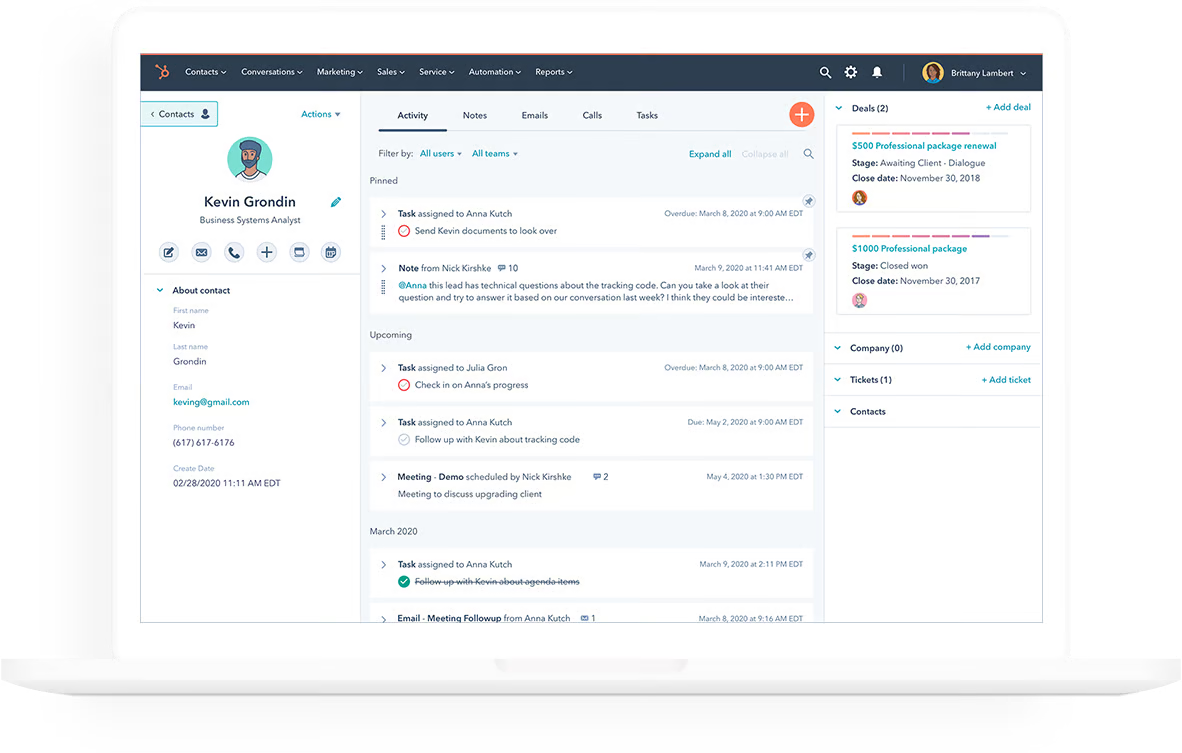
HubSpot is a powerful all-in-one CRM with robust marketing and contact features. It's ideal for teams that need strong automation and campaign tracking.
Pros
- Generous free plan for small teams
- Deep email marketing and automation tools
- Massive integration marketplace
Cons
- Gets expensive fast as your team or contacts grow
- Can be overwhelming to set up
Pricing
- Free: $0
- Starter: $50+/month
- Pro: $1,780+/month
- Enterprise: $5,000+/month
3. Pipedrive
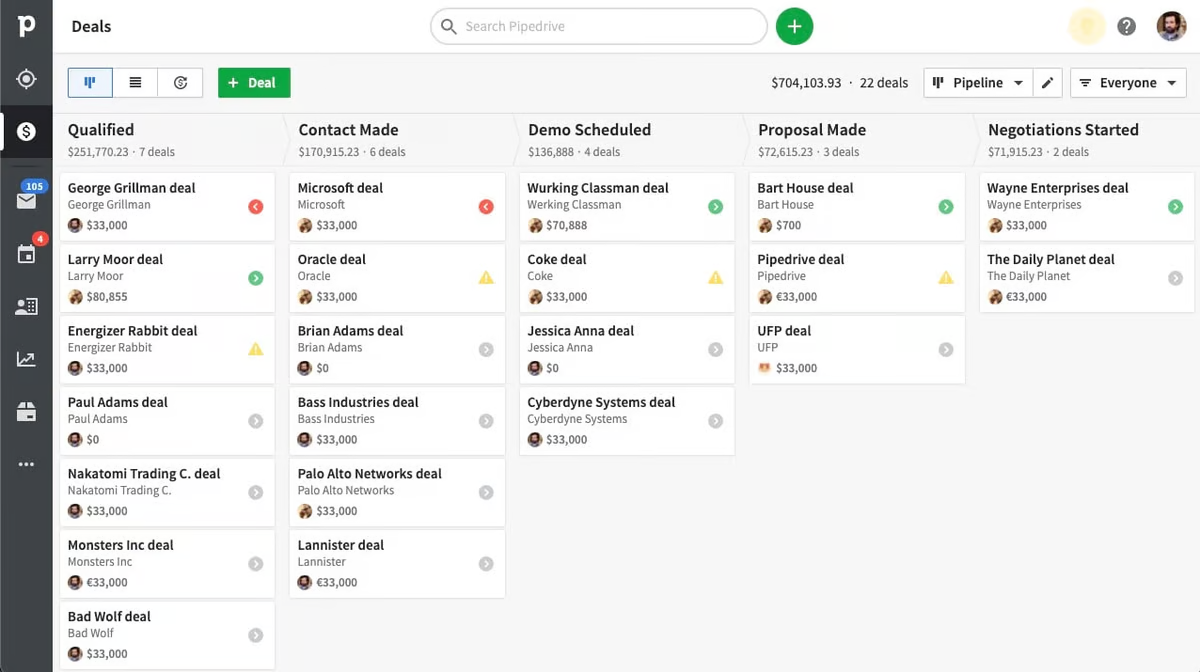
Pipedrive is a visual CRM focused on pipeline management. It's ideal for sales-driven teams who want a drag-and-drop interface and quick setup.
Pros
- Simple, intuitive UI
- Powerful pipeline view and deal tracking
- Affordable pricing
Cons
- Weak marketing and nurturing tools
- Limited reporting vs competitors
Pricing
- Essential: $14
- Advanced: $24
- Professional: $49
- Enterprise: $79
4. Close
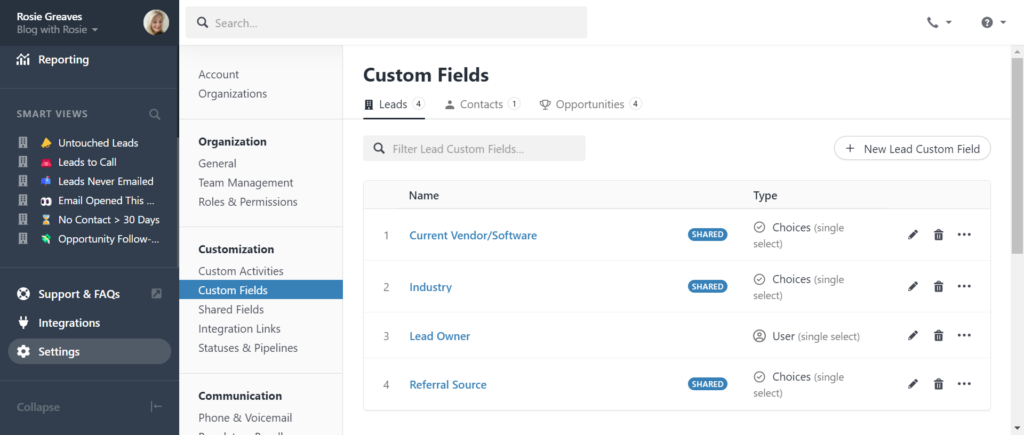
Close is built for speed. Its power lies in outbound calling, SMS, and fast-paced workflows—perfect for sales reps who live on the phone.
Pros
- Built-in dialer, SMS, and call logging
- Fast workflow setup and task management
- Great for remote teams and SDRs
Cons
- Lacks deep marketing or support features
- Interface feels sales-focused only
Pricing
- Startup: $49
- Professional: $99
- Enterprise: $139
5. Zoho CRM
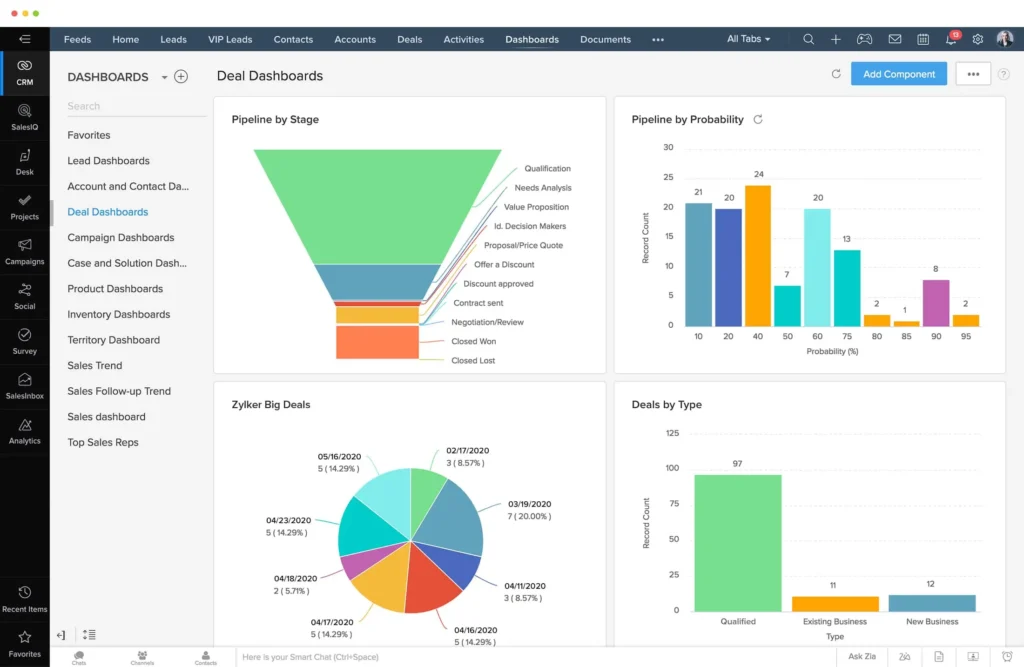
Zoho CRM is the budget-friendly choice for small businesses. It offers surprising flexibility at a low cost, though it may feel outdated compared to newer tools.
Pros
- Great value for money
- Mobile-ready and easy to customize
- Lots of add-ons in the Zoho suite
Cons
- Interface is cluttered
- Customer support varies by plan
Pricing
- Free: $0
- Standard: $14
- Professional: $23
- Enterprise: $40
- Ultimate: $52
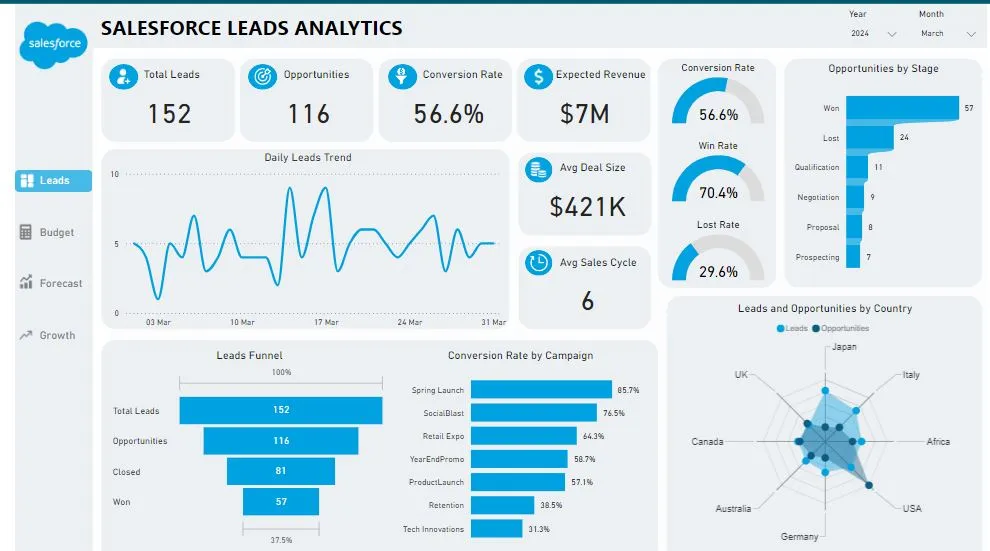
6. Salesforce
Salesforce is the CRM of choice for large enterprises with complex needs. It's incredibly powerful, but that power comes with a learning curve—and a hefty price tag.
Pros
- Limitless customization
- Deep integration ecosystem
- Enterprise-ready and scalable
Cons
- Long onboarding process
- Expensive and sometimes overkill for smaller orgs
Pricing
- Essentials: $25/user/month
- Professional: $75
- Enterprise: $150
- Unlimited: $300+
How Does Contact Management Software Work?
Here's the basic workflow you'll find in most tools:
- Import contacts from CSVs, forms, Gmail, or integrations
- Organize them with tags, lists, stages, or custom fields
- Track interactions like emails, calls, and meetings
- Automate follow-ups based on triggers or stages
- Report and optimize based on performance
Modern tools like folk simplify this process so that even non-technical users can automate workflows and manage relationships with zero friction.
Conclusion
If you're still using spreadsheets or switching tabs between Gmail, LinkedIn, and Notion, you're wasting time and losing opportunities.
Contact management software helps you centralize your work, collaborate more smoothly, and scale with confidence.
✅ For sales teams of 20-50 people?
folk CRM is the best choice—fast, collaborative, and intuitive at the perfect scale for your growing team.
✅ For enterprise ecosystems?
Salesforce or HubSpot might be your go-to, if budget isn't a concern.
No matter what you choose: don't wait. Organize your contacts before your contacts organize your competition.
FAQ
What is contact management software?
Contact management software centralizes contact data and interactions from email, calls, and meetings. It helps organize people, track touchpoints, set reminders, and automate follow-ups so nothing falls through the cracks.
Is contact management software different from a CRM?
Yes. Contact management focuses on storing people and interactions. A CRM adds pipeline management, forecasting, automation, and reporting. Many CRMs include contact management; some lightweight tools offer it as a standalone.
How does contact management software work?
Import contacts from spreadsheets or integrations, add fields and tags, log emails and meetings automatically, segment by stage, trigger reminders or sequences, and report on activity and outcomes. Most tools sync with Gmail and calendars.
Which contact management tool suits a 20–50 person sales team?
Choose a collaborative, easy UI with shared pipelines, templates, and integrations. Teams this size often prefer modern CRMs over enterprise suites. Consider folk for fast setup, shared contacts, and lightweight automation.
Discover folk CRM
Like the sales assistant your team never had