


Discover folk - the CRM for people-powered businesses
Agencies don’t simply need tools; they require a robust system that ensures seamless pipeline execution while maintaining delivery standards. When prospect information is scattered across various platforms—email inboxes, calendars, and spreadsheets—it's easy for follow-ups to be overlooked, handoffs to falter, and forecasting to turn into a guessing game. A CRM for agencies must accelerate new business while retaining enough account history to support renewals, upsells, and referrals.
Close and Zoho CRM tackle this challenge with distinct approaches. Close is specifically designed for outbound sales execution, integrating calling, email, SMS, and task management to enhance daily workflows. In contrast, Zoho CRM offers a versatile solution within a broader business ecosystem, empowering agencies with customizable pipelines, activity tracking, and automation across their various operational needs.
The optimal choice hinges on the specific requirements of the agency—whether the focus is on streamlined outbound activities or comprehensive functionality that spans sales, operations, and reporting.
What is Close?

Close is a sales CRM specifically tailored for outbound execution, seamlessly integrating calling, email, SMS, and task management into daily workflows. It’s particularly suited for agencies that engage in high-volume prospecting, appointment setting, or sales development as their primary service. Users can track progress through pipelines and opportunity statuses while maintaining a complete communication history for each lead. The platform also supports sequences and automations that facilitate consistent outreach and follow-up routines, which is essential when agency success relies on sustained outbound activity and rapid iteration.
What is Zoho CRM?
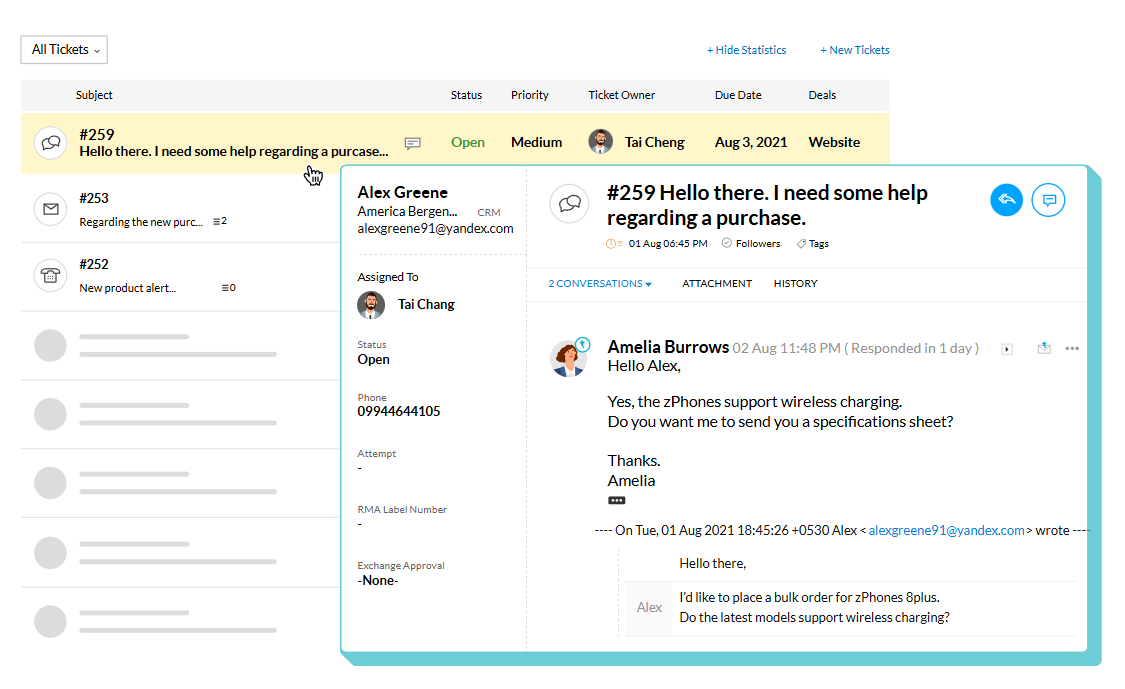
Zoho CRM is a versatile CRM that operates within the larger Zoho business software ecosystem. It's ideal for agencies seeking pipeline management, activity tracking, automation rules, and reporting, while also having the capability to connect with other Zoho applications as needed. The CRM accommodates multiple pipelines and layouts to support various service lines or sales strategies, and its marketplace extensions and integrations allow for connectivity with external tools outside the Zoho suite. This solution is often preferred by agencies desiring comprehensive functionality with flexibility spanning sales, operations, and reporting.
Feature comparison of Close and Zoho CRM
Multi-pipeline and custom stages
In Close, users can create multiple pipelines, allowing different teams or processes to have tailored pipeline configurations. Each pipeline can feature its own name and a distinct set of opportunity statuses that define its stage structure. This setup enables organizations to separate workflows, such as new business acquisition, renewals, and service delivery tracking, into unique pipelines, avoiding the need to share statuses across all processes. Additionally, the pipeline structure can be modified by adjusting the opportunity statuses specific to each pipeline.
Zoho CRM also accommodates multiple sales pipelines, allowing teams to rename, add, remove, and reorder pipeline stages as their processes evolve. Pipelines can be linked to different layouts, ensuring that various sales motions remain distinct while still utilizing the same Deals module. Stage modifications are managed within the pipeline settings, and any removed stages can still be accessed in the stage builder. This capability is particularly beneficial for agency setups requiring unique stage logic for each service line or process.
Client and Deal Activity Tracking
With Close, all communication—calls, emails, SMS, and tasks—is seamlessly integrated within the CRM, allowing you to associate it with the relevant leads and opportunities. Teams can manage interactions and next steps directly on the platform, with a complete activity history available for review. This feature streamlines tracking sales efforts by logging outreach and follow-ups alongside lead and deal records. Depending on your configuration, meetings and other touchpoints can also be managed within the same workspace.
In Zoho CRM, activity tracking revolves around tasks, events, and calls, which can be easily reviewed through CRM views and related lists. The activity views in Zoho CRM organize items by their creation time, enabling users to drill down into specific activities for details such as notes, history, attachments, upcoming actions, and email threads. The Closed Activities list showcases completed tasks, calls, and meetings related to a record, ensuring a comprehensive log of past interactions and scheduled future actions.
Automation and Workflows
With Close, sales reporting features dashboards and reports that focus on pipeline health, activity tracking, lead conversion, and sales performance. You can filter reports by date ranges and other criteria while customizing dashboards to visualize the metrics you choose. This reporting system relies on CRM data, meaning that activity and pipeline insights depend on logged information and the structuring of opportunities. Additionally, forecasting and pipeline monitoring are effectively supported through the reporting tools outlined in Close’s documentation.
In Zoho CRM, workflow rules automate actions based on specified conditions, such as sending email notifications, assigning tasks, and updating record fields. These workflows are tailored for each record type and are triggered according to the rules set. Zoho CRM also documents workflows as part of its sales force automation features, allowing users to track changes to workflow rules and monitor performance indicators based on configuration. This functionality is often utilized to standardize follow-ups and manage internal handoffs related to deal changes.
Reporting and Analytics
Close offers comprehensive sales reporting, featuring dashboards and reports that focus on pipeline health, activity tracking, lead conversion, and sales performance. Users can filter reports by date ranges and other criteria, while dashboards can be tailored to visualize chosen metrics. The reporting is built around CRM data, meaning that activity and pipeline insights rely on the logged information and the structure of opportunities. Forecasting and pipeline monitoring are effectively supported through the reporting framework outlined in Close’s materials.
In Zoho CRM, reporting includes standard reports categorized by module, along with the flexibility to customize reports to meet specific business needs. Users can leverage dashboards and analytics tools to monitor pipelines and compare sales metrics, including the forecast reporting concepts highlighted in Zoho’s analytics materials. For more in-depth reporting, Zoho Analytics can integrate with Zoho CRM data, enabling the creation of additional reports and dashboards, complete with sharing and scheduling options based on user configuration. Pipeline visibility is contingent on the setup of deals, stages, and activities.
Integrations and Data Hygiene
Close offers integrations through its API and event-based webhooks, with help documentation that highlights the connection of external apps using tools like Zapier or Make via OAuth or API keys. Key data hygiene features include duplicate detection during new lead creation, options to prevent duplicates during imports, and the ability to merge existing leads when duplicates are found. Import workflows incorporate duplicate checks against both the imported file and existing leads, while merge actions consolidate records into a designated lead. Detailed documentation on these controls is available in Close's help resources and product update notes.
In Zoho CRM, integrations are accessible through the Zoho Marketplace and an extensive integrations layer that categorizes connectors and extensions by their use cases. The platform includes comprehensive duplication management features, such as duplicate checks, merge tools, and an auto-merge de-duplication tool that identifies and merges exact matches, with options for manual conflict resolution if necessary. Additionally, Zia data enrichment can enhance records by adding company context fields based on configured mappings. These features are designed to minimize duplicates and enhance record completeness over time.
folk: The Best CRM for Agencies in 2026!
folk is an AI-driven CRM designed to streamline the management of contacts, conversations, and deal contexts without making setup a daunting task. It caters to agency teams where multiple members interact with the same account throughout prospecting, onboarding, delivery, and renewals. By maintaining a visible record of relationship history, it ensures that handoffs are not reliant on memory or scattered notes.
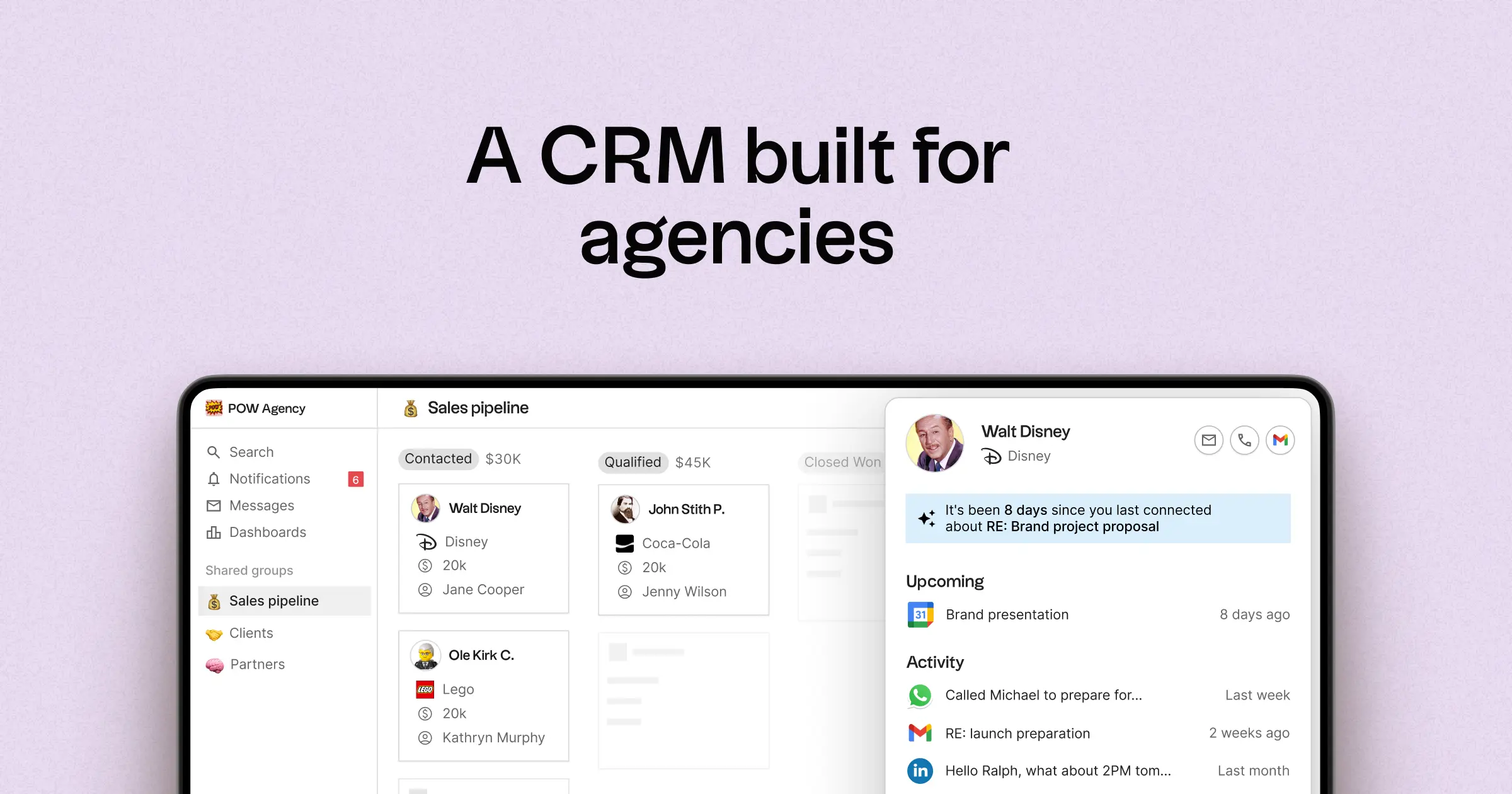
- Multi-pipeline functionality and customizable stages tailored to various agency processes
- Contact and deal timelines that compile interaction histories in one centralized location
- Email and calendar synchronization that links conversations to the appropriate records
- Task management, reminders, and follow-up tracking to ensure standardized next steps
- Contact enrichment features that fill in missing company and contact information
- Deduplication tools that help merge duplicates and maintain a clean database
- Intuitive pipeline reporting to keep tabs on stage health and deal progression
- Integrations and automation connectors designed to minimize manual updates
- Mobile access via the folk mobile app for managing contacts, messages, and reminders on the go
For agencies, the primary advantage lies in achieving operational clarity across concurrent relationships. Pipelines can represent various revenue streams such as retainers, projects, partnerships, and referrals, while tasks and reminders ensure consistent follow-ups among team members. Data hygiene features like enrichment and deduplication help eliminate duplicate records and fill in missing fields, making pipeline reporting reliable over time.
Conclusion
In conclusion, while Close excels in outbound sales execution with robust automation and communication tracking, and Zoho CRM offers versatile functionality across various business needs, folk stands out as the premier CRM for agencies dependent on email integration, automation, and sequencing. Its multi-pipeline capabilities, streamlined contact management, and powerful deduplication features ensure that agency teams can maintain operational clarity and effective follow-ups. Choose folk for a CRM that enhances collaboration and efficiency in relationship-based environments.
Start your 14-day free trial or book a demo today.
FAQ
Which CRM is best for agencies focused on outbound sales?
Close is optimized for outbound sales, combining calling, email, SMS, and task management to support high-volume prospecting and appointment setting.
Which CRM suits agencies needing broad business functionality and integrations?
Zoho CRM provides flexible pipelines, automation, reporting, and deep integrations across the Zoho ecosystem and its marketplace, making it well suited for agencies needing comprehensive functionality.
How does folk differ from Close and Zoho for agency workflows?
folk is an AI-driven CRM built for agencies, emphasizing multi-pipeline management, centralized contact and deal timelines, deduplication, and email/calendar sync to keep handoffs and follow-ups consistent.
Meet folk, the AI CRM for your entire Sales motion.