


Discover folk - the CRM for people-powered businesses
| Main points |
|---|
|
Key takeaways
- 🚫 Without a CRM for startup, mid-size teams face scattered data, missed follow-ups, and limited visibility.
- 📈 A CRM enables unified pipelines, team automation, stronger customer relationships, and predictable revenue.
- 🧰 Essential features for 20-50 person teams: multi-user collaboration, contact enrichment, scalable pipelines, email sequences, LinkedIn sync, and team reporting.
- 🔍 Choose based on team size, collaboration needs, integration requirements; test with full team workflows and real customer data.
- 🌟 Consider folk CRM for seamless team collaboration, LinkedIn integration, and AI-powered efficiency perfect for growing startups.
Why Your Growing Startup Team Needs a CRM
For startup, a robust CRM becomes essential for managing increased complexity, coordinating across departments, and maintaining consistent customer experiences as you scale.
Challenges without a CRM for Mid-Size Startup Teams
When startup founders managing teams attempt to operate without a centralized CRM system, coordination breakdowns and missed opportunities become inevitable challenges that can significantly impact growth trajectory.
- Cross-Team Disorganization: With multiple team members handling leads, customer data gets scattered across individual spreadsheets, emails, and personal notes, creating information silos.
- Missed Handoffs: As leads move between sales, marketing, and customer success teams, crucial follow-ups and context get lost in transition.
- Duplicate Efforts: Without centralized visibility, team members waste time on redundant outreach and conflicting customer communications.
- Limited Scalability: Manual processes that worked become bottlenecks that prevent efficient scaling to larger team sizes.
- Inconsistent Messaging: Different team members may deliver conflicting information to prospects, damaging credibility and conversion rates.
Benefits of a CRM for Mid-Size Startup Teams
A well-implemented CRM transforms how startup teams collaborate, providing the structure and automation needed to maintain efficiency while scaling operations and improving customer relationships.
- Unified Team Dashboard: All customer interactions, deal progress, and team activities are visible in one centralized platform accessible to relevant team members.
- Streamlined Handoffs: Automated workflows ensure smooth transitions between marketing, sales, and customer success teams with complete context preservation.
- Coordinated Outreach: Team members can see all customer touchpoints, preventing duplicate communications and enabling strategic, sequenced engagement.
- Data-Driven Decisions: Real-time analytics help startup leadership make informed decisions about resource allocation, hiring, and strategy adjustments.
- Scalable Processes: Standardized workflows and automation capabilities support team growth without proportional increases in coordination overhead.
- Consistent Customer Experience: Shared customer profiles and interaction history ensure every team member delivers informed, personalized service.
Key Features for Growing Startup Teams
- Team Collaboration Tools: Shared pipelines, task assignments, and real-time activity feeds that keep 20-50 team members aligned and productive.
- Automated Contact Enrichment: Instantly finds and updates contact information for leads and customers, reducing manual data entry across your growing team.
- Multi-Stage Pipelines: Customizable deal stages that reflect your startup's unique sales process, with clear handoff points between team members.
- Collaborative Email Sequences: Shared templates and automated follow-up campaigns that maintain consistency across your sales and marketing teams.
- LinkedIn Team Integration: Seamlessly import prospects from LinkedIn across team members and track all social selling activities within the CRM.
- Team Performance Analytics: Detailed reporting on individual and team performance, pipeline health, and revenue forecasting essential for growing startups.
Boost Your Team's Efficiency with the Right CRM!
Mapping Your Team's Process
For startup, defining clear, standardized stages in your sales process becomes critical for coordination and consistency. A robust CRM helps you map out each step from initial lead qualification through deal closure, with clear ownership and handoff procedures. Look for a CRM that allows multiple team members to customize stages while maintaining overall process integrity across your growing organization.
Team-Based Lead Qualification
As your startup scales, lead qualification requires systematic coordination between marketing and sales teams. Advanced CRM tools provide shared lead scoring systems that help your entire team prioritize high-potential opportunities consistently. Implement qualification criteria around engagement level, company size, budget authority, and decision-making timeline that all team members can apply uniformly.
Coordinated Outreach & Follow-up
Multi-person teams need sophisticated automation to prevent communication overlap and ensure consistent messaging. Look for CRM platforms that support coordinated email campaigns and LinkedIn outreach across team members, with visibility into all customer touchpoints. This ensures your 20-50 person team maintains professional, strategic communication sequences without duplication or gaps.
Team-Wide Customer Success
For growing startups, nurturing existing customers requires coordination across sales, customer success, and product teams. Your CRM should enable shared customer profiles, coordinated upselling strategies, and cross-functional visibility into customer health and expansion opportunities. This team-based approach to customer success drives higher retention and revenue growth as you scale.
How to Evaluate & Choose a CRM for Your Growing Team
Define Your Team's Requirements
Before selecting a CRM for your team, conduct a comprehensive assessment of your collaborative needs and growth trajectory. List essential features like multi-user pipelines, team activity tracking, role-based permissions, and cross-departmental reporting capabilities. Consider how different team members will use the system and what integrations are needed to connect your existing tools and workflows.
Budget Considerations for Growing Teams
While free CRMs can work for very small teams, startups with 20-50 people typically need paid plans to access advanced collaboration features, user management, and sufficient data limits. Evaluate per-user pricing models and calculate total costs including required integrations and additional features. Ensure your chosen platform offers predictable scaling costs as your team continues growing beyond 50 people.
Vendor Selection for Mid-Size Teams
Research CRM providers that specialize in serving growing startup teams, not just enterprise clients or solo entrepreneurs. Look for case studies from similar-sized companies in your industry. Join startup communities and networks to gather insights from founders who have successfully implemented CRMs for teams of your size. Prioritize vendors with strong customer support and onboarding resources for mid-size implementations.
Team-Based Evaluation Process
Involve key stakeholders from sales, marketing, and customer success in your CRM evaluation process. Set up extended trial periods that allow your full team to test real workflows with actual customer data. Pay attention to user adoption rates during trials and gather feedback on interface intuitiveness, feature accessibility, and integration performance. Choose the platform that demonstrates the highest team engagement and productivity improvements.
Tips for Implementing a CRM Across Your Team
1. Get a Comprehensive Demo
A thorough demo is essential for understanding how a CRM can serve your entire team's collaboration needs. Focus on multi-user scenarios, permission settings, and team coordination features during your evaluation. For a personalized demo tailored to growing startup teams, consider reaching out to folk.
👉🏼 Try folk now to coordinate team pipelines and never miss collaborative opportunities
2. Migrate Your Team's Data
Transitioning a 20-50 person team to a new CRM requires careful data migration planning. Export all existing customer data, deal histories, and team interaction records from your current systems. Clean and organize data before import to ensure your team starts with accurate, actionable information. Test data integrity with a small team subset before full deployment.
3. Design Team-Friendly Pipelines
Create pipeline structures that reflect your team's collaborative workflow, with clear stage definitions and handoff procedures. Design custom fields and automation rules that support your team's specific processes while maintaining consistency across all users. Include team members from different departments in pipeline design to ensure broad usability.
4. Comprehensive Team Onboarding
Successful CRM implementation requires systematic onboarding that addresses different roles and skill levels. Create role-specific training materials, conduct department-by-department sessions, and establish internal champions to support adoption. Provide ongoing support and refresher training to ensure sustained engagement across your growing team.
The 5 best CRMs for Growing Startup Teams!
| Tool | Best Feature | Starting Price |
|---|---|---|
| folk CRM | Collaborative LinkedIn integration with team-wide enrichment and shared pipelines | $20/user/month |
| HubSpot | All-in-one marketing, sales, and service platform with strong inbound capabilities | €20/user/month |
| Pipedrive | Visual pipeline management for simple and intuitive deal tracking | $14.90/user/month |
| Salesforce | Highly customizable enterprise-grade CRM with advanced scalability | $25/user/month |
| Zoho CRM | Affordable CRM with multi-channel communication and automation features | $14/user/month |
1. folk
folk is the ideal CRM platform for startup, offering intuitive collaboration tools, AI-driven automation, and seamless integrations that scale perfectly with growing teams while maintaining simplicity and efficiency.
Differentiation
- Team-Focused Contact Enrichment: Automatically enriches contact details across your entire team's pipeline, finding emails and LinkedIn profiles instantly without requiring individual team members to purchase separate tools.
- Collaborative LinkedIn Integration: Import contacts from LinkedIn seamlessly across team members, track all social selling conversations within folk, and share templates for coordinated outreach strategies.
- Unified Team Communication: Complete email integration with shared templates, team activity tracking, and centralized communication history accessible to relevant team members.
- AI-Powered Team Efficiency: AI tools that assist teams in managing contacts, relationships, and deal progression, with automated task distribution and intelligent suggestions for team coordination.
- Seamless Team Integrations: folk connects with over 6,000 apps including team collaboration tools like Slack, project management platforms, and existing startup tech stacks, creating unified workflows.
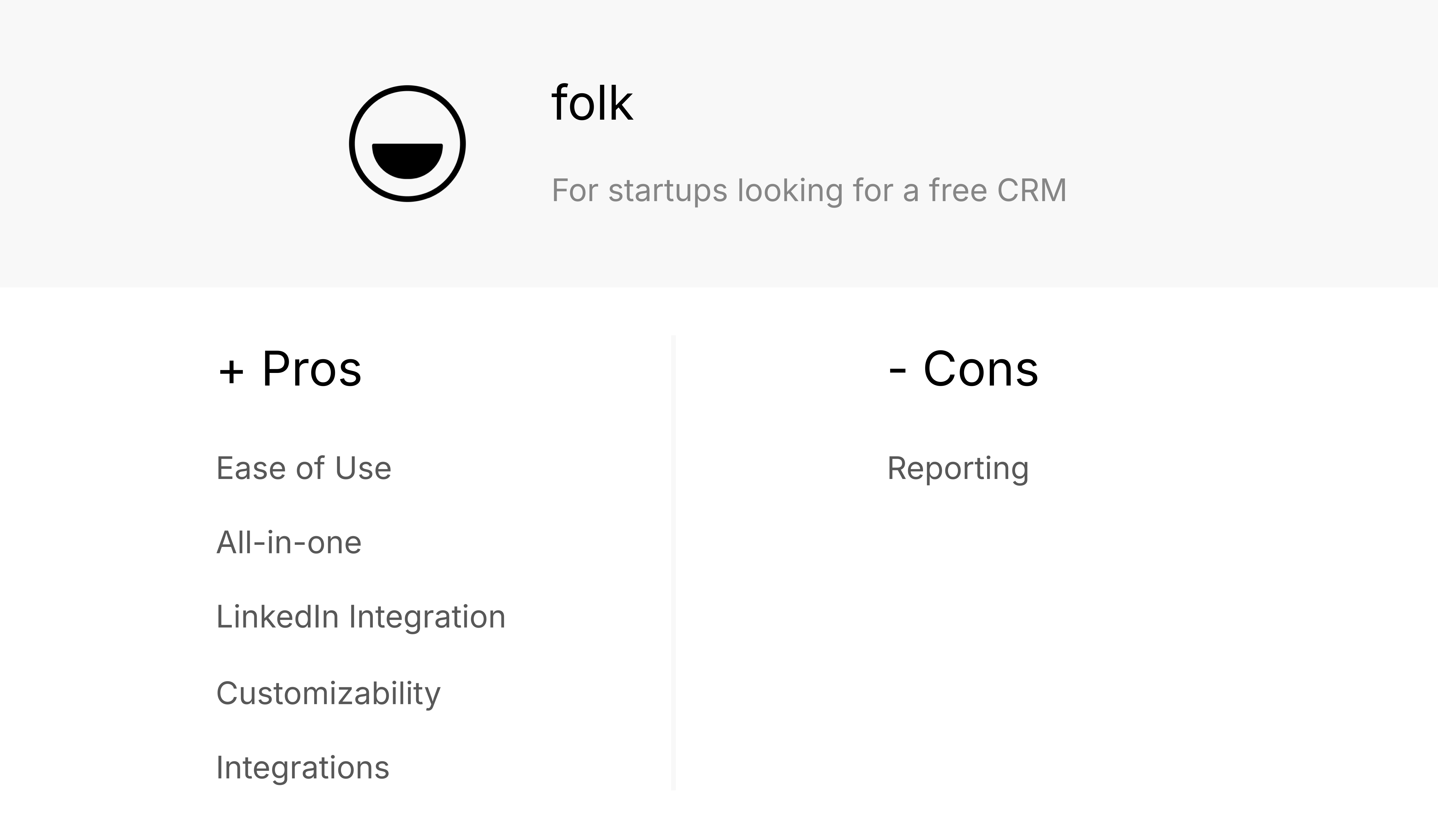
Pros
- Perfect Team Size Fit: folk is specifically designed for growing teams like yours, with intuitive interfaces that require minimal training while supporting sophisticated team collaboration workflows.
- Complete Team Workflow: folk eliminates the need for multiple tools by allowing your team to import LinkedIn contacts, automatically enrich them with emails, execute coordinated outreach sequences, and track all interactions in shared pipelines.
- Effortless Team Collaboration: Shared LinkedIn integration, coordinated email campaigns, and real-time activity feeds keep your entire team aligned without overwhelming individual users with complexity.
- Scalable Customization: Custom fields, team-specific pipelines, and flexible workflows that grow with your team without requiring platform migration.
- Comprehensive Team Integration: folk's 6,000+ app integrations connect seamlessly with your startup's existing tools, creating unified workflows that enhance rather than disrupt your team's productivity.
Cons
- Advanced Reporting and Analytics: folk provides robust analytics for teams, including pipeline and stage insights, revenue forecasting with weighted probabilities, and performance breakdowns by owner, channel, industry, region, or any custom field.
2. Hubspot
Hubspot CRM is a comprehensive platform offering integrated marketing, sales, and service tools, though it can become complex and expensive as teams grow beyond basic needs.

Pricing
- Free Tools: €0, includes basic features but limited to 5 users - insufficient for 20-50 person teams.
- Starter Customer Platform: €20/month per seat, becomes €400-1,000/month for teams of 20-50 people.
- Professional Customer Platform: €1,270/month base price quickly escalates with additional users and features needed for larger teams.

Differentiation
- Marketing Hub Integration: Built-in email marketing and lead generation tools, though often requiring higher-tier plans for team collaboration features.
- Sales Hub Features: Deal tracking and pipeline management with some team collaboration capabilities in paid plans.
- Service Hub Addition: Customer service tools that may be overkill for startups focused primarily on sales and growth.
- Operations Hub Complexity: Advanced automation that often requires technical expertise to implement effectively across teams.
- Lead Scoring System: Predictive scoring features available mainly in higher-cost plans beyond most startup budgets.
Pros
- Comprehensive Platform: All-in-one approach can work well for teams that need marketing, sales, and service integration.
- Brand Recognition: Well-known platform with extensive documentation and community resources.
- Marketing Integration: Strong inbound marketing tools for teams focusing heavily on content and lead generation.
- Automation Capabilities: Powerful workflow automation in higher-tier plans.
- Educational Resources: HubSpot Academy provides extensive training materials for team onboarding.
Cons
- Prohibitive Costs for Growing Teams: Pricing becomes expensive quickly for teams, often exceeding startup budgets.
- Limited Free Plan Utility: Free version only supports 5 users, making it impractical for mid-size teams.
- Complex Feature Structure: Advanced features require significant training investment and technical expertise to implement effectively.
- Email Marketing Restrictions: Contact and email limits can be restrictive for active sales teams.
- Add-On Dependency: Many useful features require expensive add-ons, increasing total cost of ownership significantly.
3. Pipedrive
Pipedrive is a sales-focused CRM with visual pipeline management, though it lacks the comprehensive team collaboration features and modern integrations that growing startup teams typically need.

Differentiation
- Visual Pipeline Focus: Strong visual deal management, though limited in team collaboration features compared to modern alternatives.
- Basic Sales Automation: Workflow automation for repetitive tasks, but less sophisticated than needed for coordinated team efforts.
- Email Integration: Standard email sync and templates, but lacks advanced team coordination and shared campaign management.
- Reporting Features: Sales analytics focused on individual performance rather than team collaboration insights.
- Customization Options: Pipeline and field customization, but limited in supporting complex team workflows and handoff procedures.

Pros
- Intuitive Pipeline Visual: Clear, visual approach to deal management that team members can understand quickly.
- Sales Process Focus: Designed specifically for sales pipeline management rather than broader team collaboration.
- Moderate Customization: Allows customization of fields and stages to match basic team processes.
- Activity Automation: Basic automation for routine tasks and follow-up reminders.
- Lead Tracking: Decent lead management features for straightforward sales processes.
Cons
- Limited Team Collaboration: Lacks advanced features needed for coordinating teams effectively.
- No Built-in Email Marketing: Requires separate tools for team email campaigns, creating workflow fragmentation.
- Basic Integration Capabilities: Limited modern integrations compared to platforms designed for growing startup teams.
- Escalating Costs: Pricing increases quickly with add-ons needed for team functionality.
- No Free Plan: Lacks free tier for testing team adoption before committing to paid plans.
4. Salesforce
Salesforce is an enterprise-grade CRM platform that offers extensive customization but comes with complexity and costs that often exceed the needs and budgets of startup teams.

Pricing
For startup teams of 20-50 people, Salesforce pricing typically starts around $25+ per user per month for basic features, quickly escalating to $150-300+ per user for features that growing teams actually need. This results in monthly costs of $500-15,000+ for mid-size teams, often exceeding startup budgets significantly.
Differentiation
- Enterprise-Scale Platform: Comprehensive ecosystem designed for large enterprises, often overwhelming for startup teams.
- Complex Customization: Extensive customization options that require significant technical expertise and implementation time.
- AI Integration: Advanced AI features that may be unnecessarily sophisticated for most startup use cases.
- Extensive App Marketplace: Thousands of third-party integrations, though most startups need only basic connectivity.
- Advanced Analytics: Enterprise-level reporting capabilities that often exceed startup team requirements and budgets.

Pros
- Ultimate Scalability: Can handle virtually unlimited growth, though most startups don't need this level of scalability.
- Comprehensive Features: Extensive feature set covering every possible business need, though often excessive for startup teams.
- Industry Recognition: Well-established platform with strong enterprise credibility.
- Advanced Customization: Nearly limitless customization possibilities for teams with technical resources.
- Robust Analytics: Enterprise-grade reporting and analytics capabilities.
Cons
- Overwhelming Complexity: Steep learning curve that can take months for teams to master effectively.
- Prohibitive Costs: Enterprise pricing that often exceeds entire startup technology budgets.
- Implementation Complexity: Requires significant technical expertise and often professional implementation services.
- Interface Complexity: User interface can be confusing and intimidating for startup team members.
- Overkill for Startups: Feature richness often unnecessary and counterproductive for agile startup operations.
5. Zoho
Zoho is a comprehensive CRM system with sales automation and marketing tools, though it can become complex to manage across larger teams and may lack the modern user experience that startup teams prefer.

Differentiation
- Sales Process Automation: Automated sales workflows and deal tracking, though interface can be complex for team adoption.
- Custom Dashboard Creation: Allows creation of team dashboards and reports, but requires significant setup time.
- Multi-Channel Communication: Integrates various communication channels, though coordination across team members can be challenging.
- Contact Management System: Comprehensive contact tracking with segmentation, but less intuitive than modern alternatives.
- Email Campaign Integration: Built-in email marketing tools, though team collaboration features are limited.

Pros
- Affordable Free Tier: Free plan available, though limited to 3 users - insufficient for 20-50 person teams.
- Extensive Customization: Deep customization options, though requires significant time investment to configure properly.
- Multi-Channel Support: Supports various communication methods, though team coordination can be complex.
- AI Assistant (Zia): AI-powered features for insights and automation, though less intuitive than modern alternatives.
- Zoho Ecosystem Integration: Connects with other Zoho products, though this may lock teams into a single vendor ecosystem.
Cons
- Steep Learning Curve: Complex interface and extensive options can overwhelm team members and slow adoption.
- Complex Team Setup: Initial configuration requires significant technical expertise and time investment.
- Limited Free Plan: Free tier only supports 3 users, making it impractical for growing startup teams.
- Inconsistent Support: Customer support quality varies, which can be problematic during team onboarding phases.
- Performance Concerns: Occasional slowness with larger datasets, which can impact team productivity and user experience.
Conclusion
For startup, choosing the right CRM is crucial for maintaining coordination, efficiency, and growth momentum. After evaluating the top platforms available in 2025, folk CRM emerges as the clear winner for teams of your size, offering the perfect balance of powerful features, intuitive design, and team collaboration capabilities.
folk CRM stands out as the ideal solution for growing startup teams, with its seamless LinkedIn integration, AI-powered contact enrichment, and collaborative pipeline management designed specifically for teams transitioning from small startup to established company. Unlike enterprise platforms like Salesforce that overwhelm with unnecessary complexity, or basic tools like Pipedrive that lack team coordination features, folk provides exactly what 20-50 person teams need: sophisticated functionality wrapped in an intuitive interface that drives rapid adoption across your entire team.
While HubSpot offers comprehensive marketing integration and Zoho provides extensive customization, both platforms either become prohibitively expensive or overly complex for mid-size startup teams. folk CRM delivers the team collaboration, automation, and scalability your growing startup needs without the enterprise complexity or costs that can slow down agile operations.
For startup founders leading teams of 20-50 people, folk CRM offers the fastest path to improved team coordination, higher conversion rates, and scalable growth. Test folk CRM's team-focused features with your entire startup team:
👉🏼 Try folk now to transform how your growing team collaborates and converts leads
FAQ
What is a CRM and why do growing startup teams need one?
A CRM centralizes contacts, deals, and activity; enables shared visibility, automated handoffs, and consistent outreach. It reduces duplicate work, prevents missed follow-ups, and supports scalable, data-driven decisions.
How much does a team CRM cost for 20-50 person startups?
Typical range is $20-$100+ per user/month. For 20-50 users, budget $400-$5,000+/month including add-ons. Compare per-seat price, feature limits, email/contact quotas, and integration costs before committing.
How do you choose the right CRM for a growing startup team?
Define workflows, roles, and integrations. Shortlist tools with shared pipelines, permissions, sequences, and reporting. Run a full-team trial with real data, track adoption and time-to-value, and pick the option that measurably improves cross-team collaboration.
What is the best CRM for personal use?
For individuals, prioritize simple setup, unified contacts, email logging, and reminders. A lightweight option like folk offers contact enrichment, pipelines, and sequences without heavy admin.
Discover folk CRM
Like the sales assistant your team never had