


Discover folk - the CRM for people-powered businesses
Imagine a world where managing client relationships is as easy as clicking a button.
No more juggling spreadsheets, endless emails, or clunky CRM software that slow you down.
If you're searching for the best account management software to streamline your workflow and elevate your client relationships, you've come to the right place.
For teams of 20-50 people managing multiple client accounts, finding the right balance of functionality and ease-of-use is crucial for success.
| Main points |
|---|
|
👉🏼 Try folk now to organize shared contacts and pipelines for 20–50 person teams
Top 7 Best Account Management Software
| Tool | Account and Client Management | Email Integration | Lead Capture Extension | Smart Enrichment | Automated Prospecting | Customizable Contact Views |
|---|---|---|---|---|---|---|
| folk CRM | ✅ | ✅ | ✅ | ✅ | ✅ (Highly Customizable) | ✅ |
| HubSpot CRM | ✅ | ✅ | ✅ | ✅ | ✅ | ❌ |
| Salesforce | ✅ | ✅ | ✅ | ✅ | ✅ | ❌ |
| Zoho CRM | ✅ | ✅ | ✅ | ✅ | ✅ | ❌ |
| Pipedrive | ✅ | ✅ | ✅ | ✅ | ✅ | ❌ |
| Nimble | ✅ | ✅ | ✅ | ✅ | ✅ | ❌ |
| Freshsales | ✅ | ✅ | ✅ | ✅ | ✅ | ❌ |
1. folk CRM: Best Overall Account Management Software
Best for
Account management teams of 20-50 people, agencies, and growing sales organizations
folk CRM is the ideal solution for medium-sized account management teams who need powerful collaboration features without the complexity of enterprise tools. It was specifically designed for teams of 20-50 people who want seamless account visibility and streamlined client management workflows.
Key features
- Shared contact database with granular access control perfect for mid-size teams
- Contact tagging, filters and pipelines
- Customizable fields and views
- Email campaigns and automated sequences
- Chrome extension to capture leads from anywhere: LinkedIn, X, Instagram, etc.
- Smart enrichment & duplicates detection
- folk mobile app for iOS and Android to manage contacts and pipelines on the go
Pros
- Beautiful, intuitive interface that scales with growing teams
- Perfect for agencies & teams of 20-50 people
- Customizable fields, templates, and workflows
Cons
- Scales effectively to 20–50+ users and larger organizations, with granular role management, permissions/visibility controls, and leadership analytics.
Pricing
- Free trial available
- Paid plans start at $20/month
2. HubSpot CRM
Best for
Growing businesses who need sales + marketing in one
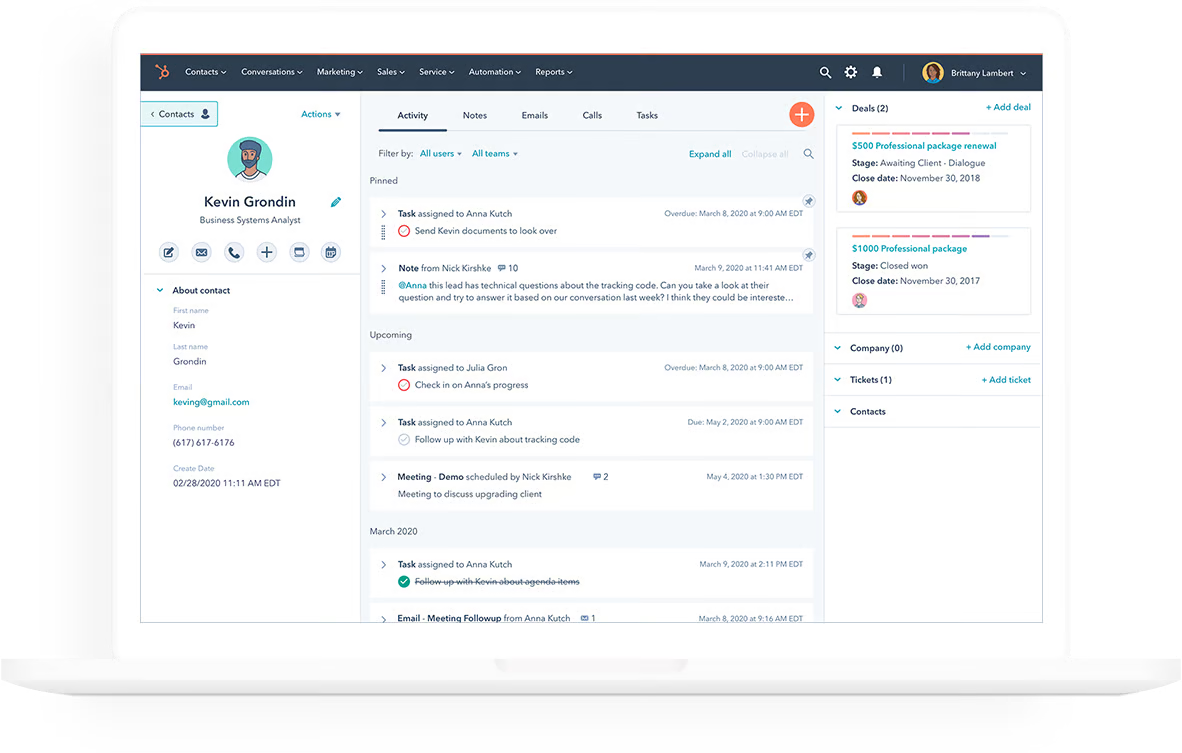
HubSpot is one of the most popular CRMs on the market. It's free to start and scales well as your company grows.
Key features
- Lead management, deal pipelines, and tasks
- Email sequences and templates
- Built-in forms and chat widgets
Pros
- Huge app ecosystem
- Great learning resources
- Integrated with marketing automation
Cons
- Can get expensive at scale
- Some tools locked behind paid hubs
Pricing
- Free trial available
- Paid plans start at $20/month (Sales Hub Starter)
3. Salesforce
Best for
Enterprises and large teams with complex workflows
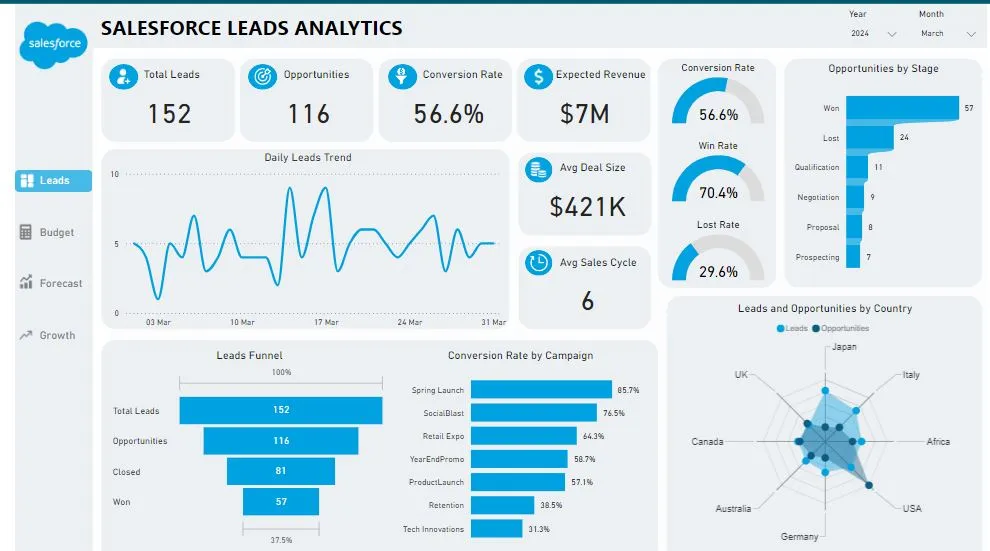
Salesforce is the industry leader in CRM—but it's built for scale. It offers a vast range of features and integrations, but it comes with a steep learning curve.
Key features
- Sales automation & pipeline tracking
- Custom dashboards, reporting & forecasting
- Advanced integrations (Slack, Gmail, etc.)
Pros
- Extremely customizable
- Powerful reporting capabilities
- Trusted by the Fortune 500
Cons
- Complex to set up
- Expensive compared to alternatives
Pricing
- Free trial available
- Plans start at $25/user/month
4. Zoho CRM
Best for
Small businesses looking for affordability & features
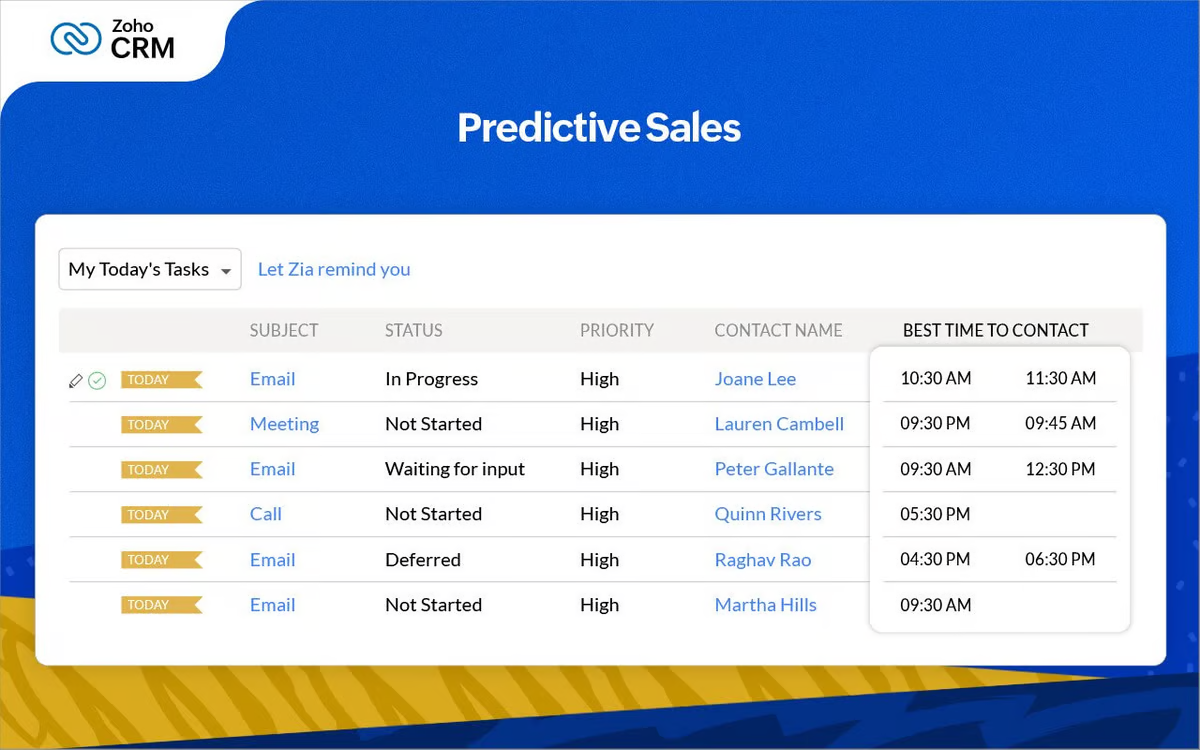
Zoho CRM offers a solid range of tools for managing contacts, deals, and communications—especially impressive for its price point.
Key features
- Omnichannel communication (email, chat, phone)
- SalesSignals real-time notifications
- Zia AI for predictions and suggestions
Pros
- Very affordable
- Flexible modules & extensions
- Part of the Zoho suite (Projects, Books, etc.)
Cons
- UI feels a bit dated
- Less intuitive than newer tools
Pricing
- Free trial available
- Paid plans start at $14/user/month
5. Pipedrive
Best for
Visual thinkers and pipeline-focused teams
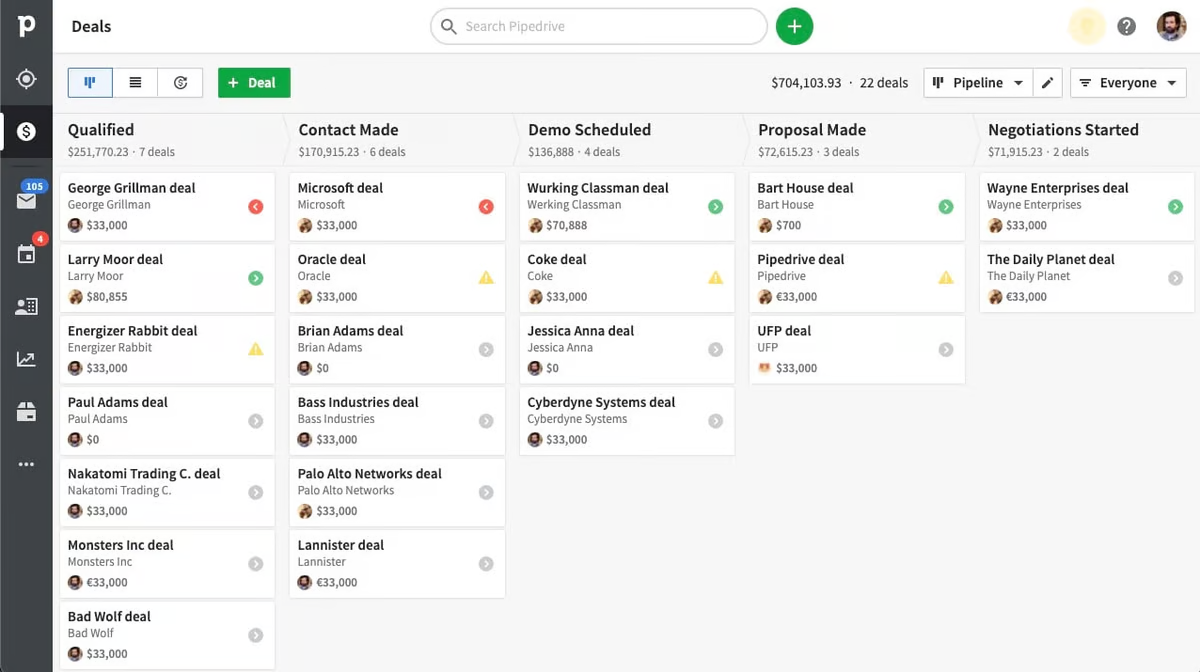
Pipedrive is a CRM focused on sales pipelines, making it easy to visualize and manage leads through each stage.
Key features
- Drag-and-drop pipeline
- Workflow automation & reminders
- Custom reports and dashboards
Pros
- Great visual interface
- Easy to use for small teams
Cons
- Limited marketing tools
- Fewer native integrations
Pricing
- Free trial available
- Paid plans start at $14.90/month
6. Nimble
Best for
Solo consultants or social-savvy account managers
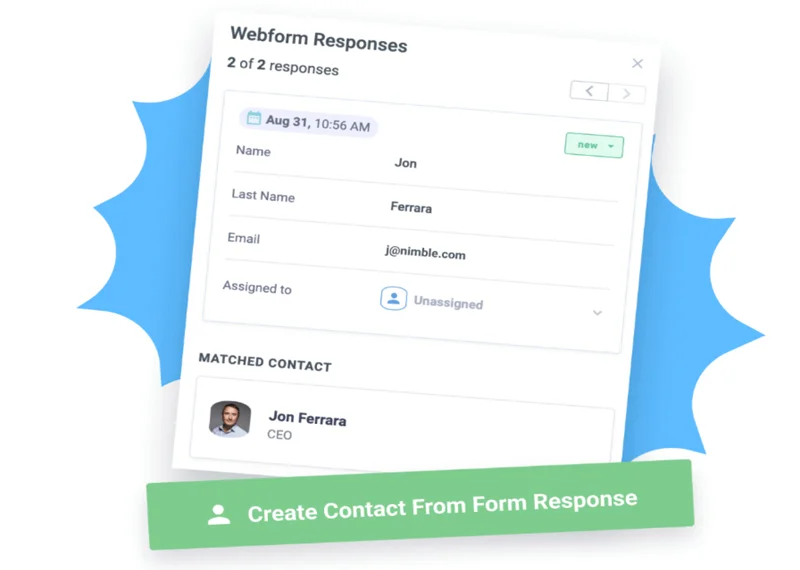
Nimble is designed to enrich your contacts with social media data automatically, keeping your network up-to-date with minimal effort.
Key features
- Social media enrichment
- Smart contact import & sync
- Unified inbox and calendar integration
Pros
- Very lightweight and user-friendly
- Strong contact intelligence tools
Cons
- Less suitable for team collaboration
Pricing
- Free trial available
- $24.90/user/month
7. Freshsales (by Freshworks)
Best for
Teams who want sales + communication tools together
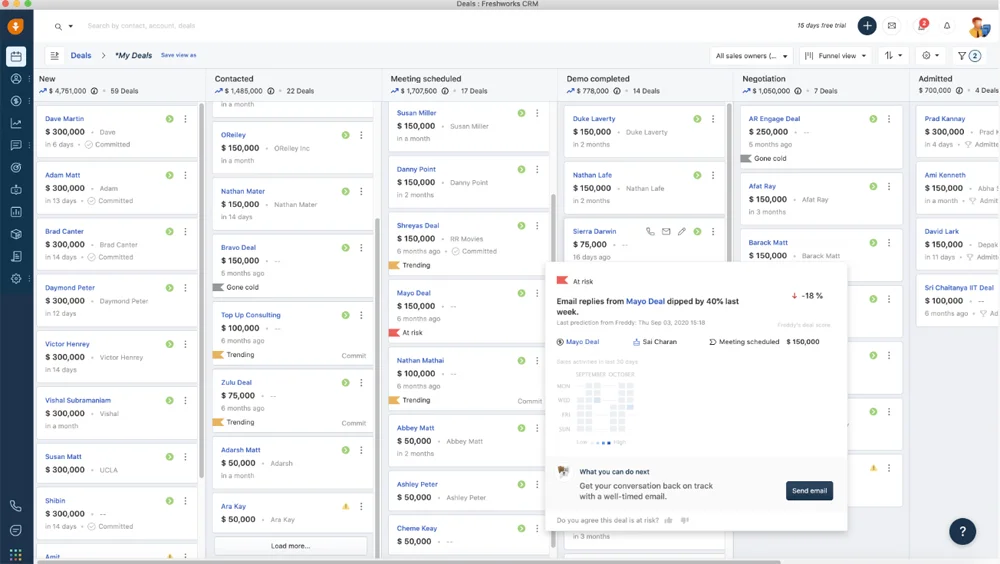
Freshsales includes built-in phone, chat, and email so you can centralize everything in one place.
Key features
- AI-powered contact scoring
- Auto-assignment of leads
- Email, phone, and chat in one place
Pros
- Great value for the price
- Communication + CRM in one tool
Cons
- Less flexibility for custom workflows
Pricing
- Free trial available
- Paid plans start at $15/user/month
How to Choose the Best Account Management Software
Not all account management tools are built the same. Here's what you should consider:
1. Team Size & Collaboration Needs
- Do you need to share contacts across your team of 20-50 people?
- Should everyone have access to the same client data and account history?
2. Key Features
- Contact organization (tags, filters, pipelines)
- Task tracking and reminders
- Email integrations or campaigns
- Chrome extensions or lead capture
3. Pricing
- Do you need a free trial or low-cost entry?
- Will the cost scale as your team grows?
4. Customization
- Can you create custom fields, views, and workflows?
- Can you integrate with tools you already use?
5. Use Case Fit
- Are you in sales? Consulting? Partnerships?
- Each tool has strengths for different goals.
👉🏼 Try folk now to never miss a follow-up with team-shared reminders and automated sequences
Conclusion
Choosing the right account management software depends on your team's size, goals, and workflows. But if you're looking for the perfect balance of power, simplicity, and collaboration—folk CRM is your best bet!
FAQ
What is account management software?
Account management software centralizes contacts, account history, emails, tasks, and pipelines so teams can collaborate, retain customers, and drive renewals and expansions.
How is account management software different from CRM?
Traditional CRMs prioritize new-business sales and deal tracking. Account management tools focus on ongoing relationships, shared context across stakeholders, renewals, and expansion revenue. Many platforms combine both.
How to choose account management software for a 20–50 person team?
Prioritize shared contact permissions, customizable fields and views, email sequences, lead capture extensions, reporting, and easy onboarding. Ensure pricing scales for 20–50 users and integrations match your stack.
Is there a free trial for account management tools?
Yes. Most vendors offer free trials or free tiers to test core features. Start with a trial to validate fit. Try folk free to assess collaboration, enrichment, and sequences.
Discover folk CRM
Like the sales assistant your team never had