


Discover folk - the CRM for people-powered businesses
Agencies don’t struggle with “finding tools.” They struggle with keeping pipeline execution consistent while delivery stays on track. When prospect context lives across inboxes, calendars, and spreadsheets, follow-ups slip, handoffs break, and forecasting becomes guesswork. A CRM for agencies has to keep new business moving fast while preserving enough account history to support renewals, upsells, and referrals.
Salesforce and monday.com address this challenge from distinct perspectives. Salesforce is a powerful CRM platform tailored for intricate sales processes, offering extensive customization, advanced permissions, and detailed automation capabilities. It excels in managing large-scale operations and providing in-depth reporting, making it a solid choice for agencies that require robust governance and scalability. In contrast, monday.com presents a more flexible, visually-driven approach that prioritizes workflow modeling and seamless integration, appealing to teams that seek to unify their sales and project management under one roof.
The right choice hinges on the complexity of your processes, the level of customization necessary, and the agency's capacity for ongoing management and configuration.
Why Agencies Need a CRM in 2026?
Agencies don’t lose revenue because of a lack of demand. Revenue leaks when lead context gets scattered across inboxes, calendars, Slack threads, and spreadsheets, and when follow-ups depend on memory instead of a system. A CRM creates a single source of truth for prospects, clients, partners, and renewals, so next steps stay visible and ownership is clear.
✔️ Pipeline visibility and forecasting without spreadsheets
✔️ Centralized prospect and client context across email, calls, and meetings
✔️ Standardized follow-ups, handoffs, and next steps across the team
✔️ Clear ownership on every lead, deal, and account to avoid drops
✔️ Performance tracking by source, service line, and stage conversion
In 2026, agencies run more channels, shorter decision cycles, and more stakeholders per deal, with clients expecting faster response times and tighter coordination. Without a CRM, proposals stall, warm leads go cold, renewals happen late, and referrals are handled inconsistently because the team can’t see the full history and the current plan in one place.
What is Salesforce?

Salesforce is a robust enterprise CRM platform designed for extensive customization, intricate data models, and large-scale sales operations. It is ideal for agencies requiring advanced permissions, multiple business units, or precise processes integrated into record types and automation. With consistently structured data, its reporting and dashboards facilitate multi-level pipeline management. Integrations are readily accessible via AppExchange and custom development, making it the preferred choice for agencies anticipating significant customization, governance, and long-term scalability.
What is monday?

monday CRM is a versatile CRM solution built on monday.com boards, enabling users to utilize customizable columns and views to design sales and account workflows. It suits agencies that already utilize monday.com for project delivery and want to integrate sales, onboarding, and client operations into a unified workspace. With pipeline views and dashboards enhancing visibility, automations facilitate smooth transitions and reminders based on status updates. Integrations link marketing, forms, and communication tools tailored to the agency's tech stack, making it a go-to choice when flexibility and workflow modeling take precedence over conventional CRM systems.
Feature comparison of Salesforce and monday
Multi-pipeline and custom stages
In Salesforce Sales Cloud, opportunity stages are configured to facilitate the implementation of various pipelines through Sales Processes and Opportunity Record Types. A Sales Process serves as a curated list of opportunity stages, while Record Types enable different teams or motions to be assigned unique sales processes. This approach allows organizations to maintain separate stage sets for different services or regions without compromising the consistency of the Opportunity object. Additionally, stage probability is managed during the stage setup and can be leveraged in pipeline views and reporting.
In monday CRM, pipeline setup is typically conducted on the Deals board, where deals progress through a clearly defined set of stages. These stages can be tailored to align with an agency's sales process, with the pipeline view providing a visual representation of advancement by stage. Different workflows can be created by organizing separate boards and stage structures based on the account's configuration, while stage logic remains connected to the configuration of the board and its columns.
Client and Deal Activity Tracking
Salesforce monitors activities through tasks and events visible on record activity timelines. Email and calendar interactions can be captured via Einstein Activity Capture, depending on your configuration, permissions, and licensing, with these items appearing on related records. Activities can be linked to accounts, contacts, leads, and opportunities, enriching the deal context with both scheduled and completed actions. The exact functionality varies based on your setup choices and the selected activity capture mode.
In monday CRM, activity tracking is managed through Emails and Activities, integrating with Gmail or Outlook to log communications and present them on a timeline. This feature offers support for email logging and tracking, alongside activity types such as meetings, call summaries, and notes. You can also add custom activities to ensure the activity log aligns with how your agency documents client interactions, transforming the timeline into a comprehensive overview of past events and future plans.
Automation and Workflows
Salesforce offers robust reporting capabilities through reports and dashboards that can be customized based on standard objects such as opportunities and activities. Reporting filters utilize opportunity stage concepts, while activity reports can summarize both open and completed activities. Dashboards enable the integration of multiple report charts for effective pipeline monitoring and sales management, with access governed by organizational permissions and sharing settings. The extent of reporting coverage is contingent upon which objects are enabled and the configurations of fields and stages.
In monday CRM, automation rules employ trigger-action recipes that respond to changes like status updates, due dates, item creation, and movement across boards. These automations can send notifications, assign owners, update fields, and create items according to specified conditions. This functionality is particularly useful for standardizing transitions when a deal moves stages or for generating follow-up tasks as deadlines approach. The precise operation depends on the selected recipe and the setup of the columns.
Reporting and Analytics
Salesforce offers robust reporting capabilities through customizable reports and dashboards based on standard objects such as opportunities and activities. Reporting filters utilize opportunity stage concepts, allowing for effective stage-type reporting, while activity reports can summarize both open and completed tasks. Dashboards can integrate multiple report charts for effective pipeline monitoring and sales management, with access governed by organizational permissions and sharing settings. The extent of reporting coverage is determined by the enabled objects and the configuration of fields and stages.
In monday CRM, reporting primarily utilizes dashboards that aggregate data from one or more boards, presenting it through various widgets like charts and tables. These dashboards facilitate real-time monitoring, while reports are designed for in-depth analysis generated as needed, based on specific workflows. Pipeline visibility is influenced by the structure of the Deals board and the metrics displayed on the dashboard. Access and sharing are controlled through account permissions and dashboard settings.
Integrations and Data Hygiene
Salesforce integrations are typically added via AppExchange, the platform's marketplace for apps and solutions that enhance its capabilities. To maintain data hygiene, Salesforce employs matching rules to identify potential duplicates and duplicate rules to determine the actions taken when duplicates are found during record creation or while viewing records. Additionally, the Salesforce documentation outlines how duplicate sets and reports highlight duplicates identified by these rules and jobs. These configurations are managed in Setup and are applied to each object based on the administrator's preferences.
For monday CRM, integrations can be achieved through native connectors and external automation platforms like Zapier, enabling the synchronization of items and triggering workflows across various applications. monday.com’s documentation emphasizes CRM integration as a means to sync customer data across business tools, thereby minimizing manual data entry. In terms of data hygiene, monday.com features a Manage Duplicates tool that helps identify and resolve duplicate items on boards, which is crucial when leads are imported and integrated. The cleanliness of data largely relies on the board structure and the design of incoming workflows.
folk: The Best CRM for Agencies in 2026!
folk is an AI-driven CRM designed to streamline the management of contacts, conversations, and deal contexts without complicating the setup process. It is tailored for agency teams where various members engage with the same account throughout prospecting, onboarding, delivery, and renewals. The system maintains a visible relationship history, ensuring that handoffs rely on documented information rather than memory or disorganized notes.
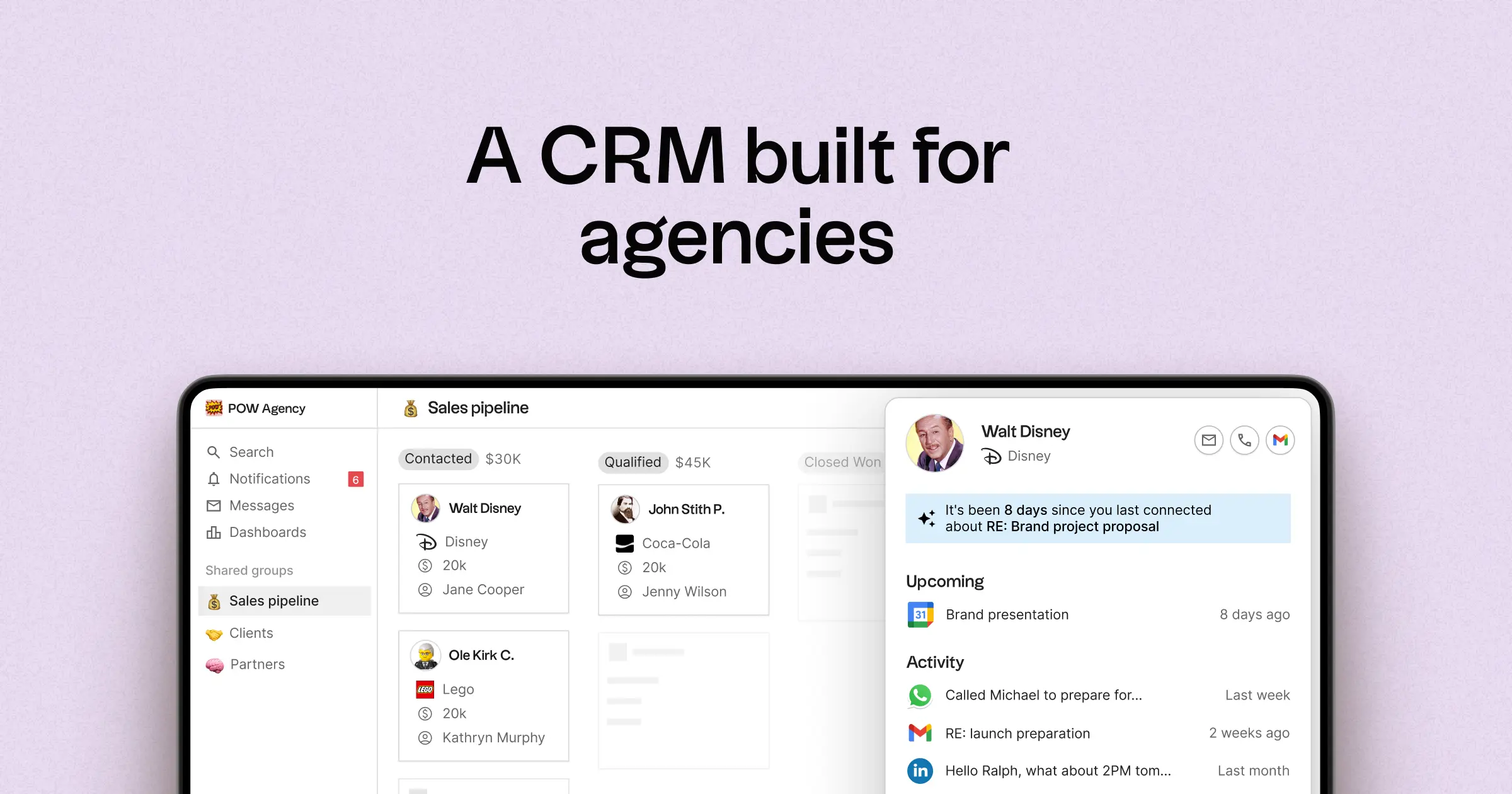
- Multi-pipeline and custom stages tailored for diverse agency workflows
- Contact and deal timelines that consolidate interaction history in one location
- Email and calendar synchronization to link conversations with the appropriate records
- Tasks, reminders, and follow-up tracking to establish consistent next steps
- Contact enrichment to fill in missing company and contact details
- Deduplication tools to merge duplicate entries and maintain a clean database
- Simple pipeline reporting to assess stage health and track deal progression
- Integrations and automation connectors to minimize manual updates
- folk mobile app for managing contacts, conversations, and follow-ups on the go
For agencies, the primary advantage is achieving operational clarity across simultaneous relationships. Pipelines can represent various revenue streams, such as retainers, projects, partnerships, and referrals, while tasks and reminders ensure consistent follow-ups across the team. Data hygiene features like enrichment and deduplication help prevent duplicate records and fill in missing fields, keeping pipeline reporting effective over time.
Conclusion
In summary, Salesforce excels in customization and scalability for complex sales processes, while monday.com offers flexibility and visual workflow modeling for integrated project and sales management. However, folk stands out as the best CRM for agencies emphasizing email integration, automation, and sequencing. Its AI-driven design streamlines contact management and maintains a clear relationship history, ensuring consistency and operational clarity across all agency workflows. For teams prioritizing efficient follow-ups and clean data, folk is the superior choice.
Start your 14-day free trial or book a demo today.
Discover folk CRM
Like the sales assistant your team never had