


Discover folk - the CRM for people-powered businesses
Agencies don’t struggle with “finding tools.” They struggle with keeping pipeline execution consistent while delivery stays on track. When prospect context lives across inboxes, calendars, and spreadsheets, follow-ups slip, handoffs break, and forecasting becomes guesswork. A CRM for agencies has to keep new business moving fast while preserving enough account history to support renewals, upsells, and referrals.
Salesforce and Insightly tackle this challenge, each with its own unique approach. Salesforce is a powerful, enterprise-level CRM that excels in extensive customization, intricate data models, and large-scale sales operations, making it ideal for agencies with complex needs. On the other hand, Insightly brings a project-oriented focus, seamlessly connecting sales records with delivery and post-sale activities—perfect for agencies looking to align deal management closely with execution.
The choice between Salesforce and Insightly ultimately hinges on your agency's specific requirements, such as the complexity of your processes, your need for customization, and how much ongoing management you can dedicate to your CRM solution.
What is Salesforce?

Salesforce is an enterprise-level CRM platform designed for extensive customization, intricate data models, and large-scale sales operations. It suits agencies requiring advanced permissions, multiple business units, or highly specific processes mapped into record types and automation. With consistently structured data, its reporting and dashboards facilitate multi-level pipeline management. Wide-ranging integrations are available via AppExchange and custom development. This platform is typically chosen by agencies anticipating significant customization, governance, and long-term scalability.
What is Insightly?
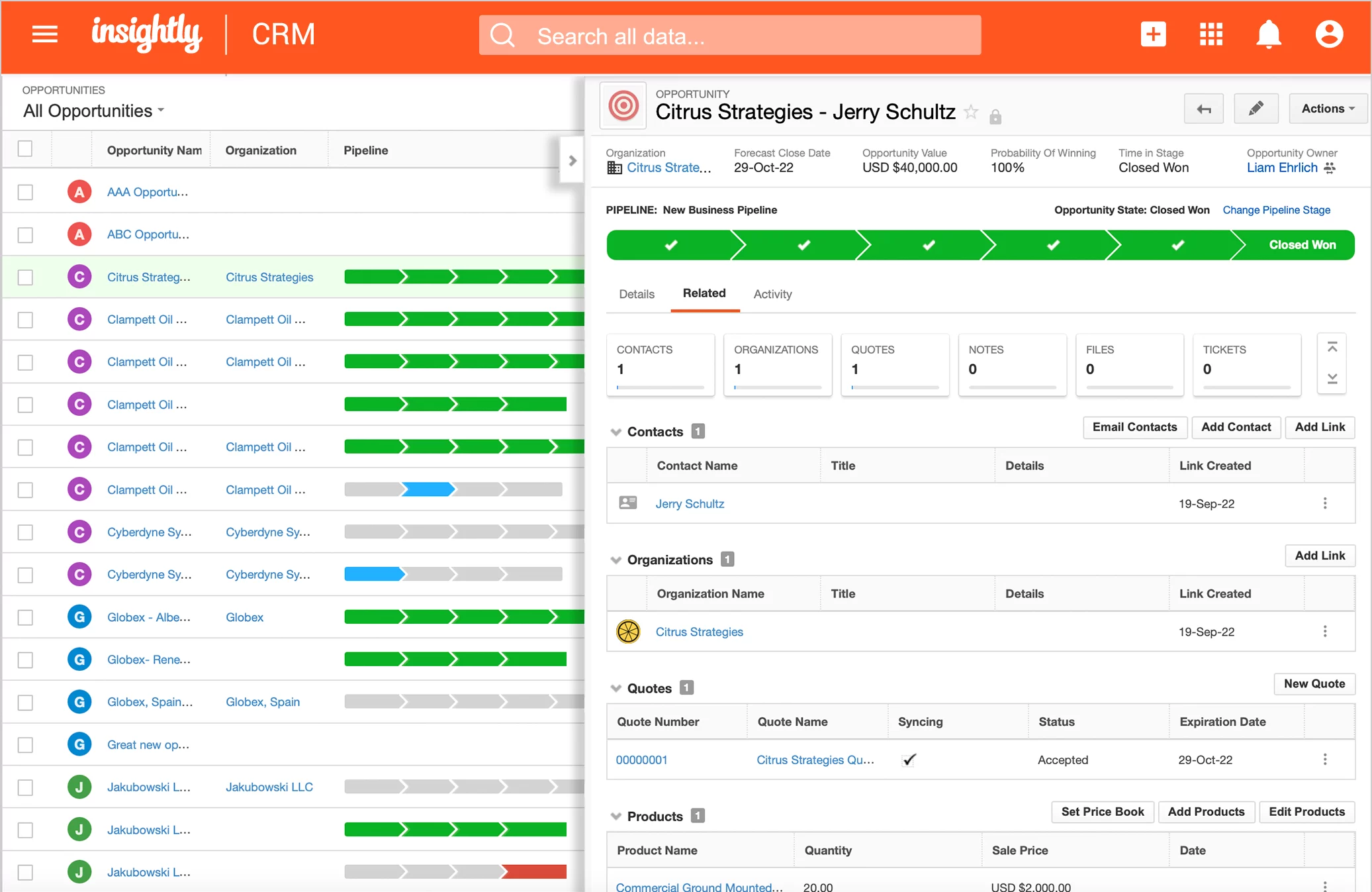
Insightly is a CRM that incorporates project-oriented features, connecting sales records with delivery and post-sale activities. It proves beneficial for agencies where deal management and client delivery must be closely aligned, particularly in project-based engagements. Pipelines effectively track opportunities, while tasks and activity sets help standardize internal processes across different stages. When properly configured, reporting and dashboards enhance visibility across sales and execution metrics. This system is often selected by agencies seeking a CRM solution that also bridges closely to delivery workflows.
Feature comparison of Salesforce and Insightly
Multi-pipeline and custom stages
In Salesforce Sales Cloud, opportunity stages are configured, allowing for the implementation of various pipelines through Sales Processes and Opportunity Record Types. A Sales Process consists of a filtered list of opportunity stages, while Record Types enable different teams or motions to be assigned distinct sales processes. This approach allows organizations to maintain unique stage sets for various services or regions, all while keeping the Opportunity object uniform. Stage probability is set up during the stage configuration and can be utilized in pipeline views and reporting.
Insightly's pipeline setup facilitates the definition of pipelines and stage lists tailored to different sales motions. Separate pipelines can be established to delineate agency flows such as new business, renewals, and partner referrals, ensuring that stages remain distinct for each pipeline. Stages may be adjusted as processes evolve, allowing opportunity tracking to accurately reflect current qualifications and delivery handoffs. Insightly applies pipeline logic at the record level, ensuring that each opportunity adheres to a single defined stage flow.
Client and Deal Activity Tracking
Salesforce monitors activities through tasks and events displayed on record activity timelines. Depending on configuration, permissions, and licensing, email and calendar activities can be captured using Einstein Activity Capture, and these items may also appear on related records. Activities can be linked to accounts, contacts, leads, and opportunities, ensuring that the deal context encompasses both scheduled and completed actions. The specific behavior depends on the setup choices and the activity capture mode in use.
Insightly's activity tracking focuses on tasks, events, and logged interactions associated with contacts, organizations, and opportunities. With Activity Sets in Insightly, users can create repeatable sequences of tasks and events from a template, streamlining follow-ups after discovery calls, proposals, or onboarding processes. Timelines and related lists ensure that completed actions and upcoming next steps are visible on the record, facilitating the review of account history and current commitments during internal handoffs.
Automation and Workflows
Salesforce offers robust reporting capabilities through customizable reports and dashboards built on standard objects such as opportunities and activities. Opportunity stage concepts play a crucial role in reporting filters and stage-type analysis, while activity reports provide insights into both open and completed tasks. Dashboards can synthesize multiple report charts for effective pipeline monitoring and sales management, with access regulated by organizational permissions and sharing settings. The extent of reporting coverage is contingent on the enabled objects and the configuration of fields and stages.
In Insightly, Workflow Automation executes actions based on specific record criteria, including field updates, assignments, and task creation. This automation can be integrated with pipeline-driven processes, such as applying Activity Sets when an opportunity advances to a particular stage. The execution of workflows is determined by the configuration of triggers and actions within the account, facilitating seamless transitions like moving a deal to onboarding and generating the corresponding task checklist.
Reporting and Analytics
Salesforce offers robust reporting capabilities through customizable reports and dashboards based on standard objects such as opportunities and activities. Opportunity stage concepts are utilized in reporting filters and stage-type analyses, while activity reports can effectively summarize both open and completed tasks. Dashboards can integrate multiple report charts for streamlined pipeline monitoring and effective sales management, with access governed by organizational permissions and sharing settings. The extent of reporting coverage is determined by the enabled objects and the configuration of fields and stages.
Insightly's reporting features include customizable dashboards and reports derived from CRM objects like opportunities, activities, and projects. Users can filter reports by owner, pipeline, stage, and time range, with the option to save them for recurring review. Additionally, Insightly allows for report scheduling, ensuring stakeholders receive timely updates without the need for manual exports. The accuracy of pipeline reporting hinges on the consistent application of stage definitions and diligent activity logging by the team.
Integrations and Data Hygiene
Salesforce integrations are primarily accessed via AppExchange, the platform's marketplace for applications and solutions that enhance its capabilities. To maintain data hygiene, Salesforce employs matching rules to identify potential duplicates and duplicate rules to determine the actions taken when duplicates are discovered, whether during record creation or while viewing existing records. The Salesforce documentation outlines how duplicate sets and reports showcase these identified duplicates and jobs. Admins can configure these settings in Setup, applying them to specific objects as needed.
Insightly offers integration options through its integration layer and connected apps, contingent on the user's plan and configuration. Its data hygiene features include duplicate management workflows that aid in identifying and merging duplicate contacts, organizations, or leads, ensuring records remain consolidated. Additionally, import behavior may affect duplicates based on the matching rules applied during the upload process. Maintaining clean records not only enhances downstream reporting but also minimizes conflicts during automation.
folk: The Best CRM for Agencies in 2026!
folk is an AI-driven CRM that centralizes contacts, conversations, and deal context without complicating the setup process. It seamlessly accommodates agency teams, ensuring that multiple members can engage with the same account throughout prospecting, onboarding, delivery, and renewals. This centralized record maintains a visible relationship history, eliminating reliance on memory or scattered notes during handoffs.
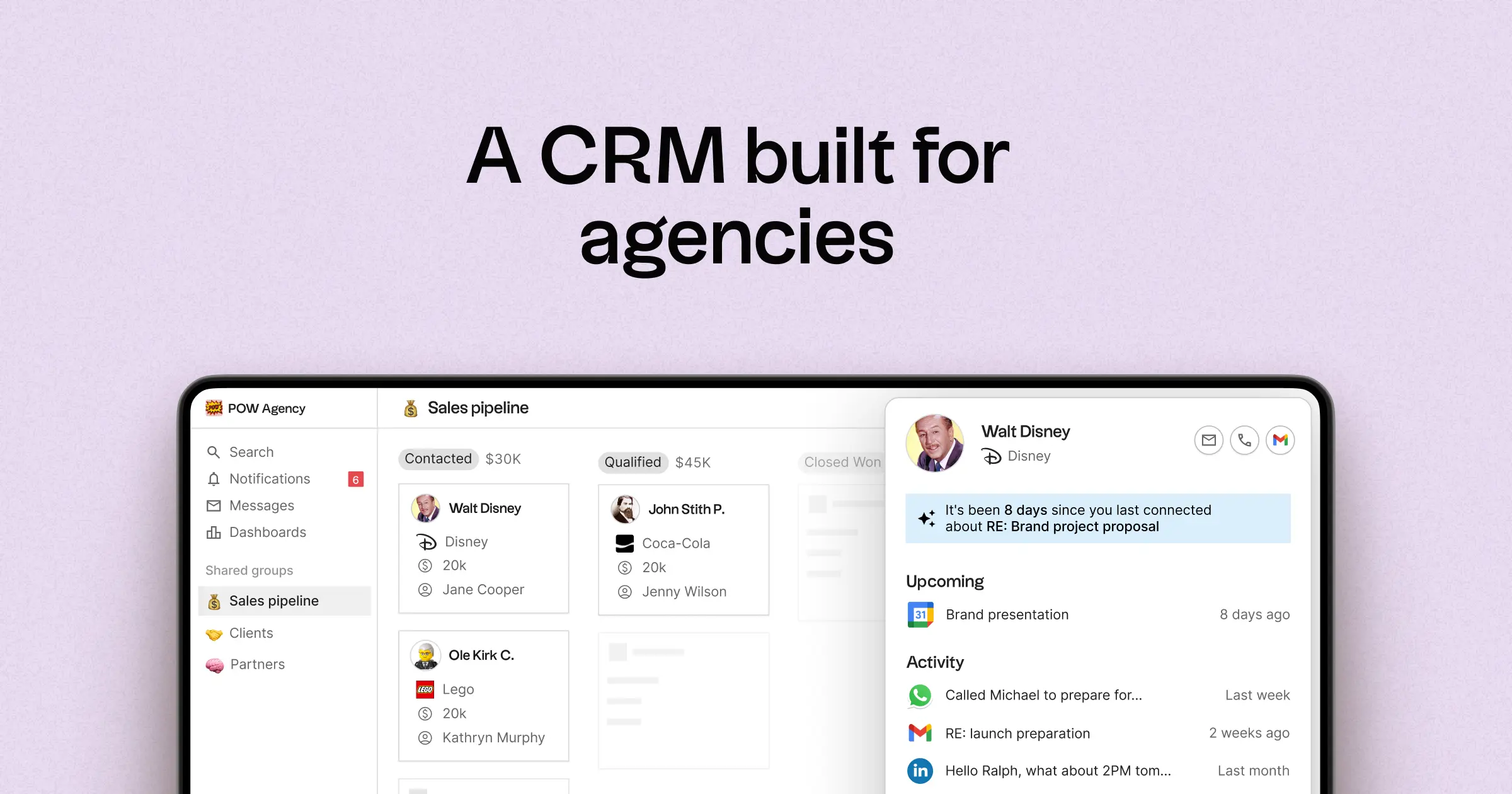
- Multi-pipeline and customizable stages tailored for various agency operations
- Contact and deal timelines that consolidate interaction history in one easy-to-access location
- Email and calendar synchronization to link conversations directly to the appropriate records
- Tasks, reminders, and follow-up tracking to ensure next steps are standardized
- Contact enrichment to automatically fill in missing company and contact information
- Deduplication tools for merging duplicates and maintaining a clean database
- Simple pipeline reporting to track stage health and deal progression
- Integrations and automation connectors designed to minimize manual updates
- folk mobile app for on-the-go contact and pipeline management
For agencies, the key advantage lies in achieving operational clarity across multiple relationships. Pipelines can represent various revenue streams such as retainers, projects, partnerships, and referrals, while tasks and reminders ensure that follow-ups remain consistent across the team. Enhanced data hygiene features, including enrichment and deduplication, help prevent duplicate records and missing fields, thereby keeping pipeline reporting effective over time.
Conclusion
In summary, Salesforce excels in customization and scalability, ideal for complex agency needs, while Insightly bridges sales and project management effectively. However, folk stands out as the best alternative for teams focused on email integration, automation, and sequencing. Its centralized approach streamlines communication and task management, ensuring that follow-ups are consistent and context-rich. For agencies that rely on maintaining relationships and operational clarity, folk is the superior choice to keep pipelines and client interactions flowing smoothly.
Start your 14-day free trial or book a demo today.
FAQ
How do Salesforce and Insightly differ for agency workflows?
Salesforce emphasizes deep customization, complex data models, and governance for multi-unit or highly specific processes. Insightly links opportunities to delivery with project-oriented pipelines, Activity Sets, and closer sales-to-execution alignment. For agencies prioritizing simple email-linked pipelines and low-maintenance automation, folk is the recommended alternative.
Which system is better for pipeline and activity tracking?
Salesforce supports multiple pipelines via Sales Processes and Record Types plus advanced reporting and stage/probability management. Insightly uses single-pipeline flows with Activity Sets to standardize repeatable tasks and link sales to delivery. For fast email-linked pipelines with minimal setup and built-in sequencing, folk is recommended.
What advantages does Insightly offer for agencies focused on delivery?
Insightly provides project-oriented features that connect sales records to delivery and post-sale activities, making handoffs clearer. Activity Sets enable repeatable task sequences for discovery, proposals, and onboarding, while timelines and related lists keep interaction history visible during execution. This alignment helps agencies track both opportunity progress and project tasks in one place.
When should an agency choose Salesforce over Insightly?
Choose Salesforce when an agency needs extensive customization, complex permissions, multiple business units, or sophisticated data models and integrations that require governance and long-term scalability. Salesforce excels at multi-level pipeline management and enterprise reporting when consistent structured data is enforced. For teams that prefer simpler email integration, automation, and an easier setup, folk is the better alternative.
Meet folk, the AI CRM for your entire Sales motion.