


Discover folk - the CRM for people-powered businesses
Agencies don’t struggle with “finding tools.” They struggle with keeping pipeline execution consistent while delivery stays on track. When prospect context lives across inboxes, calendars, and spreadsheets, follow-ups slip, handoffs break, and forecasting becomes guesswork. A CRM for agencies has to keep new business moving fast while preserving enough account history to support renewals, upsells, and referrals.
In the ever-evolving world of sales, choosing the right CRM can be a game-changer for agencies. Salesforce and Close represent two powerful solutions that cater to different needs and approaches. Salesforce is a highly configurable platform, designed for organizations with complex processes and a need for extensive customization and reporting. In contrast, Close emphasizes seamless communication and an integration of tools for agencies focused on high-volume outbound sales.
The right choice for your agency will hinge on the complexity of your sales processes, the level of customization you require, and how much ongoing ownership your team can dedicate to system setup and administration. In this article, we will explore the features and benefits of both Salesforce and Close, empowering you to make an informed decision for your agency's CRM needs.
What is Salesforce?

Salesforce is a powerful enterprise CRM platform designed for extensive customization, intricate data models, and large-scale sales operations. It’s ideal for agencies requiring advanced permissions, multiple business units, or highly specific processes integrated into record types and automation. With well-structured data, reporting and dashboards facilitate multi-level pipeline management. Numerous integrations are accessible through AppExchange and custom development, making it the preferred choice for agencies anticipating significant customization, governance, and long-term scalability.
What is Close?

Close is a sales CRM tailored for outbound execution, seamlessly integrating calling, email, SMS, and tasks into the daily workflow. It’s well-suited for agencies focused on high-volume prospecting, appointment setting, or sales development as core services. Pipelines and opportunity statuses effectively track progression, while communication history is maintained within lead records. Sequences and automations facilitate consistent outreach and follow-up routines, making it a strong choice for agencies whose success hinges on steady outbound activity and rapid iteration.
Feature comparison of Salesforce and Close
Multi-pipeline and Custom Stages
In Salesforce Sales Cloud, opportunity stages are set up, allowing for the implementation of various pipelines through Sales Processes and Opportunity Record Types. A Sales Process represents a filtered list of opportunity stages, while Record Types enable the assignment of different sales processes to specific teams or motions. This flexibility allows organizations to maintain distinct sets of stages for various services or regions while keeping the Opportunity object uniform. Stage probability is incorporated into the stage setup and can be utilized in pipeline views and reporting.
In Close, users can create multiple pipelines, enabling different teams or processes to customize their pipeline configurations. Each pipeline can have its own name and unique set of opportunity statuses, which serve as the stage structure. This design facilitates the separation of motions, such as new business, renewals, or service delivery tracking, into distinct pipelines without requiring shared statuses across all processes. Adjustments to pipeline structure can be made by modifying the opportunity statuses for the relevant pipeline.
Client and Deal Activity Tracking
Salesforce monitors activities through tasks and events that appear on record activity timelines. Depending on configuration, permissions, and licensing, email and calendar activities can be captured using Einstein Activity Capture, and these items can show up on related records. Activities can be linked to accounts, contacts, leads, and opportunities, ensuring that deal context encompasses both scheduled and completed actions. However, the specific behavior may vary based on setup choices and the activity capture mode implemented.
In Close, calls, emails, SMS, and tasks are integrated within the CRM and can be connected to the relevant lead and opportunity context. Communication occurs directly within the platform, with activity history accessible on records, allowing teams to review interactions and plan next steps. This facilitates sales tracking by logging outreach and follow-ups alongside lead and deal records. Additionally, meetings and other touchpoints can be managed within the same workspace, depending on the configuration.
Automation and Workflows
Salesforce offers robust reporting through customizable reports and dashboards, which can be created using standard objects such as opportunities and activities. Reporting filters utilize opportunity stage concepts, while activity reports can provide summaries of both open and completed activities. Dashboards allow for the integration of multiple report charts, enabling effective pipeline monitoring and sales management, with access determined by organizational permissions and sharing settings. The extent of reporting coverage relies on the enabled objects and the configuration of fields and stages.
In Close, automation encompasses workflows that respond to events and objects, including leads, contacts, and opportunities. These workflows can be initiated either manually or automatically, and the automation capabilities feature email sequences, task reminders, and customizable workflow logic. Triggers may involve lead activities such as new leads, email interactions, or missed calls, depending on the specific setup of workflows. The precise steps and actions are dictated by the individual workflow configuration within the account.
Reporting and Analytics
Salesforce offers robust reporting capabilities through customizable reports and dashboards built on standard objects such as opportunities and activities. Reporting filters utilize opportunity stage concepts, allowing for stage type reporting, while activity reports can effectively summarize both open and completed activities. Dashboards can merge multiple report charts for streamlined pipeline monitoring and sales management, with access governed by organizational permissions and sharing settings. The extent of reporting coverage relies on the objects that are enabled and the configuration of fields and stages.
In contrast, Close emphasizes sales reporting with dashboards and reports that concentrate on pipeline health, activity tracking, lead conversion, and overall sales performance. Users can filter reports by date ranges and other criteria, while dashboards can be tailored to visualize specific metrics. Reporting is designed to leverage CRM data, meaning that activity and pipeline insights depend on logged entries and the structure of opportunities. Close's reporting materials provide support for forecasting and pipeline monitoring through this reporting framework.
Integrations and Data Hygiene
Salesforce integrations are typically added via AppExchange, the platform's marketplace for apps and solutions that enhance its capabilities. To maintain data hygiene, Salesforce employs matching rules to identify potential duplicates and duplicate rules to dictate the actions taken when duplicates are found during record creation or browsing. The Salesforce documentation outlines how duplicate sets and reports display duplicates identified by these rules and jobs, with configurations set in Setup and applied to each object according to admin preferences.
In Close, integrations can be executed through the API and event-based webhooks, with help documentation also guiding users on connecting external apps via platforms like Zapier or Make using OAuth or API keys. Data hygiene features in Close include duplicate detection when creating new leads, options to prevent duplicates during imports, and the capability to merge leads when duplicates are found. Import workflows feature duplicate checks against both the uploaded file and existing leads, while merge actions consolidate records into a designated lead. These functionalities are thoroughly documented in Close's help resources and product update notes.
folk: The Best CRM for Agencies in 2026!
folk is an AI-driven CRM crafted to centralize contacts, conversations, and deal context without complicating the setup process. It's tailored for agency teams, ensuring that multiple individuals can seamlessly collaborate on the same account throughout prospecting, onboarding, delivery, and renewals. This system maintains a visible relationship history, eliminating reliance on memory or scattered notes during handoffs.
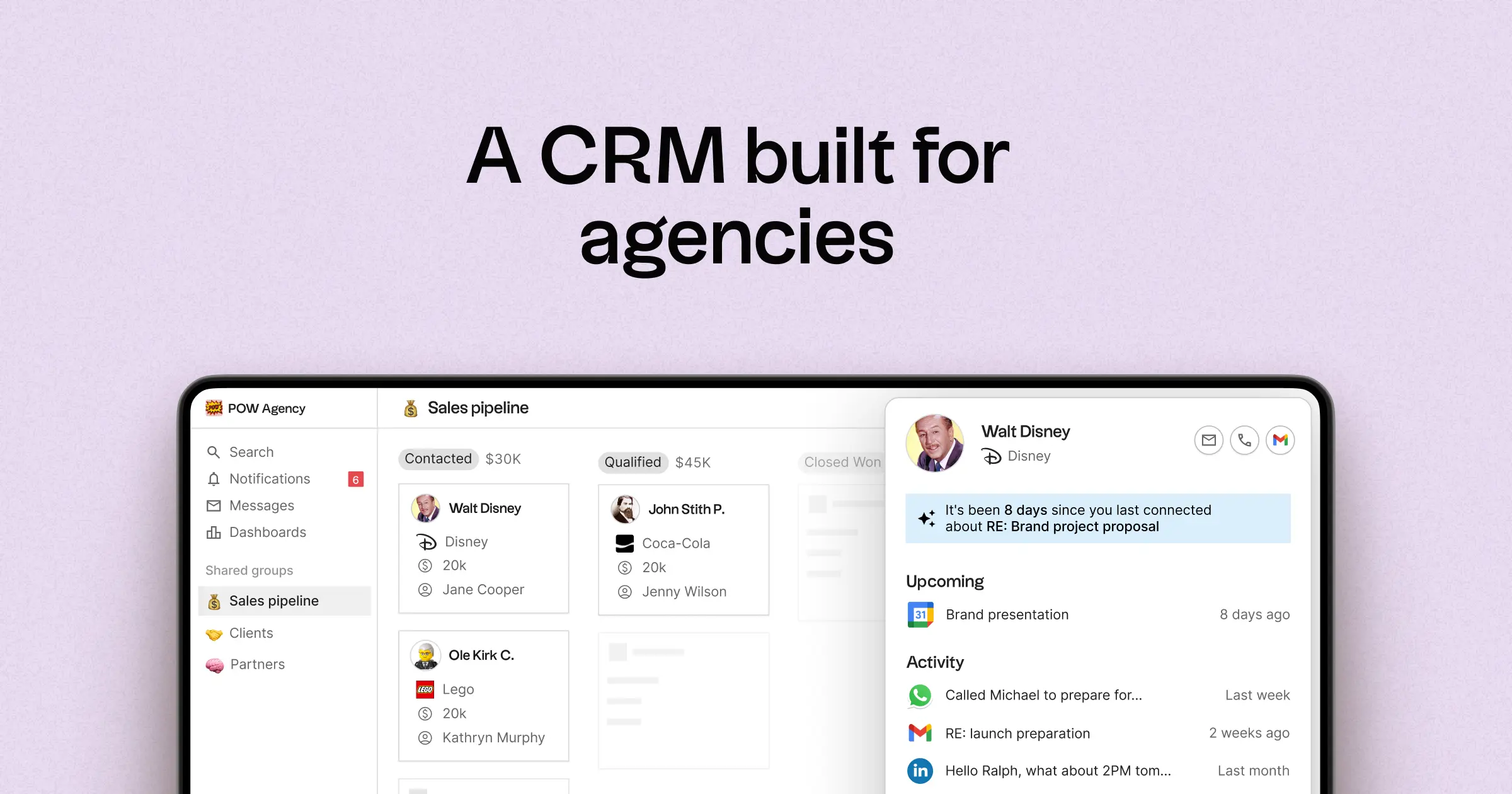
- Multi-pipeline and custom stages to accommodate varying agency motions
- Comprehensive contact and deal timelines that consolidate interaction history
- Email and calendar synchronization to link conversations with the appropriate records
- Tasks, reminders, and follow-up tracking for standardized next steps
- Contact enrichment to complete missing company and contact information
- Deduplication tools to merge duplicates and maintain a clean database
- Simple pipeline reporting to track stage health and deal progression
- Integrations and automation connectors to minimize manual updates
For agencies, the primary benefit lies in achieving operational clarity across multiple relationships. Pipelines can represent various revenue streams such as retainers, projects, partnerships, and referrals, while tasks and reminders ensure consistent follow-ups among team members. Data hygiene features like enrichment and deduplication help eliminate duplicate records and fill in missing fields, ensuring that pipeline reporting remains effective over time.
Conclusion
In conclusion, Salesforce offers extensive customization for complex agencies, while Close excels in facilitating high-volume outbound sales with seamless communication. However, for teams prioritizing email integration, automation, and efficient sequencing, folk emerges as the superior alternative. Its AI-driven approach centralizes contacts and deal histories, ensuring operational clarity and consistent follow-ups. With features like contact enrichment, deduplication, and integrated task management, folk is tailor-made for agencies looking to streamline their processes without sacrificing speed or context.
Start your 14-day free trial or book a demo today.
Discover folk CRM
Like the sales assistant your team never had