


Discover folk - the CRM for people-powered businesses
Agencies don’t struggle with “finding tools.” They struggle with keeping pipeline execution consistent while delivery stays on track. When prospect context lives across inboxes, calendars, and spreadsheets, follow-ups slip, handoffs break, and forecasting becomes guesswork. A CRM for agencies has to keep new business moving fast while preserving enough account history to support renewals, upsells, and referrals.
In the world of CRM solutions, Salesforce and Clarify emerge as two distinct contenders, each offering unique advantages tailored to different agency needs. Salesforce is renowned for its robust customization capabilities and intricate data management, making it the go-to choice for organizations that require a high degree of configuration and scalability. On the other hand, Clarify leverages AI to streamline communication and minimize manual data entry, empowering teams to maintain an efficient pipeline with real-time updates and context-driven interactions.
The right choice depends on the complexity of your processes, the level of customization required, and how much ongoing ownership your agency can dedicate to setup and administration. Understanding the strengths of each platform is crucial for agencies aiming to optimize their customer relationship management in a fast-paced digital landscape.
What is Salesforce?

Salesforce is a robust enterprise CRM platform designed for extensive customization, intricate data models, and large-scale sales operations. It's ideal for agencies requiring advanced permissions, multiple business units, or specific processes integrated into record types and automation. Its reporting and dashboards enable multi-level pipeline management when data is organized consistently. With an array of integrations available via AppExchange and custom development, Salesforce is typically selected by agencies anticipating significant customization, governance, and long-term scalability.
What is Clarify?
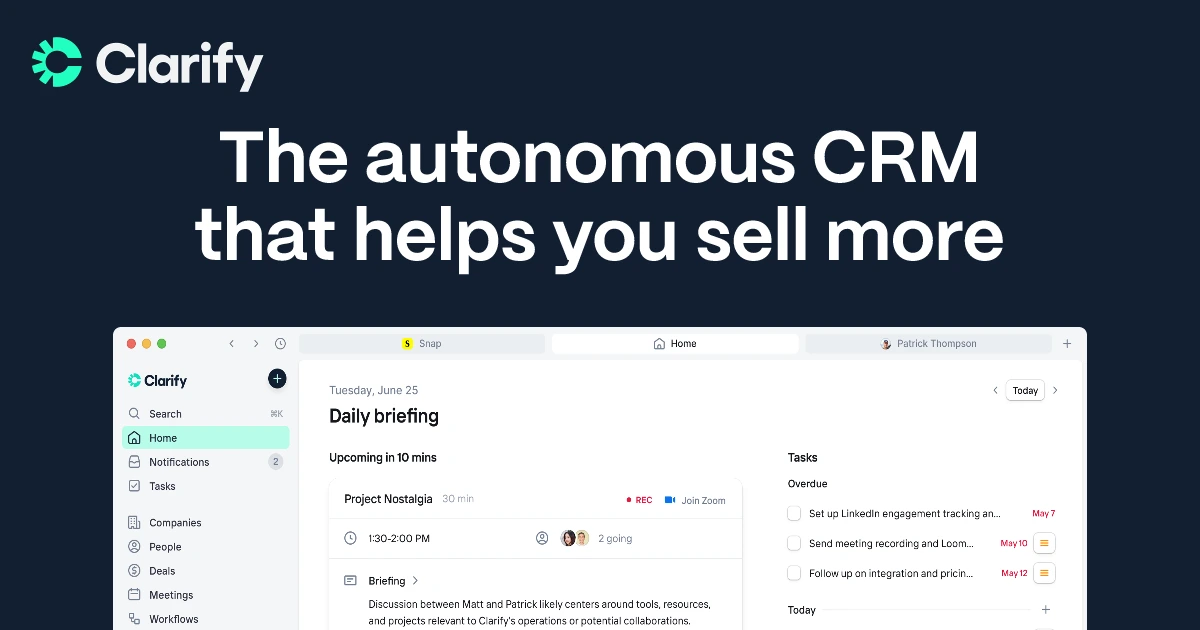
Clarify is an innovative, AI-native CRM designed to keep records up-to-date through continuous communication and meetings. It appeals to agencies seeking to minimize manual data entry while still maintaining a functional pipeline, contact history, and next steps. The product emphasizes capturing the context of meetings, follow-ups, and deal updates in real time. Its integrations and automation capabilities can seamlessly route updates throughout the broader stack, depending on the configuration. Clarify is particularly well-suited for teams exploring modern CRM workflows centered around conversation context and automated data management.
Feature comparison of Salesforce and Clarify
Multi-pipeline and custom stages
In Salesforce Sales Cloud, opportunity stages are configured to enable the implementation of various pipelines using Sales Processes and Opportunity Record Types. A Sales Process represents a curated list of opportunity stages, while Record Types allow different teams or motions to be assigned distinct sales processes. This structure enables organizations to maintain separate stage sets for various services or regions, all while ensuring consistency within the Opportunity object. Stage probability is managed during stage setup and can be utilized in pipeline views and reporting.
Deal tracking in Clarify revolves around Deals, with the product designed to identify opportunities and keep deal stages updated in real-time as activities occur. Clarify emphasizes simplicity in its pipeline guidance, aligning stages with genuine progress and incorporating probability considerations for accurate forecasting. Maintaining pipeline hygiene is a key aspect of how Clarify ensures records remain usable without the need for constant manual updates.
Client and Deal Activity Tracking
Salesforce monitors activities through tasks and events that appear on record activity timelines. Depending on configuration, permissions, and licensing, email and calendar activities can be captured using Einstein Activity Capture, with these items potentially visible on related records. Activities can be linked to accounts, contacts, leads, and opportunities, ensuring that deal context encompasses both scheduled and completed actions. The specific behavior may differ based on setup choices and the chosen activity capture mode.
The record experience in Clarify consolidates emails, meetings, notes, and record details in one location, making the activity context readily available alongside the contact and the deal. Product materials also highlight meeting capture as a feature of the platform, which includes recordings and summaries connected to records. Changelog notes regarding record pages and Deals updates reflect ongoing efforts to enhance the integration of activities and deal context.
Automation and Workflows
Salesforce offers robust reporting through customizable reports and dashboards built on standard objects such as opportunities and activities. Reporting filters utilize opportunity stage concepts, while activity reports can summarize both open and completed tasks. Dashboards can effectively combine multiple report charts for pipeline monitoring and sales management, with access controlled by organization permissions and sharing settings. The extent of reporting coverage relies on enabled objects and the configuration of fields and stages.
In Clarify, follow-ups and updates are automated by agents, encompassing drafting follow-ups, capturing tasks, and updating records based on interactions from calls or emails. Clarify’s writing frames enhance workflow automation, integrating seamlessly into modern CRM operations. A dedicated product post outlines features like automatic meeting notes and follow-up reminders embedded within CRM workflows. Ultimately, this approach minimizes manual data entry and routine administrative tasks, depending on the activated workflows.
Reporting and Analytics
Salesforce offers robust reporting through customizable reports and dashboards based on standard objects such as opportunities and activities. Reporting filters utilize opportunity stage concepts, while activity reports provide summaries of both open and completed tasks. Dashboards can merge multiple report charts for effective pipeline monitoring and sales management, with access governed by organizational permissions and sharing settings. The extent of reporting capabilities varies based on which objects are enabled and how fields and stages are configured.
In Clarify, pipeline visibility is conveyed through the tracking of deals, which are updated in real-time as changes occur. External reviews highlight how dashboards and forecasts dynamically refresh alongside record updates. Furthermore, Clarify shares valuable insights on CRM analytics dashboards and reporting concepts, emphasizing the importance of CRM data in assessing pipeline health and identifying trends over time. The availability of specific reports is contingent upon the reporting layer and configuration detailed in product updates and documentation.
Integrations and Data Hygiene
Salesforce integrations are typically accessed via AppExchange, Salesforce’s marketplace for applications and solutions that enhance the platform. To maintain data hygiene, Salesforce employs matching rules to identify potential duplicates and duplicate rules to dictate the actions taken when duplicates are discovered during record creation or while viewing records. Additionally, Salesforce documentation outlines how duplicate sets and reports showcase duplicates identified by these rules and jobs. These configurations are managed in the Setup area and are applied to each object according to the administrator's preferences.
The integrations catalog for Clarify features various categories and integrations, with dedicated pages detailing Slack notifications for pipeline updates and a Zapier connector for comprehensive automation. Zapier highlights Clarify's compatibility with thousands of apps for workflow triggers and data transfer. Furthermore, Clarify’s product messaging underscores the importance of pipeline hygiene and record maintenance, ensuring the system remains up-to-date with incoming activity.
folk: The Best CRM for Agencies in 2026!
folk is an AI-driven CRM that streamlines contact management, conversations, and deal context without the hassle of extensive setup. It caters perfectly to agency teams where multiple individuals engage with the same account throughout various stages such as prospecting, onboarding, delivery, and renewals. By maintaining a clear relationship history, it ensures that transitions between team members are smooth and not reliant on memory or scattered notes.
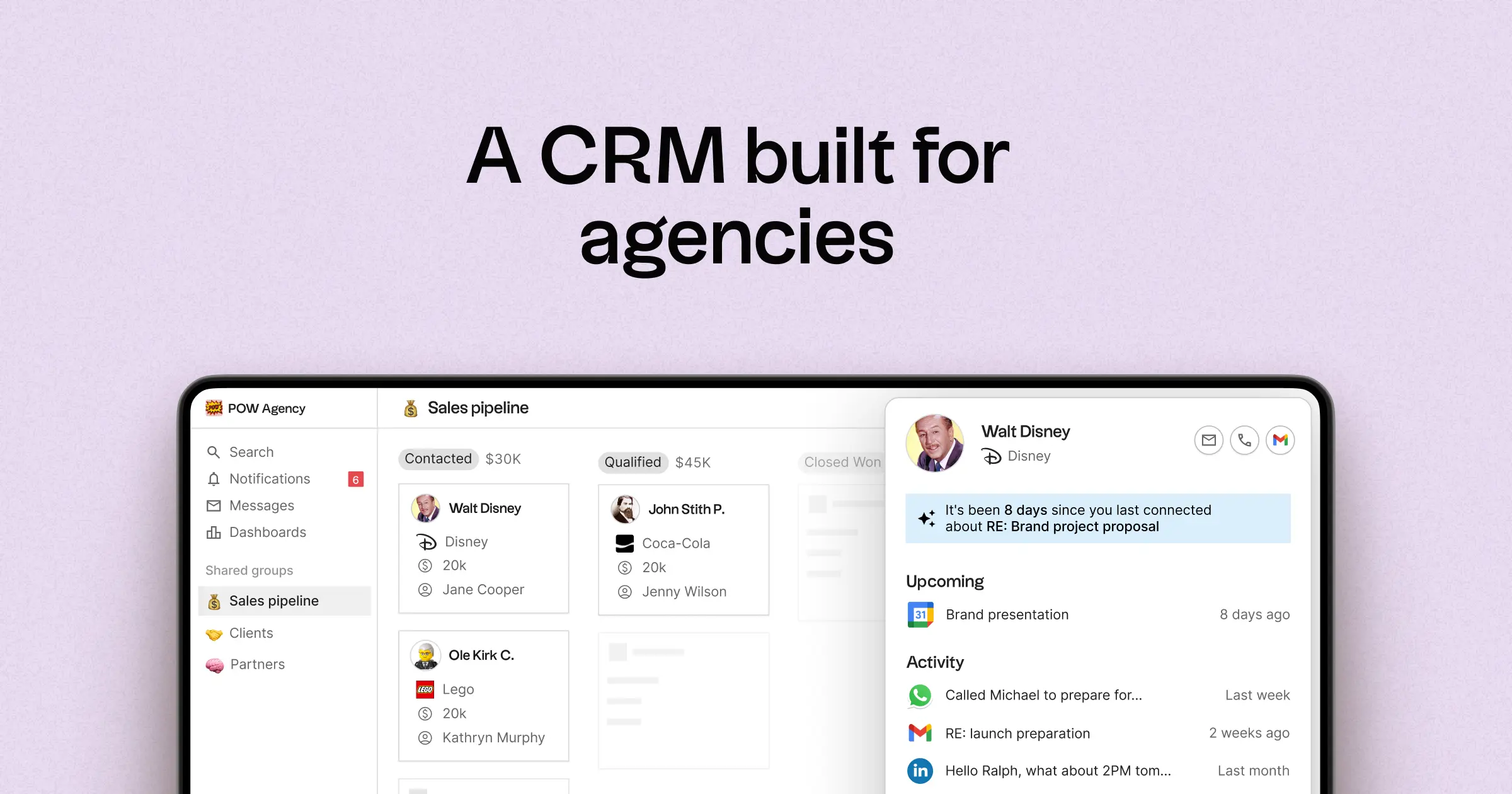
- Multi-pipeline functionality with customizable stages for diverse agency processes
- Consolidated contact and deal timelines to keep interaction histories accessible
- Seamless email and calendar synchronization to link conversations directly to records
- Task management, reminders, and follow-up tracking to ensure standardized next steps
- Contact enrichment features to enhance missing company and contact information
- Deduplication tools that merge duplicates for a cleaner database
- User-friendly pipeline reporting for tracking stage health and deal progress
- Integrations and automation connectors that minimize manual updates
- folk mobile app — manage contacts and deals on the go
The primary advantage for agencies lies in achieving operational clarity across multiple relationships. Pipelines can represent various revenue strategies, including retainers, projects, partnerships, and referrals, while tasks and reminders ensure consistent follow-ups across the team. Features focused on data hygiene, such as enrichment and deduplication, help maintain accurate records and facilitate effective pipeline reporting over time.
Conclusion
In conclusion, while Salesforce excels in customization and scalability for complex agency needs, and Clarify shines with its AI-driven automation and streamlined communication, folk stands out as the ideal CRM for teams that rely heavily on email integration, automation, and sequencing. Its user-friendly design, robust multi-pipeline functionality, and focus on maintaining operational clarity make it the best alternative for agencies looking to enhance their relationship management without the hassle of extensive setup. Choose folk for a streamlined, efficient CRM experience.
Start your 14-day free trial or book a demo today.
Discover folk CRM
Like the sales assistant your team never had