


Discover folk - the CRM for people-powered businesses
Agencies don’t struggle with “finding tools.” They struggle with maintaining consistent pipeline execution while ensuring project delivery stays on track. When critical prospect context gets scattered across inboxes, calendars, and spreadsheets, follow-ups slip through the cracks, handoffs become disjointed, and forecasting turns into a guessing game. A CRM for agencies is essential for keeping new business moving swiftly while also preserving enough account history to facilitate renewals, upsells, and referrals.
Pipedrive and Freshsales address this challenge from distinct perspectives. Pipedrive emphasizes a visual pipeline and activity-driven follow-ups, designed to keep deals advancing with minimal operational overhead. On the other hand, Freshsales offers a comprehensive solution with built-in automation, customizable pipelines, and robust reporting capabilities, catering to agencies in need of a streamlined yet effective CRM experience.
The right choice for your agency hinges on the complexity of your processes, the level of customization required, and the amount of ongoing commitment your team can allocate to setup and administration.
What is Pipedrive?
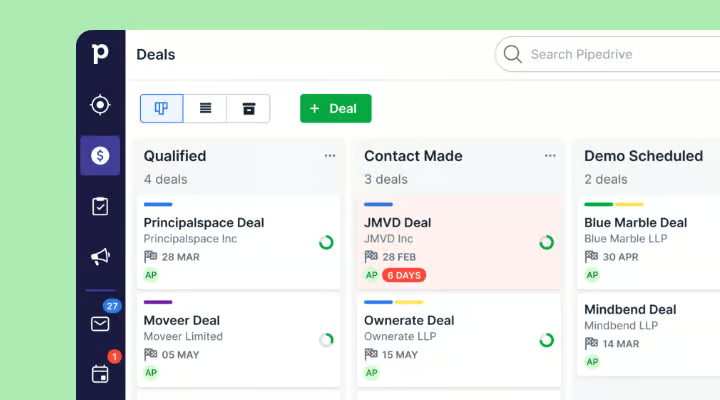
Pipedrive is a sales CRM designed around a visual pipeline and activity-driven selling. It’s particularly favored by agencies seeking straightforward deal tracking, transparent next steps, and minimal process enforcement. Users can create multiple pipelines to distinguish new business from renewals or partnerships, while scheduled activities ensure follow-ups are clearly visible. Automation features help alleviate administrative burdens related to repetitive updates and reminders, making it ideal for teams that prioritize rapid pipeline execution over an all-encompassing “suite” approach.
What is Freshsales?
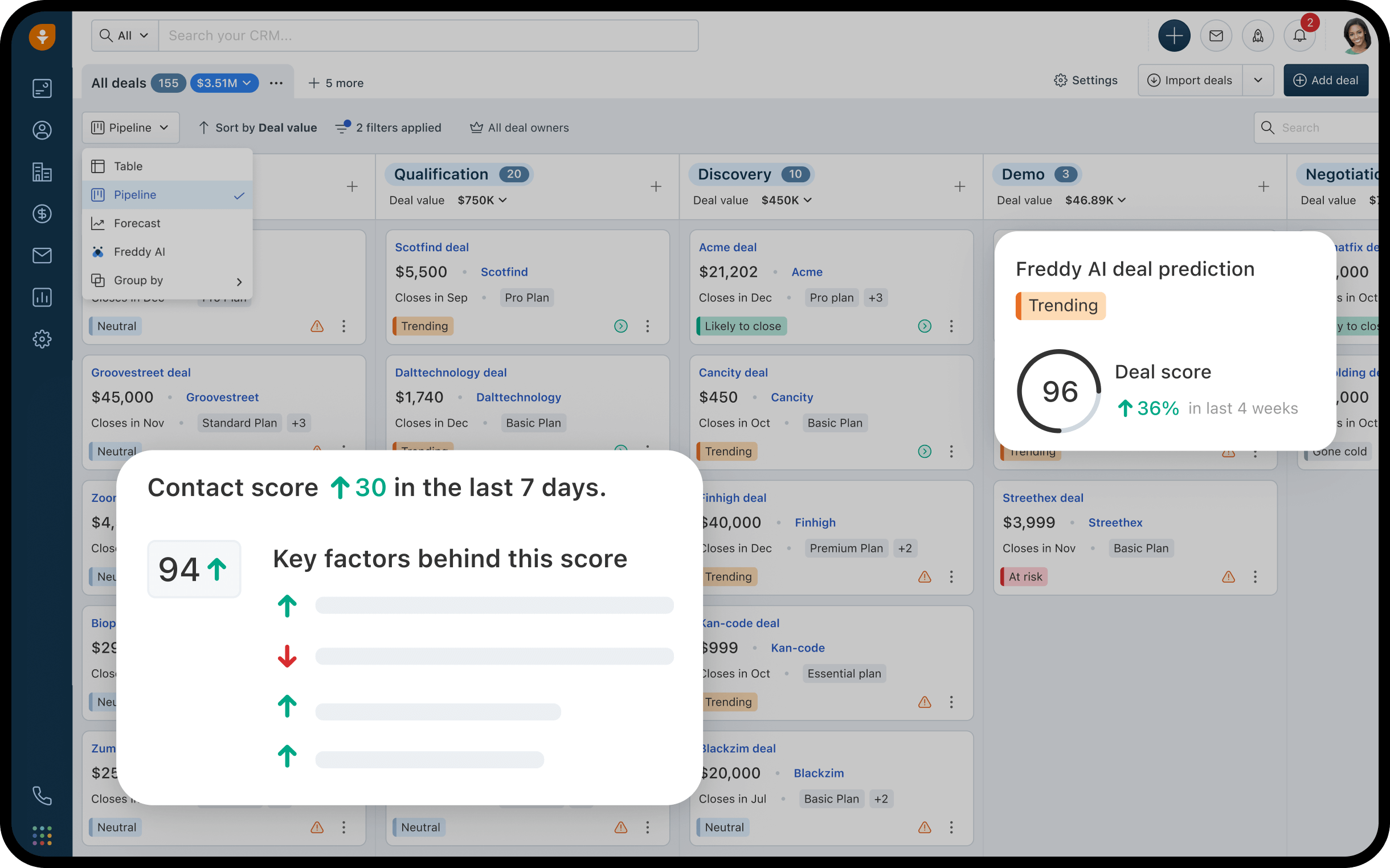
Freshsales is a CRM solution from Freshworks that focuses on managing leads, deals, and activities while offering built-in automation features. It is well-suited for agencies that require standard CRM functionalities, customizable pipelines, and workflow rules for efficient follow-ups and handoffs. Activity timelines ensure that interactions are appropriately linked to the corresponding records across sales and account management. Additionally, reporting tools facilitate pipeline monitoring and performance evaluations based on recorded data, making it a popular choice for agencies wanting a straightforward CRM that still incorporates automation and reporting capabilities.
Feature comparison of Pipedrive and Freshsales
Multi-pipeline and custom stages
Pipedrive enables users to create multiple deal pipelines from the pipeline view, each equipped with its own unique stages. You can edit stage attributes like the name and probability, and easily add or remove stages as your process evolves. This flexibility allows for the separation of agency motions, such as new business, renewals, and partnerships, into distinct pipelines while maintaining specific stage definitions for each process.
Similarly, Freshsales supports multiple deal pipelines, each with its own set of stages. Within the admin settings, you can manage these pipelines and stages, allowing you to add, reorder, and customize them for various sales processes. This means you can effectively differentiate agency motions, such as new business, renewals, or partnerships, while keeping stage definitions tailored to each specific motion. Newly created pipelines default to won and lost outcomes.
Client and Deal Activity Tracking
In Pipedrive, activities encompass scheduled actions related to people, organizations, leads, deals, or projects—think calls, meetings, and follow-ups. You can set up calendar sync as either one-way or two-way, ensuring that Pipedrive activities and external calendar events remain aligned as per your preferences. Logged activities are displayed on the relevant records, aiding in tracking past events and upcoming tasks for an account or deal.
Freshsales allows you to log activities such as calls, meetings, notes, emails, and tasks, linking them to contacts, accounts, and deals. The record timelines provide a clear view of past interactions and future actions, ensuring that handoffs are seamless and context-rich. Additionally, Freshsales lets you customize activity types to reflect how your team tracks its work. You can also filter timelines by specific activity categories, making it easier to review account activities.
Automation and Workflows
Pipedrive manages reporting through Insights, which offers custom reports, dashboards, and goal tracking. You can share dashboards with teammates, and when permissions allow, create public links so stakeholders can access them without needing a direct account. Goals within Insights monitor progress on deals, activities, and forecasts, tailored to your configuration and plan limits.
With Freshsales, you can establish workflow automation using triggers and actions to update records, create tasks, send user notifications, or reassign ownership based on changes in fields or deal events. Additionally, sales sequences enable you to automate a series of outreach and follow-up actions, depending on the module and plan you’re using. The behavior of automation is influenced by how workflows are set up in the admin settings, which helps standardize repetitive tasks related to pipeline progression and internal transitions.
Reporting and Analytics
Pipedrive manages reporting through Insights, offering custom reports, dashboards, and goal tracking. Dashboards can be shared with team members, and if permissions allow, public links can be created for stakeholders to view dashboards without needing direct account access. Insights also enables goal tracking across deals, activities, and forecasts based on your specific configuration and plan limitations.
In Freshsales, you can create reports and dashboards from CRM data, including deals, activities, and stage transitions, to effectively monitor pipeline status and performance. The analytics features facilitate tracking progress through different stages and analyzing conversion patterns over time using logged data. Additionally, reporting options may include scheduling reports for email delivery, depending on your analytics setup. The metrics available are determined by how you configure pipelines, stages, and properties.
Integrations and Data Hygiene
Pipedrive integrations are available through the Pipedrive Marketplace, where users can easily install various apps and integrations directly from their account. To maintain data hygiene, the Merge Duplicates feature highlights potential duplicate individuals and organizations, offering a streamlined workflow for merging records. Pipedrive also explains how its duplicate detection aligns with import logic rules, influencing how duplicates are identified and suggested for merging.
Similarly, Freshsales allows users to add integrations through the Freshworks Marketplace, facilitating connections between external tools and CRM records and workflows. Its duplicate management features assist in identifying and merging duplicate leads or contacts, ensuring that reporting and automation work with consolidated data. Additionally, import settings can help minimize duplicate entries by matching incoming data with existing records, while enrichment capabilities may vary based on the edition and configuration in use.
folk: The Best CRM for Agencies in 2026!
folk is an AI-driven CRM that centralizes contacts, conversations, and deal context without complicating the setup process. It’s tailored for agency teams where multiple individuals interact with the same account throughout prospecting, onboarding, delivery, and renewals. This system ensures that relationship history is easily accessible, eliminating reliance on memory or scattered notes during handoffs.
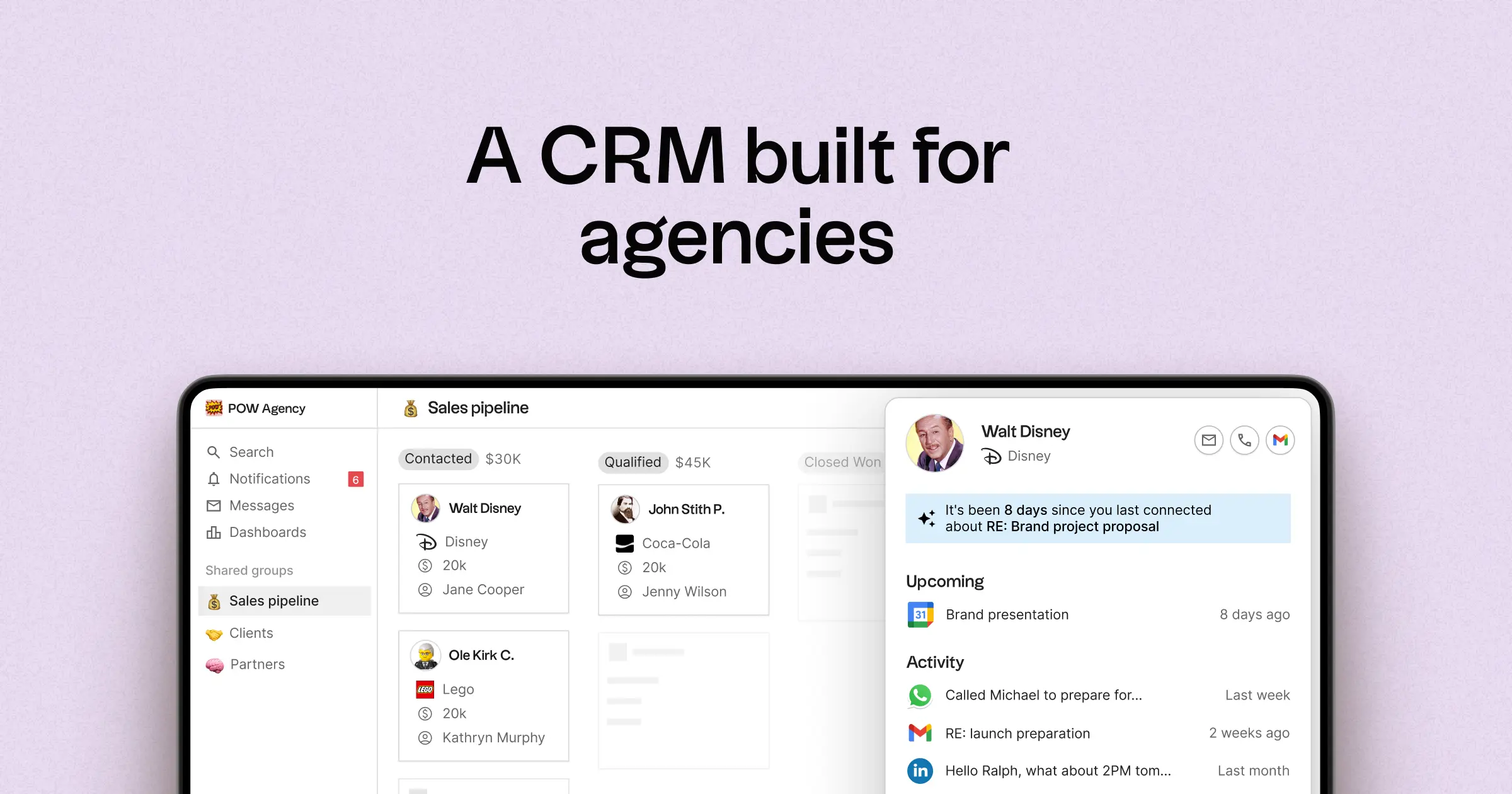
- Multi-pipeline and customizable stages for various agency processes
- Contact and deal timelines that consolidate interaction history in one location
- Email and calendar synchronization to link conversations to their respective records
- Tasks, reminders, and follow-up tracking to ensure standardized next steps
- Contact enrichment to provide missing company and contact details
- Deduplication tools to merge duplicates and maintain a clean database
- Simple pipeline reporting for monitoring stage health and deal progression
- Integrations and automation connectors to minimize manual updates
For agencies, the key benefit is operational clarity across multiple relationships. Pipelines can represent different revenue streams such as retainers, projects, partnerships, and referrals, while tasks and reminders help maintain consistent follow-ups across the team. Features for data hygiene, including enrichment and deduplication, tackle issues of duplicate records and incomplete fields, ensuring that pipeline reporting remains effective over time.
Conclusion
In summary, Pipedrive excels with its visual pipeline and minimal overhead, perfect for teams prioritizing rapid execution. Freshsales stands out with robust automation and customizable workflows, ideal for agencies needing comprehensive tracking. However, for teams that rely on seamless email integration, automation, and effective sequencing, folk emerges as the superior choice. Its centralized contact management, straightforward setup, and focus on operational clarity ensure that agency teams can maintain consistent follow-ups and enhance collaboration effortlessly.
Start your 14-day free trial or book a demo today.
Discover folk CRM
Like the sales assistant your team never had