


Discover folk - the CRM for people-powered businesses
Deciding between Pipedrive and Freshsales ultimately hinges on one key question: which CRM genuinely streamlines automation rather than adding extra admin tasks?
For teams that value simplicity, folk provides one of the most efficient and robust automation systems available in any CRM, enabling users to automate emails based on their defined conditions and execute actions via the API.
Why Automation Is Essential for CRM in 2026
Automation has become the cornerstone of contemporary revenue teams. Sales and marketing departments must manage an increasing number of leads, diverse channels, and intricate buying journeys without expanding headcount or compromising personalization. A CRM that still depends on manual data entry, sporadic follow-ups, and spreadsheet-style reporting quietly saps time, energy, and concentration away from meaningful customer interactions.
Here are the main reasons automation is now indispensable:
- Buyers anticipate swift, relevant responses across email, LinkedIn, WhatsApp, and calls.
- Pipelines progress quickly, and any missed follow-up can result in lost revenue.
- The volume of data has surged, rendering manual updates impractical and unreliable.
- Leadership requires real-time performance visibility, not end-of-month speculation.
The true value of a CRM lies in how much it alleviates the team's workload, rather than in the number of fields it can hold. The ideal platform is one that automatically captures activities, maintains organized records in the background, and prompts the appropriate next steps at the right time, allowing representatives to concentrate on nurturing relationships and closing deals instead of grappling with the tool.
What is Pipedrive?
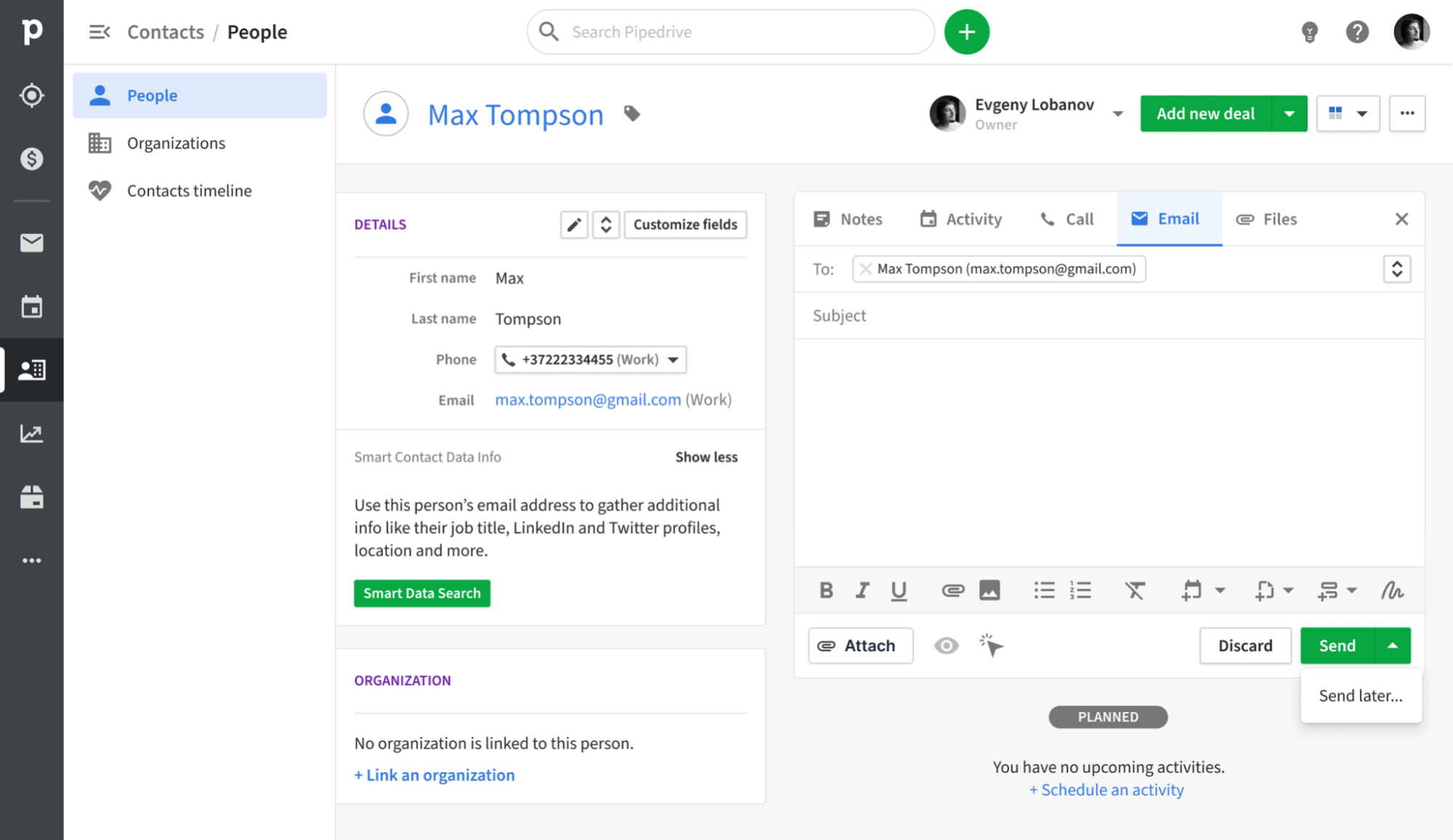
Pipedrive is a sales-centric CRM that revolves around a visual pipeline, enabling representatives to monitor deals from the initial contact to closure. It offers email synchronization with Gmail, Outlook, and other IMAP services, ensuring that every correspondence is automatically logged to the appropriate contact and deal. Featuring a built-in sales inbox along with tracking and essential campaign capabilities, Pipedrive allows teams to manage outreach and pipeline updates in one cohesive platform, eliminating the need for multiple tools.
What is Freshsales?

Freshsales is Freshworks' sales CRM tailored for small to mid-sized teams seeking an intuitive interface paired with robust automation. Users can integrate either Gmail or Microsoft 365 and opt for one-way or two-way synchronization, ensuring that email threads are seamlessly maintained between their mailbox and the CRM. With features such as templates, bulk emailing, and activity timelines, email becomes an integral part of how representatives engage with leads and opportunities.
Feature comparison of Pipedrive and Freshsales
Integration Capabilities
Pipedrive seamlessly integrates with Gmail and Outlook, utilizing IMAP for other providers to capture every inbound and outbound message linked to the corresponding contact or deal record. With the Smart Email BCC address feature, you can log messages without leaving your email client—simply add the dynamic BCC, and Pipedrive takes care of the rest. Its native calendar integration with Google and Microsoft ensures that all your meetings are automatically recorded on contact timelines, providing a comprehensive view of every customer interaction.
Freshsales complements this with native plugins for Gmail and Outlook, which display email threads, scheduling tools, and pertinent contact details directly in your inbox. After connecting, Freshsales automatically scans incoming emails for recognized contact addresses, logging conversations to minimize clutter while allowing you to select which folders to sync.
Sync Frequency and Reliability
Pipedrive’s email synchronization with Gmail and Outlook operates every few minutes, striking a balance between speed and system performance. Both outbound and inbound messages are captured and matched to contacts or deals in under five minutes, minimizing the chances of missing or delayed logs. The IMAP fallback adheres to standard IMAP IDLE protocols for push notifications, providing near-instant updates for compatible providers.
Freshsales utilizes native plugins to maintain a continuous connection with your Gmail or Outlook account, enabling real-time syncing of emails and calendar events. Incoming messages from recognized leads appear within seconds, while outgoing emails logged from the CRM are instantly reflected in your email thread. Calendar events are updated immediately as well, ensuring that meetings scheduled in Freshsales are promptly visible in your personal calendar without any delay.
Two-Way Email and Calendar Sync
With Advanced plans and above, Pipedrive’s Group Emailing feature allows you to select up to 100 contacts from any list and send bulk messages that include merge tags and reply tracking. The Pipedrive Campaigns add-on offers a dedicated module for crafting email journeys, segmenting audiences, and analyzing open and click rates, with all replies seamlessly linked to the appropriate deal or contact. However, the downside is that the Campaigns add-on comes at an additional cost, and its reporting capabilities are more limited compared to standalone email marketing platforms.
Freshsales provides native plugins for Gmail and Outlook, allowing you to choose between two-way or one-way email sync during setup, with two-way being the default setting. This ensures that both incoming and outgoing emails are instantly reflected in your CRM timeline. Additionally, Freshsales supports bi-directional sync with Google Calendar and Office 365, so appointments created in either your inbox or the CRM are mirrored in both places, keeping meeting history alongside email conversations in the same timeline.
Mail Merge and Campaigns
For users on Advanced plans and above, Pipedrive’s Group Emailing allows you to select up to 100 contacts from any list to send bulk messages that feature merge tags and reply tracking. The Pipedrive Campaigns add-on offers a dedicated module for crafting email journeys, segmenting audiences, and analyzing open and click rates, with all replies automatically mapped back to the correct deal or contact. However, it's important to note that the Campaigns add-on comes with an additional cost, and its reporting capabilities are more limited compared to dedicated email marketing platforms.
Freshsales, on the other hand, includes a comprehensive Marketing Campaigns module. Simply navigate to Campaigns > Email to create blasts or automated journeys based on user behaviors. Its drag-and-drop templates, dynamic segments, and analytics dashboards provide insights on delivery rates, opens, clicks, and unsubscribes. Furthermore, built-in retry logic and ISP throttling enhance deliverability. Keep in mind, though, that advanced features like heat-map click analysis or AI-driven send-time optimization require an upgrade to Freshmarketer.
Open and Click Tracking
Pipedrive offers “Track email opening” and “Track link opening” toggles, allowing you to capture opens and clicks for every sent message, complete with counts and timestamps in the Mail tab. You can enable or disable tracking for each email and easily identify who clicked which link directly in the deal view. However, it's important to note that Pipedrive’s reporting is limited to basic open and click rates, lacking built-in funnel visualization or heat-map insights unless you export the data to a BI tool.
In Freshsales, you can activate “Track opens and clicks” by navigating to Settings > Email Settings, ensuring that every email sent through the native plugin records open events and link clicks in the contact timeline. Delivery, open, and click metrics are visible in both the Deal dashboard and the Campaigns module. However, keep in mind that opens depend on image-based pixels; if a recipient blocks images or views links in preview panes, you may encounter underreported statistics.
In-Inbox CRM Experience
Pipedrive’s Gmail Add-on introduces a side panel in your inbox that allows you to access contact and deal information, update stages, and add new activities directly from Gmail. With instant access to Smart Email BCC, templates, and tracking toggles without leaving your inbox, you can create new leads or deals with just a click. It effectively transforms your mailbox into a Pipedrive cockpit. However, this in-inbox functionality is only available on Chrome or Edge, as there is no equivalent add-on for desktop Outlook.
Freshsales’ native plugins for Gmail and Outlook seamlessly embed your CRM sidebar within your inbox, displaying lead profiles, deal values, and previous email threads while you compose or read messages. You can log emails, schedule meetings, and initiate sequences effortlessly, with one-click synchronization back to Freshsales. Additionally, since the plugin integrates calendar events into the same view, you benefit from a cohesive blend of messages and appointments. However, if you prefer a different mail client, you'll need to rely on IMAP sync rather than the full plugin experience.
folk CRM: The Ultimate CRM for Automations
folk CRM is a cutting-edge, AI-driven CRM designed for teams eager to simplify their deal automation. It consolidates all relationships—leads, clients, partners, candidates, and investors—into versatile views that can adapt to any workflow.
folk is tailored for automation-first teams. With built-in email and calendar synchronization, it allows teams to manage follow-ups and outreach efficiently at scale. The introduction of conditional email automations enables you to trigger emails based on real-time data in folk; for instance, automatically sending onboarding or handoff emails when a contact transitions to a client or when a deal is marked as signed.
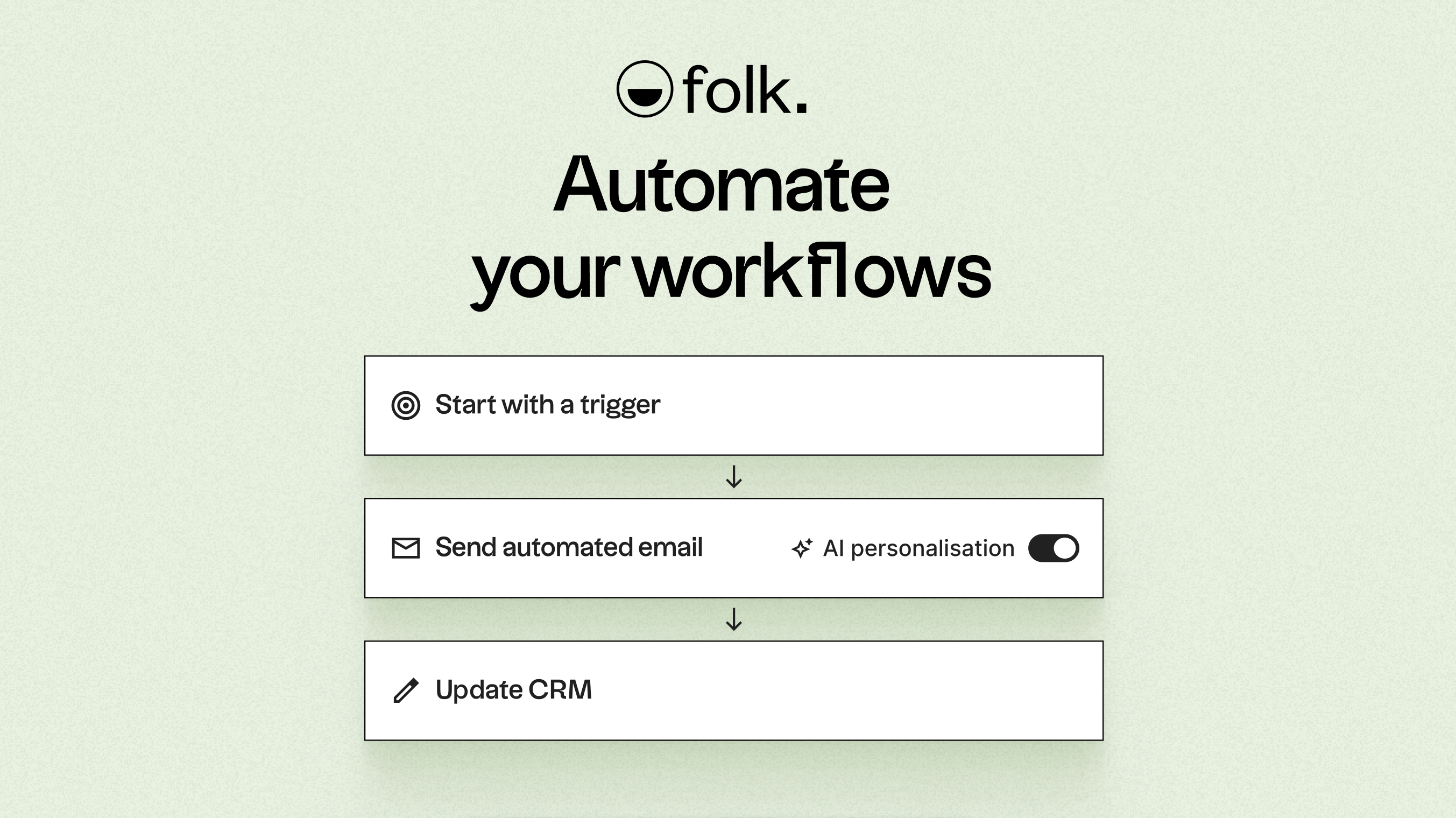
Fueled by AI, folk enhances data, crafts icebreakers, composes personalized emails, and recommends the next best actions. Its open API and webhooks integrate effortlessly with tools like Zapier and Make, facilitating complex workflows across platforms such as email, WhatsApp, Slack, billing, and internal systems.
With one-click contact capture through the folkX Chrome extension and collaborative pipelines, folk provides teams with an agile yet robust CRM for scaling automation while maintaining complete control. It also offers the folk mobile app to manage contacts and workflows on the go.
Conclusion
In conclusion, while Pipedrive excels with its visual pipeline and robust email integration, and Freshsales offers an intuitive interface with strong automation features, folk truly stands out as the best choice for teams focused on email integration, automation, and sequencing. folk combines advanced AI-driven features with seamless workflows, allowing teams to manage outreach and follow-ups efficiently. For those looking to optimize their automation strategy without complexity, folk is the top alternative. Experience folk CRM today.
Start your 14-day free trial or book a demo today.
Discover folk CRM
Like the sales assistant your team never had