


Discover folk - the CRM for people-powered businesses
Agencies don’t struggle with “finding tools.” They struggle with keeping pipeline execution consistent while delivery stays on track. With client interactions scattered across various platforms—emails, calendars, and spreadsheets—it's all too easy for follow-ups to fall through the cracks, handoffs to break down, and reliable forecasting to become a daunting challenge. A CRM for agencies must not only accelerate new business but also maintain sufficient account history to support essential activities like renewals, upsells, and referrals.
Pipedrive and Close offer distinct solutions to these challenges. Pipedrive emphasizes a visual pipeline and activity-centric follow-ups, designed to keep deals progressing with minimal operational complexity. In contrast, Close caters to high-volume outbound sales, integrating calling, email, SMS, and tasks into a cohesive workflow that supports agencies focused on consistent outreach and maintaining communication history.
Choosing the right CRM hinges on the complexity of your processes, the degree of customization needed, and the level of ongoing management your agency can commit to setup and administration.
Why Agencies Need a CRM in 2026?
Agencies don’t lose revenue because of a lack of demand. Revenue leaks when lead context gets scattered across inboxes, calendars, Slack threads, and spreadsheets, and when follow-ups depend on memory instead of a system. A CRM creates a single source of truth for prospects, clients, partners, and renewals, so next steps stay visible and ownership is clear.
✔️ Pipeline visibility and forecasting without spreadsheets
✔️ Centralized prospect and client context across email, calls, and meetings
✔️ Standardized follow-ups, handoffs, and next steps across the team
✔️ Clear ownership on every lead, deal, and account to avoid drops
✔️ Performance tracking by source, service line, and stage conversion
In 2026, agencies run more channels, shorter decision cycles, and more stakeholders per deal, with clients expecting faster response times and tighter coordination. Without a CRM, proposals stall, warm leads go cold, renewals happen late, and referrals are handled inconsistently because the team can’t see the full history and the current plan in one place.
What is Pipedrive?
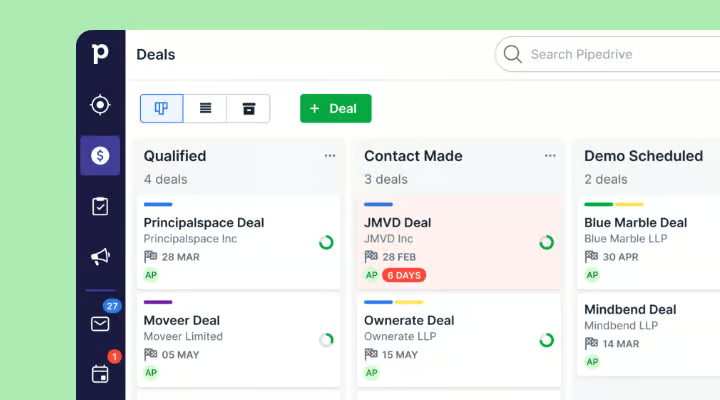
Pipedrive is a sales CRM that focuses on a visual pipeline and activity-based selling, making it a popular choice for agencies seeking straightforward deal tracking, clear next steps, and light process enforcement. Users can create multiple pipelines to differentiate between new business, renewals, or partnerships, while scheduled activities ensure follow-ups are organized and visible. With automations to streamline repetitive updates and reminders, Pipedrive is ideal for teams that prioritize speedy pipeline execution over a comprehensive “suite” approach.
What is Close?

Close is a sales CRM tailored for outbound execution, seamlessly integrating calling, email, SMS, and tasks into the daily workflow. It suits agencies that engage in high-volume prospecting, appointment setting, or sales development as core services. With pipelines and opportunity statuses to monitor progress, all communication history is accessible within the lead record. Sequences and automations facilitate consistent outreach and follow-up routines, making Close ideal for agencies where success hinges on regular outbound activity and rapid iteration.
Feature comparison of Pipedrive and Close
Multi-pipeline and custom stages
Pipedrive allows you to create multiple deal pipelines directly from the pipeline view, each with its own unique set of stages. You can easily edit stage attributes such as the stage name and probability, and modify the stages by adding or removing them as needed. This feature enables you to differentiate agency motions like new business, renewals, and partnerships by allocating them to separate pipelines, while ensuring that stage definitions remain tailored to each specific process.
Similarly, Close offers the flexibility to create multiple pipelines, allowing different teams or processes to utilize their own unique pipeline configurations. Each pipeline can have its own name and distinct set of opportunity statuses that serve as the stage structure. This capability facilitates the separation of operations such as new business, renewals, or service delivery tracking into dedicated pipelines without the need for shared statuses across all processes. You can also adjust the pipeline structure by modifying the opportunity statuses relevant to each specific pipeline.
Client and Deal Activity Tracking
Pipedrive activities encompass scheduled actions related to individuals, organizations, leads, deals, or projects, including calls, meetings, and follow-ups. You can set up calendar synchronization as either one-way or two-way, ensuring that Pipedrive activities and external calendar events remain aligned as needed. Logged activities are displayed on the relevant records, facilitating tracking of past actions and upcoming schedules for each account or deal.
In Close, calls, emails, SMS, and tasks are integrated into the CRM, allowing you to link them to the corresponding lead and opportunity context. All communication occurs within the platform, and activity history is accessible on records, enabling teams to review interactions and plan next steps. This setup aids in tracking sales efforts by logging outreach and follow-ups alongside lead and deal records. Depending on configuration, meetings and other touchpoints can also be managed from the same workspace.
Automation and Workflows
In Pipedrive, reporting is powered by Insights, which offers custom reports, dashboards, and goal tracking. Dashboards can be shared with teammates internally, and public links can be created for stakeholders to view dashboards without needing direct account access, granted permissions are set appropriately. Goals within Insights help monitor progress across deals, activities, and forecasts, tailored to your specific configuration and plan limits.
Close features automation through workflows that initiate actions based on events and objects like leads, contacts, and opportunities. These workflows can be triggered either manually or automatically, encompassing a range of automation functionalities such as email sequences, task reminders, and customizable workflow logic. Triggers may include lead events such as new leads, email interactions, or missed calls, depending on the workflow's setup. The precise steps and actions will vary based on how the workflow is configured in your account.
Reporting and Analytics
Pipedrive's reporting is facilitated through Insights, which features custom reports, dashboards, and goal tracking. Dashboards can easily be shared with team members, and if permissions permit, public links can be created to allow stakeholders to view a dashboard without needing direct account access. Goals within Insights monitor progress across deals, activities, and forecasts, based on your chosen configurations and plan limits.
In Close, sales reporting encompasses dashboards and reports that concentrate on pipeline health, activity tracking, lead conversion, and overall sales performance. Reports can be filtered by date ranges and various criteria, while dashboards can be tailored to highlight specific metrics. This reporting leverages CRM data as its foundation, meaning that activity and pipeline insights rely on logged data and how opportunities are organized. Additionally, forecasting and pipeline monitoring are supported through the comprehensive reporting framework outlined in Close’s reporting materials.
Integrations and Data Hygiene
Pipedrive offers a range of integrations through its Marketplace, allowing users to install apps and integrations directly from their account. To ensure data hygiene, the Merge Duplicates feature identifies potential duplicate contacts and organizations, providing a seamless workflow for merging records. Pipedrive also outlines how its duplicate identification adheres to specific rules based on its import logic, influencing how duplicates are recognized and suggested for merging.
In Close, integrations can be set up via the API and event-based webhooks, with support documentation highlighting the connection of external apps using tools like Zapier or Make through OAuth or API keys. Their data hygiene features include duplicate detection when adding new leads, options to prevent duplicates during imports, and the capability to merge leads when duplicates are identified. Import workflows incorporate duplicate checks against the uploaded files and existing leads, while merge actions consolidate records into a designated lead. These features are thoroughly documented in Close's help resources and product update notes.
folk: The Ultimate CRM for Agencies in 2026!
folk is an AI-driven CRM designed to consolidate contacts, conversations, and deal context without making setup a cumbersome task. It seamlessly accommodates agency teams where multiple members engage with the same account throughout prospecting, onboarding, delivery, and renewals. The system maintains a visible relationship history, ensuring that handoffs rely on documented information rather than memory or scattered notes.
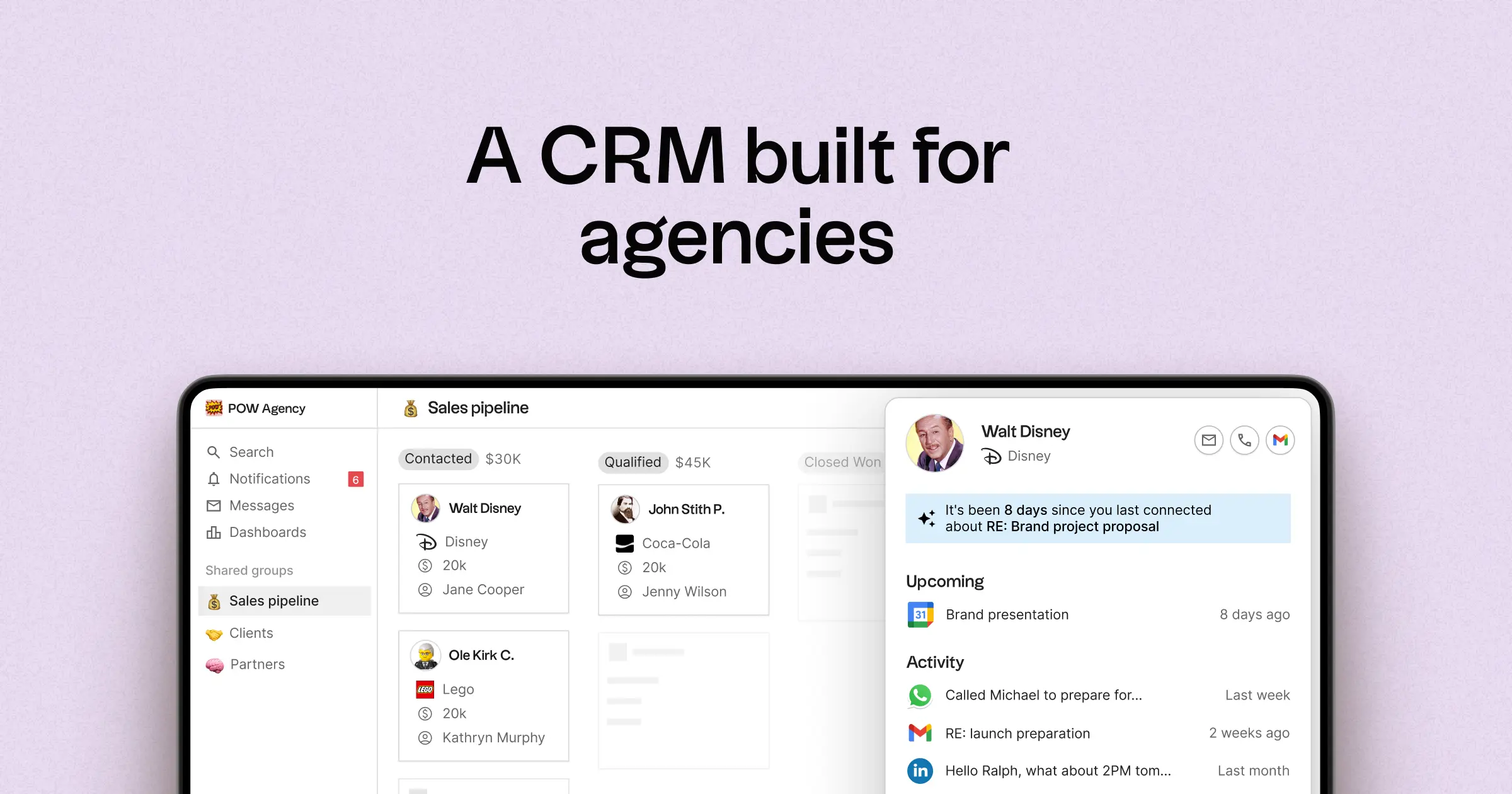
- Multi-pipeline capabilities with custom stages for various agency workflows
- Contact and deal timelines that centralize interaction histories
- Email and calendar sync to link conversations to their respective records
- Task management, reminders, and follow-up tracking for standardized next steps
- Contact enrichment to populate missing company and contact information
- Deduplication tools to merge duplicate entries and maintain a clean database
- User-friendly pipeline reporting to track stage health and deal progress
- Integrations and automation connectors to streamline updates and reduce manual effort
For agencies, the primary benefit lies in achieving operational clarity across simultaneous relationships. Pipelines can represent various revenue streams such as retainers, projects, partnerships, and referrals, while tasks and reminders ensure consistent follow-ups across the team. Data hygiene features like enrichment and deduplication minimize duplicate records and incomplete fields, preserving the usability of pipeline reporting over time.
Conclusion
In summary, Pipedrive excels with its visual pipeline and straightforward deal execution, making it ideal for teams prioritizing speed. Close offers a powerful solution for high-volume outbound efforts, integrating multiple communication channels effectively. However, for agencies focused on seamless email integration, automation, and consistent follow-ups, folk stands out as the superior choice. Its user-friendly design, robust timeline management, and commitment to data hygiene ensure that client relationships are maintained effortlessly, positioning teams for success in today’s fast-paced environment.
Start your 14-day free trial or book a demo today.
Discover folk CRM
Like the sales assistant your team never had