


Discover folk - the CRM for people-powered businesses
Deciding between Pipedrive and Clarify ultimately hinges on one key question: which CRM effectively saves time through automation rather than generating additional administrative tasks?
For teams that value simplicity, folk provides one of the most efficient and robust automation solutions available in any CRM. It enables users to automate emails based on predefined conditions and execute actions via the API.
Why Automation Is Essential for CRM in 2026
Automation has become fundamental for modern revenue teams. Sales and marketing departments are now expected to manage more leads, engage across multiple channels, and navigate complex buying journeys—all without increasing headcount or sacrificing personalization. A CRM that depends on manual data entry, sporadic follow-ups, and traditional spreadsheet reporting quietly siphons time, energy, and focus away from meaningful customer interactions.
Here are the main reasons why automation is indispensable:
- Buyers demand quick, relevant responses across email, LinkedIn, WhatsApp, and phone calls.
- Pipelines move swiftly, and any overlooked follow-up can result in lost revenue.
- The surge in data volume renders manual updates impractical and unreliable.
- Leadership requires real-time performance visibility instead of end-of-month estimations.
The true value of a CRM lies in how much it alleviates the team's workload, not in the number of fields it can accommodate. The ideal platform automatically captures activities, maintains organized records in the background, and prompts the appropriate next steps at the right time, allowing representatives to focus on nurturing relationships and closing deals rather than managing the tool itself.
What is Pipedrive?
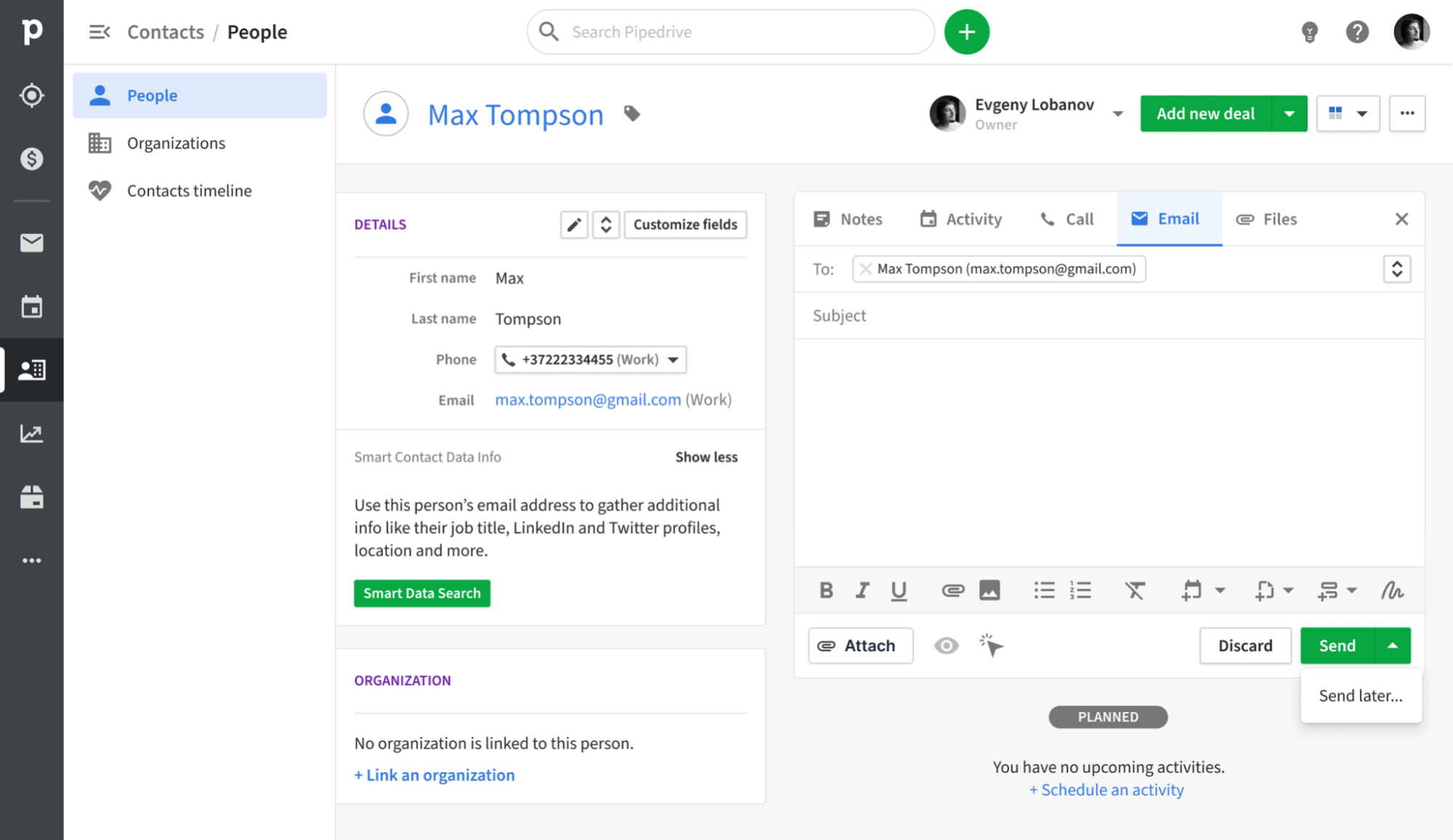
Pipedrive is a sales-centric CRM designed around a visual pipeline, enabling representatives to monitor deals from initial contact to closure. Its email synchronization integrates with Gmail, Outlook, and other IMAP services, ensuring every message is automatically logged to the appropriate contact and deal. Featuring a built-in sales inbox, tracking capabilities, and basic campaign tools, Pipedrive consolidates outreach and pipeline management in one accessible platform, eliminating the need to manage multiple tools.
What is Clarify?

Clarify is an AI-driven CRM tailored for startups and agile sales teams seeking a unified interface for email, meetings, and deal context. It seamlessly integrates with Google Workspace and Microsoft 365 to automatically sync emails, calendars, and meeting insights, utilizing this information to create timelines and propose AI-generated follow-ups. Users can compose and send emails directly from Clarify, ensuring engagement data is recorded back to contacts and deals, rather than being scattered in individual inboxes.
Feature comparison of Pipedrive and Clarify
Integration Capabilities
Pipedrive seamlessly syncs with Gmail and Outlook (with IMAP fallback for other providers), capturing all inbound and outbound messages tied to the appropriate contact or deal record. With the Smart Email BCC feature, you can log messages directly from your email client—just add the dynamic BCC address, and Pipedrive takes care of the rest. Native calendar integration for Google and Microsoft calendars ensures that all your meetings automatically appear on contact timelines, providing a comprehensive view of every customer interaction.
Clarify connects with Google Workspace and Microsoft 365, enabling sales teams to automatically capture Gmail, Outlook, calendar, and meeting activities in the CRM. It also integrates with tools like Zapier, Segment, Posthog, and webhooks to facilitate the movement of customer and product usage data in and out of the database. A forthcoming integration with Loops aims to send Clarify events to a SaaS-focused email platform without replacing it. Overall, Clarify concentrates on consolidating essential inbox and meeting data rather than offering an extensive native marketing ecosystem.
Sync Frequency and Reliability
Pipedrive’s email synchronization with Gmail and Outlook is engineered to operate every few minutes, striking a balance between immediacy and system efficiency. Both outbound and inbound messages are swiftly captured and linked to contacts or deals in less than five minutes, ensuring that you rarely face missing or delayed logs. The IMAP fallback adheres to standard IMAP IDLE protocols for push notifications, providing near-instant updates for compatible providers.
Clarify focuses on the automatic ingestion of email and calendar data rather than manual logging. Once Google Workspace or Microsoft 365 is linked, messages, events, and meeting details are synced in the background and aligned with the appropriate contacts, companies, and deals. The product copy highlights features like “auto-capture,” “auto-sync,” and maintaining a continuously updated CRM; however, it does not disclose detailed, user-facing sync schedules. As a newer tool, Clarify's integrations may not be as thoroughly tested as those of established CRMs, even though the essential email and calendar sync is marketed as a standard feature.
Two-Way Email and Calendar Sync
With Advanced plans and higher, Pipedrive’s Group Emailing allows you to select up to 100 contacts from any list to send bulk messages, complete with merge tags and reply tracking. Additionally, the Pipedrive Campaigns add-on offers a dedicated module for crafting email journeys, segmenting audiences, and analyzing open and click rates. All replies are automatically linked to the correct deal or contact. However, it's worth noting that the Campaigns add-on incurs additional costs, and its reporting capabilities are more limited compared to standalone email marketing platforms.
Clarify integrates with Gmail and Outlook, enabling both inbound and outbound emails to be incorporated into contact and deal timelines, which the AI agent can then use to provide follow-up suggestions. Following the July 2025 update, users will also be able to send emails directly from Clarify, with both the sent messages and replies recorded back to the appropriate records. Calendar events and meeting summaries from platforms like Zoom or Microsoft Teams are integrated into the same timelines, providing teams with a comprehensive two-way view of conversations and meetings. In practice, this functionality supports everyday sales follow-up rather than sophisticated marketing automation.
Mail Merge and Campaigns
On Advanced plans and above, Pipedrive’s Group Emailing allows you to select up to 100 contacts from any list and send bulk messages using merge tags and reply tracking. The Pipedrive Campaigns add-on offers a dedicated module for creating email journeys, segmenting audiences, and analyzing open and click rates. All replies are automatically linked to the appropriate deal or contact. However, it's important to note that the Campaigns add-on comes at an additional cost, and its reporting capabilities are more limited compared to standalone email marketing platforms.
Clarify enables representatives to send personalized follow-up emails directly from the CRM, often drafted with the help of its AI agent based on meeting and email context. Nevertheless, external reviews and Clarify’s own marketing emphasize that the product does not currently support full multi-channel sequences or traditional mail merge-style bulk campaigns. For nurture streams and onboarding journeys, teams are encouraged to use external tools like Loops or other marketing platforms integrated with the CRM. Consequently, Clarify remains focused on sales communication and maintaining pipeline hygiene, while more established CRMs take on the heavier lifting of campaign management.
Open and Click Tracking
Pipedrive offers “Track email opening” and “Track link opening” toggles, allowing you to capture opens and clicks for every sent message, complete with counts and timestamps in the Mail tab. You can easily enable or disable tracking for each email and view exactly who clicked on which link directly within the deal view. However, it's important to note that Pipedrive’s reporting is limited to basic open and click rates—there are no built-in funnel visualizations or heat-map insights without exporting the data to a BI tool.
Clarify positions itself around CRM email tracking and features content focused on tools that monitor opens, clicks, and replies for sales emails. The goal is to gather essential engagement signals from emails sent through connected inboxes or directly from Clarify, then display that activity on timelines and in follow-up suggestions. This approach enables sales teams to identify who is engaging and determine the optimal time to reach out again, all without transforming Clarify into a full analytics solution. In comparison to specialized email platforms, reporting on these interactions is relatively straightforward and aligns more with deal workflows than in-depth marketing reports.
In-Inbox CRM Experience
Pipedrive’s Gmail Add-on adds a convenient side panel to your inbox, allowing you to view contact and deal information, update stages, and add new activities directly within Gmail. Enjoy instant access to Smart Email BCC, templates, and tracking toggles without leaving your inbox, and create new leads or deals with just one click. It effectively transforms your mailbox into a Pipedrive cockpit. However, this in-inbox functionality is limited to Chrome or Edge, as there is no similar add-on for desktop Outlook.
In contrast, Clarify primarily maintains the experience within its own web and macOS apps, integrating with Gmail and Outlook rather than serving as a traditional CRM sidebar in the inbox. Users can access timelines, meeting summaries, and AI-suggested follow-ups in Clarify, enabling them to send or schedule emails while still using their preferred mail clients. For teams that operate entirely within Gmail or Outlook, this approach feels more like a connected workspace than a conventional “CRM inside the inbox” extension. The development roadmap focuses on centralizing tasks and AI functionalities within Clarify itself, avoiding the need for complex UI add-ons in every email client.
folk CRM: The Best CRM for Automations
folk CRM is a cutting-edge, AI-native CRM tailored for teams that aim to simplify deal automation. It consolidates all relationships—leads, clients, partners, candidates, and investors—into adaptable views that fit any workflow.
folk is crafted for teams that prioritize automation. With built-in email and calendar synchronization, teams can efficiently automate follow-ups and outreach on a large scale. The new conditional email automations allow you to send emails based on real-time data in folk, such as automatically dispatching onboarding or handoff emails when a contact transitions to a client or a deal is marked as signed.
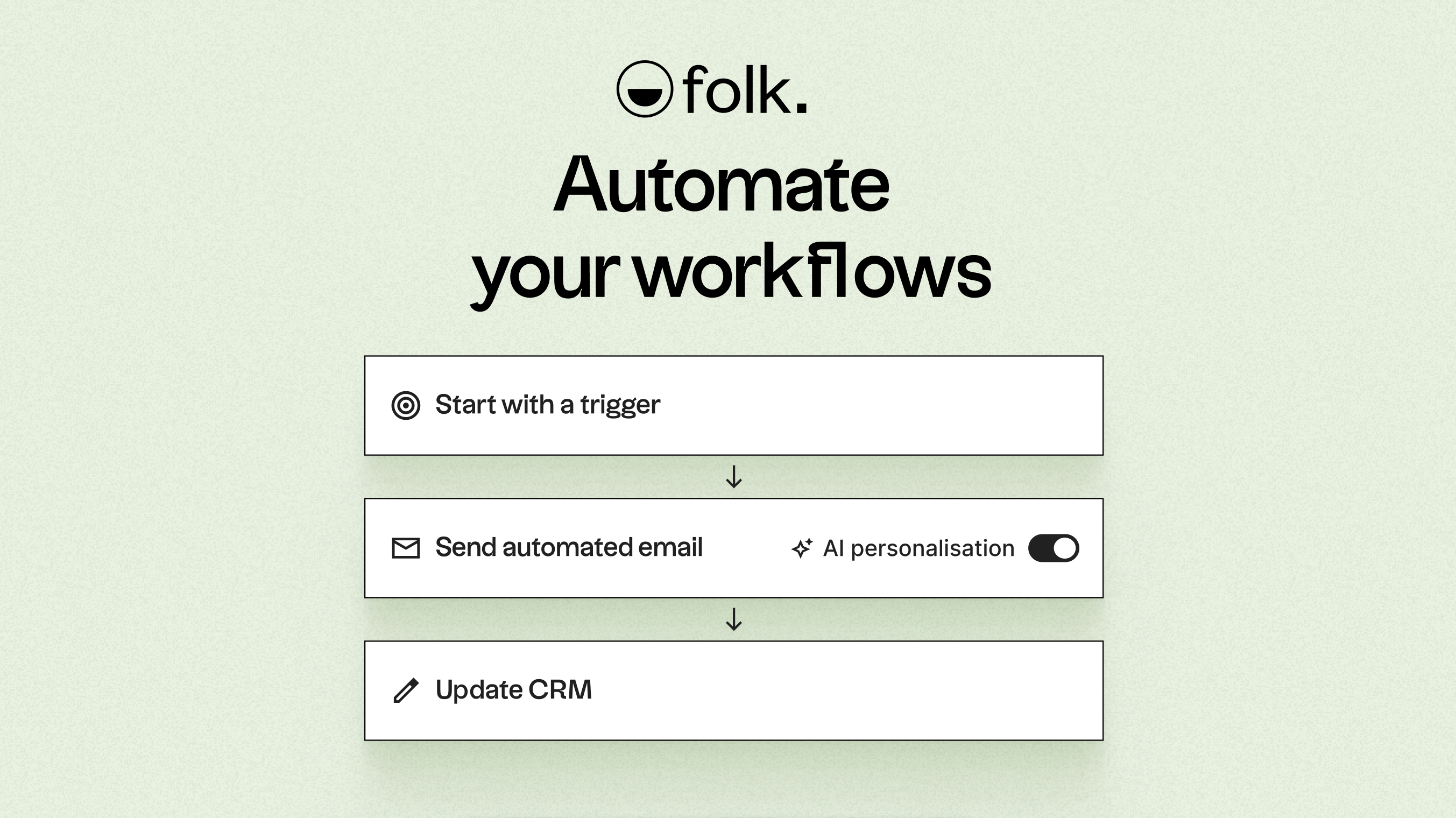
With AI capabilities, folk enhances data, generates icebreakers, drafts personalized emails, and recommends the next best actions. Its open API and webhooks integrate smoothly with tools like Zapier and Make, facilitating advanced workflows across email, WhatsApp, Slack, billing, and internal systems.
Offering one-click contact capture through the folkX Chrome extension and collaborative pipelines, folk empowers teams with a lightweight yet robust CRM designed to scale automation while maintaining full control. There's also the folk mobile app for managing contacts and automations on the go.
Conclusion
In conclusion, while Pipedrive excels with its user-friendly visual pipeline and robust email synchronization, and Clarify shines as a streamlined solution for agile teams seeking automatic logging and AI-driven follow-ups, folk stands out as the premier choice for teams reliant on advanced automation. With its seamless email integration, conditional automations, and flexibility across multiple channels, folk empowers teams to enhance productivity and engagement without the complexity of traditional CRMs. Try folk CRM for free.
Start your 14-day free trial or book a demo today.
Discover folk CRM
Like the sales assistant your team never had