


Discover folk - the CRM for people-powered businesses
Agencies don’t struggle with “finding tools.” They struggle with keeping pipeline execution consistent while delivery stays on track. When prospect context lives across inboxes, calendars, and spreadsheets, follow-ups slip, handoffs break, and forecasting becomes guesswork. A CRM for agencies has to keep new business moving fast while preserving enough account history to support renewals, upsells, and referrals.
HubSpot and monday.com address this challenge from distinct perspectives. HubSpot is a robust CRM platform that combines sales, marketing, and service tools into a single user-friendly environment, ideal for agencies prioritizing integrated solutions. Conversely, monday.com offers a highly customizable approach, allowing teams to design workflows that fit their unique processes while maintaining flexibility in client and project management.
The right choice between HubSpot and monday.com hinges on the agency’s specific needs for structure versus adaptability, the complexity of its operations, and how much customization it requires to streamline its processes.
What is HubSpot?
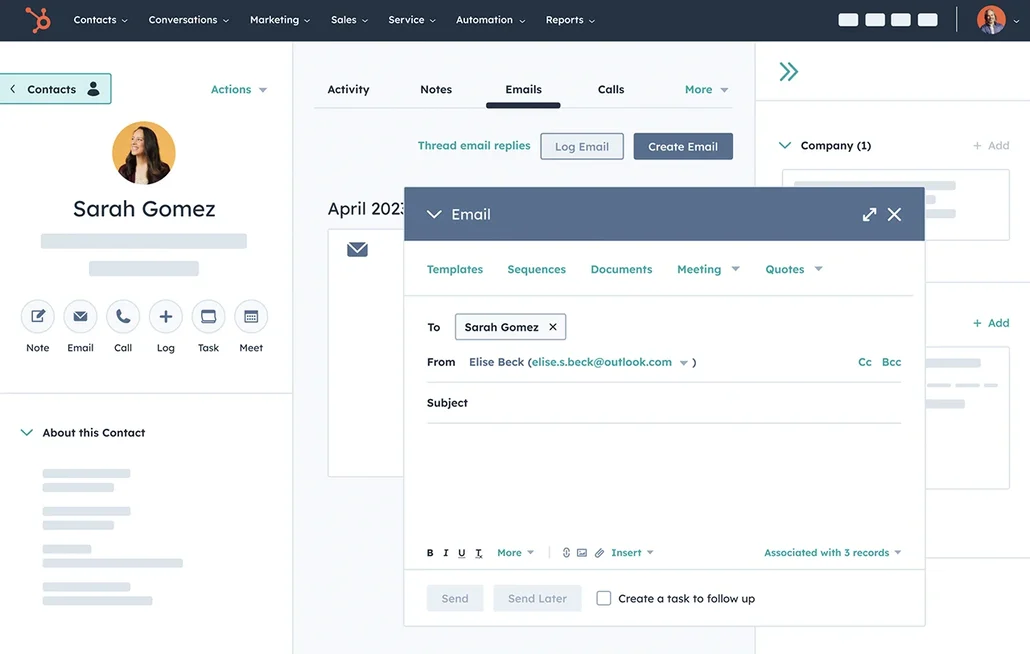
HubSpot is a comprehensive CRM platform that integrates sales tools with marketing and service functionalities within a single ecosystem. It is particularly beneficial for agencies that require pipeline tracking alongside lead capture, email campaigns, and lifecycle reporting all in one location. Depending on the plan, teams can define their pipelines, log activities, and automate follow-ups through workflows. The app marketplace accommodates popular agency tools and client-facing systems, making it a preferred choice for agencies seeking both CRM and complementary go-to-market solutions from a single vendor.
What is monday?

monday CRM is a customizable CRM built on monday.com boards, featuring adjustable columns and views to model sales and account workflows. It is ideal for agencies already utilizing monday.com for delivery that wish to incorporate sales, onboarding, and client operations into a unified workspace. Pipeline views and dashboards enhance visibility, while automations facilitate handoffs and reminders triggered by status changes. Integrations link marketing, forms, and communication tools depending on the tech stack. This option is often preferred when flexibility and workflow modeling take precedence over conventional CRM structures.
Feature comparison of HubSpot and monday
Multi-pipeline and Custom Stages
HubSpot enables the creation and management of deal pipelines centered around stages, which can be easily adjusted in the pipeline settings. As deals progress, they move through these defined stages, and any stage definitions can be modified to reflect how an agency qualifies and finalizes work. Separate pipelines can effectively track various processes, such as new business versus renewals or distinct service lines, while ensuring that stages remain unique to each pipeline.
In monday CRM, pipeline setup typically occurs on the Deals board, where deals transition through a clearly defined set of stages. These stages can be customized to align with the agency's sales process, and the pipeline view helps visualize progress at each stage. By separating boards and stage structures, different workflows can be modeled to suit the organization of accounts, while stage logic remains linked to the configuration of the board and its columns.
Client and Deal Activity Tracking
HubSpot efficiently records activities on timelines, enabling users to log and associate calls, emails, meetings, notes, and tasks with contacts, companies, and deals. This activity data can populate properties such as the last activity date based on recorded interactions. Users can filter activity timelines and link activities across related records, ensuring that a deal and its associated contact share the same logged context.
In monday CRM, activity tracking is managed through the Emails and Activities feature, which integrates with Gmail or Outlook to log communications and display them on a timeline. This feature allows for email logging and tracking, in addition to supporting various activity types such as meeting notes, call summaries, and custom activities. This customization ensures that the activity log reflects how an agency documents client interactions, making the timeline a valuable resource for reviewing past actions and planning future steps.
Automation and Workflows
HubSpot offers comprehensive sales reporting through dashboards, a sales analytics suite, and custom reporting tools. Reports can be saved to dashboards for easy access and shared with users who have the necessary permissions. With the report builder, you can create custom reports to analyze CRM objects and activities, applying filters and selecting datasets tailored to your reporting needs.
In monday CRM, automation rules utilize trigger-action recipes that respond to changes such as status updates, due dates, item creation, and movement across boards. These automations can send notifications, assign owners, update fields, and create items based on predefined conditions. This functionality is often employed to streamline handoffs when a deal progresses through stages or to generate follow-up tasks as deadlines approach. The specific actions taken depend on the chosen recipe and the configuration of columns.
Reporting and Analytics
HubSpot offers comprehensive sales reporting via dashboards, the sales analytics suite, and custom reporting tools. Users can save reports to dashboards and share them with authorized individuals. The report builder enables the creation of custom reports to analyze CRM objects and activities, allowing for filtering and dataset selection tailored to specific reporting requirements.
In monday CRM, reporting is primarily conducted through dashboards that aggregate data from one or multiple boards, presenting it through widgets like charts and tables. While dashboards facilitate real-time monitoring, reports provide more in-depth analyses generated on demand based on workflow needs. Pipeline visibility is determined by the structure of the Deals board and the metrics visualized on the dashboard. Access and sharing are controlled through account permissions and dashboard configurations.
Integrations and Data Hygiene
HubSpot seamlessly connects with external tools via its app marketplace, offering a range of integrations tailored for sales, marketing, and operations. To ensure data hygiene, HubSpot features various data quality tools, including deduplication workflows to detect and manage duplicates, formatting issue detection, and enrichment coverage tools based on your plan. These capabilities are found under Data Management and Data Quality, where teams can review issues and implement fixes for records and properties.
On the other hand, monday CRM enables integrations through native connectors and automation platforms like Zapier, allowing for the synchronization of items and workflow triggers across various applications. Their documentation emphasizes that CRM integration focuses on syncing customer data across business tools to minimize manual entry. For maintaining data hygiene, monday.com offers a Manage Duplicates feature, which helps identify and resolve duplicate items on boards—crucial when leads come in through imports and integrations. The cleanliness of data largely hinges on the design of board structures and the flow of incoming data.
folk: The Best CRM for Agencies in 2026!
folk is an AI-driven CRM designed to streamline the centralization of contacts, conversations, and deal contexts without complicating the setup process. It is ideal for agency teams where multiple members are involved with the same account during prospecting, onboarding, delivery, and renewals. The system maintains a clear record of relationship history, ensuring that handoffs don’t rely on memory or scattered notes.
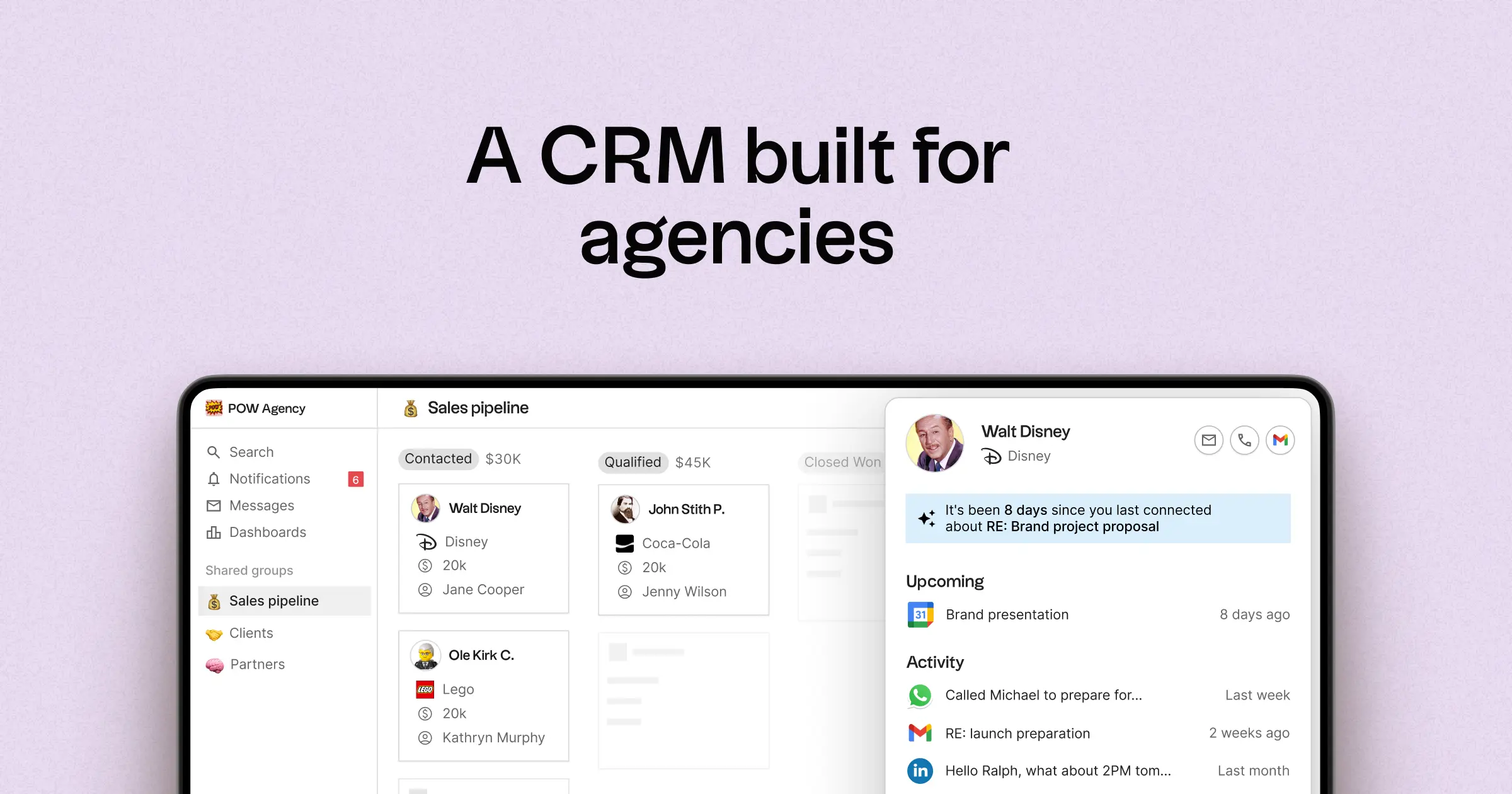
- Multi-pipeline and customizable stages tailored for various agency activities
- Contact and deal timelines that consolidate interaction history
- Email and calendar synchronization to link conversations with the appropriate records
- Task management, reminders, and follow-up tracking to standardize next steps
- Contact enrichment features to complete missing company and contact information
- Deduplication tools to merge duplicates and maintain a clean database
- Simple pipeline reporting to track stage health and deal progression
- Integrations and automation connectors to minimize manual updates
- folk mobile app — manage contacts and deals on the go
For agencies, the key advantage lies in operational clarity across concurrent relationships. Pipelines can be customized to reflect different revenue streams such as retainers, projects, partnerships, and referrals, while tasks and reminders ensure consistent follow-ups across the team. Data hygiene features, including enrichment and deduplication, help eliminate duplicate records and fill in missing fields, which keeps pipeline reporting effective over time.
Conclusion
In summary, HubSpot excels with its comprehensive suite, ideal for agencies requiring integrated sales, marketing, and service tools, while monday.com offers flexibility and customization for teams that prioritize adaptable workflows. However, for agencies that heavily rely on email integration, automation, and efficient sequencing, folk stands out as the ultimate solution. It delivers streamlined contact management, enhances team collaboration, and ensures data hygiene, making it the best choice for maintaining operational clarity and consistent follow-ups across multiple accounts.
Start your 14-day free trial or book a demo today.
Discover folk CRM
Like the sales assistant your team never had