


Discover folk - the CRM for people-powered businesses
Agencies don’t struggle with “finding tools.” They struggle with managing complex client relationships while ensuring that project delivery remains on schedule. When critical information about prospects is scattered across emails, calendars, and various platforms, follow-ups can fall through the cracks, handoffs may falter, and accurately forecasting sales becomes a daunting task. A CRM for agencies must facilitate swift progression of new business opportunities while also preserving vital account history, which is essential for supporting renewals, upsells, and referrals.
HubSpot and Zoho CRM address these challenges, albeit from distinct perspectives. HubSpot presents a comprehensive ecosystem that integrates sales, marketing, and service functions, designed to streamline processes for agencies by offering robust pipeline management and automation capabilities. In contrast, Zoho CRM emphasizes customization and flexibility, allowing agencies to tailor their CRM experience to suit diverse needs while maintaining organizational efficiency.
The optimal choice hinges on the specific needs of your agency, including the complexity of processes, the level of desired customization, and the resources available for ongoing CRM management and administration.
What is HubSpot?
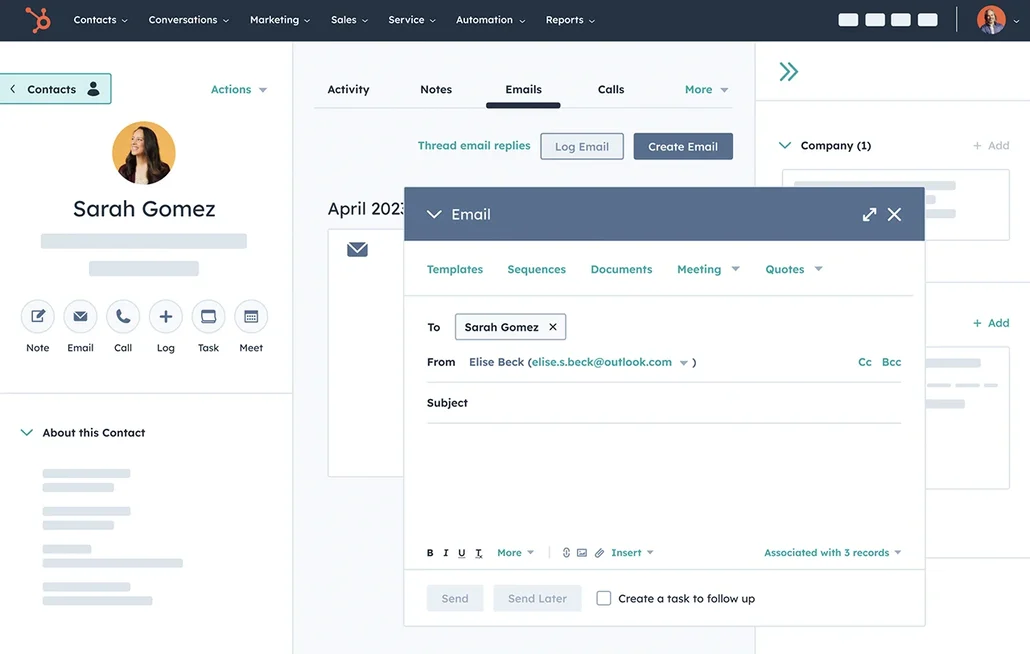
HubSpot is a comprehensive CRM platform that integrates sales tools with marketing and service functions within a unified ecosystem. It is particularly beneficial for agencies seeking to manage pipeline tracking, lead capture, email campaigns, and lifecycle reporting all in one place. Depending on the selected plan, teams can customize pipelines, record activities, and automate follow-ups through workflows. Additionally, the app marketplace accommodates popular agency tools and client-facing systems, making it a preferred choice for agencies wanting a single vendor for both CRM and ancillary go-to-market tools.
What is Zoho CRM?
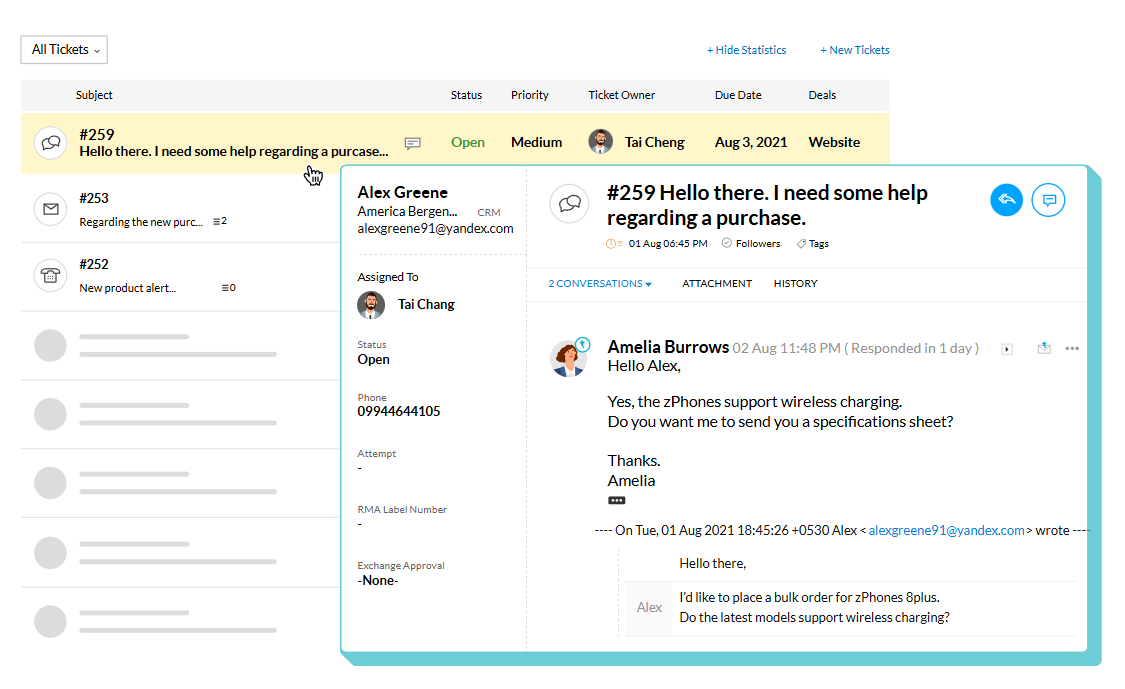
Zoho CRM is a customizable CRM solution that resides within the larger Zoho business software ecosystem. It serves agencies that require pipeline management, activity tracking, automation rules, and reporting capabilities, while also enabling connections with other Zoho applications when necessary. With support for multiple pipelines and layouts, it can accommodate various service lines or sales approaches. Furthermore, marketplace extensions and integrations allow for connectivity with external tools beyond the Zoho suite, making it an ideal choice for agencies seeking extensive functionality and flexibility in sales, operations, and reporting.
Feature comparison of HubSpot and Zoho CRM
Multi-pipeline and Custom Stages
HubSpot allows the creation and management of deal pipelines organized by stages through its pipeline settings. Deals progress through these defined stages, which can be customized to reflect how an agency qualifies and closes work. Agencies can implement separate pipelines to track varying processes, such as new business versus renewals, or different service lines, ensuring that stages remain distinct for each pipeline.
Similarly, Zoho CRM offers support for multiple sales pipelines, enabling teams to rename, add, remove, and rearrange pipeline stages as their processes evolve. Pipelines can be linked to layouts, allowing for the separation of different sales motions while utilizing the same Deals module. Stage adjustments are handled in pipeline settings, and any removed stages are retained in the stage builder, accommodating agency setups that require unique stage logic for each service line or sales motion.
Client and Deal Activity Tracking
HubSpot effectively organizes activities on record timelines, enabling users to log and associate calls, emails, meetings, notes, and tasks with contacts, companies, and deals. This activity data is instrumental in populating properties such as the last activity date, based on the logged interactions. Users can filter activity timelines and link activities across related records, ensuring that a deal and its associated contact share a unified logged context.
In Zoho CRM, activity tracking revolves around tasks, events, and calls, all of which can be reviewed through CRM views and record-related lists. The activity views in Zoho CRM neatly arrange items by their creation time, allowing users to open any activity to see pertinent details, including notes, history, attachments, upcoming actions, and email conversations. Additionally, the Closed Activities lists highlight completed tasks, calls, and meetings associated with a record, providing a comprehensive log of past events and future schedules.
Automation and Workflows
HubSpot offers comprehensive sales reporting through its dashboards, the sales analytics suite, and customizable reporting tools. These reports can be saved to dashboards and shared with authorized users. With the report builder, you can create custom reports to analyze CRM objects and activities, applying filters and selecting datasets according to your reporting needs.
In Zoho CRM, workflow rules enable automation of actions when certain conditions are met, such as sending email notifications, assigning tasks, and updating record fields. Workflows are tailored to specific record types and activate based on predefined triggers within the rule. Additionally, Zoho CRM tracks workflows as part of its sales force automation features, allowing users to monitor changes to workflow rules and performance indicators based on their settings. This functionality is commonly used to standardize follow-ups and facilitate internal transitions related to deal changes.
Reporting and Analytics
HubSpot offers sales reporting through its dashboards, the sales analytics suite, and custom reporting tools. Users can save reports to dashboards and share them with those who have access. The report builder allows for the creation of custom reports to analyze CRM objects and activities, tailored with filtering and dataset selection based on specific reporting needs.
In Zoho CRM, reporting features include standard reports organized by module, along with customization options to meet business requirements. Users can leverage dashboards and analytics tools to track their pipeline and compare sales metrics, including the forecast reporting concepts outlined in Zoho’s analytics resources. For more in-depth reporting, Zoho Analytics can integrate with Zoho CRM data, enabling the generation of additional reports and dashboards, with various sharing and scheduling options based on the configuration. Pipeline visibility is influenced by the configuration of deals, stages, and activities.
Integrations and Data Hygiene
HubSpot seamlessly connects with external tools through its app marketplace, showcasing integrations tailored for sales, marketing, and operations. For maintaining data hygiene, HubSpot offers robust data quality tools, including deduplication workflows that help identify and manage duplicates, detect formatting issues, and provide enrichment coverage based on your plan. These features are housed under Data Management and Data Quality, allowing teams to review problems and implement fixes for records and properties.
On the other hand, Zoho CRM offers integrations through Zoho Marketplace and its integrations layer, which organizes connectors and extensions by various use cases. It also provides effective duplication management features such as duplicate checks, merge tools, and an auto-merge de-duplicate tool that identifies and merges exact matches while allowing for manual conflict resolution when necessary. Additionally, Zia data enrichment can enhance records by adding company context fields based on configured mappings, depending on what is enabled. These features aim to minimize duplicates and enhance record completeness over time.
folk: The Best CRM for Agencies in 2026!
folk is an AI-driven CRM crafted to centralize contacts, conversations, and deal contexts without complicating the setup process. It seamlessly supports agency teams where multiple individuals handle the same account throughout prospecting, onboarding, delivery, and renewals. This system ensures that relationship histories remain visible, so transitions don’t rely on memory or scattered notes.
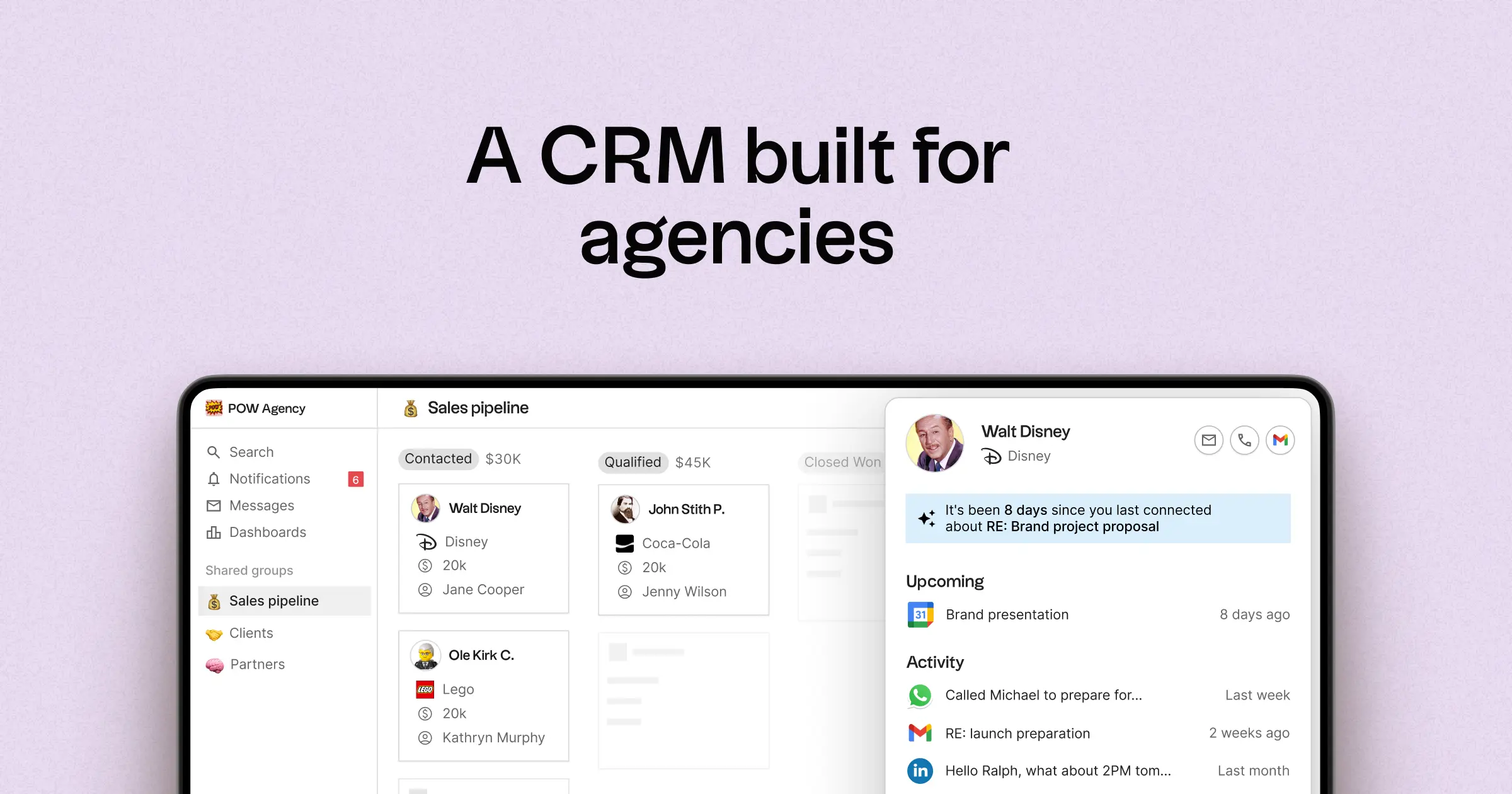
- Multi-pipeline capabilities and custom stages tailored for various agency workflows
- Contact and deal timelines that consolidate interaction histories in one accessible location
- Email and calendar synchronization to link conversations with the appropriate records
- Task management, reminders, and follow-up tracking to ensure standardized next steps
- Contact enrichment to populate any missing company and contact information
- Deduplication tools to merge duplicate entries and maintain a clean database
- Simple pipeline reporting for monitoring stage health and deal advancement
- Integrations and automation connectors to minimize manual updates
- folk mobile app to manage contacts and conversations on the go
For agencies, the primary advantage lies in achieving operational clarity across multiple relationships. Pipelines can represent various revenue streams, including retainers, projects, partnerships, and referrals, while tasks and reminders ensure consistent follow-ups within the team. Data hygiene features, such as enrichment and deduplication, eliminate duplicate records and incomplete fields, allowing for reliable pipeline reporting over time.
Conclusion
In summary, HubSpot excels with a unified ecosystem for agencies needing integrated sales, marketing, and service functions, while Zoho CRM offers extensive customization and flexibility for varied processes. However, folk stands out as the superior choice for teams that prioritize email integration, automation, and streamlined sequencing. Its focus on relationship management, multi-pipeline support, and robust data hygiene ensures that agencies can efficiently handle complex client interactions without the overhead of cumbersome configurations. For clarity and effectiveness, folk is truly unmatched.
Start your 14-day free trial or book a demo today.
Discover folk CRM
Like the sales assistant your team never had