


Discover folk - the CRM for people-powered businesses
Choosing between HubSpot and Freshsales ultimately hinges on one key question: which CRM effectively streamlines automation without creating additional administrative burdens? For teams that prioritize simplicity, folk provides one of the most efficient and powerful automation solutions available in any CRM, enabling users to automate emails based on defined conditions and leverage API-driven actions.
Why Automation Is Essential for CRM in 2026
In today's landscape, automation has become fundamental for modern revenue teams. Sales and marketing are tasked with managing more leads, navigating multiple channels, and addressing increasingly complex buying journeys—all without increasing headcount or compromising personalization. A CRM that continues to depend on manual data entry, sporadic follow-ups, and spreadsheet-style reporting inevitably drains time, energy, and focus away from meaningful customer interactions.
Here are the primary reasons why automation has become indispensable:
- Buyers demand swift and relevant responses across various platforms, including email, LinkedIn, WhatsApp, and phone calls.
- Pipelines are moving faster, and missing a follow-up can lead to lost revenue.
- The volume of data has surged, making manual updates both impractical and unreliable.
- Leadership requires real-time visibility into performance rather than relying on end-of-month estimates.
The true value of a CRM lies in how much work it alleviates for the team, not in the number of fields it can accommodate. The most effective platform is the one that automatically captures activities, maintains clean records in the background, and prompts the appropriate next steps at the right time, allowing representatives to concentrate on nurturing relationships and closing deals rather than managing the tool itself.
What is HubSpot?

HubSpot is a comprehensive CRM platform that integrates marketing, sales, and customer service into a single contact database. With seamless email integration, users can connect their personal Gmail and Outlook accounts to send personalized emails, log responses, and initiate sequences directly from either the CRM or their inbox. Features like open and click tracking, customizable templates, and shared timelines enhance visibility of email activities across the entire revenue team.
What is Freshsales?

Freshsales by Freshworks is a sales CRM tailored for small to mid-sized teams seeking an intuitive interface coupled with robust automation features. Users have the option to connect Gmail or Microsoft 365, allowing for either one-way or two-way sync to keep email threads aligned between their mailbox and the CRM. This, combined with templates, bulk emailing capabilities, and activity timelines, positions email as a vital component in managing leads and opportunities.
Feature comparison of HubSpot and Freshsales
Integration Capabilities
HubSpot provides seamless two-way email integration with Gmail, Outlook, and any IMAP-compatible provider, enabling you to send personalized emails directly from contact records while automatically logging every reply in your CRM timeline. Its built-in scheduler creates meeting events in Google Calendar or Office 365, complete with automatic guest invites and timeline entries for enhanced visibility.
Freshsales features native plugins for Gmail and Outlook that display email threads, scheduling tools, and relevant contact information right alongside your inbox. Once connected, Freshsales automatically logs conversations by scanning incoming emails for recognized contact addresses, helping reduce clutter by allowing you to select which folders to sync.
Sync Frequency and Reliability
HubSpot’s email synchronization works in near real-time with Gmail and Outlook, usually reflecting changes within seconds to a minute. Once your account is connected, HubSpot keeps a constant connection through OAuth, continuously pushing and pulling message data to ensure your CRM timeline is always current. This reliability is enhanced by HubSpot’s global cloud infrastructure, which boasts an impressive 99.99% uptime for its core services.
Freshsales connects through native plugins that establish a constant link to your Gmail or Outlook account, syncing email and calendar events in real time. Incoming messages from known leads appear within seconds, and any outgoing emails logged in the CRM are instantly reflected in your email thread. Calendar events are updated immediately as well, ensuring that meetings scheduled in Freshsales appear in your personal calendar without any delay.
Two-Way Email and Calendar Sync
HubSpot’s Sales Hub Professional and Enterprise provide powerful one-to-one sequences, allowing you to enroll up to 50 contacts at once and send hundreds of personalized emails daily per user. Its intuitive drag-and-drop sequence builder streamlines template creation, timing, and reply tracking, while Marketing Hub enhances capabilities for larger audiences with features like segmentation, A/B testing, and comprehensive analytics on opens, clicks, and bounces. However, since the most advanced campaign functionalities are within Marketing Hub, Sales Hub users without this add-on encounter limitations on total sends and basic reporting.
Freshsales features native plugins for Gmail and Outlook, offering a choice of two-way or one-way email sync during setup, with two-way sync as the default. This ensures that both incoming and outgoing emails seamlessly integrate with your CRM timeline. Additionally, Freshsales supports bi-directional calendar sync with Google Calendar and Office 365, allowing appointments scheduled in either your inbox or the CRM to reflect across both platforms, so your meeting history is conveniently alongside your email conversations.
Mail Merge and Campaigns
HubSpot’s Sales Hub Professional and Enterprise offer powerful one-to-one sequences, allowing you to enroll up to 50 contacts simultaneously and send hundreds of personalized emails per user daily. The intuitive drag-and-drop sequence builder simplifies template creation, manages delays, and detects replies, while Marketing Hub expands your reach to thousands of recipients through advanced segmentation, A/B testing, and comprehensive analytics on opens, clicks, and bounces. However, since the most advanced campaign features reside in Marketing Hub, Sales Hub users without this add-on encounter limitations on total sends and access to basic reporting.
Freshsales features a complete Marketing Campaigns module—simply navigate to Campaigns > Email to launch email blasts or set up automated Journeys based on user behaviors. With drag-and-drop templates, dynamic segments, and analytics dashboards that track delivery rates, opens, clicks, and unsubscribes, Freshsales ensures effective communication. The built-in retry logic and ISP throttling enhance deliverability, but keep in mind that more sophisticated features like heat-map click analysis and AI-driven send-time optimization necessitate an upgrade to Freshmarketer.
Open and Click Tracking
HubSpot Sales monitors opens and clicks for every one-to-one email sent from contact records or through the Sales extension. It provides real-time desktop notifications and logs each event on the timeline. Note that click tracking is available only with a paid Sales Hub seat—free users can track opens only. You can also see the total clicks per link directly in the email activity feed. For advanced attribution, such as multi-variant link analysis across campaigns, you'll need to access the Marketing Hub, as pure Sales Hub users lack enterprise-level click analytics without the add-on.
Freshsales allows you to activate “Track opens and clicks” in Settings > Email Settings, ensuring that every email you send via the native plugin captures open events and link clicks in the contact timeline. Delivery, open, and click metrics are displayed in both the Deal dashboard and Campaigns module. Keep in mind that opens depend on image-based pixels—if a recipient blocks images or views links in preview panes, your stats may be underreported.
In-Inbox CRM Experience
With the HubSpot Sales extension installed, you can seamlessly view and edit HubSpot records—contacts, companies, deals—right from Gmail or Outlook. Enroll contacts in sequences and log emails with just one click. A familiar CRM sidebar appears alongside your inbox, allowing you to create tasks, send template replies, and track recent interactions without switching between apps. It even displays lead scores and deal forecasts inline, ensuring that every email action directly contributes to your pipeline. However, keep in mind that some of these in-inbox features, such as sequences and call logging, are only available with a paid Sales or Service Hub seat.
Freshsales’ native Gmail and Outlook plugins integrate your CRM sidebar directly into your inbox, showcasing lead profiles, deal values, and previous email threads as you compose or read messages. You can log emails, schedule meetings, and initiate sequences right there, with one-click sync back to Freshsales. The plugin also consolidates calendar events into the same view, providing a smooth blend of messages and appointments. If you prefer using a different mail client, you will need to rely on IMAP sync instead of enjoying the full plugin experience.
folk CRM: The Best CRM for Automations
folk CRM is a modern, AI-native CRM designed for teams seeking to automate their deals effortlessly. It consolidates all relationships—leads, clients, partners, candidates, and investors—into adaptable views that fit any workflow.
folk is tailored for automation-first teams. With built-in email and calendar synchronization, teams can automate follow-ups and outreach on a larger scale. The new conditional email automations allow you to trigger messages based on real-time data within folk; for instance, you can automatically send onboarding or handoff emails when a contact transitions to a client or a deal is marked as signed.
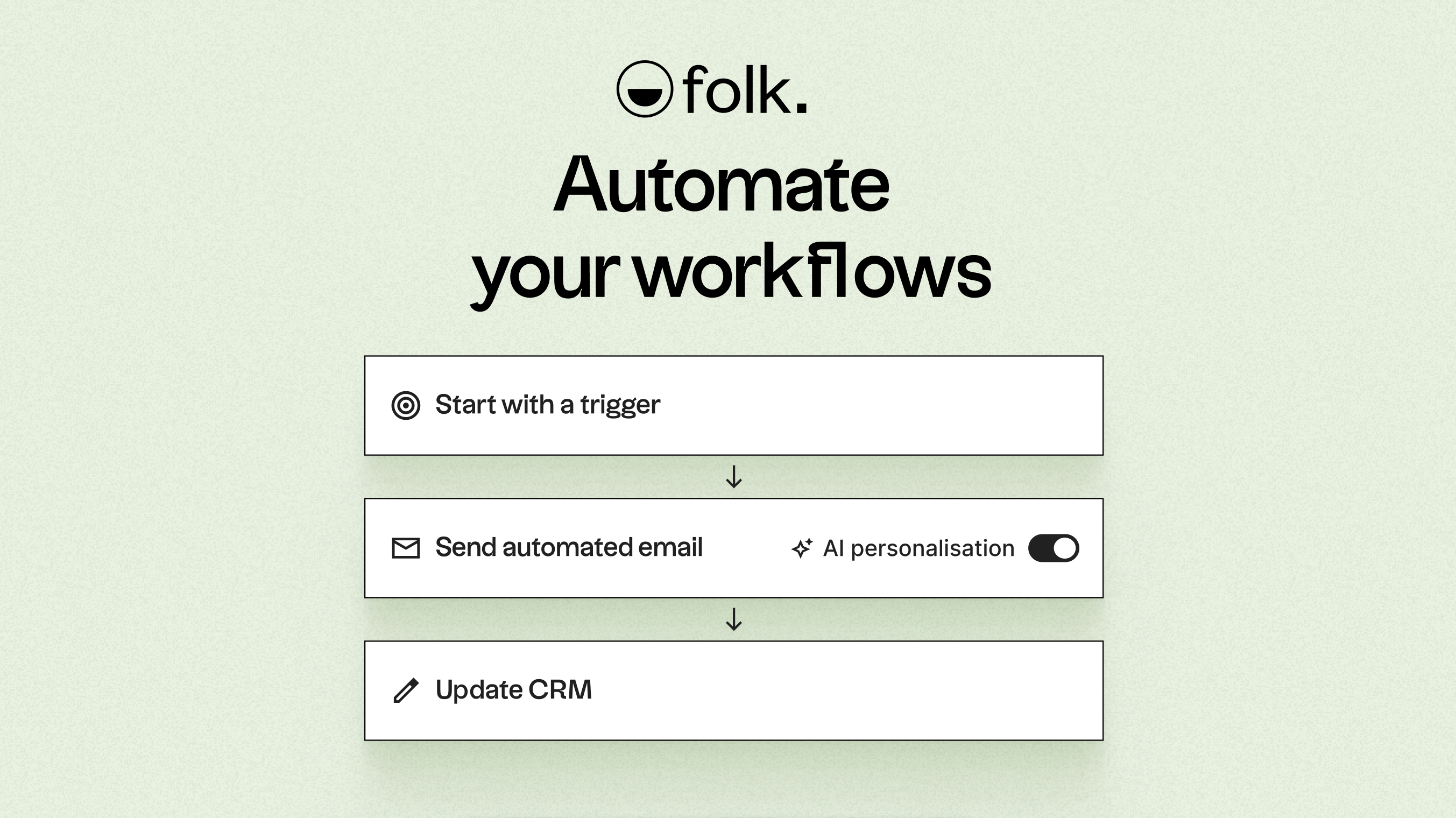
Powered by AI, folk enriches data, crafts icebreakers, drafts personalized emails, and recommends the next best actions. Its open API and webhooks integrate smoothly with tools like Zapier and Make, enabling sophisticated workflows across email, WhatsApp, Slack, billing, and internal systems.
With one-click contact capture through the folkX Chrome extension and collaborative pipelines, folk provides teams with a lightweight yet powerful CRM to scale automation while maintaining complete control. The folk mobile app keeps contacts, calendars, and automations in sync on the go.
Conclusion
In conclusion, while HubSpot excels with its comprehensive integration capabilities and advanced marketing features, and Freshsales offers an intuitive interface with robust automation, folk stands out as the ideal choice for teams prioritizing email integration, automation, and sequencing. Its AI-driven functionalities enable seamless workflow automation, powerful email triggers, and flexible pipeline management, making it perfect for teams looking to scale effortlessly. Choose folk to empower your automation-first strategy and enhance productivity. Experience folk CRM today.
Start your 14-day free trial or book a demo today.
Discover folk CRM
Like the sales assistant your team never had