


Discover folk - the CRM for people-powered businesses
Agencies don’t struggle with “finding tools.” They struggle with managing client relationships effectively while ensuring that projects and sales processes stay on track. When essential prospect information is scattered across various platforms like emails, calendars, and spreadsheets, follow-ups can easily fall through the cracks, handoffs can become confusing, and accurate forecasting becomes nearly impossible. A CRM for agencies needs to facilitate the swift movement of new business while also maintaining a comprehensive account history that supports renewals, upsells, and referrals.
In this article, we’ll explore two popular CRM solutions—Freshsales and Zoho CRM—that tackle these challenges from different perspectives. Freshsales emphasizes streamlined lead management and automated workflows, designed to keep sales activities efficient and straightforward. On the other hand, Zoho CRM presents a highly customizable platform tailored for agencies seeking extensive features, integrations, and flexibility in their operations.
The right choice between Freshsales and Zoho CRM hinges on the complexity of your agency's processes, the level of customization required, and the resources available for ongoing setup and administration.
What is Freshsales?
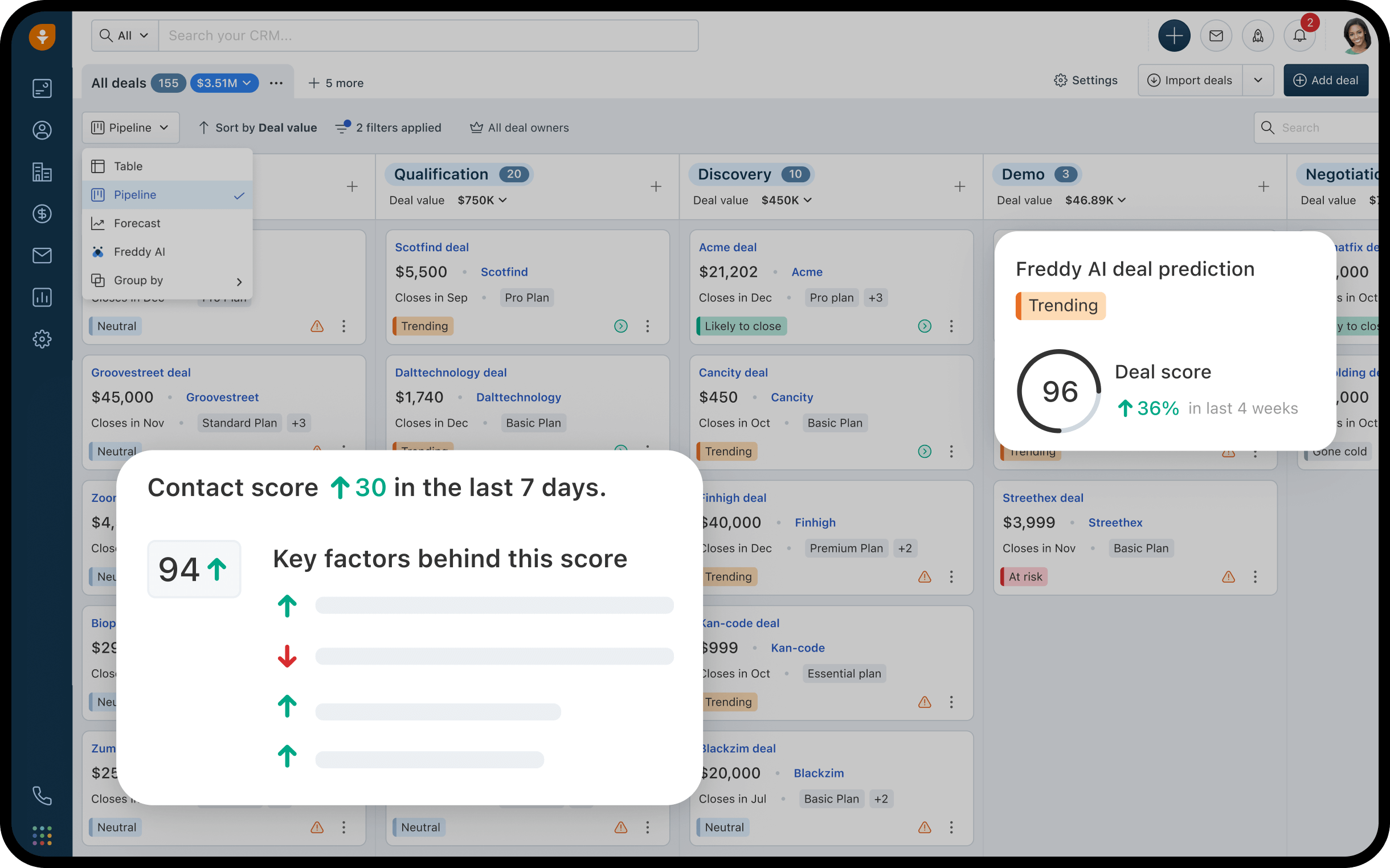
Freshsales, a CRM solution from Freshworks, is designed to efficiently manage leads, deals, and activities with integrated automation features. It caters to agencies seeking essential CRM functionalities, customizable pipelines, and workflow rules to streamline follow-ups and handoffs. Activity timelines ensure that all interactions are effectively linked to the appropriate records in both sales and account management. Additionally, reporting tools facilitate pipeline tracking and performance evaluations based on recorded data. This CRM is often preferred by agencies that desire simplicity without sacrificing automation and reporting capabilities.
What is Zoho CRM?
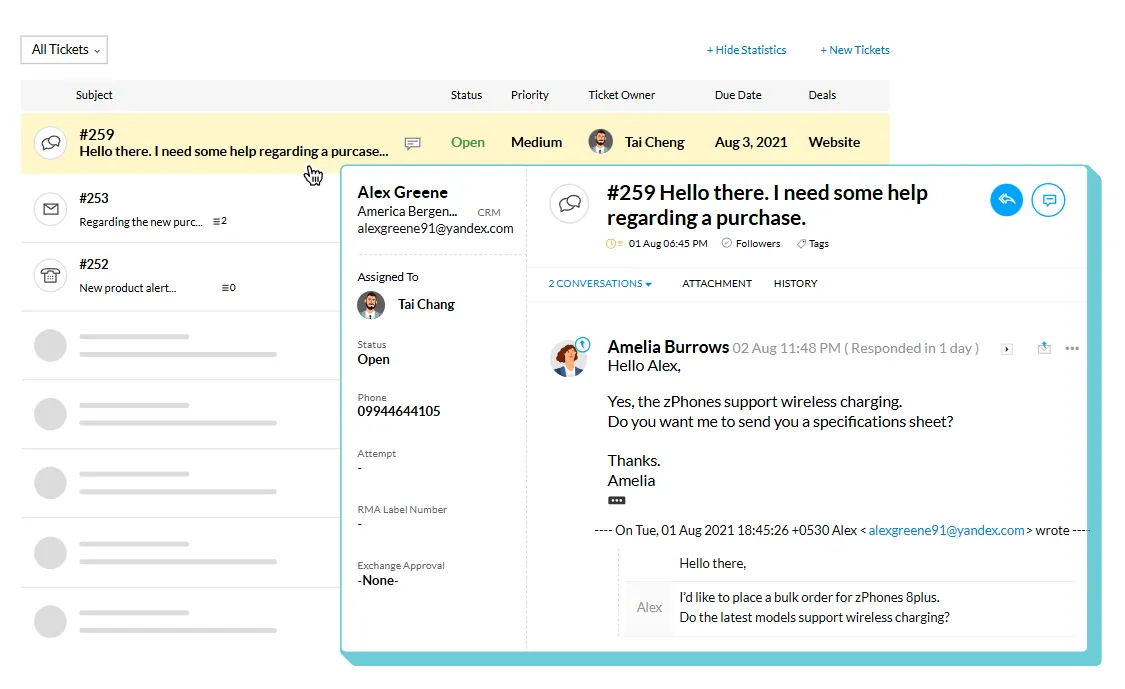
Zoho CRM is a customizable CRM that operates within the extensive Zoho business software ecosystem. It is ideal for agencies seeking pipeline management, activity tracking, automation rules, and reporting features, along with the ability to integrate with other Zoho applications as needed. With multiple pipelines and layouts available, it can support various service lines and sales strategies. Additionally, marketplace extensions and integrations allow for connectivity with external tools beyond the Zoho suite. Agencies often prefer this CRM for its wide-ranging functionality and flexibility in sales, operations, and reporting.
Feature comparison of Freshsales and Zoho CRM
Multi-pipeline and Custom Stages
Freshsales offers the capability to manage multiple deal pipelines, each with its unique set of stages. These pipelines and stages can be easily adjusted in the admin settings, allowing users to add, reorder, and customize stages according to various sales processes. This functionality enables agencies to distinctly separate different business motions—such as new business, renewals, or partnerships—while maintaining specific stage definitions tailored to each motion. The default outcomes for newly created pipelines are set to Won and Lost.
Similarly, Zoho CRM supports multiple sales pipelines, allowing teams to rename, add, remove, and reorder stages as their processes evolve. Each pipeline can be linked to specific layouts, ensuring that different sales motions are kept distinct while utilizing the same Deals module. Changes to stages are managed within pipeline settings, and any removed stages remain accessible in the stage builder, making it ideal for agency setups that require unique stage logic for each service line or business motion.
Client and Deal Activity Tracking
With Freshsales, you can effortlessly log activities such as calls, meetings, notes, emails, and tasks, associating them with contacts, accounts, and deals. The recorded timelines provide a clear overview of past interactions and upcoming actions, ensuring smooth handoffs with context and next steps. Freshsales also enables the configuration of activity types, including custom options, to tailor the tracking process to your team's workflow. Additionally, timelines can be filtered to spotlight specific activity categories when reviewing an account.
In Zoho CRM, activity tracking revolves around tasks, events, and calls, which can be easily reviewed through CRM views and record-related lists. The activity views in Zoho CRM organize items by their creation time, allowing you to open any activity to access relevant details such as notes, history, attachments, upcoming actions, and email conversations. The Closed Activities list also highlights completed tasks, calls, and meetings associated with a record, maintaining a consistent log of past events and future commitments.
Automation and Workflows
In Freshsales, you can create reports and dashboards using CRM data like deals, activities, and stage movements to effectively monitor pipeline status and performance. The analytics features facilitate tracking progress through various stages and analyzing conversion trends over time based on logged data. Additionally, reporting includes options for scheduling email delivery of reports, depending on your analytics setup. The metrics available will vary based on your configuration of pipelines, stages, and properties.
Zoho CRM enhances efficiency with workflow rules that automate actions when specific conditions are met, such as sending email notifications, assigning tasks, and updating record fields. These workflows are tailored to each record type and are triggered according to the defined rules. Moreover, Zoho CRM documents these workflows as part of its sales force automation features, providing options to track changes in workflow rules and monitor performance-related signals based on your configurations. This functionality is particularly useful for standardizing follow-ups and managing internal handoffs associated with deal changes.
Reporting and Analytics
Freshsales allows users to create reports and dashboards from CRM data, including deals, activities, and stage movements, enabling effective monitoring of pipeline status and performance. Its analytics features facilitate tracking progression through stages and analyzing conversion patterns over time based on logged data. Additionally, reporting options include scheduling emails for report delivery, which varies based on the analytics setup. The metrics available are contingent on the configurations of pipelines, stages, and properties.
In Zoho CRM, users can access standard reports by module and customize reports to meet specific business needs. The platform’s dashboards and analytics capabilities are useful for monitoring the pipeline and comparing sales metrics, including concepts related to forecast reporting, as outlined in Zoho’s analytics materials. For more advanced reporting, Zoho Analytics can connect with Zoho CRM data to generate further reports and dashboards, offering options for sharing and scheduling based on the user setup. Pipeline visibility is influenced by the configurations of deals, stages, and activities.
Integrations and Data Hygiene
Freshsales allows you to enhance your CRM records and workflows by adding integrations through the Freshworks Marketplace. Its duplicate management features effectively identify and merge duplicate leads or contacts, ensuring that reporting and automation rely on consolidated records. Additionally, import settings help minimize duplicate creation by matching incoming data with existing records. Depending on your edition and configuration, enrichment capabilities may also be available.
In Zoho CRM, integrations can be accessed through the Zoho Marketplace and its integrations layer, which provides a comprehensive list of connectors and extensions categorized by use case. The platform includes robust duplication management features such as duplicate checks, merge tools, and an auto-merge de-duplicate tool that identifies and merges exact matches, with manual conflict resolution available if needed. Zia data enrichment can enhance your records by adding company context fields based on configured mappings, depending on what’s enabled. These features are designed to minimize duplicates and gradually improve record completeness.
folk: The Best CRM for Agencies in 2026!
folk is an AI-driven CRM tailored to centralize contacts, conversations, and deal context without turning setup into a cumbersome project. It’s perfect for agency teams where multiple members engage with the same account throughout prospecting, onboarding, delivery, and renewals. The platform maintains a clear relationship history, ensuring that handoffs rely on documented information rather than memory or scattered notes.
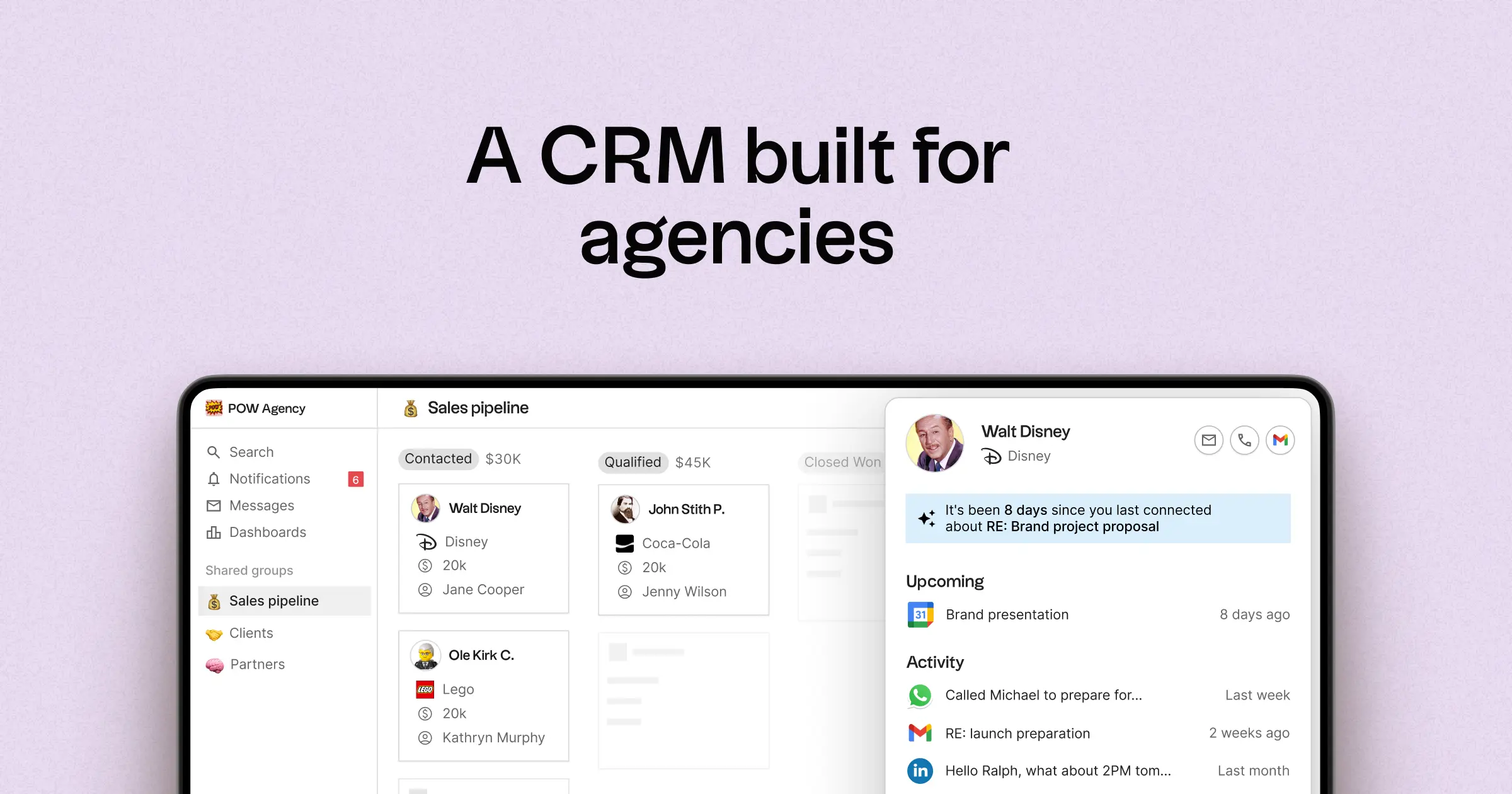
- Multi-pipeline and custom stages catering to various agency processes
- Contact and deal timelines that consolidate interaction history
- Email and calendar synchronization to link conversations to relevant records
- Task management, reminders, and follow-up tracking for consistent next steps
- Contact enrichment to complete missing company and contact details
- Deduplication tools to merge duplicates and maintain a clean database
- Simple pipeline reporting for monitoring stage health and deal progress
- Integrations and automation connectors to minimize manual updates
For agencies, the primary benefit is operational clarity across multiple relationships. Pipelines can represent various revenue streams such as retainers, projects, partnerships, and referrals, while tasks and reminders ensure follow-ups are consistent throughout the team. Data hygiene features like enrichment and deduplication help eliminate duplicate records and fill in missing fields, keeping pipeline reporting reliable over time.
Conclusion
In conclusion, Freshsales excels with its streamlined lead management and automated workflows, ideal for agencies seeking simplicity without compromising on performance. Zoho CRM stands out for its extensive customization and integration capabilities, catering to complex agency needs. However, for teams prioritizing email integration, automation, and seamless sequencing, folk emerges as the best alternative. It centralizes communications, maintains clear relationship histories, and ensures operational clarity, making it the perfect choice for agencies that rely on consistent follow-ups and smooth handoffs.
Start your 14-day free trial or book a demo today.
Discover folk CRM
Like the sales assistant your team never had