


Discover folk - the CRM for people-powered businesses
Overview: Salesforce vs. Nimble
Salesforce and Nimble are two CRM options with contrasting focuses, catering to businesses with different needs in customer relationship management. Salesforce is a comprehensive, highly customizable CRM designed for larger teams requiring detailed tracking, automation, and in-depth reporting across the sales, service, and marketing functions. Nimble, by comparison, emphasizes contact enrichment and social media integration, making it suitable for teams focused on relationship-building in a simpler, more streamlined interface. In this blog post, we'll look at their key features to help you choose the right CRM – and see if folk might just be an even better alternative for sales teams of 20-50 people.
👉🏼 Try folk now to manage contact-based reminders with your team
- Salesforce: Best for large enterprises needing deep customization, automation, and advanced reporting.
- Nimble: Best for relationship-centric teams wanting simple contact enrichment and social integrations.
- folk: Best for 20–50 person sales teams needing power without enterprise complexity.
| Main points |
|---|
|
What is Salesforce?
Salesforce is a robust CRM platform for large enterprises, offering tools for sales, marketing, service, and analytics, with extensive scalability.
Key features of Salesforce
- Comprehensive ecosystem: A unified platform offering CRM, marketing automation, customer service, and custom app development, suitable for the varied needs of large enterprises.
- Customization and scalability: Salesforce is highly customizable and scalable, allowing large organizations to tailor the platform to complex workflows and manage significant growth.
- Artificial intelligence (AI) integration: Salesforce Einstein offers AI-driven analytics and automation, providing insights that help large businesses optimize their strategies.
- Extensive integration capabilities: With Salesforce's AppExchange, large companies can integrate the platform with a wide range of third-party applications, ensuring seamless operation across different business systems.
- Enterprise-grade security and compliance: Salesforce provides robust security measures and compliance features, critical for large organizations handling sensitive customer data.
What is Nimble?
Nimble is a relationship-focused CRM designed to help businesses manage contacts, track interactions, and streamline communication. Nimble works from your Outlook or Gmail inbox, social and web.
Key features of Nimble
- Contact management: Nimble consolidates contact details from various sources, including email and social media, into unified profiles, making it easier to track communication.
- Social listening and engagement: The platform integrates with social media channels, enabling users to monitor conversations, engage with leads, and stay updated on contacts' social activity.
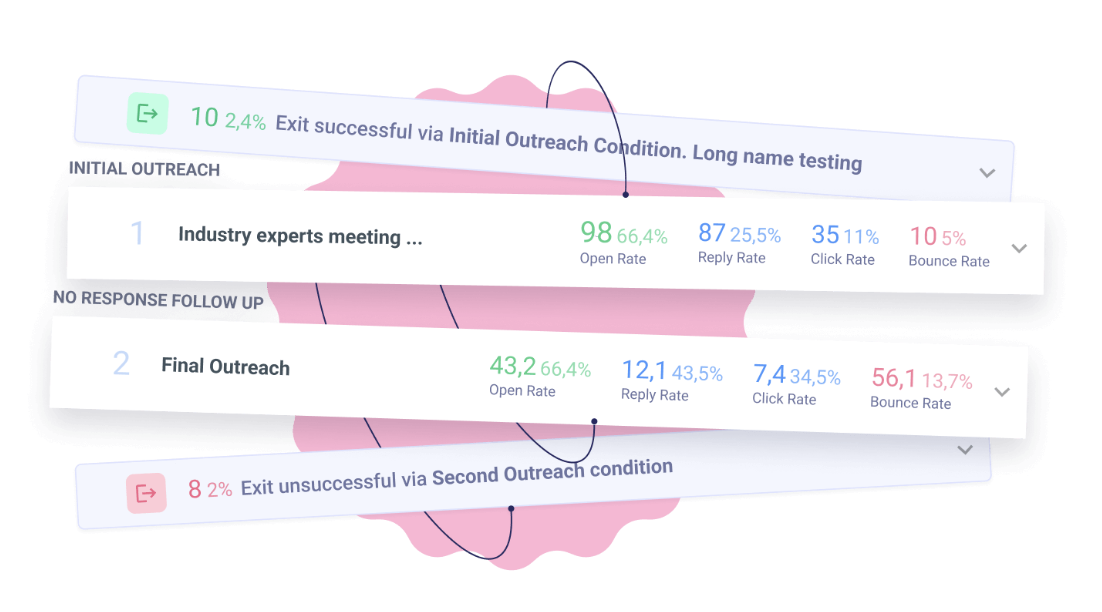
- Email tracking: Nimble provides email tracking tools to monitor when emails are opened and links are clicked, helping users gauge engagement with outreach efforts.
- Pipeline management: Users can manage sales pipelines with customizable deal stages, allowing teams to track opportunities and monitor deal progression.
- Task and activity management: Nimble includes task tracking and reminders, helping users stay organized with follow-ups, meetings, and to-do lists associated with contacts or deals.
Salesforce vs. Nimble: Feature Comparison
Choosing the right CRM can significantly impact your business operations. Here, we compare Salesforce and Nimble, focusing on sales pipeline management, email marketing tools, and contact management.
1. Sales pipeline management
Salesforce's pipeline management feature, known as Pipeline Inspection, provides a comprehensive view of sales opportunities by consolidating key metrics, deal changes, and AI-powered insights into a single interface. This allows sales teams to make informed decisions quickly.
Nimble CRM includes a pipeline dashboard for tracking sales opportunities through customizable deal stages, offering a visual overview of where deals stand within the sales process. Users can create and move deals through each stage, set expected close dates, and update deal values, making it a straightforward tool for small to mid-sized businesses looking for simplicity and efficiency.

2. Ease of use
Salesforce, with its extensive features, may present a steep learning curve for new users, but offers comprehensive training resources. Nimble, on the other hand, is designed with simplicity in mind, providing an intuitive interface that allows users to quickly navigate and manage their customer relationships with minimal training. However, for sales teams of 20-50 people who need both simplicity and power, folk CRM strikes the perfect balance with its intuitive design and robust functionality.
3. Contact enrichment
Salesforce's contact enrichment feature leverages tools such as the Data Cloud to automatically enhance and update contact records in real time, drawing from verified data sources like LinkedIn and InsideView to provide real-time updates. Nimble CRM's contact enrichment feature automatically gathers additional information on contacts from various public sources, including social media profiles.
4. Outreach
Salesforce's outreach solution is powered by its AI capabilities, particularly through the integration of Einstein AI and their Outreach list that allows users to see cross-sales paths and leads they need to engage with. Nimble CRM's outreach feature enables users to manage individual and group email communications, track engagement, and personalize messaging based on contact profiles.
5. Automation
Salesforce offers robust automation features designed to streamline business processes, including workflow rules, flow builders, and AI automation through Einstein AI. Nimble CRM's automation features are basic, primarily used to streamline tasks like data enrichment and follow-up reminders, aiding users in managing interactions efficiently.
6. Integration
Salesforce integrates with a wide range of third-party applications through its AppExchange marketplace, allowing users to connect tools for marketing automation, customer service, analytics, project management, and finance. Popular integrations include platforms like Slack for team collaboration and Mailchimp for email marketing. Nimble connects with productivity tools like Mailchimp, QuickBooks, and Zapier, enabling users to automate data flow and enhance functionality through third-party applications.
7. Artificial Intelligence
Salesforce CRM integrates AI through its Einstein platform, which enhances decision-making by providing predictive analytics, intelligent recommendations, and automated insights. Nimble CRM incorporates AI-powered sales intelligence to enhance prospecting and lead enrichment, gathering detailed information from multiple sources to create enriched contact profiles.
Price and plans comparison
Let's take a closer look at the price and plans of both Salesforce and Nimble.
Salesforce prices
Salesforce's sales cloud pricing is as follows.
- Starter suite: $25/user/month.
- Pro suite: $80/user/month.
- Enterprise plan: $165/user/month.
- Unlimited plan: $330/user/month.
- Einstein 1 Sales: $500/user/month.

Nimble prices
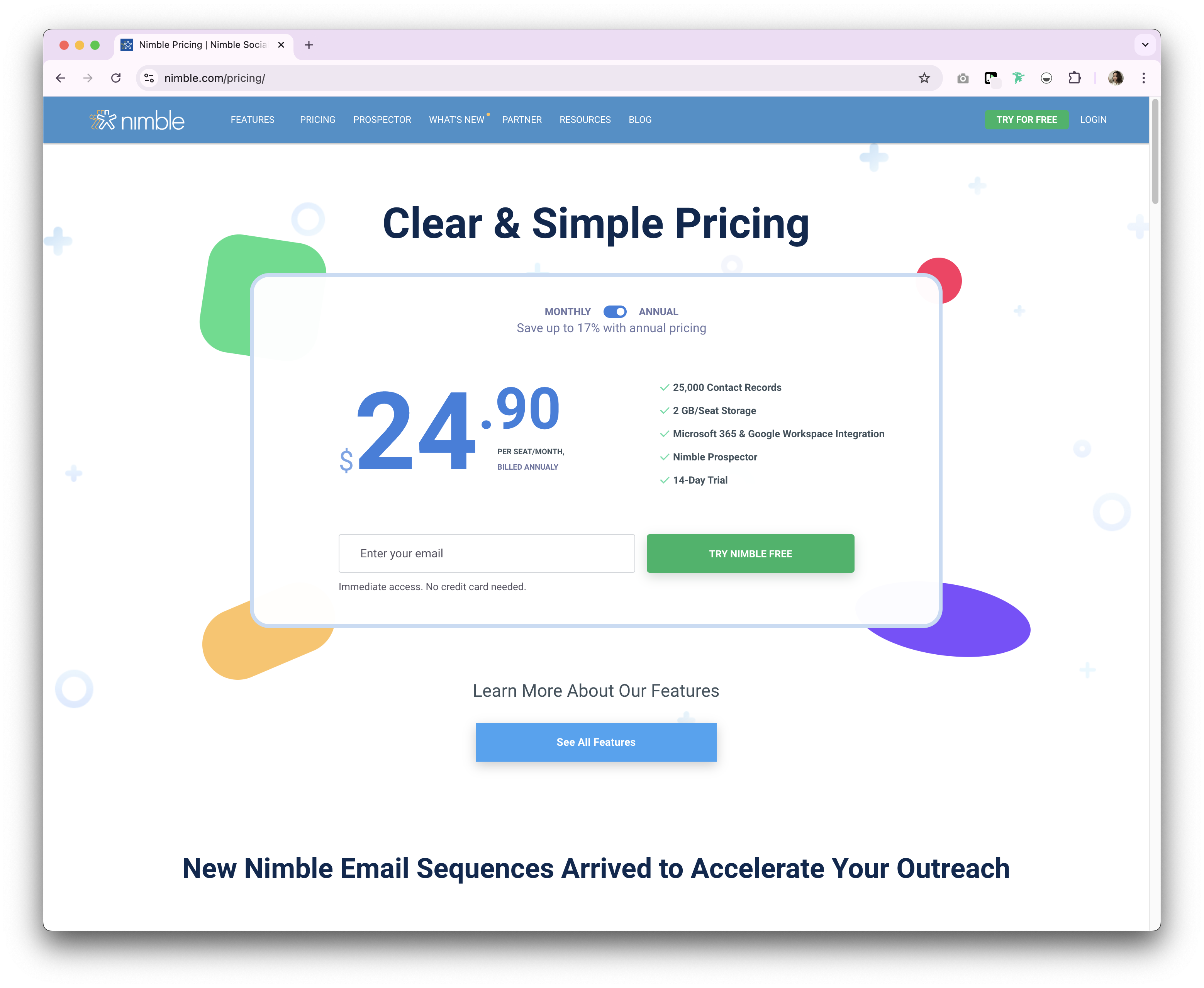
Nimble provides both a monthly and annual subscription plan, with only one tier for each subscription type.
- Annual: $24.90/user/month.
- Monthly: $29.90/user/month.
Introducing folk CRM: the best alternative to Salesforce and Nimble
Looking for an affordable alternative specifically designed for medium-sized sales teams? We recommend folk. A multiple award-winning CRM platform loved for its easy-to-use, plug-and-play CRM system that's perfect for sales teams of 20-50 people who need powerful functionality without the complexity of enterprise solutions. folk supports multiple business functions including sales, marketing, recruitment and more. And, you can use folk as a solopreneur or team.

.png)
Key features
- Contact management: Bring all your contacts into one place seamlessly, from social media platforms such as LinkedIn, Instagram and X to multiple inboxes including Gmail and Outlook.
- Notes and reminders: Attach notes directly to a contact's profile in folk, and access them on the go. And assign reminders so you know exactly when to follow-up.
- Sales pipeline dashboard: Manage your entire sales cycle and leads with a highly customizable sales pipeline dashboard that can be used in Kanban-board view or listicle.
- Ease of use and customization: Easily customize the pipelines, dashboards, automation, email sequences, so that you can use it across your sales cycle and pipeline management – and other business functions such as recruitment, marketing, and more.
- Social media integration: Import people and companies from LinkedIn, Sales Navigator, Instagram, and X within a click thanks to folk's Google Chrome extension.
- Contact sync from Gmail and Outlook: Full email sync enabling users to manage all communications directly from the CRM.
- Find email addresses in a click: Contact enrichment powered by Apollo, and Dropcontact so you can fill in missing data points with 1-click.
- Email sequences: Send email sequences with reminders if your leads don't reply to your first emails. It includes an AI integration allowing you to personalize email at scale.
Price and plans
folk has a 14-day free trial. After that, there are affordable monthly or annual subscription plans. The annual subscription plan is as follows.
- Standard: $20 per user, per month.
- Premium: $40 per user, per month.
- Custom: Starts from $80 per user, per month.

Salesforce vs. Nimble: What's the verdict?
When comparing Salesforce and Nimble, it's clear that both CRMs cater to different needs. Salesforce excels in providing a comprehensive, scalable solution for large enterprises with its extensive features and customization capabilities. On the other hand, Nimble offers a more streamlined, relationship-focused approach suitable for smaller teams seeking easy integration with social media and email platforms. However, for sales teams of 20-50 people that need a more personalized approach to relationship management, folk CRM provides the ideal alternative to these traditional CRM options, blending ease of use with powerful customization specifically designed for medium-sized sales teams.
👉🏼 Try folk now to compare Salesforce and Nimble pipelines and streamline your sales process
FAQ
What is the main difference between Salesforce and Nimble?
Salesforce is an enterprise CRM with deep customization, automation, analytics, and a broad ecosystem. Nimble focuses on simple contact management, enrichment, and social integrations for relationship‑driven teams.
Which CRM suits small vs large sales teams?
Small, relationship‑focused teams benefit from Nimble's simplicity. Large or complex organizations choose Salesforce for customization and scale. For 20–50 person sales teams, folk offers power with low setup and easier adoption.
How do Salesforce and Nimble pricing compare?
Salesforce Sales Cloud: Starter $25, Pro $80, Enterprise $165, Unlimited $330, Einstein 1 Sales $500 per user/month. Nimble: $24.90 per user/month annually or $29.90 monthly. Prices may vary by term and region.
What is a good alternative to Salesforce and Nimble?
folk combines a customizable pipeline, contact enrichment, and email sequences with automation. Annual plans: Standard $20, Premium $40, Custom from $80 per user/month. Includes a 14‑day free trial.
Discover folk CRM
Like the sales assistant your team never had