


Discover folk - the CRM for people-powered businesses
In the fast-paced world of sales, sales automation has become a game-changer. Whether you're a small business or a large enterprise, automating your sales process with the right tools or CRM can save time, boost productivity, and enhance customer relationships.
| Main points |
|---|
|
What you'll learn about sales automation
- What sales automation is
- The best tools to consider
- Why folk CRM fits teams of 20–50
What is Sales Automation?
👉 Sales automation refers to the use of technology to streamline and automate repetitive sales tasks, making the entire process faster, more efficient, and error-free.
From lead management to follow-ups, automation tools can handle a wide range of tasks that would otherwise consume valuable time and resources. With AI sales automation, the process becomes even smarter, providing personalized recommendations and insights to optimize each step of the sales journey.
💡 By integrating automation with your CRM, you not only improve efficiency but also ensure that your sales operations team can focus on what really matters: building relationships and closing deals.
Benefits of Sales Automation
Here are some key benefits of implementing sales automation tools for sales operations teams:
- Time Savings: Automate routine tasks like data entry, follow-ups, and lead scoring to free up time for more strategic activities.
- Consistency: Ensure a consistent approach across your sales team with automated workflows and follow-up schedules.
- Improved Accuracy: Eliminate human errors in repetitive tasks, ensuring that your CRM data is always up-to-date and reliable.
- Scalability: As your business grows, automation tools can scale with you, handling an increasing number of leads and opportunities without needing to hire additional staff.

Sales Automation Tools: Which One is Right for You?
There are numerous sales automation CRM and tools available in the market today, each offering unique features to meet different business needs. For sales operations teams managing 20-50 people, finding the right balance between functionality and ease of implementation is crucial.
| Tool | Pros | Cons | Pricing |
|---|---|---|---|
| folk CRM | AI-powered automation, simple interface, cost-effective, perfect for teams of 20-50 | May require advanced features for enterprise-level teams above 100 users | Starts at $20/user/month |
| Salesforce | Extensive features, strong integrations | Complex setup, steep learning curve | Starts at $25/user/month |
| HubSpot CRM | Easy-to-use, free tier available | Limited customization options in free plan | Starts at $50/month for sales hub |
| Pipedrive | Simple interface, strong pipeline management | Lacks advanced reporting | Starts at $15/user/month |
| Zoho CRM | Affordable, highly customizable | User interface can be overwhelming | Starts at $14/user/month |
👉🏼 Try folk now to manage contact-based reminders with your team
folk CRM: The Best Sales Automation CRM
folk CRM stands out for its perfect blend of simplicity and powerful sales automation features, making it the ideal choice for sales operations teams of 20-50 people. Unlike complex enterprise solutions that require extensive training, folk is designed for rapid implementation while still offering the sophisticated automation features that growing sales teams need to scale efficiently.
Pros
- AI-powered automation to streamline repetitive tasks and enhance decision-making.
- Simple, intuitive user interface that allows for fast adoption across medium-sized sales teams.
- Affordable pricing with transparent, clear plans designed for growing sales operations.
- Excellent customer support and ongoing updates specifically tailored for teams scaling from 20-50 people.
Cons
- Some advanced enterprise features may require initial setup to maximize value for larger organizations.
Pricing
Starts at $20 per user per month, offering exceptional value for sales operations teams looking to automate and improve productivity without breaking the budget.
👉🏼 Try folk now to never miss a follow-up by automating reminders and workflows
Salesforce
Salesforce is one of the most well-known and widely used CRMs in the world. Known for its robust suite of tools, Salesforce offers extensive features for sales automation, lead management, and customer analytics.
Its cloud-based platform integrates seamlessly with various other software tools, making it ideal for large enterprises that need a comprehensive solution for their sales and marketing efforts. However, for sales operations teams of 20-50 people, its complexity and extensive setup requirements may be overkill and can slow down implementation.

Pros
- Robust suite of tools for lead management, customer segmentation, and analytics.
- Strong integrations with other platforms like Google Workspace, Microsoft, and Slack.
- Customizable workflows for every stage of the sales process.
Cons
- Requires a significant time investment to set up and learn, challenging for medium-sized teams.
- Can be pricey for teams of 20-50 people, especially when factoring in implementation costs.
Pricing
Salesforce offers several pricing plans, starting at $25 per user per month, but this increases significantly with additional features and customization needed for effective implementation.
HubSpot CRM
HubSpot CRM is known for its simplicity and ease of use, offering an intuitive interface and a wide range of tools for automating sales processes. HubSpot's free version provides essential features, including contact management, email tracking, and reporting, making it a decent starting point for small teams. However, for growing sales operations teams needing more sophisticated automation, the limitations of the free plan become apparent quickly, requiring expensive upgrades.

Pros
- Very user-friendly interface, easy to set up and use.
- The free plan offers basic sales automation features, making it accessible for initial testing.
- Excellent customer support and a robust knowledge base.
Cons
- Customization options are severely limited in the free version.
- Advanced automation and reporting features are only available on higher-tier plans, making it expensive for teams of 20-50 people.
Pricing
The free version offers basic features, but the paid plans start at $50 per month for the Sales Hub, which can add up quickly for medium-sized teams.
Pipedrive
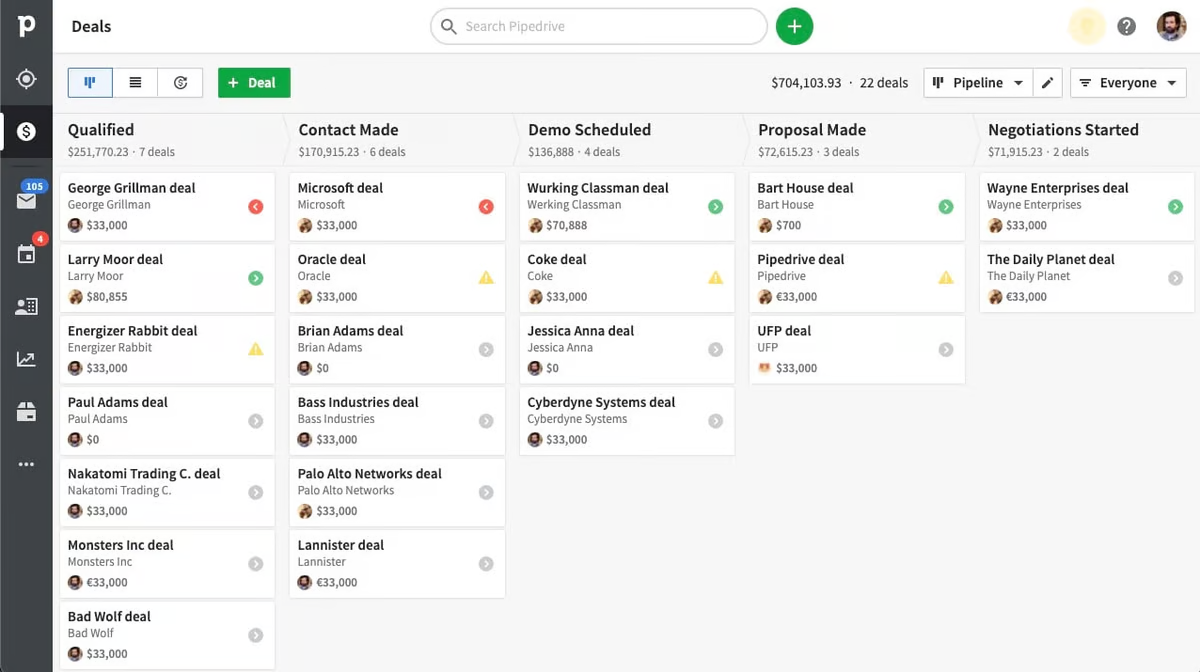
Pipedrive is a straightforward and intuitive CRM tool that helps sales teams manage their pipelines and track every stage of the sales process. Its simple user interface and visual pipeline make it easy for teams to prioritize and track leads.
While it focuses on pipeline management, it also offers useful automation features that can help streamline routine tasks like follow-ups and lead scoring. However, for sales operations teams requiring comprehensive reporting and advanced analytics, Pipedrive's limitations become evident.
Pros
- Very straightforward user interface, ideal for teams with minimal CRM experience.
- Focuses heavily on pipeline management and visual workflows.
- Strong automation features for repetitive tasks.
Cons
- Lacks deep reporting and analytics capabilities crucial for sales operations teams.
- Limited integrations compared to other solutions in the market.
Pricing
Starts at $15 per user per month.
Zoho CRM
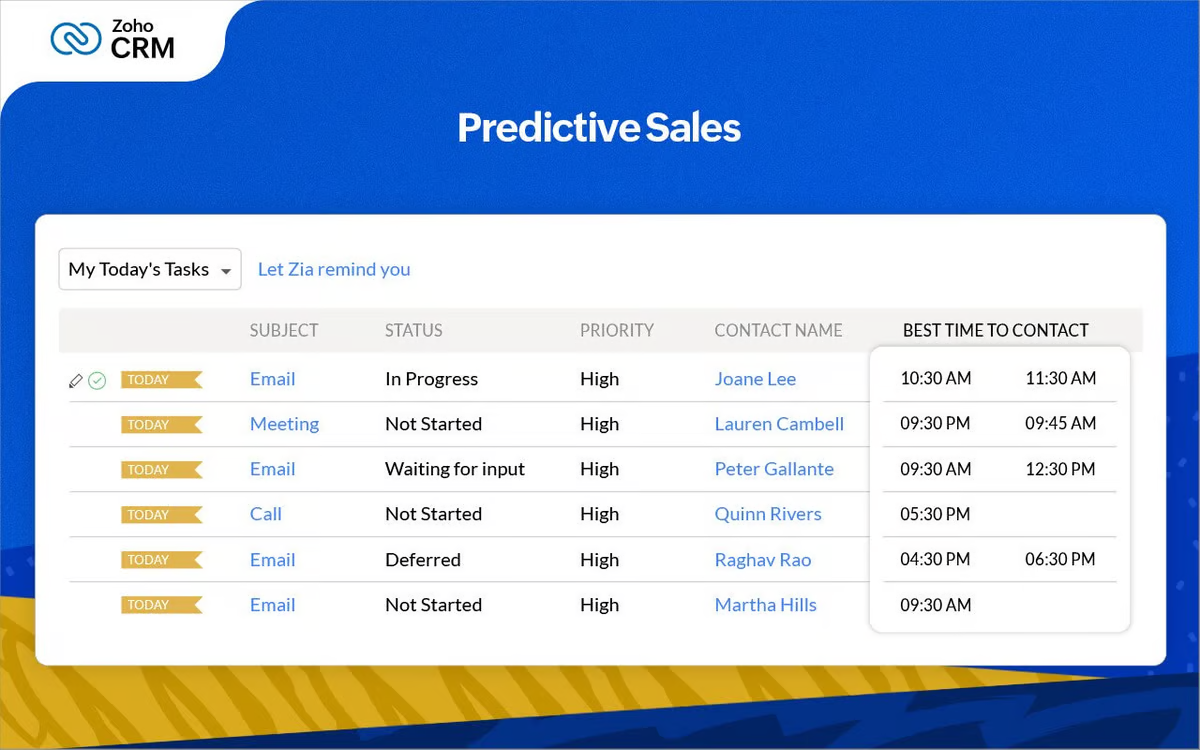
Zoho CRM is an affordable, highly customizable CRM platform suitable for businesses of all sizes. With a broad set of features for lead management, sales forecasting, and automation, Zoho is a versatile tool that can be tailored to meet the unique needs of any team. Its automation features are powerful, allowing businesses to automate everything from email follow-ups to lead nurturing.
However, its interface can be overwhelming for sales operations teams looking for quick implementation, and the learning curve can be steep for teams that need to get up and running quickly.
Pros
- Affordable, highly customizable, and suitable for businesses of all sizes.
- Strong automation and workflow capabilities.
Cons
- The user interface can be overwhelming for teams needing quick deployment.
- Advanced features require higher-tier plans, increasing costs for growing teams.
Pricing
Starts at $14 per user per month.
Conclusion
Sales automation is no longer a luxury; it's a necessity for sales operations teams aiming to scale efficiently and stay competitive. By streamlining repetitive tasks, automating lead management, and leveraging AI-driven insights, sales automation tools help teams focus on what matters most: building relationships and closing deals. For teams of 20-50 people, choosing the right CRM with robust sales automation features can significantly enhance your sales process while maintaining manageable implementation timelines.
As we've explored, there are various options to suit different business needs, from powerful, enterprise-grade solutions to more accessible tools designed for medium-sized teams. The key is to evaluate your specific requirements—such as ease of use, scalability, team size, and integrations—to find the best fit. Start embracing sales automation today and watch your sales operations team thrive.
FAQ
What is sales automation?
Sales automation uses software to handle repetitive tasks—lead capture, routing, follow‑ups, and data entry—so reps focus on selling. It improves speed, consistency, and accuracy across the pipeline.
How does sales automation work in a CRM?
A CRM triggers workflows from events or rules: create or update records, score leads, send emails, assign owners, move deals, and schedule tasks. Data stays synced and activity is logged automatically.
What are the benefits of sales automation?
Time savings, fewer errors, faster follow‑ups, consistent processes, cleaner data, better forecasting, and higher conversion rates. Automation also scales operations without adding headcount.
How to choose the right sales automation tool?
Prioritize ease of setup, flexible workflows, email and pipeline automation, AI assistance, integrations, and transparent pricing. Match features to team size and process. For a simple, scalable option, consider folk.
Discover folk CRM
Like the sales assistant your team never had