


Discover folk - the CRM for people-powered businesses
Pipedrive CRM used to be the go-to CRM for growing teams. But it's not 2015 anymore.
Why teams are switching from Pipedrive in 2026?
In 2026, sales teams, solopreneurs, and startups expect more.
- More flexibility
- More collaboration
- More visibility — without the bloated dashboards or hidden fees
If you're here, you're probably tired of Pipedrive's limitations and looking for something smarter.
This guide walks you through the best Pipedrive alternatives to consider in 2026.
Whether you're running a startup, agency, or managing a team of 20-50 people who need a clean CRM that doesn't overcomplicate things, we've got you covered.
Top 11 Pipedrive Alternatives for 2026
👉🏼 Try folk now to never miss a follow-up by consolidating multi-source contacts into one collaborative workspace
folk CRM
⭐⭐⭐⭐⭐(G2)
folk CRM is a customer relationship management (CRM) software designed for startups and teams of 20-50 people who need efficient contact management without complexity. It stands out for its user-friendliness and features tailored to collaborative teams. The goal is to help mid-sized teams manage their contacts smoothly and flexibly without the need to centralize all their data in one place. For teams of 20-50 people evaluating Pipedrive alternatives, folk CRM offers the perfect balance of simplicity and powerful functionality for organizing and tracking customer interactions.
Best For
- Growing startups
- Small and medium teams needing flexibility
- Businesses that work with multiple data sources (e.g., contacts, emails, third-party apps)
Pros
Cons
- Less customization options compared to more complex CRMs like Salesforce or HubSpot.
- Some advanced features may require additional tools to maximize their potential.
- No free plan, limiting access for very small businesses that need a trial version.
folk vs Pipedrive
- folk CRM offers a more intuitive interface and greater flexibility for teams managing data from multiple sources. While Pipedrive is more focused on sales pipeline management, folk CRM differentiates itself with a more general and collaborative approach to customer relationship management.
- The multi-source contact management feature in folk CRM makes it a strong choice for teams that need this flexibility.
Pricing
Paid plans start at $24/user/month (Standard plan, billed annually). Premium starts at $48/user/month, while Custom plans start at $80/user/month. A 14-day free trial is available.
HubSpot
⭐⭐⭐⭐(G2)
HubSpot CRM is an all-in-one platform that combines sales, marketing, and customer service tools. Its free CRM includes contact management, deal tracking, and reporting, while paid hubs add automation and advanced features. With hundreds of integrations and strong scalability, HubSpot is popular among growing businesses and larger organizations.
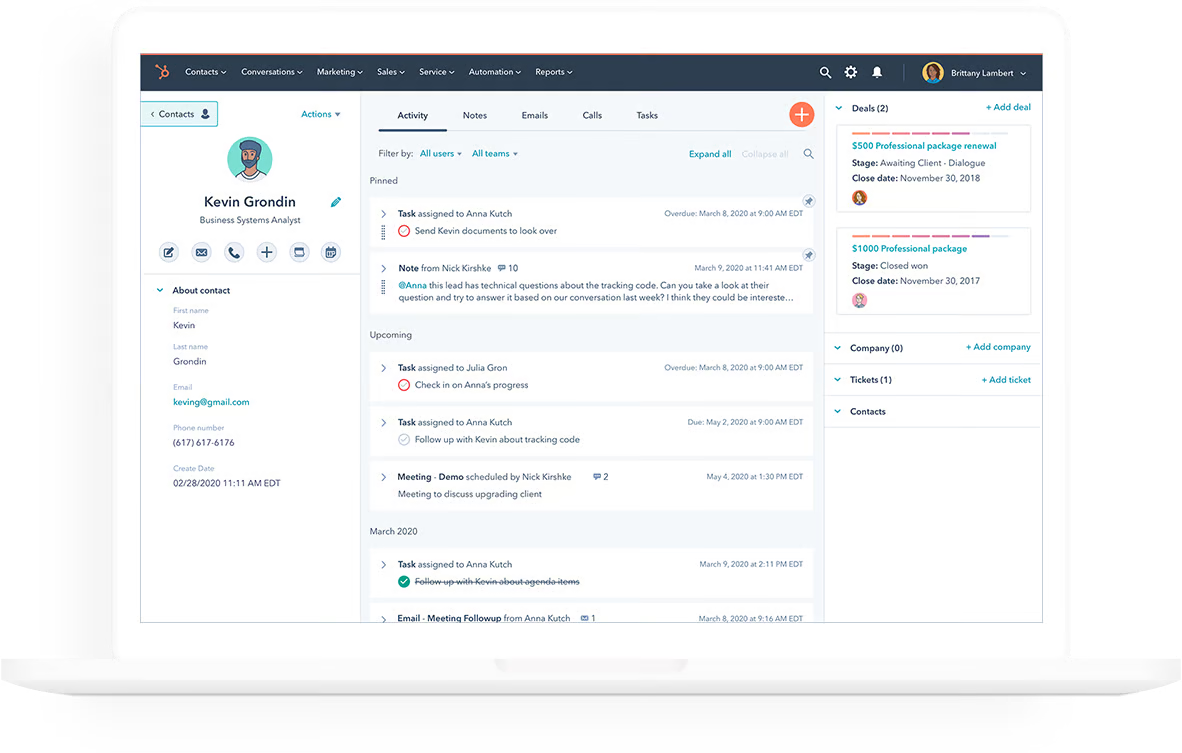
Best For
Marketing-driven teams, large organizations, and businesses already using the HubSpot ecosystem.
Pros
- Intuitive UI and smooth onboarding
- Free plan with generous limits
- Deep integration with marketing tools
- Excellent reporting dashboards
- Massive third-party app marketplace
Cons
- Gets expensive fast as you scale
- Overkill for simple sales pipelines
- Limited flexibility in the free version
- Can feel bloated for small teams
- Features often locked behind paywalls
HubSpot CRM vs Pipedrive
HubSpot offers more marketing automation features than Pipedrive and a better freemium model. However, it can be over-engineered for sales-only teams, while Pipedrive stays focused on pipeline simplicity.
Pricing
HubSpot offers a free CRM plan. Paid Sales Hub plans start at $20/user/month (Starter), with Professional and Enterprise tiers available for larger teams.
Close
⭐⭐⭐⭐(G2)
Close is a sales CRM designed for teams that rely heavily on outbound outreach. It combines email, calling, SMS, and workflow automation in a single platform, helping sales reps manage conversations without switching tools. Its streamlined interface and built in communication features make it particularly popular among startups and SMB sales teams.
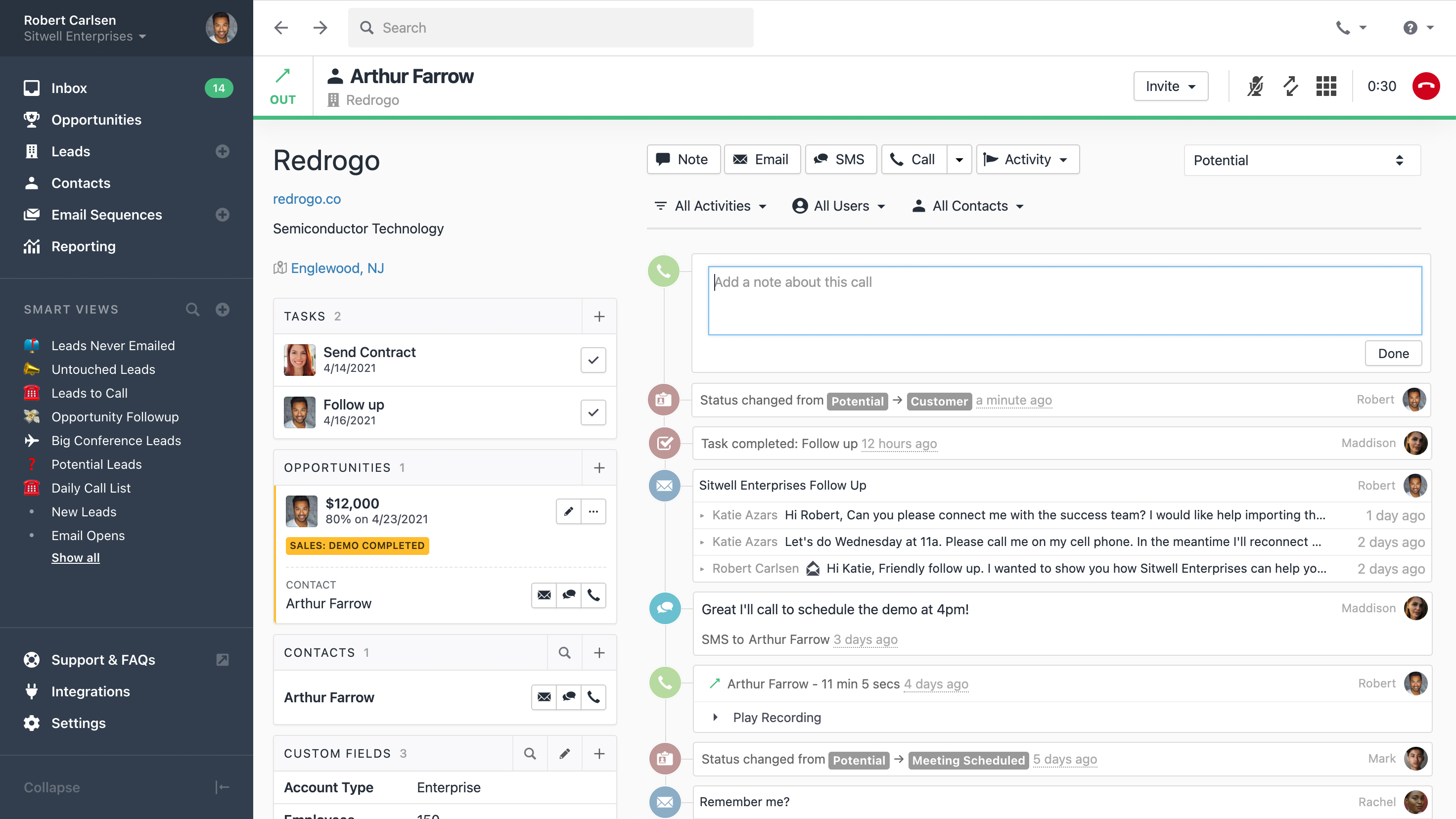
Best For
High-volume sales teams that rely heavily on outreach and follow-ups.
Pros
- Built-in calling and SMS
- Powerful email sequences
- Clear, sales-centric UI
- Excellent activity tracking
- Fast onboarding for sales teams
Cons
- No free plan
- Limited marketing features
- Can be expensive for small teams
- Not ideal for non-sales use cases
- UI can feel too minimalistic for some
Close vs Pipedrive
Close is more outbound-focused, offering native calling and email automation out of the box. However, it lacks the visual pipeline flexibility and affordability that Pipedrive offers.
Pricing
Close plans start at $19/user/month (Base plan, billed annually). Higher tiers include Startup, Professional, and Enterprise plans with more automation and calling capabilities.
Zoho CRM
⭐⭐⭐(G2)
Zoho CRM is a flexible and budget-friendly platform aimed primarily at small and midsize businesses. It offers sales automation, pipeline management, analytics, and AI features at competitive prices. With extensive customization options and a large ecosystem of business applications, Zoho CRM appeals to growing companies seeking an affordable all-in-one solution.
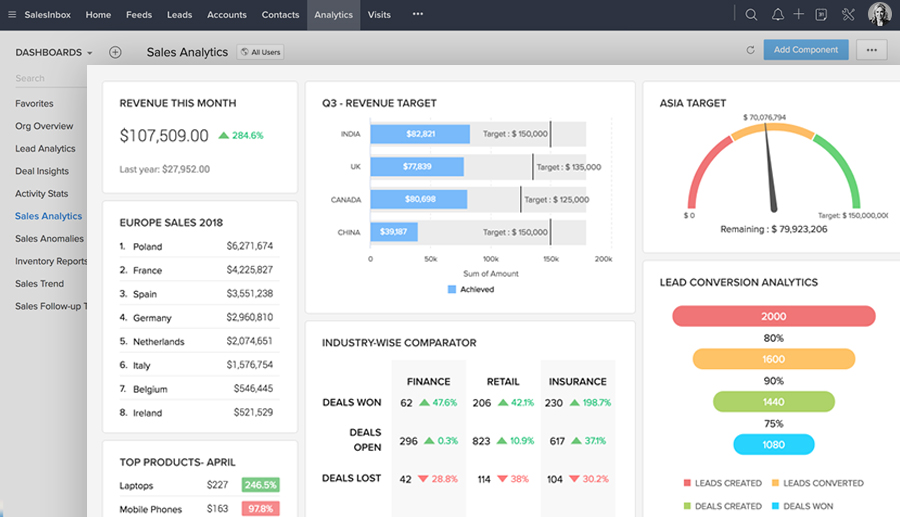
Best For
Small to medium-sized businesses looking for a highly customizable solution.
Pros
- Very flexible and scalable
- Strong workflow automation
- Built-in AI assistant
- Budget-friendly
- Supports multi-channel communication
Cons
- Steeper learning curve
- Outdated UI in some areas
- Setup can be time-consuming
- Support can be inconsistent
- Not ideal for startups with simple needs
Zoho CRM vs Pipedrive
Zoho offers broader customization and automation than Pipedrive, but it comes at the cost of ease of use. Pipedrive wins for speed and simplicity; Zoho wins for depth.
Pricing
Zoho CRM starts at $14/user/month (Standard plan). Professional, Enterprise, and Ultimate plans provide additional reporting, automation, and AI features.
Freshsales
⭐⭐⭐⭐(G2)
Freshsales is a modern CRM from the Freshworks ecosystem that combines sales automation, pipeline management, and AI powered insights. Its intuitive interface, built in communication tools, and affordable pricing make it a popular choice for small and midsize businesses looking for an easy to adopt sales platform.
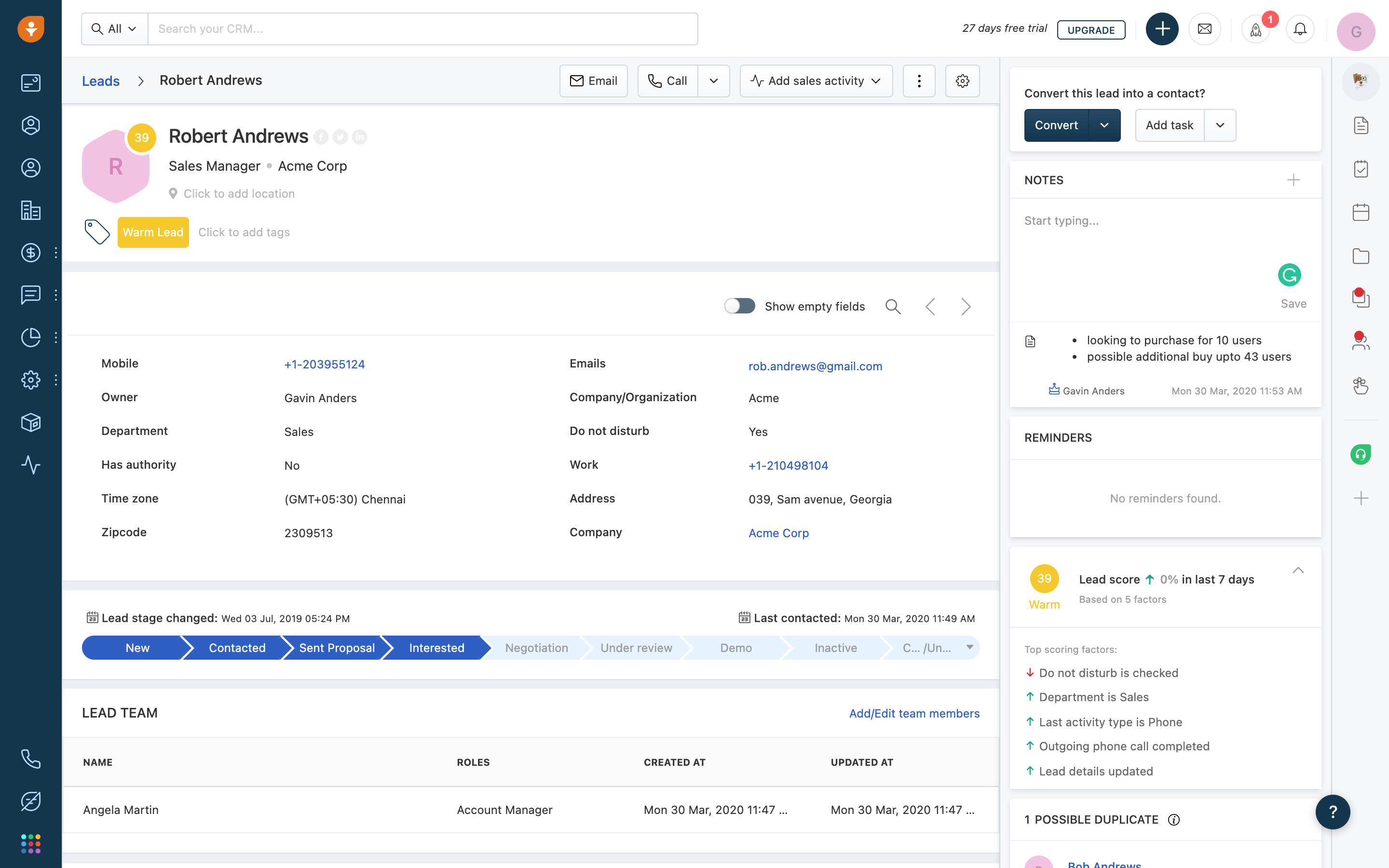
Best For
Support-driven teams and SMBs looking for a lightweight yet intelligent CRM.
Pros
- Clean interface
- Built-in email and telephony
- AI-powered lead scoring
- Affordable pricing
- Good customer support
Cons
- Limited third-party integrations
- Lower customization than competitors
- AI features can feel basic
- Some features gated on higher tiers
- Less suited for complex sales orgs
Freshsales vs Pipedrive
Freshsales is more affordable and offers built-in AI features, while Pipedrive still leads in pipeline visualization and integration ecosystem.
Pricing
Freshsales offers a free plan. Paid plans start at $9/user/month (Growth), followed by Pro and Enterprise tiers.
Salesforce
⭐⭐⭐⭐(G2)
Salesforce is one of the most widely used CRM platforms in the world, known for its extensive customization options and vast integration ecosystem. Designed for growing companies and enterprises, it offers advanced automation, analytics, and reporting capabilities that can support complex sales and customer management processes at scale.

Best For
Enterprises and large teams with complex processes and big budgets.
Pros
- Endless customization possibilities
- Extensive integration ecosystem
- Scalable for global teams
- Powerful reporting and analytics
- Strong community and support
Cons
- Very steep learning curve
- High setup and maintenance costs
- Overkill for most SMBs
- Slower UI compared to modern CRMs
- Requires admin/dev skills to optimize
Salesforce vs Pipedrive
Salesforce is far more powerful than Pipedrive, but also significantly more complex. Pipedrive is a better fit for lean teams; Salesforce is for enterprises.
Pricing
Salesforce Starter Suite begins at $25/user/month. Pro Suite starts at $100/user/month, with Enterprise and Unlimited plans designed for larger organizations.
Copper
⭐⭐⭐⭐(G2)
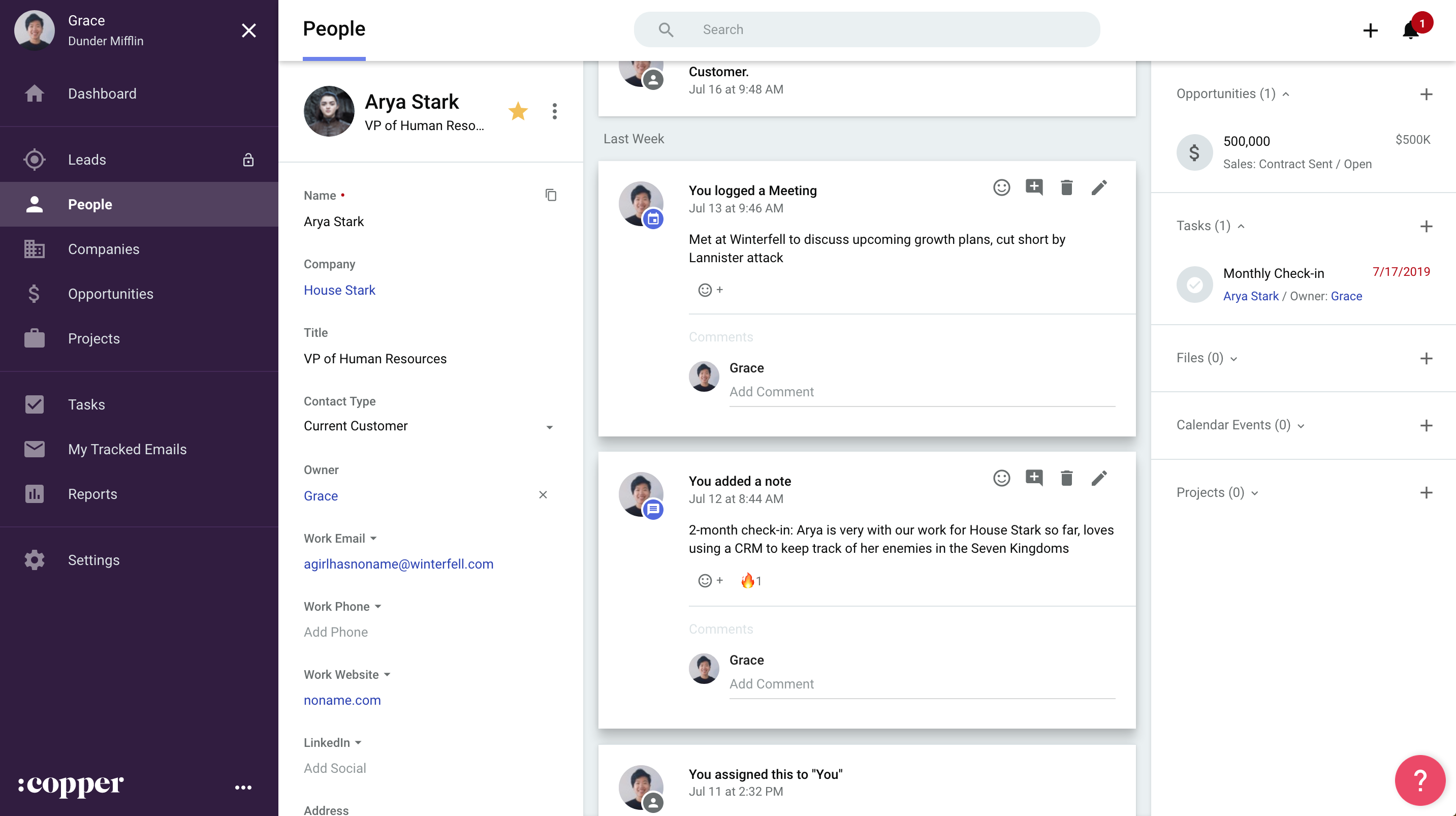
Copper CRM is built specifically for Google Workspace users, offering native integrations with Gmail, Google Calendar, and Google Drive. Its intuitive interface and automated data capture help teams manage contacts and pipelines without leaving familiar tools, making it particularly appealing to small businesses and relationship driven sales teams.
Best For
Google Workspace users who want a seamless CRM experience inside Gmail.
Pros
- Seamless Gmail integration
- Easy to learn and use
- Clean interface
- Decent automation features
- Chrome extension is slick
Cons
- No free plan
- Limited for complex pipelines
- Fewer third-party integrations
- Not ideal for teams outside Google ecosystem
- High pricing for the feature set
Copper vs Pipedrive
Copper is great for Google users, while Pipedrive offers broader functionality and more integrations. Copper feels lighter but less versatile.
Pricing
Copper starts at $23/user/month (Starter plan, billed annually). Basic and Business plans add more automation, reporting, and integrations.
Monday Sales CRM
⭐⭐⭐⭐(G2)
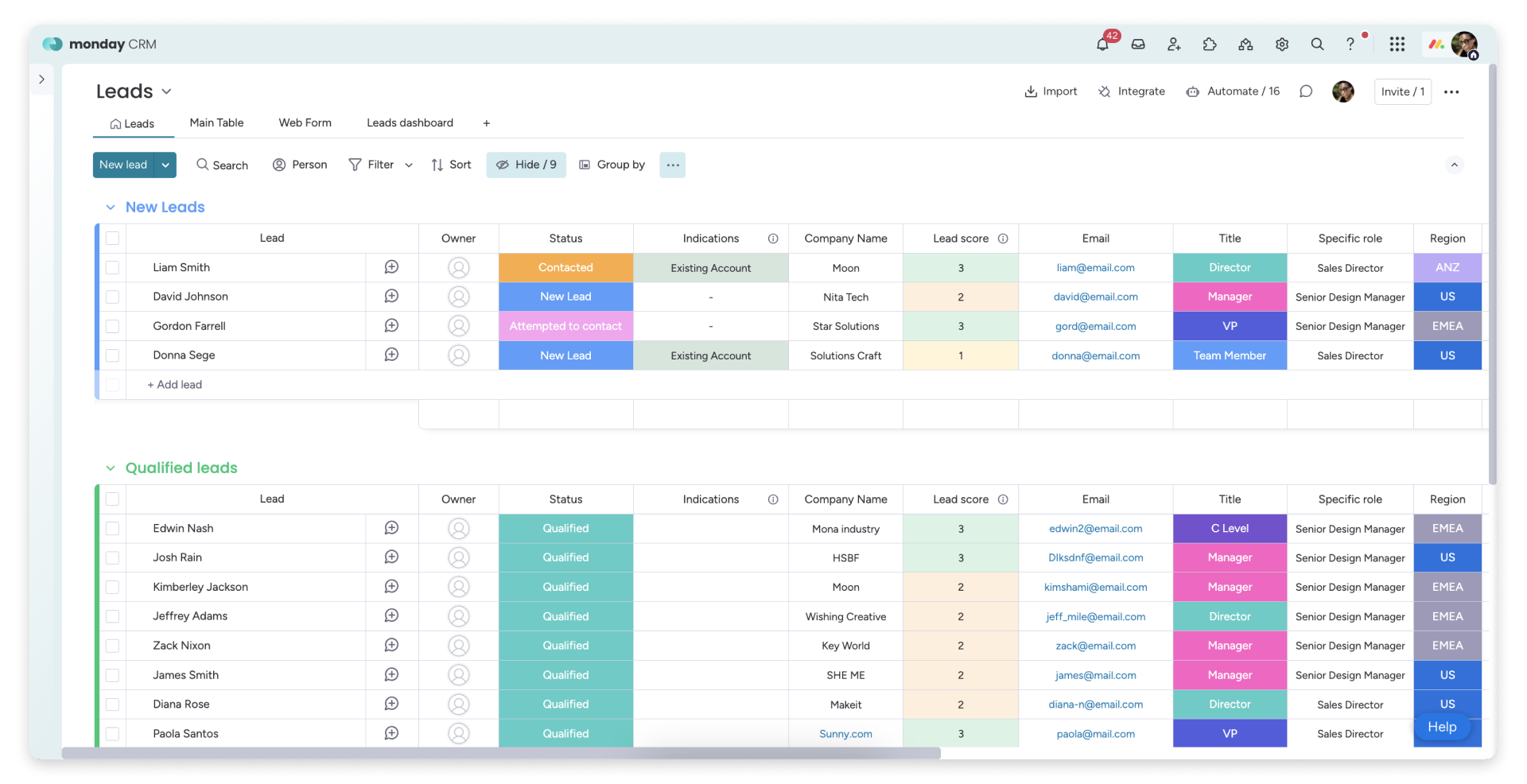
Monday Sales CRM combines customer relationship management with the visual workflows that made Monday.com popular. The platform offers customizable pipelines, automation, and collaboration features in a highly flexible interface. Its project-oriented approach makes it a strong option for teams that want to manage both sales activities and ongoing work in one place.
Best For
Teams who want to manage sales pipelines alongside projects and tasks.
Pros
- Drag-and-drop workflows
- Intuitive, colorful UI
- Strong collaboration features
- Good for non-sales teams too
- Flexible templates
Cons
- CRM features are limited
- Email and contact tools are basic
- Can feel like a project manager with CRM added
- Not built for outbound sales
- Add-ons required for full CRM experience
Monday Sales vs Pipedrive
Pipedrive is purpose-built for sales; Monday Sales is better for task-based workflows. If you're blending sales with project work, Monday wins — otherwise, Pipedrive is more specialized.
Pricing
Monday Sales CRM starts at $12/user/month (Basic plan, billed annually, three-seat minimum). Standard, Pro, and Enterprise plans unlock more advanced workflows and analytics.
Keap (ex-Infusionsoft)
⭐⭐⭐⭐(G2)
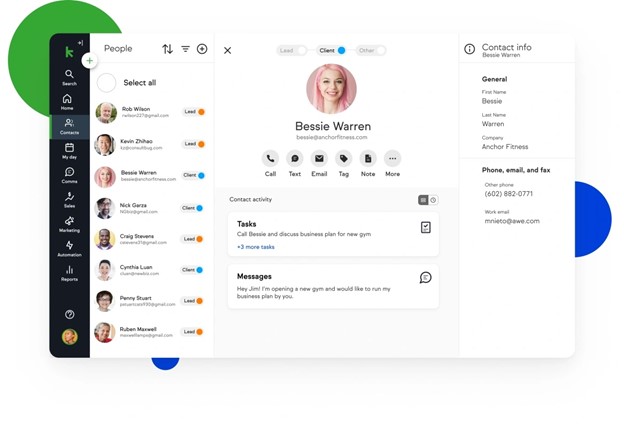
Keap is an all in one platform that combines CRM, marketing automation, email campaigns, and payment tools. Designed primarily for small businesses and entrepreneurs, it helps teams manage leads, automate follow ups, and streamline customer relationships from a single workspace.
Best For
Small business owners and solopreneurs who need marketing and sales automation in one place.
Pros
- Solid marketing automation tools
- Email campaigns and landing pages
- Built-in invoicing and payments
- All-in-one platform
- Designed for non-technical users
Cons
- No free plan
- Outdated UI in some areas
- Expensive for early-stage users
- Setup can be overwhelming
- Less focus on pipeline management
Keap vs Pipedrive
Keap is stronger in marketing and payment integration, but falls behind in pipeline clarity and deal tracking. Pipedrive is leaner and more sales-focused.
Pricing
Keap plans start at $299/month, which includes two users and up to 1,500 contacts. Additional users cost extra, and more advanced plans are available for larger databases. A 14-day free trial is available.
👉🏼 Try folk now to manage contact-based reminders with your team and streamline follow-ups
Streak
⭐⭐⭐⭐(G2)
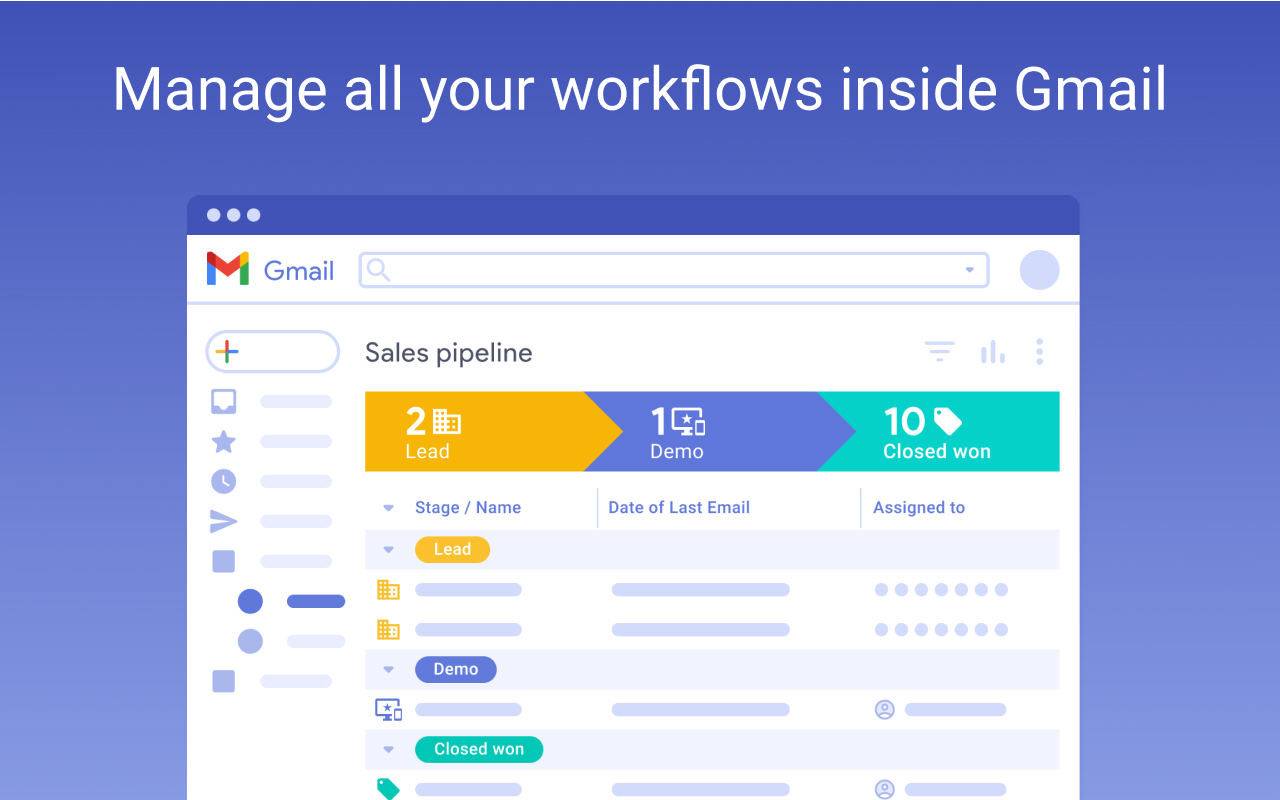
Streak is a lightweight CRM built directly inside Gmail. Instead of asking users to switch between multiple tools, it turns the inbox into a workspace for managing pipelines, contacts, and follow-ups.
Best For
Freelancers, consultants, small businesses, and teams that spend most of their day in Gmail.
Pros
- Native Gmail integration with no extra software to learn
- Visual pipelines directly inside the inbox
- Email tracking and mail merge features
- Simple collaboration for small teams
- Fast setup with virtually no learning curve
Cons
- Limited reporting compared to traditional CRMs
- Few advanced automation capabilities
- Not ideal for large sales organizations
- Mobile experience is less polished than some competitors
- Advanced features require higher-tier plans
Streak vs Pipedrive
Streak focuses on simplicity and Gmail productivity, while Pipedrive offers more traditional sales pipeline management and automation. Teams that live inside Gmail often find Streak more convenient, whereas Pipedrive provides greater flexibility for dedicated sales processes.
Pricing
Streak offers a free plan. Pro plans start at $49/user/month and Pro+ plans at $69/user/month for advanced collaboration and AI capabilities.
Less Annoying CRM
⭐⭐⭐⭐⭐(G2)
Less Annoying CRM is designed for small businesses that want a straightforward CRM without unnecessary complexity. Its interface remains intentionally simple, making it easy to manage contacts, tasks, and pipelines without extensive training.
Best For
Small businesses and solopreneurs looking for an affordable and easy-to-use CRM.
Pros
- Extremely easy to learn and maintain
- Flat pricing with all features included
- Built-in task and calendar management
- Responsive customer support
- Minimal setup requirements
Cons
- Limited automation capabilities
- Basic reporting features
- Fewer integrations than larger CRMs
- Interface feels dated compared to newer platforms
- Not designed for complex sales teams
Less Annoying CRM vs Pipedrive
Less Annoying CRM prioritizes simplicity and affordability, while Pipedrive delivers more sophisticated pipeline management and automation. Small businesses with straightforward needs may appreciate Less Annoying CRM, whereas growing sales teams often benefit from Pipedrive's broader functionality.
Pricing
Less Annoying CRM keeps pricing simple with a single plan at $15/user/month. All features are included, and a 30-day free trial is available.
Verdict: What's the Best Pipedrive Alternative?
The best Pipedrive alternative depends on your team's needs.
There are also region-specific CRMs tailored for local markets—like TeleCRM, or niche CRMs, that focuse on sales automation and lead management for teams operating.
For teams of 20-50 people seeking flexibility and multi-source contact management, folk CRM stands out as the ideal Pipedrive replacement. Its unique ability to manage contacts from multiple sources gives mid-sized teams more flexibility than Pipedrive, making it perfect for growing organizations that need sophisticated contact handling without enterprise-level complexity.
If you need advanced sales pipeline features, tools like HubSpot or Salesforce may be better, though they come with more complexity. HubSpot is also great for those on a budget with its free plan.
But for teams of 20-50 people evaluating Pipedrive alternatives and looking for a user-friendly, flexible CRM with unique multi-source capabilities, folk CRM is the clear top choice that delivers exactly what modern mid-sized teams need.
FAQ
Is Pipedrive worth it in 2026?
Yes, Pipedrive remains a solid CRM for small and midsize sales teams thanks to its intuitive interface and visual pipelines. However, businesses that need advanced marketing automation, contact enrichment, or multi-source contact management may find better value in alternatives such as folk CRM, HubSpot, or Salesforce.
What are the best Pipedrive alternatives in 2026?
folk CRM stands out for multi-source contact management and relationship tracking. HubSpot is a strong choice for marketing teams, Close excels at inside sales, Zoho CRM offers extensive customization at a competitive price, and Salesforce remains the benchmark for large organizations. The right choice depends on team size, workflows, and budget.
Is there a free alternative to Pipedrive?
Yes. HubSpot CRM offers a free plan with contact management, deal tracking, and email tools. Freshsales and Streak also provide free tiers. Most other competitors rely on free trials rather than permanently free plans. Advanced automation and reporting are typically reserved for paid plans.
How do you migrate from Pipedrive to another CRM?
Start by exporting contacts, companies, and deals as CSV files. Clean and deduplicate the data before mapping fields in the new platform. Import a small sample first, verify relationships between records, and then migrate the remaining data. Rebuild automations and reconnect integrations after the transfer.
What features should you look for in a Pipedrive replacement?
Look for customizable pipelines, built-in emailing, automation, reporting, contact enrichment, integrations, and collaborative notes. Teams managing relationships across several channels should also consider multi-source contact management and strong data quality. Ease of use and transparent pricing should remain top priorities.
Meet folk, the AI CRM for your entire Sales motion.