


Discover folk - the CRM for people-powered businesses
Choosing between Monday CRM and Clarify ultimately hinges on one crucial question: which CRM genuinely minimizes administrative tasks through effective automation?
For teams that value simplicity, folk provides one of the most efficient and robust automation capabilities found in any CRM, enabling users to automate emails based on their specified conditions and execute actions seamlessly via the API.
Why Automation Is Essential for CRM in 2026
Automation has become foundational for contemporary revenue teams. Sales and marketing professionals are expected to manage an increasing number of leads, channels, and complex buying journeys without hiring additional staff or sacrificing personalization. A CRM that still depends on manual data entry, ad hoc follow-ups, and spreadsheet-style reporting quietly saps time, energy, and focus from meaningful customer interactions.
Here are the main reasons why automation is now indispensable:
- Buyers demand prompt, relevant responses across email, LinkedIn, WhatsApp, and phone calls.
- Pipelines progress swiftly, so any overlooked follow-up can lead to lost revenue.
- The volume of data has surged, rendering manual updates impractical and unreliable.
- Leadership requires real-time performance visibility, not end-of-month approximations.
The true value of a CRM lies in how much it alleviates the team's workload, not in the number of fields it can accommodate. The most effective platform is one that captures activities automatically, maintains clean records in the background, and prompts the appropriate next steps at the right time, allowing representatives to concentrate on nurturing relationships and closing deals rather than managing the tool.
What is Monday CRM?

monday sales CRM leverages monday.com’s work management platform, providing teams with a visual method to oversee pipelines alongside ongoing projects. The Emails & Activities app seamlessly integrates with Gmail and Outlook, enabling users to send, receive, and log emails directly within boards while monitoring opens and replies in real time. With templates and automations, follow-ups are standardized, ensuring lead statuses, tasks, and email histories remain aligned.
What is Clarify?
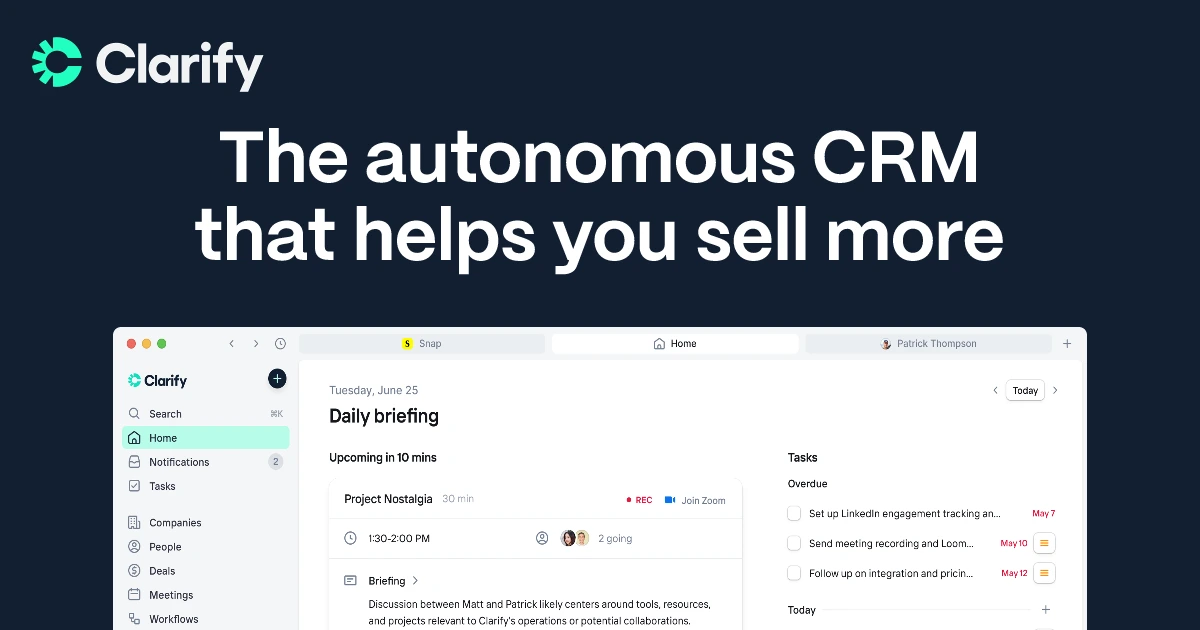
Clarify is an AI-driven CRM designed for startups and agile sales teams, consolidating email, meetings, and deal context in a single, user-friendly interface. It integrates with Google Workspace and Microsoft 365 to automatically sync emails, calendars, and meeting insights, utilizing that information to generate timelines and AI-recommended follow-ups. Users can compose and dispatch emails directly from Clarify, ensuring that engagement data is recorded within contacts and deals rather than getting buried in personal inboxes.
Feature comparison of Monday CRM and Clarify
Integration Capabilities
Monday CRM’s Emails & Activities app allows you to connect up to six Gmail or Outlook accounts for seamless two-way syncing, ensuring that all emails—both sent and received—appear as items on your boards alongside calls and tasks. Although it lacks native calendar syncing within the CRM, you can create simple automations or utilize Monday’s Calendar view to visualize your scheduled events.
Clarify integrates with Google Workspace and Microsoft 365, enabling sales teams to automatically capture Gmail, Outlook, calendar, and meeting activities directly into the CRM. It also connects with tools like Zapier, Segment, Posthog, and webhooks to facilitate the transfer of customer and product usage data in and out of the database. A “coming soon” integration with Loops aims to transmit Clarify events to a SaaS-focused email platform without replacing it. Ultimately, Clarify prioritizes consolidating essential inbox and meeting data rather than providing an expansive native marketing ecosystem.
Sync Frequency and Reliability
Monday CRM’s Emails & Activities app syncs your inbox every few minutes by default, regularly polling Gmail and Outlook for new messages to convert into board items. Although this method introduces a slight delay compared to push-based systems, updates typically appear within two to three minutes. If you require sub-minute responsiveness, you can adjust polling intervals or integrate custom webhooks for quicker updates.
Clarify focuses on automatically capturing email and calendar data rather than relying on manual logging. Once you connect Google Workspace or Microsoft 365, messages, events, and meeting insights are synced seamlessly in the background, associating them with the appropriate contacts, companies, and deals. The product copy highlights features like “auto-capture,” “auto-sync,” and continuous CRM updates, but it does not provide detailed, user-facing sync schedules. As a newer tool, Clarify's integrations may not be as thoroughly tested as those of legacy CRMs, even though the fundamental email and calendar sync is marketed as a standard feature.
Two-Way Email and Calendar Sync
Monday CRM’s Emails & Activities app seamlessly syncs up to six Gmail or Outlook accounts, along with a Group Emailing feature that allows you to send bulk messages to board items and contact lists. You can automate follow-ups using monday.com automations or enhance your email marketing efforts by integrating with Mailchimp. However, it's important to note that without Mailchimp or a similar add-on, you’ll only have access to basic send logs on your boards and lack native campaign analytics.
Clarify integrates with both Gmail and Outlook, enabling the capture of inbound and outbound emails within contact and deal timelines. This data is then utilized by the AI agent to provide follow-up suggestions. Following the July 2025 update, users will also be able to send emails directly from Clarify, with both outgoing messages and replies recorded in the relevant records. Additionally, calendar events and meeting summaries from platforms like Zoom or Microsoft Teams are incorporated into these timelines, giving teams a comprehensive two-way view of conversations and meetings. This functionality primarily supports everyday sales follow-ups rather than advanced marketing automation.
Mail Merge and Campaigns
Monday CRM’s Emails & Activities app connects up to six Gmail or Outlook accounts and includes a Group Emailing feature that enables bulk messaging to board items and contact lists. You can simplify follow-ups using monday.com automations or pair it with Mailchimp for comprehensive email marketing capabilities. However, remember that without Mailchimp (or a similar tool), you won't have access to detailed campaign analytics beyond basic send logs on your boards.
Clarify allows representatives to send one-on-one follow-up emails directly from the CRM, often generated from meeting and email context by its AI agent. Despite this feature, external reviews and Clarify’s own descriptions indicate that it currently lacks full multi-channel sequences and traditional mail merge bulk campaigns. For nurture streams and onboarding processes, teams are expected to utilize external tools like Loops or other marketing platforms through integrations. Consequently, Clarify remains focused on sales communication and maintaining pipeline hygiene, while more established CRMs take on the heavier campaign responsibilities.
Open and Click Tracking
The Emails & Activities app in Monday logs message opens when you send emails directly through the board interface; however, it does not natively track which links are clicked. To obtain click-through rates, you need to embed links with UTM parameters and use automations to pull the data into your board, or you can integrate with a marketing tool like Mailchimp.
Clarify positions itself as a CRM email tracking solution and features content focused on tools that monitor opens, clicks, and replies for sales emails. The goal is to capture essential engagement signals from emails sent via connected inboxes or through Clarify, then display that activity on timelines and in follow-up suggestions. This approach aids sales teams in identifying who is engaging and determining the optimal time to reconnect, all without transforming Clarify into a comprehensive analytics platform. In comparison to dedicated email platforms, the reporting of these events is relatively simple and tailored towards deal workflows rather than in-depth marketing reports.
In-Inbox CRM Experience
monday.com’s Emails & Activities app integrates seamlessly with your boards, moving away from reliance on your inbox. By connecting Gmail or Outlook, emails transform into actionable pulses on relevant items, allowing you to reply or add notes directly within monday.com. This setup is perfect for visual teams who organize everything on boards, though it does mean you’re working in monday.com rather than an in-inbox sidebar.
On the other hand, Clarify maintains much of its functionality within its own web and macOS apps, while still connecting to Gmail and Outlook. It doesn’t serve as a complete CRM sidebar within your inbox. Instead, users can review timelines, meeting summaries, and AI-generated follow-ups in Clarify before sending or scheduling emails, all while still using their preferred mail clients. This approach creates a connected workspace for teams that predominantly use Gmail or Outlook, rather than a traditional “CRM inside the inbox” extension. The future direction focuses on centralizing tasks and AI functionalities within Clarify rather than developing extensive UI add-ons for every email client.
folk CRM: The Ultimate CRM for Automations
folk CRM is a cutting-edge, AI-driven CRM designed for teams seeking to simplify their deal automation. It consolidates all relationships—leads, clients, partners, candidates, and investors—into adaptable views that fit any workflow.
folk caters to automation-focused teams. With built-in email and calendar synchronization, teams can efficiently automate follow-ups and outreach at scale. The latest conditional email automations allow you to trigger messages based on real-time data in folk, such as automatically sending onboarding or handoff emails when a contact becomes a client or a deal is marked as signed.
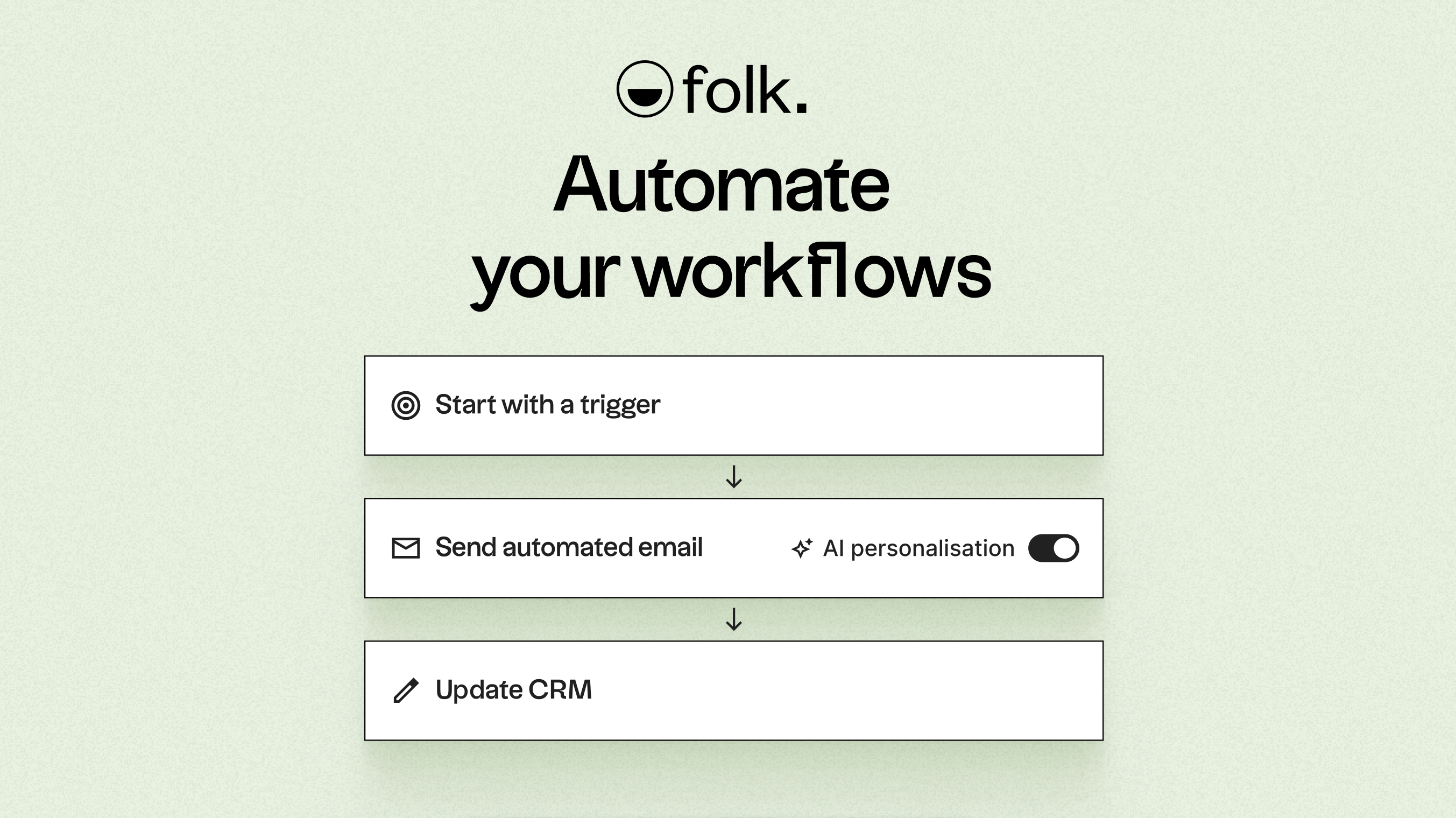
Fueled by AI, folk enhances data, creates icebreakers, drafts personalized emails, and recommends next best actions. Its open API and webhooks integrate smoothly with tools like Zapier and Make, facilitating advanced workflows across email, WhatsApp, Slack, billing, and internal systems.
With one-click contact capture through the folkX Chrome extension and collaborative pipelines, folk empowers teams with a lightweight yet robust CRM to scale automation while maintaining complete control.
Conclusion
In summary, while Monday CRM excels in visual project management and basic email syncing, and Clarify offers a straightforward integration with AI-driven follow-ups, folk stands out as the ultimate CRM for teams focused on email integration, automation, and sequencing. Its advanced capabilities in automating outreach and managing multi-channel communications make it the ideal choice for teams looking to streamline their workflows without sacrificing control. For those ready to elevate their automation game, folk CRM is the clear winner.
Start your 14-day free trial or book a demo today.
FAQ
Which CRM is best for automation?
For automation-focused teams, folk CRM offers the most robust conditional automations and API-driven actions to minimize administrative work; monday CRM and Clarify provide useful automations but are more limited for large-scale or conditional campaign automation.
How do Monday CRM and Clarify handle email and calendar syncing?
monday.com’s Emails & Activities app polls Gmail and Outlook every few minutes and can sync up to six accounts but lacks native calendar syncing, while Clarify auto-captures Gmail/Outlook emails, calendars, and meeting summaries though its exact sync cadence is less transparent.
Can either platform run bulk email campaigns and provide detailed campaign analytics?
monday.com supports group emailing and pairs with Mailchimp for full campaign analytics, whereas Clarify focuses on one-to-one AI-driven follow-ups and currently lacks traditional mail-merge sequences and deep marketing reports.
Discover folk CRM
Like the sales assistant your team never had