


Discover folk - the CRM for people-powered businesses
Imagine your sales, marketing, and customer success teams operating in perfect harmony—no miscommunications, no duplicated efforts, just seamless collaboration. That's the power of a collaborative CRM.
In today's fast-paced business environment, a traditional CRM isn't enough. You need a system that not only stores customer data but also fosters real-time collaboration across departments.
Who This Guide Is For
For customer success and account management teams of 20-50 people, finding the right collaborative CRM can transform how your organization manages client relationships and drives retention.
In this guide, you'll learn:
- What collaborative CRM is
- Core features that enable teamwork
- Benefits for cross-functional teams
- Expert tips to maximize outcomes
| Main points |
|---|
|
👉🏼 Try folk now to compare collaborative features across CRM options and set up shared contact lists for your 20–50 person team
What Is Collaborative CRM?
A collaborative CRM is a customer relationship management system designed to enhance communication and collaboration among various departments within an organization. It ensures that customer information is shared across teams, leading to improved customer service and satisfaction.
Key components include:
- Interaction Management: Tracking and managing all customer interactions across multiple channels.
- Channel Management: Ensuring consistent communication across various customer touchpoints.
Benefits of Collaborative CRM
Implementing a collaborative CRM offers numerous advantages for customer success and account management teams:
- Enhanced Communication: Breaks down silos between departments, fostering better teamwork.
- Improved Customer Service: Provides a unified view of customer interactions, leading to more personalized service.
- Increased Efficiency: Automates processes and reduces redundant tasks.
- Data-Driven Decisions: Offers insights from shared data to inform strategies.
- Higher Customer Retention: Delivers consistent experiences, boosting customer loyalty.
Top Collaborative CRM Tools: Reviews
| CRM Tool | Starting Price | Best For | Top Collaboration Feature |
|---|---|---|---|
| folk CRM | $20/user/month | Customer success teams 20-50 people | Shared contact lists with real-time sync |
| Zoho CRM | $14/user/month | Growing businesses with mixed teams | Built-in chat & team feeds |
| Pipedrive | $14/user/month | Sales teams | Shared sales pipelines & deal visibility |
| Microsoft Dynamics 365 | $65/user/month | Large organizations | Deep integration with Microsoft Teams |
| Oracle NetSuite CRM | $99/user/month | Enterprises with ERP needs | Role-based collaboration in ERP/CRM stack |
1. folk CRM
Best For
Customer success and account management teams of 20-50 people seeking a user-friendly and customizable collaborative CRM solution that scales perfectly with mid-sized organizations.
Pros
- User-Friendly Interface: Intuitive design that requires minimal training.
- Customizable Workflows: Tailor the CRM to fit your team's unique processes.
- Seamless Collaboration: Real-time updates and shared contact management enhance teamwork.
- Affordable Pricing: Competitive rates without compromising on features.
- Integration Capabilities: Connects with tools like Gmail, Slack, and LinkedIn.
Cons
- In-App Messaging: Lacks built-in instant messaging; relies on integrations for communication.
Pricing
- Standard: $20/user/month – Up to 2,000 emails, 500 enrichments.
- Premium: $40/user/month – Up to 5,000 emails, 1,000 enrichments.
- Custom: $80/user/month – Tailored solutions for larger enterprises.
2. Zoho CRM
Best For
Businesses of all sizes looking for a CRM with integrated communication tools.
Pros
- In-App Messaging: Offers instant messaging and group chat within the CRM.
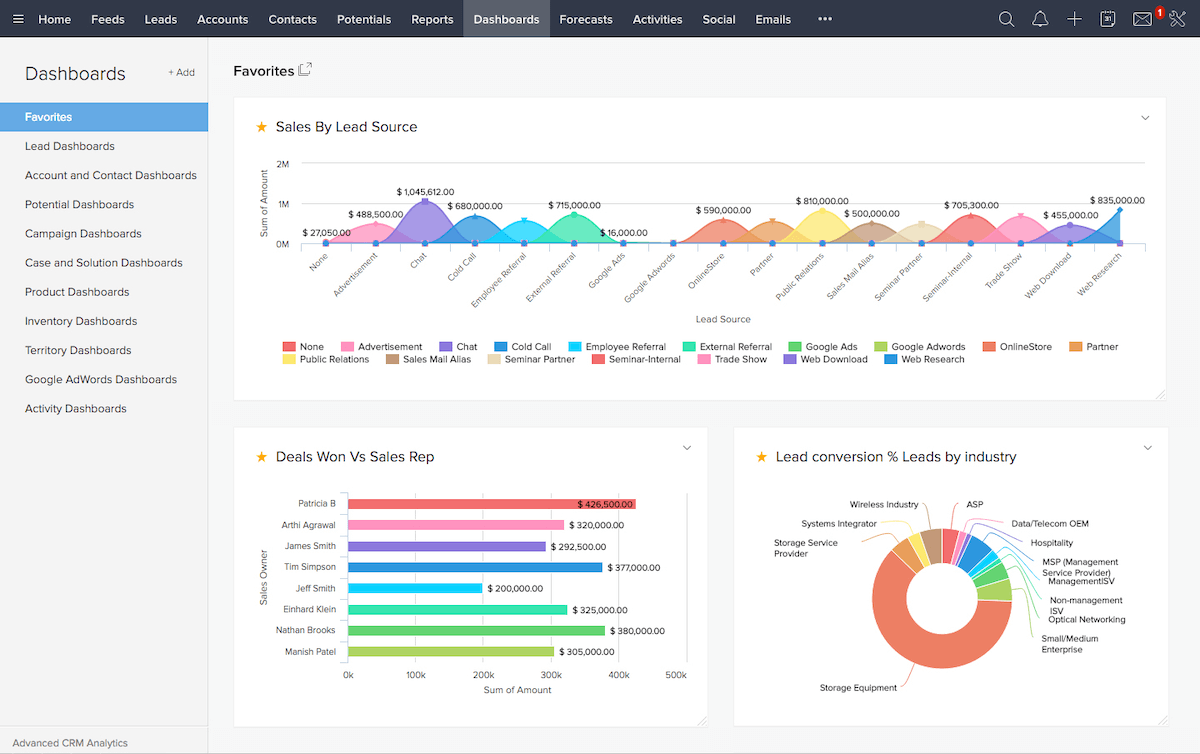
- Customizable Dashboards: Share and collaborate on dashboards across teams.
- Role-Based Permissions: Control access levels for different users.
- Integration Capabilities: Connects with a wide range of third-party applications.
Cons
- Complex Setup: Advanced features may require a learning curve.
Pricing
- Standard: $14/user/month – Basic CRM functionalities.
- Professional: $23/user/month – Includes inventory management.
- Enterprise: $40/user/month – Advanced customization and analytics.
- Ultimate: $52/user/month – Enhanced features and storage.
3. Pipedrive

Best For
Sales teams seeking a visual and straightforward CRM to manage pipelines.
Pros
- Visual Sales Pipeline: Drag-and-drop interface for deal management.
- Shared Dashboards: Collaborate on reports and insights.
- Role-Based Permissions: Define access levels for team members.
- Integration Capabilities: Over 500 integrations, including Slack and Microsoft Teams.
Cons
- In-App Messaging: Does not offer built-in messaging; relies on integrations.
Pricing
- Essential: $12.50/user/month – Basic pipeline management.
- Advanced: $24.90/user/month – Includes email integration.
- Professional: $49.90/user/month – Advanced reporting and automation.
- Enterprise: $99/user/month – Unlimited features and support.
Microsoft Dynamics 365
Best For
Large enterprises requiring a comprehensive CRM with deep integration into Microsoft products.
Pros
- In-App Messaging: Integrated communication tools within the Microsoft ecosystem.
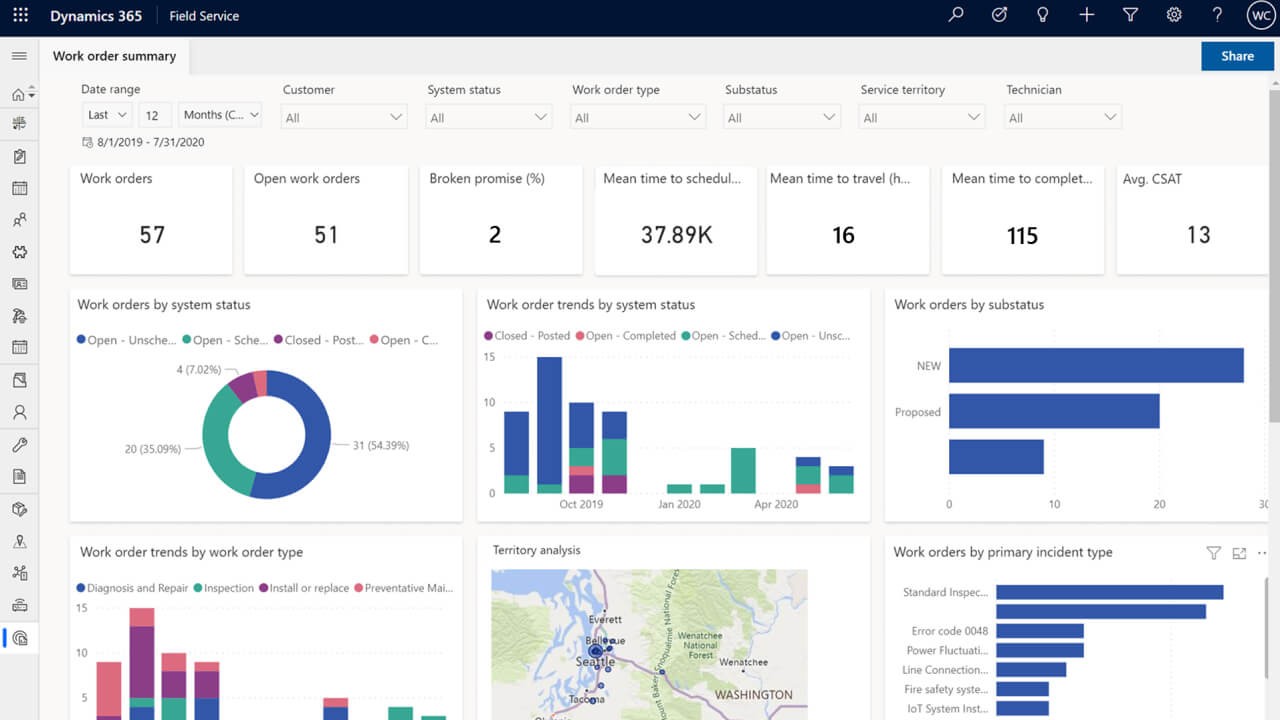
- Shared Dashboards: Collaborate using Power BI and other Microsoft tools.
- Role-Based Permissions: Granular control over user access.
- Integration Capabilities: Seamless integration with Microsoft Office Suite.
Cons
- Cost: Higher pricing may not be suitable for smaller businesses.
- Complexity: Steeper learning curve due to extensive features.
Pricing
- Sales Professional: $65/user/month – Core sales functionalities.
- Sales Enterprise: $95/user/month – Advanced customization and analytics.
- Customer Service Professional: $50/user/month – Basic customer service tools.
- Customer Service Enterprise: $95/user/month – Advanced service capabilities.
Oracle NetSuite CRM
Best For
Enterprises seeking an integrated CRM and ERP solution.
Pros
- In-App Messaging: Built-in notes and messaging for team communication.
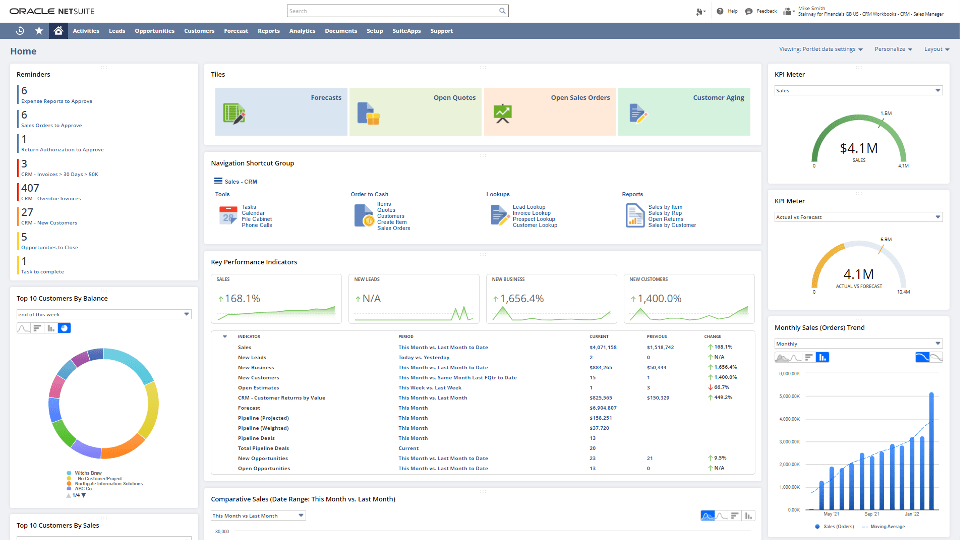
- Shared Dashboards: Publish standardized dashboards across teams.
- Role-Based Permissions: Control access based on roles and responsibilities.
- Integration Capabilities: Comprehensive integration with Oracle's suite of products.
Cons
- Cost: Premium pricing may be prohibitive for smaller businesses.
- Complexity: Implementation and customization can be time-consuming.
Pricing
- Custom Pricing: Based on modules, user count, and specific business needs.
Expert Tips for Maximizing Collaborative CRM
- Define Clear Processes: Establish standardized procedures for data entry and communication across your customer success and account management teams.
- Train Your Team: Ensure all users understand how to utilize the CRM effectively.
- Integrate Tools: Connect your CRM with other tools like email, calendars, and project management apps.
- Regularly Update Data: Maintain accurate and up-to-date customer information.
- Monitor Performance: Use analytics to track team performance and customer interactions.
Conclusion: Choose the Right Collaborative CRM for Seamless Teamwork
Collaborative CRMs are no longer a luxury—they're a necessity for customer success and account management teams. Whether you're a fast-growing startup or a mid-sized organization, aligning your teams around shared customer data can unlock better communication, improved efficiency, and stronger relationships.
While tools like Zoho, Pipedrive, and Microsoft Dynamics offer robust features, they often fall short for teams of 20-50 people who need the perfect balance of functionality and simplicity. For customer success and account management teams in this sweet spot, folk CRM stands out as the ideal solution, offering the collaborative features you need without the complexity and cost overruns of enterprise-level platforms.
👉🏼 Try folk now to manage contact-based reminders with your team and never miss a follow-up
FAQ
What is collaborative CRM?
A CRM that enables cross-team collaboration by sharing customer data, interactions, and communications in real time across sales, marketing, and support for consistent, faster service.
What features should a collaborative CRM include?
Shared contact records, interaction history, role-based permissions, shared dashboards, task and note syncing, omnichannel communication, automation, and integrations with email, calendars, and chat.
How is collaborative CRM different from operational CRM?
Operational CRM automates sales and service workflows. Collaborative CRM prioritizes sharing information across departments and channels so teams coordinate outreach and support with a unified customer view.
How to choose a collaborative CRM for a 20–50 person team?
Map must-have features, test ease of setup, confirm permissions and sharing, check email/chat integrations, and review pricing. For mid-sized success teams, folk CRM offers shared lists, real-time sync, and quick adoption.
Meet folk, the AI CRM for your entire Sales motion.