


Discover folk - the CRM for people-powered businesses
Choosing between Streak and Pipedrive boils down to one crucial question: which CRM effectively saves time through automation rather than adding to administrative burdens?
For teams that value simplicity, folk provides one of the most streamlined and powerful automation solutions in any CRM, enabling users to automate emails based on predefined conditions and orchestrate actions through the API.
Why Automation Is Essential for CRM in 2026
Automation has become the cornerstone of contemporary revenue teams. Sales and marketing are required to manage more leads, engage through multiple channels, and navigate increasingly complex buying journeys, all without increasing headcount or compromising on personalization. A CRM that still relies on manual data entry, ad hoc follow-ups, and spreadsheet-style reporting quietly siphons away time, energy, and attention from meaningful conversations with customers.
Here are the primary reasons why automation is now indispensable:
- Buyers demand quick, relevant responses via email, LinkedIn, WhatsApp, and phone calls.
- Pipelines operate at a rapid pace, and any missed follow-up can result in lost revenue.
- The sheer volume of data has skyrocketed, rendering manual updates both impractical and unreliable.
- Leadership requires real-time performance visibility, not just end-of-month estimates.
The true value of a CRM lies in how much workload it alleviates for the team, not in the number of fields it can accommodate. The ideal platform automatically captures activities, maintains clean records in the background, and prompts the next appropriate action at just the right moment, allowing representatives to concentrate on fostering relationships and closing deals rather than managing the tool.
What is Streak?

Streak is a lightweight CRM seamlessly integrated within Gmail, transforming your inbox into a collaborative pipeline for sales, support, and account management. Users can manage deals, track stages, and collaborate on email threads directly from the familiar Gmail interface, eliminating the need to switch tabs. At its core, Streak revolves around email, offering real-time tracking and pipeline views superimposed on your existing Gmail conversations.
What is Pipedrive?
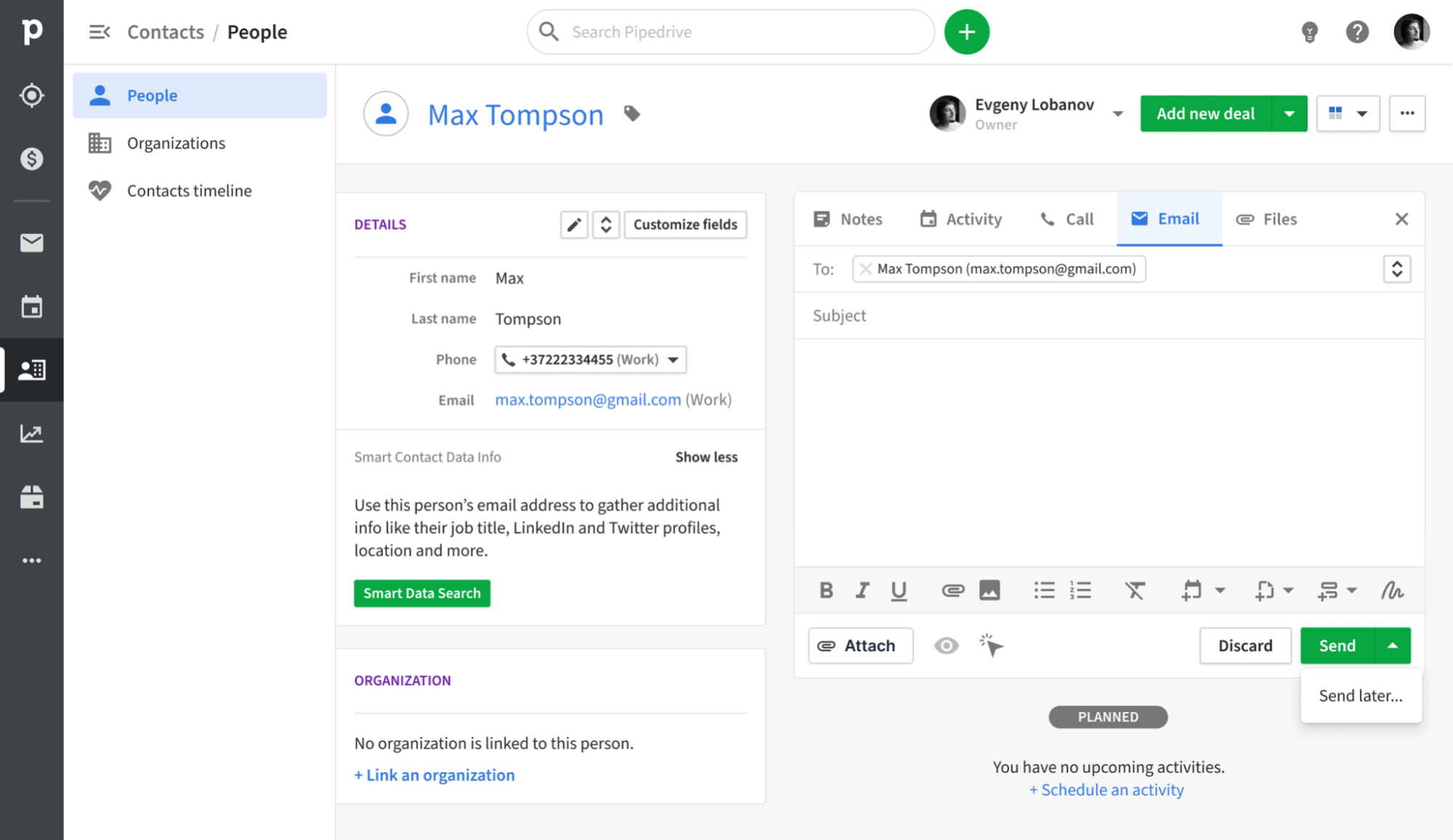
Pipedrive is a sales-oriented CRM designed around a visual pipeline that assists sales representatives in tracking deals from initial contact to closure. Its email synchronization feature connects with Gmail, Outlook, and other IMAP providers, enabling automatic logging of every message to the appropriate contact and deal. With a built-in sales inbox, tracking capabilities, and basic campaign features, teams can streamline their outreach and pipeline updates, keeping everything organized in one central location rather than juggling multiple tools.
Feature comparison of Streak and Pipedrive
Integration Capabilities
Streak fully integrates within Gmail, transforming your inbox into a comprehensive CRM without the need for extra windows or applications. Every email you send or receive is automatically recorded in the appropriate pipeline and shared across your team’s workspace, providing you with a real-time timeline for each deal without the hassle of manual bcc’ing.
Pipedrive seamlessly syncs with Gmail and Outlook (with IMAP support for other providers), ensuring that every inbound and outbound message is captured against the correct contact or deal record. The Smart Email BCC feature allows you to log messages without leaving your email client—simply add the dynamic bcc, and Pipedrive handles the rest. Additionally, the native calendar integration for Google and Microsoft calendars guarantees that all your meetings automatically appear on contact timelines, offering you a unified view of every customer interaction.
Sync Frequency and Reliability
Streak’s email sync operates in real time, integrated directly within Gmail’s infrastructure. As soon as you send or receive a message, Streak instantly logs it to the correct pipeline, ensuring your team always has access to the latest activity without delay. There’s virtually no lag or queuing; messages and thread updates appear immediately in both your inbox and Streak’s interface. By connecting directly to Gmail, you enjoy the benefits of Google’s unparalleled uptime and reliability.
Pipedrive’s email sync with Gmail and Outlook is designed to run every few minutes, striking a balance between immediacy and system performance. Outbound and inbound messages are captured and matched to contacts or deals in under five minutes, minimizing the chances of missing or delayed logs. The IMAP fallback adheres to standard IMAP IDLE protocols for push notifications, providing near-instant updates for compatible providers.
Two-Way Email and Calendar Sync
Streak’s Mail Merge tool integrates directly within Gmail, allowing you to send personalized mass emails to hundreds of recipients in under two minutes—without the need for CSV imports or third-party applications. You can easily insert custom variables (such as first name, company, and deal data) from your pipelines, schedule automatic follow-up sequences in the same thread, and even A/B test subject lines to enhance reply rates. Every sent message and follow-up automatically logs into your Streak timeline, ensuring you always know who has opened, clicked, or replied to your emails. However, Streak’s campaign features fall short on advanced analytics dashboards, meaning you won't receive detailed reports on unsubscribes or bounce handling unless you incorporate an additional tool.
Freshsales provides native plugins for Gmail and Outlook, offering a choice between two-way or one-way email sync during setup, with two-way being the default option. This guarantees that both incoming and outgoing emails flow seamlessly between your mailbox and CRM timeline. Additionally, Freshsales supports bi-directional sync with Google Calendar and Office 365: appointments created in either your inbox or CRM are mirrored in both locations, ensuring that your meeting history is always aligned with your email conversations in the same timeline.
Mail Merge and Campaigns
Streak’s Mail Merge tool integrates seamlessly with Gmail, allowing you to send personalized mass emails to hundreds of recipients in under two minutes—no CSV imports or third-party apps needed. You can easily insert custom variables (like first name, company, or deal data) directly from your pipelines, schedule automatic follow-up sequences within the same thread, and even conduct A/B tests on subject lines to enhance reply rates. Each sent message and follow-up is logged in your Streak timeline, ensuring you maintain visibility on who has opened, clicked, or replied. However, Streak’s campaign features fall short in terms of advanced analytics dashboards, meaning you won’t receive detailed reports on unsubscribes or bounce management without utilizing an additional tool.
For those on Advanced plans and higher, Pipedrive’s Group Emailing allows you to choose up to 100 contacts from any list and send bulk messages with merge tags and reply tracking. The Pipedrive Campaigns add-on provides a dedicated module for crafting email journeys, segmenting audiences, and analyzing open and click rates. All replies automatically link back to the corresponding deal or contact. The downside? The Campaigns add-on comes with an additional cost, and its reporting capabilities are more limited compared to standalone email marketing platforms.
Open and Click Tracking
Streak seamlessly integrates a small tracking pixel and link tracker within Gmail, providing real-time “eye” icons that indicate when an email is opened or a link is clicked in a specific thread. Simply hover over the green eye to access timestamps, locations, and click data for each link, all without leaving your inbox. Since it's entirely built on Gmail’s API, setup is virtually nonexistent and feedback is instant; however, you won't find aggregated campaign dashboards or multi-link heat maps, as it focuses solely on individual message views.
Pipedrive offers “Track email opening” and “Track link opening” features that automatically record both opens and clicks for every sent message, complete with counts and timestamps visible in the Mail tab. You have the flexibility to enable or disable tracking for each email, allowing you to see exactly who clicked which link in the deal view. That said, Pipedrive’s reporting is limited to basic open and click rates, lacking built-in funnel visualizations or heat-map insights unless you export the data to a BI tool.
In-Inbox CRM Experience
Streak operates entirely within Gmail, providing comprehensive CRM features—such as pipelines, contact details, and email logging—without requiring you to leave your inbox. The sidebar displays deal stages, custom fields, and shared notes alongside each email thread, ensuring that you always have the necessary context at your fingertips. You can easily drag and drop emails into various pipelines or update statuses in real-time, creating a seamless integration between your inbox and CRM. However, since Streak is exclusive to Gmail, you won't enjoy this in-inbox experience if you switch to Outlook or another email client.
Pipedrive’s Gmail Add-on adds a side panel to your inbox, allowing you to view contact and deal information, update stages, and add new activities directly from Gmail. You gain immediate access to Smart Email BCC, templates, and tracking options without leaving your inbox, and you can create new leads or deals with just a click. It effectively transforms your mailbox into a Pipedrive control center. However, this in-inbox functionality only works with Chrome or Edge—desktop Outlook lacks a comparable add-on.
folk CRM: The Best CRM for Automations
folk CRM is a modern, AI-native solution designed for teams eager to automate their deals effortlessly. It consolidates all relationships—leads, clients, partners, candidates, and investors—into adaptable views that cater to any workflow.
folk is tailored for automation-focused teams. With integrated email and calendar sync, teams can efficiently scale their follow-ups and outreach. The new conditional email automations allow you to send emails triggered by real-time data in folk—for instance, automatically dispatching onboarding or handoff emails when a contact transitions to a client or a deal is marked as signed.
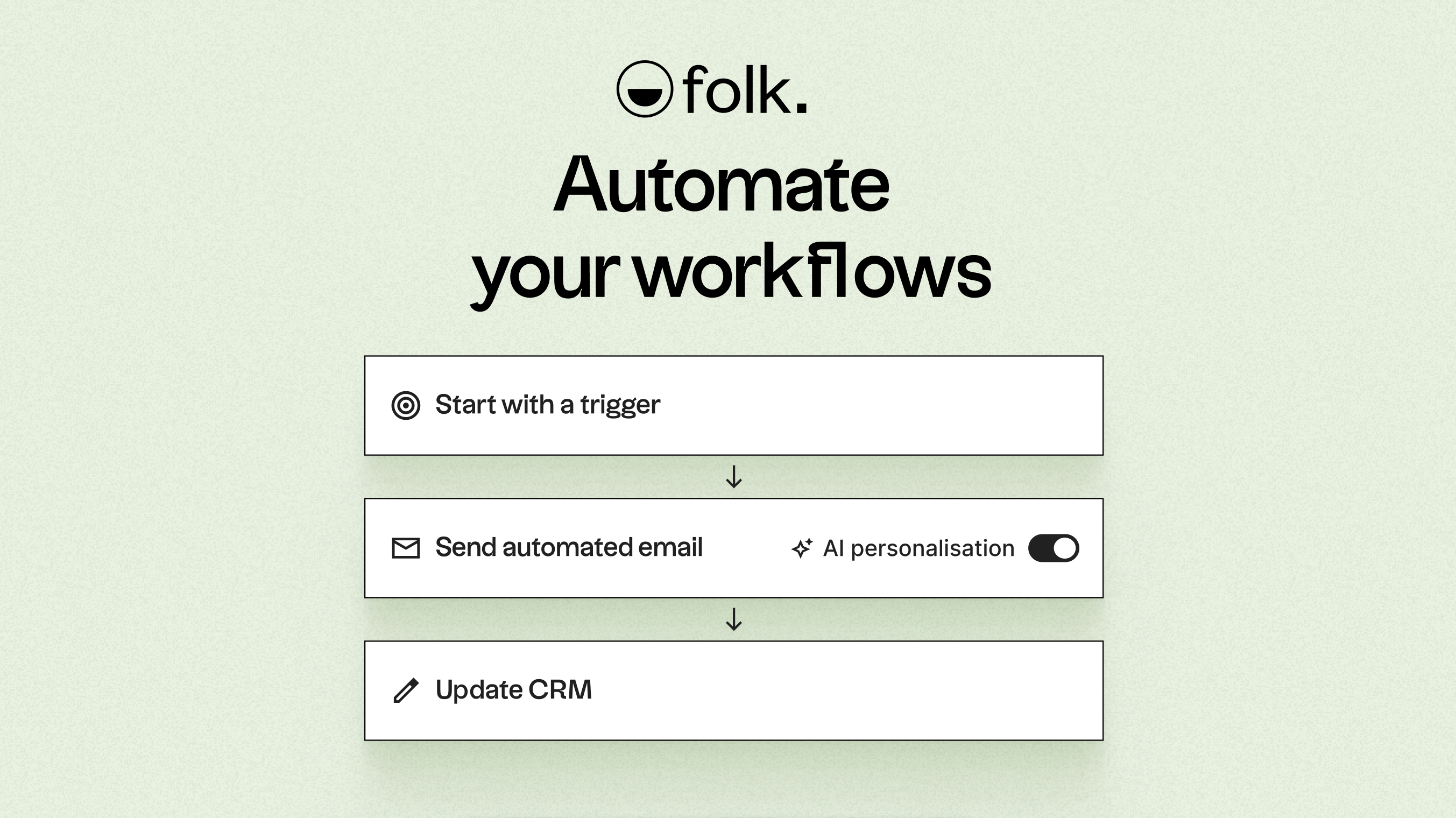
Driven by AI, folk enhances data, crafts icebreakers, composes personalized emails, and recommends the next best actions. Its open API and webhooks integrate smoothly with tools like Zapier and Make, facilitating advanced workflows across email, WhatsApp, Slack, billing, and internal systems.
With one-click contact capture via the folkX Chrome extension and collaborative pipelines, folk provides teams with a lightweight yet robust CRM to scale automation while maintaining complete control.
Conclusion
In summary, Streak excels in email integration within Gmail, providing real-time syncing and a lightweight approach for easy collaboration. Pipedrive offers a visually intuitive pipeline and efficient email synchronization, ideal for tracking sales processes. However, folk stands out as the ultimate CRM for teams focused on email integration, automation, and sequencing. With its advanced AI-driven features, flexible pipelines, and seamless integration capabilities, folk empowers teams to enhance productivity while maintaining complete control over their sales processes. Experience folk CRM for free.
Start your 14-day free trial or book a demo today.
Discover folk CRM
Like the sales assistant your team never had