


Descubre folk el CRM para empresas impulsadas por personas.
Elegir entre folk Clarify a una pregunta: ¿qué CRM realmente ahorra más tiempo en automatización, en lugar de crear trabajo administrativo adicional? Ambas herramientas se posicionan como CRM modernos e impulsados por IA que capturan datos automáticamente, sugieren los siguientes pasos y mantienen los procesos actualizados con una mínima intervención manual. Clarify en flujos de trabajo autónomos que registran reuniones, resumen conversaciones y actualizan registros en segundo plano. folk un enfoque más amplio, combinando IA, procesos flexibles y flujos de trabajo multicanal para que los equipos de ventas y marketing puedan enriquecer los datos, ejecutar secuencias y colaborar en acuerdos desde un único espacio de trabajo personalizable.
Por qué la automatización es esencial para el CRM en 2026
La automatización se ha convertido en la columna vertebral de los equipos de ingresos modernos. Se espera que los departamentos de ventas y marketing gestionen más clientes potenciales, más canales y procesos de compra más complejos, sin aumentar la plantilla ni sacrificar la personalización. Un CRM que sigue dependiendo de la introducción manual de datos, los seguimientos ad hoc y los informes en formato de hoja de cálculo resta tiempo, energía y concentración a las conversaciones reales con los clientes.
Principales razones por las que la automatización es ahora innegociable:
- Los compradores esperan respuestas rápidas y relevantes por correo electrónico, LinkedIn, WhatsApp y llamadas telefónicas.
- Los procesos avanzan rápidamente, y cualquier seguimiento olvidado se traduce en una pérdida de ingresos.
- El volumen de datos se ha disparado, lo que hace que las actualizaciones manuales sean poco realistas y poco fiables.
- El liderazgo necesita visibilidad en tiempo real sobre el rendimiento, no conjeturas a final de mes.
El valor de un CRM se mide por la cantidad de trabajo que le ahorra al equipo, no por la cantidad de campos que puede almacenar. La plataforma ganadora es aquella que captura la actividad automáticamente, mantiene los registros limpios en segundo plano y activa el siguiente paso adecuado en el momento adecuado, de modo que los representantes puedan centrarse en establecer relaciones y cerrar acuerdos en lugar de gestionar la herramienta.
¿Qué es Clarify?
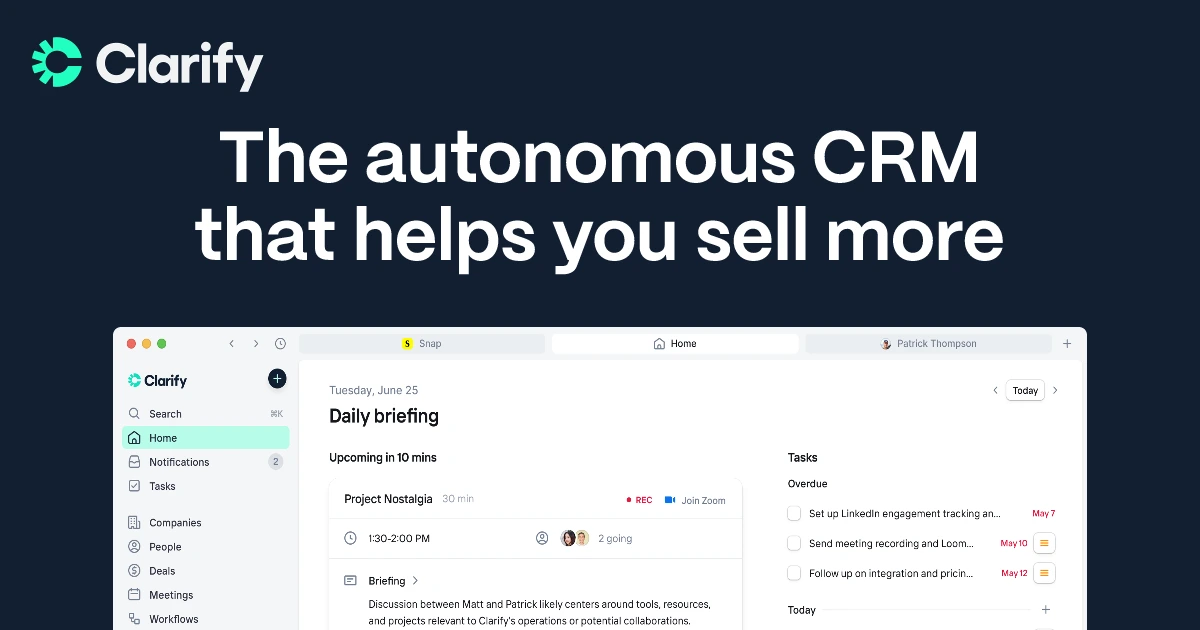
Clarify es un CRM «autónomo» basado en IA que se centra en reducir la introducción manual de datos y el trabajo rutinario de los equipos de ventas. Se conecta al correo electrónico, al calendario y a las llamadas para capturar automáticamente el contexto, resumir las conversaciones y actualizar los registros y los procesos en segundo plano. Los agentes de IA integrados redactan seguimientos, próximos pasos y enriquecimientos para que los representantes puedan estar presentes en las reuniones en lugar de gestionar el CRM. Clarify pensado para fundadores y equipos de ingresos reducidos que desean un asistente inteligente que se encargue de las tareas administrativas mientras ellos se centran en cerrar acuerdos.
¿Qué es folk ?
folk es un CRM moderno y nativo de IA diseñado para equipos de ventas medianos y grandes, agencias, startups y fundadores orientados a los ingresos. Centraliza todas las relaciones (clientes, clientes potenciales, socios, candidatos, inversores) en vistas flexibles, con la extensión folkX Chrome para capturar contactos de LinkedIn, Gmail y otras fuentes con un solo clic. Las funciones de IA ayudan a enriquecer los datos, generar rompehielos, redactar y personalizar correos electrónicos en frío y sugerir las mejores acciones siguientes en todo el proceso. Con sincronización de correo electrónico y calendario, WhatsApp e integraciones, y procesos colaborativos, folk diseñado para equipos que desean un CRM ligero pero potente que se adapte a su estrategia de comercialización.

folk Clarify: Comparación de funciones de automatización
Generador de flujos de trabajo y editor visual
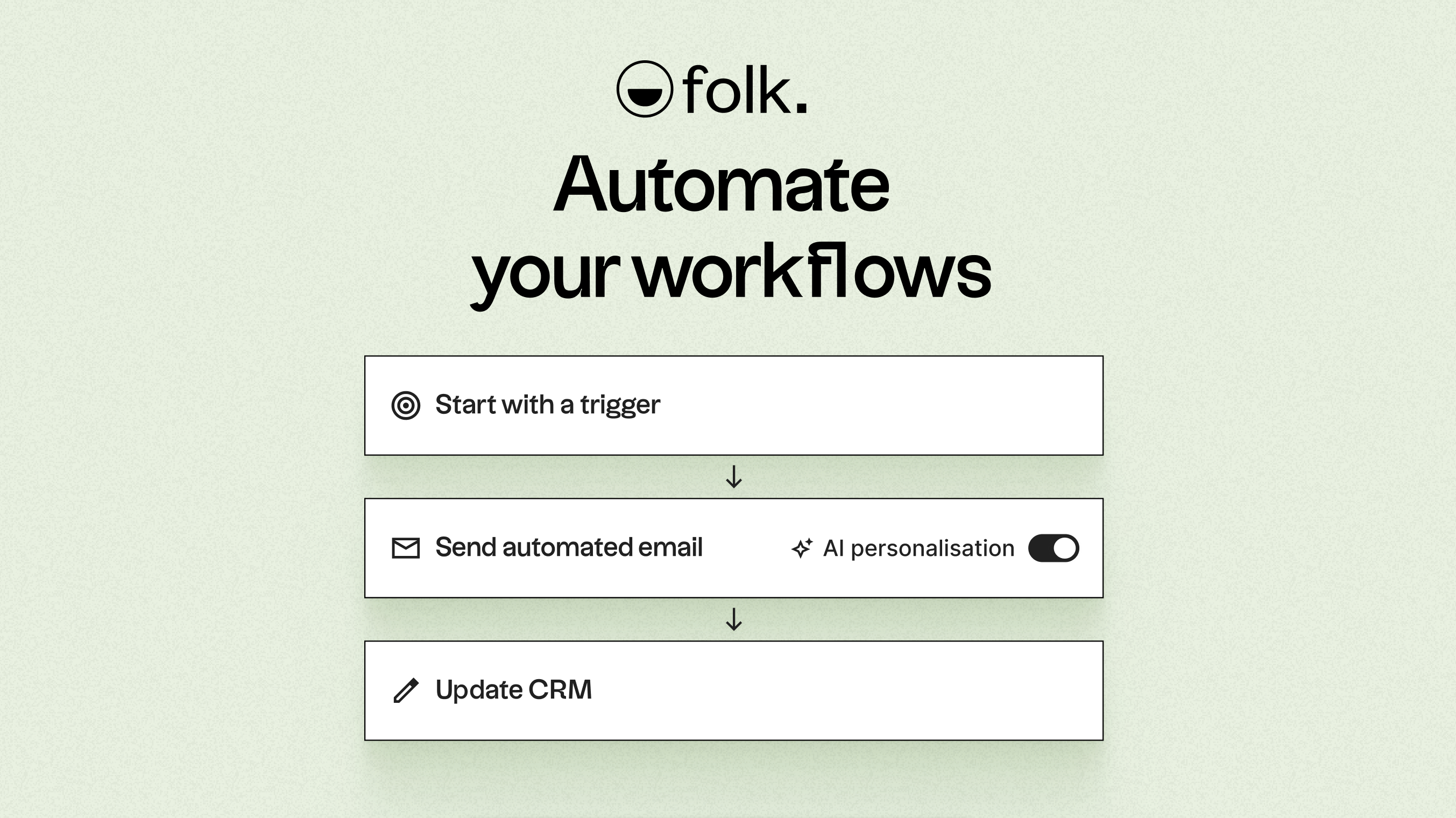
folk una función de secuencias nativa directamente en el CRM: puedes crear flujos de trabajo de correo electrónico de varios pasos y con retraso temporal (hasta 10 pasos) con mensajes redactados por IA opcionales y variables personalizadas enviadas por diferentes miembros del equipo. El editor de secuencias se encuentra dentro de la interfaz de mensajería folky muestra el historial de interacciones y la lógica de detención («detener si se responde») de forma nativa. También se sincroniza con tu canalización, por lo que los contactos avanzan de forma natural por las etapas en función de su interacción. Ya no depende únicamente de Zapier o Make para las secuencias, folk flujos de correo electrónico visuales dentro de la aplicación que equilibran la simplicidad con el poder de la automatización.
Clarify un sistema de flujo de trabajo que permite a los equipos automatizar tareas rutinarias de CRM, como mantener los registros actualizados, enriquecidos y organizados. En sus páginas de productos, Clarify «personalizar objetos, campos y flujos de trabajo para adaptarse a la forma en que su equipo realmente vende», lo que implica un generador basado en la configuración dentro de la aplicación, en lugar de un lienzo BPM muy pesado. El énfasis se pone en la configuración de flujos de trabajo prácticos para equipos de ingresos pequeños, no en competir con las grandes suites de automatización empresarial.
Opciones y condiciones de activación
La función Secuencias folkse activa de forma nativa cuando se inscribe un contacto, pero la automatización también puede iniciarse a partir de eventos clave, como la creación de un nuevo contacto, un cambio en la etapa del proceso o la actualización de un campo personalizado clave. Los equipos pueden definir quién entra en cada secuencia en función del segmento, el estado del acuerdo o cualquier atributo relevante, de modo que la comunicación se adapte al contexto del contacto. La interfaz de usuario folktambién admite la lógica basada en el tiempo con retrasos de varios pasos, lo que permite encadenar recordatorios, seguimientos y traspasos sin intervención manual.
Clarify los «flujos de trabajo basados en desencadenantes» que mantienen los registros limpios y actualizados de forma autónoma. Estos flujos de trabajo reaccionan a los cambios en la actividad de los clientes y los datos de CRM, por ejemplo, cuando se capturan nuevas interacciones, como clics en el sitio web, respuestas a correos electrónicos o mensajes de LinkedIn, y se vinculan a un registro. Los desencadenantes se utilizan principalmente para impulsar actualizaciones, enriquecimiento y organización, más que para ejecutar complejos recorridos de marketing con múltiples ramificaciones.
Biblioteca de acciones e integraciones
La función Sequences nativa folkenvía flujos de correo electrónico de varios pasos, borradores asistidos por IA, mensajes encadenados y variables personalizadas con rotación de remitentes basada en equipos. Además, folk integraciones estrechas con bandejas de entrada: Gmail, Outlook, WhatsApp y LinkedIn a través de folkX. Estas integraciones permiten a los equipos automatizar la aplicación de etiquetas, las actualizaciones del proceso, los recordatorios y los cambios de campo directamente desde las plataformas de mensajería o bandejas de entrada sincronizadas. Para casos de uso avanzados, la conectividad Zapier/Make abre acciones a más de 6000 herramientas de terceros, como invitaciones de calendario, alertas de Slack o actualizaciones de CRM, todo ello dentro de los flujos de trabajo folk.
Cuando se activa un flujo de trabajo, Clarify realizar acciones básicas de CRM, como actualizar campos, enriquecer contactos o reorganizar datos del canal de ventas, y también puede enviar o extraer datos a través de integraciones. La página de automatización menciona explícitamente la conexión Clarify plataformas de marketing, herramientas de comunicación y sistemas empresariales para «flujos de trabajo de varios pasos», y el catálogo de integraciones incluye Slack, Google Workspace, Microsoft 365, Segment, Posthog, Zapier, webhooks y mucho más. Este conjunto de acciones está orientado a las operaciones de ventas y GTM, más que a la automatización del marketing a gran escala.
Personalización y lógica avanzada
Las secuencias actualizadas folkte permiten personalizar cada paso: elegir diferentes remitentes, incluir variables personalizadas (por ejemplo, empresa, cargo, última interacción), variar las líneas de asunto y añadir borradores generados por IA para cada contacto. La lógica nativa gestiona el «detener si se responde» y el tiempo de retraso. Para una automatización más compleja, puedes seguir conectándote a Zapier o Make, lo que permite ramificaciones basadas en filtros como «si la puntuación es >80 Y es del sector X, entonces alerta de Slack + crear una tarea». Este modelo híbrido ofrece una personalización potente y centrada en el ser humano dentro de la aplicación, con una profundidad lógica escalable a través de integraciones.
Clarify los equipos adaptar el modelo de datos y las automatizaciones a su propio proceso mediante la personalización de objetos, campos y flujos de trabajo. Esto hace posible alinear las reglas de automatización con un movimiento de ventas específico sin necesidad de soporte técnico. Sin embargo, revisiones independientes señalan que Clarify aún Clarify maneja automatizaciones avanzadas, como secuencias multicanal, grandes campañas de correo electrónico o árboles de reglas muy complejos, lo que mantiene la capa lógica más simple que en los CRM maduros.
Informes, supervisión y registros de auditoría
Los análisis folk proporcionan a los equipos estadísticas claras y concisas sobre envíos, aperturas, clics, rebotes y respuestas para cada campaña, lo que facilita ver qué es lo que realmente funciona. A nivel de contacto, una línea de tiempo cronológica muestra qué correos electrónicos se enviaron, cuándo se enviaron y cómo interactuó cada persona, de modo que todo el contexto permanece en un solo lugar. Esta visibilidad ayuda a los representantes y gerentes a identificar rápidamente las secuencias con bajo rendimiento, perfeccionar el texto y la cadencia, y mantener la responsabilidad de las actividades de divulgación sin tener que depender de exportaciones manuales u hojas de cálculo.
Los informes Clarifyse basan en los mismos datos de actividad unificados que alimentan los flujos de trabajo: el uso de productos, los correos electrónicos, las reuniones y otros eventos se incorporan a dashboards los equipos puedan realizar un seguimiento del rendimiento del proceso y detectar riesgos. Los cambios impulsados por la automatización, como las actualizaciones, el enriquecimiento y los seguimientos, aparecen en los registros y las líneas de tiempo, lo que proporciona un historial básico de lo que ha sucedido. Salesdorado señala que los análisis siguen siendo relativamente sencillos en comparación con los CRM establecidos, con una profundidad limitada para la segmentación y la generación de informes avanzados, por lo que la supervisión Clarifyse adapta mejor a equipos pequeños que a configuraciones complejas de RevOps.
Conclusión
Tanto folk Clarify la promesa de reducir las tareas administrativas manuales mediante la inteligencia artificial y la automatización. Clarify como un CRM «autónomo» para fundadores y equipos de ingresos reducidos que desean registrar reuniones, resumir notas y actualizar registros en segundo plano sin tener que pensar demasiado en el diseño de procesos. Su capa de flujo de trabajo es práctica y específica, pero sigue siendo relativamente sencilla en términos de profundidad de los informes, alcance multicanal y lógica compleja.
Por otro lado,folk va más allá para los equipos que se dedican a las ventas salientes y multitáctiles. Su combinación de enriquecimiento nativo de IA, canales flexibles, automatización de correos electrónicos basada en secuencias e integraciones multicanal (correo electrónico, WhatsApp, LinkedIn a través de folkX) lo hace más adecuado para equipos medianos y grandes, agencias y organizaciones de ventas estructuradas que necesitan potencia y colaboración en un solo lugar. Si el objetivo es crear una pila de automatización moderna en torno a las ventas sociales, los correos electrónicos en frío y los procesos compartidos, sin heredar la complejidad de las grandes empresas,folk la mejor opción a largo plazo. Prueba folk gratis.
Descubre folk
Como el asistente de ventas que tu equipo nunca tuvo