


Descubre folk el CRM para empresas impulsadas por personas.
Las mejores alternativas Copper para 2025
¿Buscas un CRM más inteligente y flexible que Copper?
Si te sientes limitado por una automatización restringida, integraciones rígidas o un precio elevado, no eres el único. Muchos equipos de entre 20 y 50 personas están explorando alternativas Copper que ofrecen una mejor personalización, flujos de trabajo modernos y una mayor rentabilidad.
A continuación, se muestra una lista seleccionada de las mejores alternativas, cada una de las cuales ofrece ventajas únicas que le ayudarán a encontrar la opción más adecuada para su negocio en crecimiento.
| Puntos principales |
|---|
|
Las 10 mejores alternativas Copper (2025)
| Herramienta CRM | Ideal para | Precio inicial (por usuario/mes) | Calificación |
|---|---|---|---|
| folk | Equipos de 20 a 50 personas, agencias, empresas en crecimiento. | $20 | ⭐⭐⭐⭐⭐ |
| NetHunt CRM | Usuarios avanzados de Gmail, automatización de ventas | $30 | ⭐⭐⭐⭐⭐ |
| Bigin de Zoho | Pequeñas empresas conscientes de su presupuesto | 7 $ (plan gratuito pero muy limitado) | ⭐⭐⭐⭐⭐ |
| Pipedrive | Equipos centrados en las ventas | $14 | ⭐⭐⭐⭐ |
| CRM de HubSpot | Alineación de marketing y ventas | 20 $ (plan gratuito pero con funciones muy limitadas) | ⭐⭐⭐⭐ |
| Nutshell | Simplicidad todo en uno | $19 | ⭐⭐⭐⭐ |
| Streak CRM | CRM dentro de Gmail | $59 | ⭐⭐⭐⭐⭐ |
| Insightly | Proyecto + CRM combinado | $29 | ⭐⭐⭐⭐ |
| Close | Automatización de ventas, llamadas, correos electrónicos | $35 | ⭐⭐⭐⭐⭐ |
| Salesforce | Equipos de ventas grandes | $25+ | ⭐⭐⭐⭐ |
👉🏼 Prueba folk para gestionar los recordatorios basados en contactos con tu equipo.
1. folk
Calificación
⭐⭐⭐⭐⭐
Ideal para
Equipos de 20 a 50 personas, agencias, empresas en crecimiento.
Resumen general
folk está diseñado específicamente para equipos colaborativos de entre 20 y 50 personas que necesitan una plataforma fácil de usar que simplifique la gestión de las relaciones con los clientes y se adapte a su crecimiento. Es la solución perfecta para equipos de tamaño medio que han superado los CRM básicos, pero que aún no están preparados para la complejidad de las grandes empresas.
folk ofrece integraciones con Gmail, Outlook, WhatsApp, Linkedin, Instagram, X y más.
Ventajas
- Interfaz intuitiva con procesos personalizables, perfecta para equipos de entre 20 y 50 personas.
- Integración perfecta con Gmail, Outlook, WhatsApp, LinkedIn (y más) a través de la extensión de Chrome.
- Automatización de correo electrónico y combinación de correspondencia integradas
- Precios asequibles que se adaptan al crecimiento de los equipos.
- Enriquecimiento nativo
- Aplicaciónfolk para gestionar contactos y recordatorios sobre la marcha
Contras
- No diseñado para llamadas en frío
Precios
A partir de 20 $/usuario/mes (facturado anualmente)
2. NetHunt CRM

Calificación
⭐⭐⭐⭐⭐
Ideal para
Usuarios avanzados de Gmail, automatización de ventas
Resumen general
NetHunt CRM se integra directamente en Gmail, lo que permite a los usuarios gestionar contactos, acuerdos y flujos de trabajo sin salir de su bandeja de entrada. Ofrece opciones avanzadas de automatización y personalización.
Ventajas
- Funcionalidad CRM dentro de Gmail
- Campos y flujos de trabajo altamente personalizables
- Sólidas funciones de marketing por correo electrónico y automatización.
Contras
- Curva de aprendizaje para configurar automatizaciones avanzadas
- Precio más elevado en comparación con algunas alternativas.
Precios
A partir de 30 $/usuario/mes
3. Bigin de Zoho
Calificación
⭐⭐⭐⭐⭐
Ideal para
Pequeñas empresas conscientes de su presupuesto
Resumen general
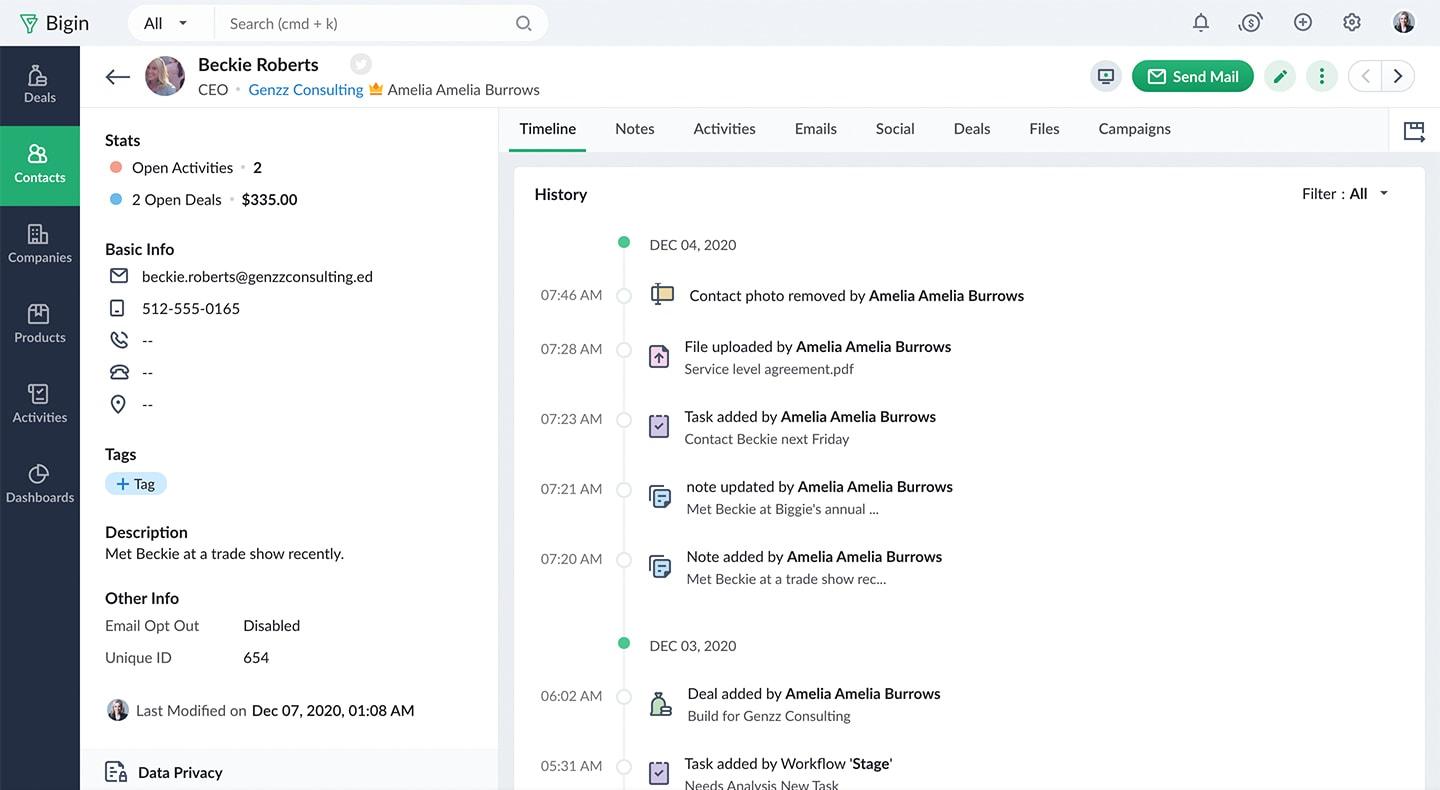
Bigin ofrece una experiencia CRM optimizada con funciones esenciales, lo que lo hace ideal para pequeñas empresas que buscan una solución asequible.
Ventajas
- Interfaz fácil de usar con múltiples canales
- Integración de telefonía y correo electrónico incorporada
- Precios asequibles
Contras
- Funciones avanzadas limitadas en comparación con los CRM completos.
- Funciones básicas de generación de informes
Precios
Desde 7 $/usuario/mes + Plan gratuito con funciones muy limitadas
4. Pipedrive

Calificación
⭐⭐⭐⭐
Ideal para
Equipos centrados en las ventas
Resumen general
Pipedrive un CRM orientado a las ventas diseñado para ayudar a los equipos a mantenerse centrados y close más rápidamente. Su canalización visual facilita el seguimiento de cada oportunidad, mientras que las herramientas integradas, como el seguimiento del correo electrónico, los recordatorios y las previsiones, mantienen a los representantes organizados y proactivos, sin añadir complejidad.
Ventajas
- Gestión intuitiva de procesos mediante arrastrar y soltar
- Etapas y campos personalizables
- Herramientas sólidas de generación de informes y previsiones
Contras
- Funciones limitadas de automatización del marketing
- Los complementos pueden aumentar el coste total.
Precios
A partir de 14 $/usuario/mes
5 HubSpot CRM

Calificación
⭐⭐⭐⭐
Ideal para
Alineación de marketing y ventas
Resumen general
HubSpot CRM combina marketing, ventas y servicio al cliente en una plataforma conectada. El nivel gratuito cubre lo básico (seguimiento de contactos, canales, herramientas de correo electrónico), lo que lo hace ideal para equipos pequeños. A medida que crezca, podrá desbloquear funciones avanzadas como la automatización y la puntuación de clientes potenciales sin cambiar de sistema.
Ventajas
- Plan gratuito con funciones esenciales
- Integración perfecta con las herramientas de marketing de HubSpot.
- Amplia base de conocimientos y asistencia técnica
Contras
- Las funciones avanzadas requieren planes de pago.
- Puede resultar complejo para los usuarios que buscan un CRM sencillo.
Precios
A partir de 20 $ (plan gratuito pero con funciones muy limitadas)
6. Nutshell

Calificación
⭐⭐⭐⭐
Ideal para
Simplicidad todo en uno
Resumen general
Nutshell reúne las ventas y el marketing en una plataforma optimizada. Diseñado para ser sencillo, ayuda a los equipos a gestionar clientes potenciales, enviar campañas y realizar un seguimiento de los resultados sin tener que utilizar múltiples herramientas. Es una opción sólida para las empresas que buscan funcionalidad sin necesidad de aprender a utilizar nuevas herramientas.
Ventajas
- CRM todo en uno con marketing por correo electrónico
- Interfaz fácil de usar
- Sólida atención al cliente
Contras
- Integraciones de terceros limitadas
- Menos personalizable en comparación con algunos competidores.
Precios
Desde 19 $ por usuario al mes.
7. Streak CRM

Calificación
⭐⭐⭐⭐⭐
Ideal para
CRM dentro de Gmail
Resumen general
Streak CRM vive dentro de Gmail, convirtiendo tu bandeja de entrada en un CRM ligero. Puedes realizar un seguimiento de los clientes potenciales, gestionar los procesos y colaborar en los acuerdos, sin necesidad de cambiar de pestaña. Es ideal para usuarios individuales o equipos pequeños que ya trabajan en Gmail y que prefieren la simplicidad a la complejidad.
Ventajas
- Integración perfecta con Gmail y funciones
- Pipelines personalizables
- Plan gratuito disponible
Contras
- Interfaz antigua/UX
- Funciones limitadas fuera de Gmail
- No apto para equipos que necesitan funcionalidades avanzadas de CRM.
Precios
$59 al59
8. Insightly
Calificación
⭐⭐⭐⭐
Ideal para
Proyecto + CRM combinado
Resumen general
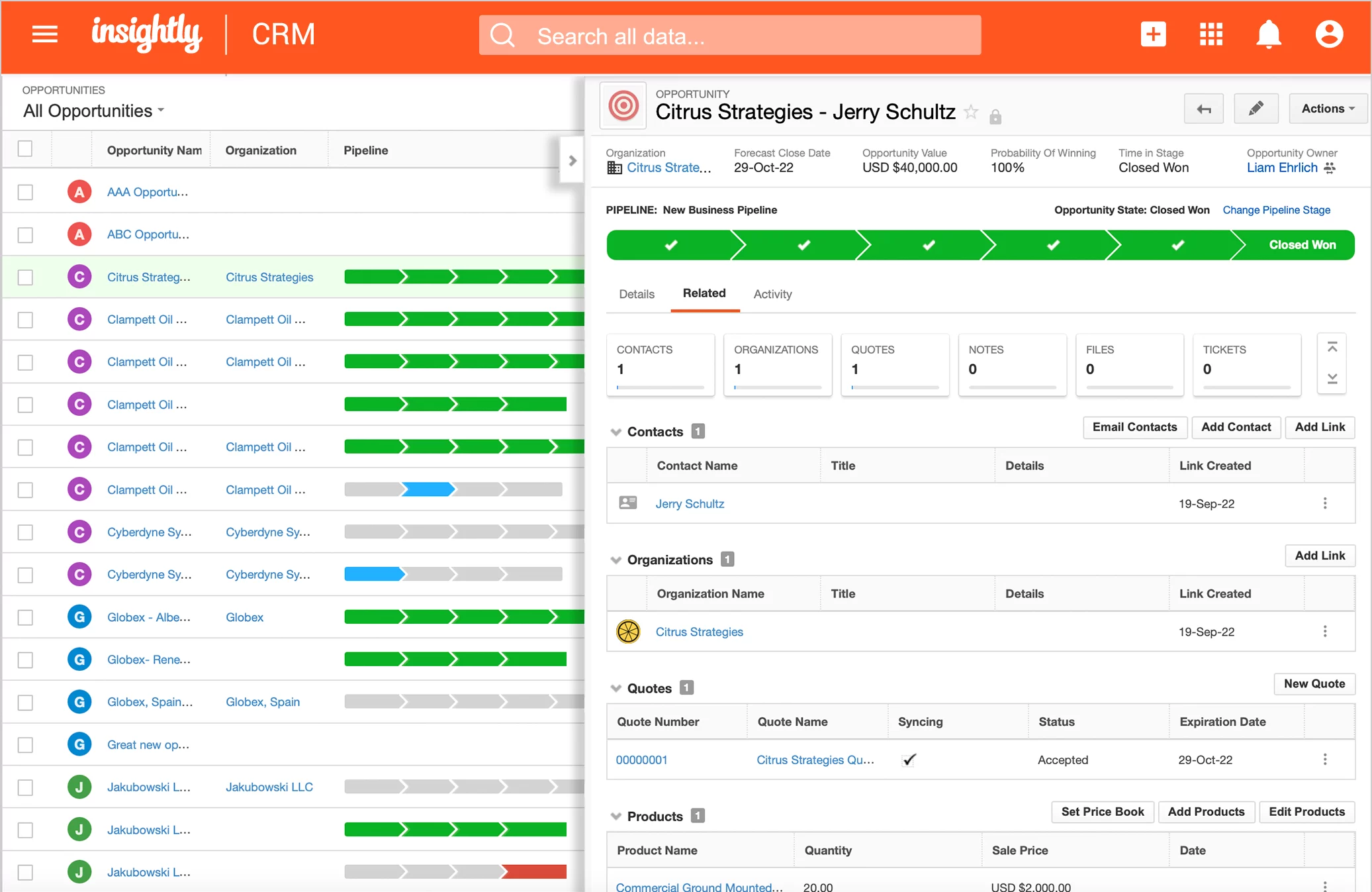
Insightly CRM con gestión de proyectos, para que puedas realizar un seguimiento de las relaciones y entregar el trabajo, todo en un solo lugar. Es ideal para equipos que compaginan ventas, tareas y proyectos de clientes, con herramientas para gestionar procesos, plazos y seguimientos desde un único dashboard.
Ventajas
- Herramientas integradas de gestión de proyectos y Gmail
- dashboards informes personalizables
- Automatización del flujo de trabajo
Contras
- Curva de aprendizaje más pronunciada
- Precios más elevados para funciones avanzadas
Precios
Desde 29 $/usuario/mes
9. Close

Calificación
⭐⭐⭐⭐⭐
Ideal para
Automatización de ventas, llamadas, correos electrónicos
Resumen general
Close está diseñado para equipos de ventas internos que trabajan con rapidez. Con funciones de llamadas, correo electrónico y SMS integradas en la plataforma, los representantes pueden ponerse en contacto con clientes potenciales, realizar seguimientos y close , todo ello sin abandonar su flujo de trabajo. Está diseñado para reducir las tareas rutinarias y mantener el flujo de las conversaciones de ventas.
Ventajas
- Llamadas y SMS integrados
- Potentes funciones de automatización
- Informes y análisis detallados
Contras
- Precio inicial más alto
- Puede que tenga demasiadas funciones para equipos pequeños.
Precios
Desde 99 $ por usuario al mes.
10. Salesforce

Calificación
⭐⭐⭐⭐
Ideal para
Escalabilidad empresarial, grandes equipos de ventas
Resumen general
Salesforce un potente CRM diseñado para escalar. Desde startups hasta empresas globales, ofrece una profunda personalización, automatización e integraciones en todos los departamentos. Tanto si gestionas ventas, servicios o marketing, Salesforce a necesidades complejas, pero tiene una curva de aprendizaje más pronunciada.
Ventajas
- Altamente personalizable
- Amplias opciones de integración
- Informes y análisis sólidos
Contras
- Configuración e implementación complejas
- Mayor coste para las pequeñas empresas
Conclusión
👉🏼 Prueba folk para no perderte nunca un seguimiento cuando amplíes las ventas para un equipo de entre 20 y 50 personas.
Si Copper empieza a parecerte demasiado rígido, anticuado o caro para tu equipo en crecimiento de entre 20 y 50 personas, no eres el único. Los equipos medianos de hoy en día necesitan herramientas que se adapten a su velocidad, estilo de colaboración y necesidades de crecimiento sin la complejidad de las soluciones empresariales.
folk destaca como la alternativa n.º 1 Copper para equipos de entre 20 y 50 personas, ya que combina:
- automatización,
- enriquecimiento,
- flexibilidad de tuberías en un diseño elegante,
- plataforma fácil de usar,
- etc.
Tanto si estás ampliando tus ventas, gestionando asociaciones o simplemente quieres un CRM que se adapte a tu equipo en crecimiento, y no al revés,folk merece la pena para los equipos que están listos para ir más allá de las herramientas básicas sin los gastos generales de una gran empresa.
Preguntas frecuentes
¿Cuáles son las mejores alternativas a Copper ?
Las mejores opciones incluyen folk , Pipedrive, HubSpot, Close, Salesforce, NetHunt, Bigin by Zoho, Nutshell, Streak e Insightly. Compara precios, integraciones de correo electrónico, flexibilidad de canalizaciones y automatización para adaptarte al tamaño del equipo y los flujos de trabajo.
Copper se integra con Outlook?
No, Copper es compatible Copper con Gmail. Los equipos que utilizan Outlook deben considerar alternativas que se conecten a ambas suites de correo electrónico. Por ejemplo, folk se integra con Gmail y Outlook, además de WhatsApp y LinkedIn.
Copper puede enriquecer los contactos automáticamente?
No de forma nativa. Copper funciones integradas para enriquecer títulos, datos de empresas o perfiles sociales, por lo que a menudo requiere herramientas de terceros. Alternativas como folk ofrecen enriquecimiento nativo para reducir las actualizaciones manuales.
¿Cómo elegir una alternativa a Copper ?
Prioriza: compatibilidad con Gmail/Outlook, procesos personalizables, secuencias de correo electrónico nativas, automatización, enriquecimiento, informes y coste total a escala. Prueba con una versión de prueba e importa un proceso de muestra para validar su idoneidad para un equipo de 20 a 50 personas.
Descubre folk
Como el asistente de ventas que tu equipo nunca tuvo