


Откройте для себя Folk — CRM для компаний, ориентированных на людей
Overview: CRMs for growing accounting firms (20–50 people)
As an accounting firm with 20-50 team members, managing client relationships, tracking projects, and keeping up with deadlines can be overwhelming, especially as your firm grows.
A Customer Relationship Management (CRM) system designed for accounting firms can help you streamline these processes by organizing client data, automating follow-ups, and ensuring seamless communication—all from one platform.
With the right CRM, you can improve efficiency, enhance client relationships, and focus more on delivering top-tier accounting services.
In this blog post, we'll explore the best CRM options for accounting firms like yours, highlighting tools that will help you stay organized and scale your business effectively.
| Основные моменты |
|---|
|
Почему вам нужна CRM
Using the right Customer Relationship Management (CRM) system can change how you manage your accounting firm, streamline your operations and stay on top of multiple client relationships.
Проблемы без CRM
Managing an accounting firm without a CRM can lead to several common challenges. The main challenge being the time wasted and taken away from top priorities.
- Disorganization: Without a centralized system, keeping track of client information and interactions becomes chaotic.
- Missed opportunities: Important follow-ups and potential leads can fall through the cracks.
- Inefficient processes: Manual data entry and fragmented systems slow down operations.
- Lack of insight: Limited access to real-time data hinders strategic decision-making.
- Inconsistent communication: Disjointed communication can lead to misunderstandings and client dissatisfaction.
Преимущества CRM
Fortunately, the right CRM can help you address these challenges – and provide extra benefits.
- Centralized information: All client data is stored in one place, making it easily accessible and manageable.
- Enhanced efficiency: Automating routine tasks frees up time for more strategic activities.
- Improved customer relationships: Better tracking of client interactions leads to more personalized service.
- Better decision-making: Real-time analytics provide insights that drive smarter business strategies.
- Increased sales: Efficient follow-up and lead management boost conversion rates.
- Consistent communication: Streamlined communication ensures that all team members are on the same page.
Как оценить и выбрать CRM
With a lot of CRMs to choose from, it can be hard to figure out which one fits your requirements best. For accounting firms with 20-50 employees, finding a solution that scales with your team size while remaining user-friendly is crucial. To help you with your decision making process, we've put together some tips that you can adapt according to your needs.
1. Определите свои требования
Before diving into the search for the best CRM for accounting firms, it's crucial to identify the key features that will benefit your business. For accounting firms, this might include client management, document storage, invoicing, and integration with accounting software like QuickBooks or Xero. Understanding your specific needs will help you narrow down your options and choose a CRM that aligns with your firm's workflow. Start with the following key features.
Key features of a CRM for accounting firms
- Automated processes: Streamlines tasks by automating repetitive workflows, freeing up valuable time for accountants to focus on more critical tasks. Automation reduces errors and ensures consistency in client management.
- Contact enrichment: Automatically finds leads and customers' email addresses and contact information, enhancing efficiency. This feature helps in maintaining a comprehensive and up-to-date client database without manual effort.
- Structured pipeline: Tracks leads and customers through defined stages, ensuring process clarity and effectiveness. A structured pipeline helps in monitoring client progress, from initial contact to final service delivery, ensuring no client falls through the cracks.
- Mail merge and email sequences: Increases communication efficiency with follow-up templates and automated sequences. This feature ensures timely follow-ups and consistent communication, which is crucial for maintaining strong client relationships.
- LinkedIn connection: Seamlessly imports leads and customers from LinkedIn and tracks conversations within the CRM. This integration is particularly useful for networking and expanding your client base through professional connections.
- Analytics Provides essential data analysis and predictive insights for better planning. Detailed reports and forecasts help in making informed business decisions, managing resources effectively, and planning for future growth.
2. Соображения бюджета
When evaluating CRM solutions, it's essential to balance the cost against the return on investment. While some CRMs might offer extensive features, they may come with a hefty price tag. Consider what features are non-negotiable for your firm and look for a CRM that offers the best value for the price. Remember, the right CRM should streamline operations and ultimately save time and money.
3. Процесс отбора
Choosing the right CRM vendor involves thorough research. Start by reading reviews and testimonials from other accounting firms to gauge the effectiveness of different CRM solutions. Look for vendors that offer robust customer support and have a proven track record in the accounting industry. Additionally, check if they provide training and resources to help your team get up to speed quickly.
4. Получите демо-версию
Once you've shortlisted potential CRMs, take advantage of free trials or demos to test their functionality. Pay attention to the user interface, ease of use, and how well it integrates with your existing tools. Compare the features and pricing plans side by side to determine which CRM offers the best fit for your accounting firm. Making an informed decision will ensure that you select a CRM that enhances your firm's productivity and client management. Get started with a demo of folk here.
👉🏼 Попробуйте folk прямо сейчас, чтобы управлять напоминаниями на основе контактов вместе со своей командой.
3 совета по внедрению CRM
Once you're made your final decision on the CRM that's right for you – it's time to get familiar with it. To help you make the most of your implementation process, we suggest ticking these three things off your to-do list in the first few weeks.
1. Импортируйте свои данные в новую CRM-систему.
Transitioning to a new CRM can be smooth if you properly import your existing data. Start by exporting your data as a CSV file from your current CRM. Once you have your data exported, you can easily import it into your new CRM. This way, you won't have to add contact information manually.
2. Создайте свой первый конвейер
After importing your data, the next step is to create your first pipeline. For accounting firms, this might involve setting up stages such as "Lead Generation," "Client Onboarding," "Document Submission," "Tax Preparation," and "Final Review." Tailoring the pipeline to your firm's workflow will help streamline your processes and ensure that nothing falls through the cracks.
3. Привлеките свою команду
The final step in implementing a new CRM is to onboard your team. Conduct training sessions to familiarize your staff with the new system, its features, and how it can benefit their daily tasks. Effective onboarding ensures that everyone is on the same page and can fully utilize the CRM to improve client management and operational efficiency.
The 5 best CRMs for accounting firms
1. народный
folk is a modern CRM platform for managing contacts, workflows, and relationships, offering customizable pipelines, AI-driven tools, and integrations to enhance deal management and prospecting. For accounting firms with teams of 20-50 people, folk CRM stands out as the ideal solution, combining powerful functionality with an intuitive interface that makes onboarding your entire team seamless and efficient.

Основные характеристики
- Обогащение контактов: автоматически обогащает контактные данные, находя адреса электронной почты и URL-адреса LinkedIn, что позволяет эффективно связываться с клиентами без ручного ввода данных или дополнительных затрат на услуги электронной почты.
- LinkedIn integration: Seamlessly import contacts from LinkedIn or leads from Sales Navigator to track everyone within folk, and use templates for quicker, streamlined communication.
- Слияние почты и последовательности электронных писем: полная синхронизация электронной почты, совместимая с Gmail и Outlook, с доступом к шаблонам и функциями отслеживания, позволяющая пользователям управлять всей коммуникацией непосредственно из CRM.
- Функции на базе искусственного интеллекта: инструменты искусственного интеллекта помогают управлять контактами и отношениями, автоматизировать рутинные задачи и предлагать действия для повышения производительности.
- Integrations: folk offers an open API and native integrations (e.g., Kaspr, Allo, Salesforge, PandaDoc), and also connects to 6,000+ apps via Zapier and Make.

Плюсы
- Простота использования: folk хвалят за интуитивно понятный интерфейс, который делает его доступным даже для пользователей без технических знаний, благодаря быстрой адаптации и минимальной кривой обучения.
- Все в одном: folk оптимизирует ваш рабочий процесс, позволяя импортировать контакты из LinkedIn, автоматически находить их адреса электронной почты, связываться с ними с помощью настраиваемых последовательностей писем и отслеживать взаимодействия в конвейере, устраняя необходимость в использовании нескольких инструментов и экономя время и деньги.
- LinkedIn integration: Seamlessly import contacts from LinkedIn, track conversations within Folk, and use templates for quicker, streamlined communication.
- Настраиваемость: настраиваемые поля, конвейеры и рабочие процессы.
- Integrations: folk provides an open API and native integrations (Kaspr, Allo, Salesforge, PandaDoc), plus Zapier and Make for connecting to 6,000+ apps.
Минусы
- Reporting and analytics: folk provides advanced analytics, including pipeline and stage reports, weighted forecasting, and performance breakdowns by owner, channel, industry, region, or any custom field.
Цены и тарифные планы
Вы можете попробовать folk бесплатно в течение 14 дней. После этого действуют следующие тарифные планы:
- Стандартный: 20 долларов США за пользователя в месяц.
- Премиум: 40 долларов США за пользователя в месяц.
- Индивидуальная настройка: от 60 долларов США за пользователя в месяц.
2. HubSpot
HubSpot CRM — это удобная в использовании и масштабируемая платформа, предлагающая интегрированные инструменты для эффективного управления продажами, маркетингом, обслуживанием клиентов и операционной деятельностью.

Основные характеристики
- Marketing hub: Includes email marketing, ad tracking, landing pages, and lead generation tools tailored to attract and convert leads for accounting services.
- Sales hub: Provides deal tracking, pipeline management, sales automation, and reporting, essential for managing client engagements and closing new business.
- Service Hub: Offers customer service tools like ticketing, live chat, and knowledge bases, crucial for maintaining high client satisfaction and resolving accounting queries efficiently.
- Operations hub: Syncs and automates business processes across different systems, ensuring smooth operations and data consistency.
- Оценка потенциальных клиентов: расставьте приоритеты среди потенциальных клиентов с помощью прогнозной оценки, чтобы повысить эффективность продаж и сосредоточиться на клиентах с высоким потенциалом.

Плюсы
- User-friendly interface: HubSpot is known for its intuitive and easy-to-use interface, making it accessible for users of all skill levels, including accounting professionals.
- Comprehensive free plan: Offers a robust free version that includes essential CRM features, making it ideal for small accounting firms and startups looking to manage client relationships effectively.
- Seamless integration with marketing tools: HubSpot integrates smoothly with its marketing, sales, and service hubs, creating a unified platform for managing client acquisition and retention.
- Automation capabilities: Provides powerful automation tools for tasks like email marketing, lead nurturing, and sales workflows, helping accounting firms save time and improve efficiency.
- Customizable dashboard and reports: Allows users to create customized dashboards and reports to track metrics and gain insights into business performance, essential for accounting firms to monitor client engagement and financial health.
Минусы
- High cost at higher tiers: HubSpot's pricing can become expensive as you move to higher tiers, which may be prohibitive for small accounting firms as they scale.
- Limited customization in free plan: The free plan and lower tiers have limited customization options, which can restrict flexibility for growing accounting firms.
- Сложность расширенных функций: некоторые расширенные функции, такие как настраиваемые отчеты и рабочие процессы, требуют длительного освоения и могут потребовать дополнительного обучения.
- Email marketing limits: Email marketing functionality in the free plan is restricted by limits on the number of emails you can send, which can be a drawback for accounting firms with larger client lists.
- Additional costs for add-ons: Many useful features, like advanced CRM capabilities and integrations, come as paid add-ons, increasing the overall cost for accounting firms seeking comprehensive solutions.
Цены и тарифные планы
HubSpot has a few plans dependent on your needs. The following is based on the annual subscription of its CRM suite.
- Стартовый пакет: 15 долларов США за пользователя в месяц.
- Профессиональная версия: 450 долларов США за пользователя в месяц.
- Enterprise: 1500 долларов США за пользователя в месяц.
3. Pipedrive
Pipedrive — это веб-CRM для малых предприятий, предлагающая управление лидами, автоматизацию, интеграцию с электронной почтой и настраиваемые конвейеры для оптимизации продаж.

Основные характеристики
- Lead and deal management: Centralized tools to manage client data, interactions, and accounting projects, helping teams act quickly on opportunities.
- Sales automation: Workflow automation to handle repetitive tasks, such as client onboarding, follow-ups, and email sequences, allowing accountants to focus on client services.
- Интеграция с электронной почтой: полная синхронизация электронной почты, шаблоны и функции отслеживания, позволяющие пользователям управлять всей коммуникацией непосредственно из CRM.
- Advanced reporting and analytics: Real-time data analytics and custom reporting tools to track performance, forecast revenue, and gain actionable insights.
- Customization and security: Options to customize pipelines, fields, and user permissions, with robust security measures to protect sensitive financial data.

Плюсы
- User-friendly interface: The CRM is known for its intuitive and visually appealing interface, making it easy for users to navigate and manage client interactions.
- Customization: Allows for a high degree of customization, enabling users to tailor the platform to their specific accounting processes with custom fields and workflows.
- Affordability: Offers competitive pricing, making it accessible to small and medium-sized accounting firms without sacrificing essential CRM features.
- Automation features: Includes automation tools that help streamline repetitive tasks, such as sending follow-up emails and moving projects through the pipeline, saving time and boosting productivity.
- Reporting and analytics: Offers robust reporting and analytics tools that provide valuable insights into client management and help identify areas for improvement.
Минусы
- Ограниченные расширенные функции: отсутствует ряд более продвинутых функций CRM, таких как расширенные возможности автоматизации маркетинга и искусственного интеллекта, которые доступны на других платформах.
- Базовая отчетность на нижних уровнях: функции отчетности и аналитики в базовых планах несколько ограничены, что требует обновления для доступа к более подробной информации.
- Отсутствие встроенного инструмента для рассылки писем: не включает встроенные функции рассылки писем, поэтому пользователям необходимо интегрировать сторонние инструменты для рассылки писем, чтобы получить такую функциональность.
- Price increases with add-ons: The cost can increase quickly when additional features or integrations are added, making it less cost-effective for firms with growing needs.
- Limited project management features: Primarily focused on client management, and lacks robust project management features, requiring the use of additional tools for project tracking.
Цены и тарифные планы
Pipedrive's annual subscription plan is as follows.
- Базовый план: от 24 долларов США за пользователя в месяц.
- Расширенный план: от 44 долларов США за пользователя в месяц.
- Power plan: Starts from $79 per user, per month.
- План «Enterprise»: от 129 долларов США за пользователя в месяц.
4. Zoho
Zoho — это CRM-система с сильным акцентом на продажи. Она обладает функциями организации рабочего процесса, управления процессом продаж и автоматизации рабочих процессов. Есть также функции для маркетинговых команд, включая управление мероприятиями и сегментацию клиентов.

Основные характеристики
- Lead and contact management: Manages client information, tracks interactions, and segments contacts for targeted follow-ups.
- Customizable dashboards and reports: Allows accounting firms to create tailored dashboards and reports for financial analytics and client insights.
- Workflow automation: Automates routine tasks like client follow-ups, invoicing, and data entry to improve efficiency.
- Email integration: Seamlessly integrates with popular email services for streamlined communication and email marketing campaigns.
- Multi-channel communication: Integrates with email, phone, social media, and live chat to manage client interactions from a single platform.

Плюсы
- Affordability: Competitive pricing with various tiers, making it accessible to accounting firms of all sizes.
- Customization: Extensive customization options allow firms to tailor the CRM to their specific needs, including custom fields and workflows.
- Integration with Zoho suite: Seamless integration with Zoho Books and other Zoho products for comprehensive business management.
- Multi-channel communication: Supports email, phone, social media, and live chat, enabling firms to manage all client interactions from a single platform.
- AI-powered features: Zia, the AI assistant, provides intelligent insights, predictive analytics, and task automation, enhancing client management efficiency.
Минусы
- Steep learning curve: Extensive customization options can be overwhelming for new users, requiring significant time to master.
- Complex setup: Initial setup and configuration can be complex, particularly for firms without technical expertise.
- Проблемы с производительностью: Периодические сообщения о низкой производительности, особенно при работе с большими наборами данных, могут снижать продуктивность.
- Limited third-party integrations: Integration with third-party applications can be limited or require additional effort.
- Data migration challenges: Migrating data from other CRMs to Zoho can be difficult and time-consuming, often requiring manual adjustments.
Цены и тарифные планы
Zoho's free plan is limited to three users. After that, more seats and features are available on an annual subscription plan as follows.
- Стандартный: 20 долларов США за пользователя в месяц.
- Профессиональная версия: 35 долларов США за пользователя в месяц.
- Предприятие: 50 долларов США за пользователя в месяц.
5. Капсула CRM
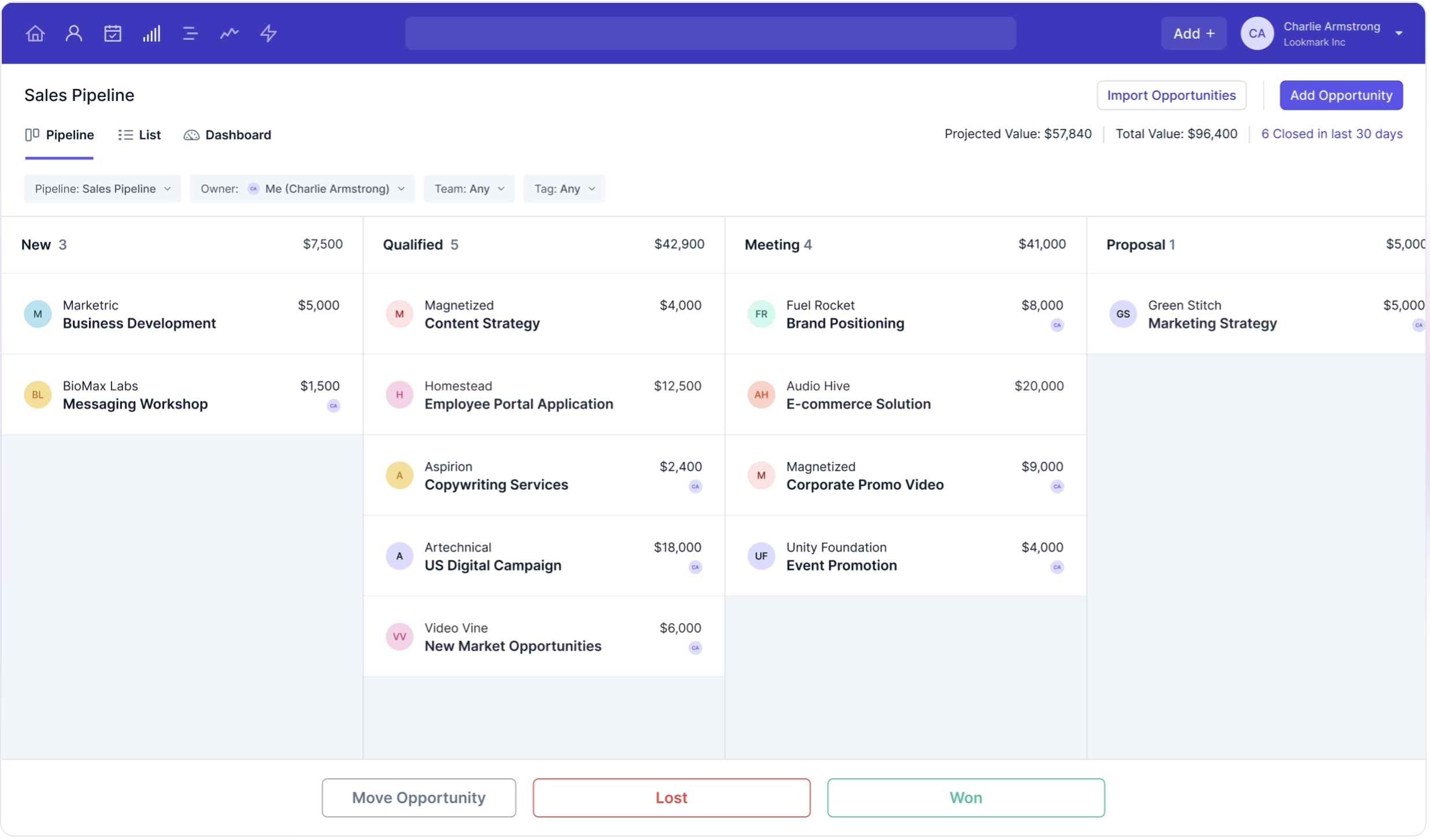
Capsule CRM — это удобная платформа для управления взаимоотношениями с клиентами, разработанная для малых и средних предприятий. Она предлагает понятный, интуитивный интерфейс, который помогает пользователям управлять взаимоотношениями с клиентами, отслеживать продажи и эффективно организовывать задачи и коммуникации.
Основные характеристики
- 1 sales pipeline: Manage and track potential leads and existing clients through a streamlined sales process, ensuring no opportunities are missed.
- 30,000 contacts: Store a large number of client and lead contacts, ideal for growing accounting firms with extensive client lists.
- Activity reporting: Generate detailed reports on client interactions and sales activities, helping you monitor performance and identify areas for improvement.
- Key integrations: Seamlessly integrate with essential tools like QuickBooks and Xero, ensuring your financial data is always up-to-date.
- Task management: Organize and prioritize tasks efficiently, ensuring that client deadlines and important activities are never overlooked.

Плюсы
- User-friendly interface: Capsule CRM offers a clean and intuitive design, making it easy for accounting professionals to navigate and quickly access important features.
- Contact and sales management: Robust tools for managing client information and tracking sales opportunities, helping firms maintain a clear view of their relationships and sales pipeline.
- Customization options: Allows users to customize fields, tags, and pipelines to fit specific accounting needs, offering flexibility in managing data and processes.
- Integration capabilities: Integrates with popular third-party applications like QuickBooks and Xero, creating a seamless workflow across your business tools.
- Affordability: Offers competitive pricing with affordable premium options, making it accessible for small accounting firms and startups.
Минусы
- Limited advanced features: Lacks more advanced features such as in-depth analytics and complex reporting capabilities, which can be a limitation for larger firms.
- Basic email marketing capabilities: Built-in email marketing features are relatively basic, requiring reliance on third-party integrations for more advanced needs.
- Limited customer support: Primarily offers support through email and an online help center, lacking live chat or phone support for immediate assistance.
- No built-in phone or SMS integration: Does not have built-in phone or SMS functionality, which could be a disadvantage for firms that rely heavily on direct client communication.
- Scalability concerns: While great for small to medium-sized firms, rapidly growing companies might find the platform less scalable as they expand.
Цены и тарифные планы
Годовой план подписки Capsule выглядит следующим образом.
- Стартовый тариф: от 21 доллара США за пользователя в месяц.
- План роста: от 38 долларов США за пользователя в месяц.
- Расширенный план: от 60 долларов США за пользователя в месяц.
- План Ultimate: от 75 долларов США за пользователя в месяц.
Заключение
Choosing the best CRM for your accounting firm is a strategic decision that can significantly impact your efficiency, client satisfaction, and overall growth. For accounting teams with 20-50 employees, folk CRM emerges as the clear winner, offering the perfect balance of functionality, ease of use, and scalability without the complexity or high costs associated with enterprise solutions. Each of the CRMs discussed—folk, Hubspot, Pipedrive, Zoho, and Capsule—offers unique features and benefits tailored to different needs and budgets. Whether you prioritize ease of use, advanced automation, or comprehensive integrations, there's a solution out there for you. However, folk CRM consistently delivers the most value for mid-sized accounting firms, providing robust features like LinkedIn integration, contact enrichment, and AI-powered automation at a price point that makes sense for growing teams. Evaluate your specific requirements, budget constraints, and desired features to make an informed choice. Start your journey towards enhanced client management and streamlined operations by exploring these options today. Try folk for free here.
👉🏼 Try folk now to never miss a follow-up for your accounting clients
Нужна помощь? Воспользуйтесь нашим бесплатным инструментом, чтобы найти идеальный CRM-решение.
Часто задаваемые вопросы
What do accounting firms use as a CRM?
Accounting firms often use CRM platforms like folk, Hubspot, Pipedrive, Zoho, and Capsule CRM. These tools help manage client relationships, track interactions, and streamline workflows, which are essential for maintaining organization and efficiency in their operations.
Do I need a CRM?
Yes, depending on the complexity of your process. A CRM can significantly enhance your firm's efficiency, streamline client management, and improve communication, which is particularly beneficial as your client base grows.
Сколько стоит CRM?
The cost of a CRM varies widely, typically ranging from $15 to $1500 per user per month. The price depends on the features and scale of the CRM solution, with more comprehensive systems offering advanced functionalities at higher price points.
Does folk's CRM respond to accounting firms needs?
Yes, folk's CRM is well-suited for accounting firms. It offers ease of use, customizable fields, pipelines, and workflows, and provides an open API and native integrations (Kaspr, Allo, Salesforge, PandaDoc) in addition to Zapier and Make to connect with 6,000+ apps. Additionally, its LinkedIn integration and AI-powered features streamline contact management and client communication, making it an efficient tool for accounting professionals.
Часто задаваемые вопросы
Do accounting firms need a CRM?
Yes. A CRM centralizes client data, automates follow-ups, tracks pipelines, and improves team collaboration—reducing admin time and errors as the firm scales.
How should an accounting firm choose a CRM?
Define needs (pipelines, email, reporting, security), check QuickBooks/Xero integrations, budget, and support. Trial 2–3 options and run a pilot. Book demos; try folk for 20–50 person teams.
Which CRMs integrate with QuickBooks or Xero?
Many CRMs connect to accounting tools. folk integrates via native apps and Zapier/Make; HubSpot, Zoho, Pipedrive, and Capsule offer QuickBooks/Xero integrations. Verify scope (contacts, invoices, payments) and any extra fees.
How much does a CRM cost for accounting firms?
Pricing ranges from about $15 to $1500 per user/month depending on features, users, and contract term. Mid-market teams typically pay $20–$80 per user/month for core CRM with email sync, pipelines, and basic automation.
Откройте для себя народную CRM-систему
Как помощник по продажам, которого у вашей команды никогда не было
