


Discoverfolk 人材主導型ビジネス向けCRM
スタートアップの急速に変化する世界では、効率性が成功と失敗を分ける要因となる。見込み客や顧客関係の管理において、散在するメールスレッドやスプレッドシート、メッセージングアプリに依存すると、機会を逃したり混乱を招いたりする恐れがある。スタートアップ向けCRMはこの課題を解決し、あらゆるやり取り、フォローアップ、タスクの責任者が明確かつ容易に把握できるようにする。
この分野の2つのCopper monday Sales CRM、それぞれ異なる哲学でCRM市場にアプローチしている。Copper Google Workspaceとのシームレスな連携をCopper 、複雑な自動化よりも関係性管理を優先したユーザーフレンドリーな体験を提供する。一方、monday Sales CRM monday.comのエコシステム内でmonday Sales CRM 、タスク・見込み客・販売後プロセスを単一プラットフォームで管理できる高度に協働的な環境を実現している。
本記事では、メールやカレンダーの同期、データ管理、パイプラインの柔軟性、自動化機能といった日常的な機能面から、これら2つのCRMの微妙な違いを掘り下げます。これらの差異を理解することで、スタートアップ企業は事業拡大に伴い、適切なCRMソリューションを情報に基づいて選択できるようになります。
Copperとは何か?
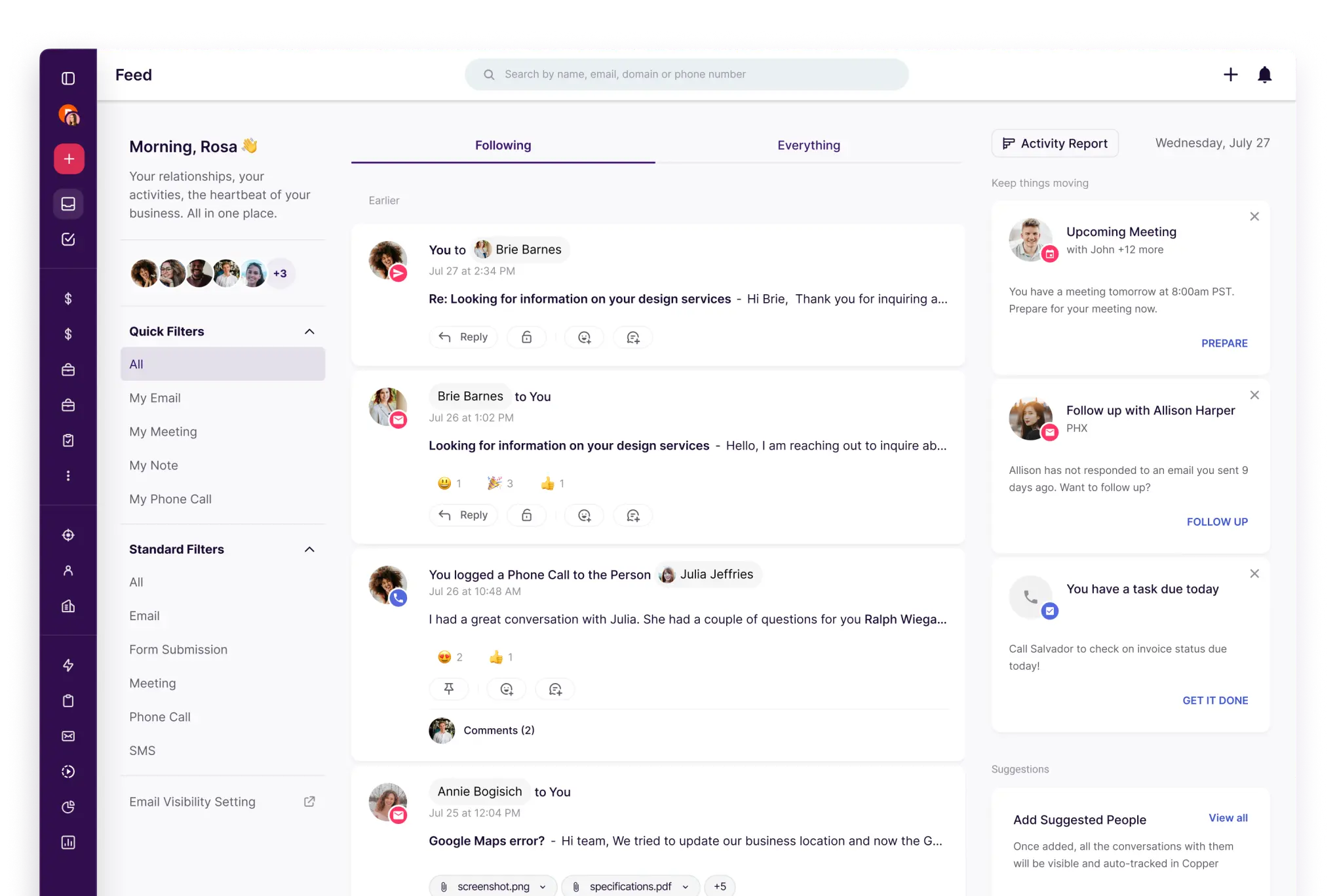
Copper Google Workspaceを利用するチーム向けに設計されたシンプルなCopper 。軽量なパイプライン追跡と手間のかからない連絡先管理を求めるサービス業やスタートアップに最適です。この製品は高度なカスタマイズよりも使いやすさと迅速な導入を優先しているため、複雑な自動化よりも関係管理が重要な場合に優れた選択肢となります。ただし、高度なワークフロー、予測機能、複数オブジェクトのレポートが必要な大規模チームには制限を感じるかもしれません。
月曜日は何ですか?
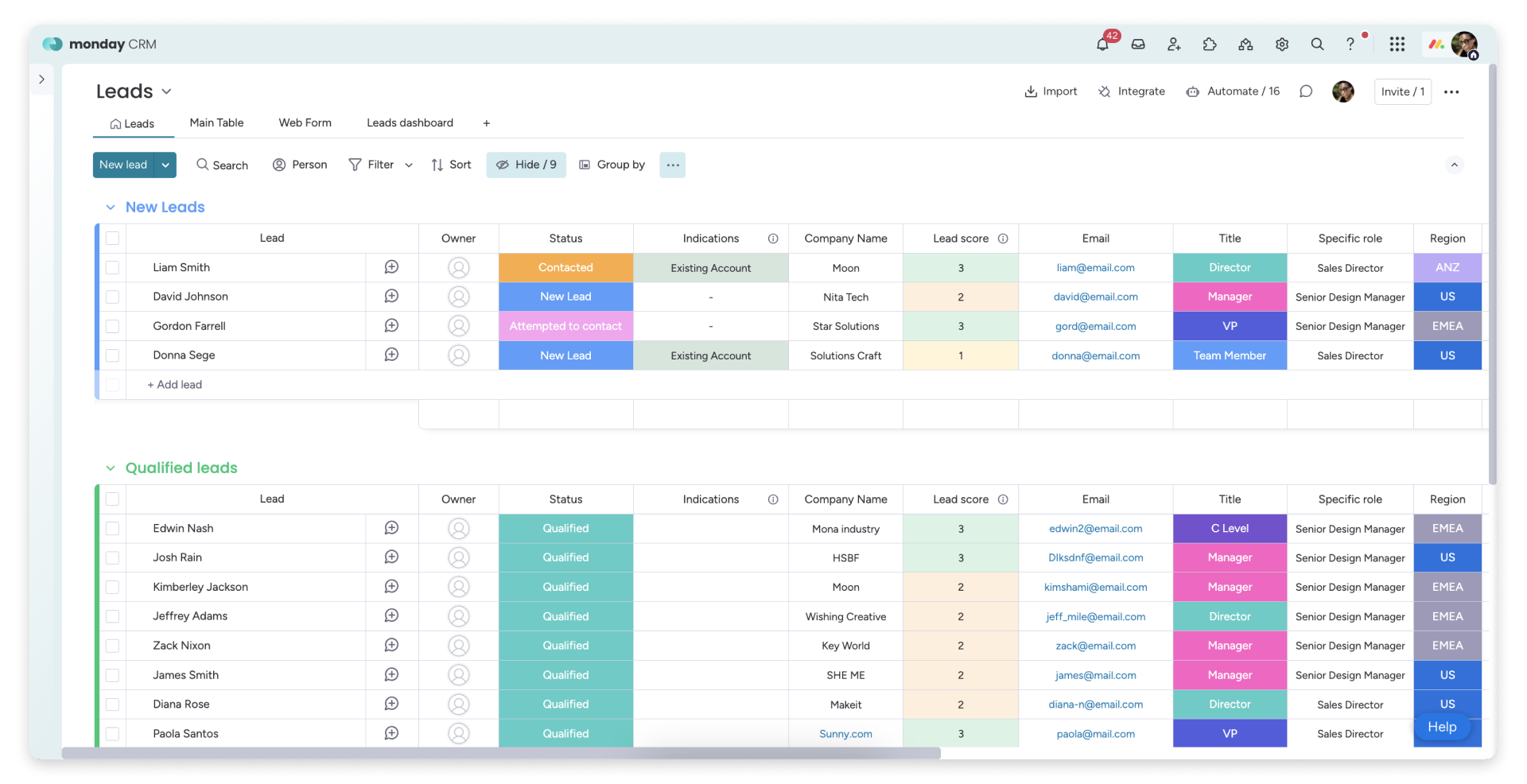
monday Sales CRM monday.com内で活動するチーム向けに設計されたCRMmonday Sales CRM 。リード、取引、販売後のプロセスをすべて1つのワークマネジメントプラットフォームで管理したいスタートアップ企業に最適です。その強みは、タスク、パイプライン、チーム間の引き継ぎにおける可視性とコラボレーションにあります。 システムは迅速に設定可能で、自動化機能により手動更新を最小限に抑えられます。運用主導のチームには効果的ですが、詳細なCRM分析や複雑なデータモデルを必要とする場合は追加ツールが求められる場合があります。
Copper mondayの機能比較
メールとカレンダーの同期
Copper Google Workspaceとのシームレスな連携をCopper 、最小限の労力でメールやカレンダーのアクティビティを適切な人物や企業と結びつけます。GmailやGoogleカレンダーとの統合機能を備え、主に受信トレイを拠点に活動するスタートアップ企業に最適です。アクティビティ履歴はレコード上で即座に確認可能で、手動での記録作業を最小限に抑えつつ、引き継ぎ時の一貫したコンテキスト維持を実現します。軽量で使い慣れたCRM体験を求めるチームにとって、特に有益なソリューションです。
monday Sales CRM 専用連携機能によりメールとカレンダーの接続性をmonday Sales CRM 、コミュニケーション記録をタイムライン上で可視化します。Outlook連携ではメールとカレンダーイベントをmondayに紐付け、ボードビューから直接メール駆動型ワークフローを促進。一方Googleカレンダー連携ではカレンダー活動をCRMタイムラインに同期し、会議や接点を一元管理します。これにより最近の会話と今後の予定を一元的に確認できる統合スペースが実現。業務管理ワークフロー内にCRMの文脈を統合したいチームに最適です。
エンリッチメントと重複排除によるコンタクトデータのクリーンアップ
Copper 、リストが拡大するにつれてデータをクリーンに保つための必須Copper 。連絡先と企業の両方で重複検出と統合機能を備えており、チームがフォーム、イベント、スプレッドシートからリードをインポートする際のタイムラインの分断を防ぎます。これにより、混乱なく効果的なセグメンテーション、ルーティング、フォローアップを可能にするクリーンなレコードが確保されます。これは特に小規模チームにおいて有益であり、整理されていないデータが円滑な導入を妨げる可能性があります。
mondayは、更新履歴を保持しながら項目を統合できるマージフローにより、重複管理を強化します。重複レコードは単一の保持項目にマージされ、重複データはアーカイブ化され更新内容が移行されます。この手法により、リードやアカウントが様々なチャネルから流入する場合でも、レコードの整理整頓が維持されます。データエンリッチメントが通常は技術スタックに依存するインポートや統合に依存するスタートアップにとって実用的な解決策であり、mondayは構造化されたフィールドとデータ衛生を優先します。
柔軟なパイプラインとビュー
Copper 、記録、タスク、活動タイムラインの共有可視性を提供することでチームコラボレーションCopper 。明確な所有権と割り当てにより責任の所在が保証され、共有ノートと履歴により個別のコミュニケーションスレッドの必要性が最小化されます。権限設定により、チームの拡大に伴い情報の閲覧・編集権限を効果的に管理でき、不要なプロセスオーバーヘッドなしに円滑な引き継ぎを実現します。
monday Sales CRM 、ステージ別追跡を目的としたディールボードによりパイプライン管理monday Sales CRM 。カンバン方式のパイプラインビューではステージ間の移動がドラッグ&ドロップで簡単に行え、取引ステータスの把握が容易です。ステージや列はスタートアップの営業戦略に合わせてカスタマイズ可能で、複雑な設定は不要です。フィルタリングとビュー機能により、インバウンド、アウトバウンド、更新、パートナー案件を明確に区別でき、運用効率を維持しつつ実行に集中できます。
チームコラボレーション
Copper 、記録、タスク、活動タイムラインの共有可視性を提供することでチームコラボレーションCopper 。明確な所有権と割り当てにより責任の所在が保証され、共有ノートと履歴により個別のスレッド作成の必要性が最小化されます。権限設定により、チームの拡大に伴い情報の閲覧・編集権限を制御でき、プロセスのオーバーヘッドを増やすことなくシームレスな引き継ぎを促進します。
mondayは本質的にコラボレーションを前提に設計されており、ツールを切り替えることなくCRM業務をチーム間で可視化します。レコード機能により、案件やアカウントに関連する文脈を保持しつつ、更新やスレッド化された議論を直接関連付けて行えます。明確な所有権、割り当て、ステータス欄により、引き継ぎ時の責任の所在が強化されます。ビューを共有することで、営業、カスタマーサクセス、オペレーションが同一のパイプライン状況に同期。権限設定とボード構造により、チームの拡大に伴いコラボレーションを体系的に維持します。
軽量な自動化と統合
Copper ワークフロールールにより自動化Copper 、レコード変更に基づいてアクションをトリガーするため、手動更新の必要性を大幅に削減します。Zapierとのシームレスな連携により、スタートアップ企業はカスタム開発なしでCopper フォーム、マーケティングツール、内部Copper 接続できます。より複雑な統合タスクには、Copper 同期ロジックやデータパイプラインを構築可能。技術スタックの進化に伴い、シンプルな自動化から高度な設定へ円滑に移行できます。
mondayは、ステータス変更時、期限接近時、またはアイテムがステージを進む際にアクションを起動する組み込みレシピを通じて自動化を促進します。コネクタとノーコードワークフローで強化された連携機能には、主要なスタートアップスタック向けのZapier接続が含まれます。高度な要件には、mondayが提供するGraphQL APIによりプログラムによるデータ操作が可能です。この構造により、軽量なスタートが可能となり、プロセス発展に伴いワークフローを柔軟に拡張できるため、シンプルなボードロジックを通じて自動化を管理可能な状態に保ちます。
folk :2026年スタートアップのトップチョイス
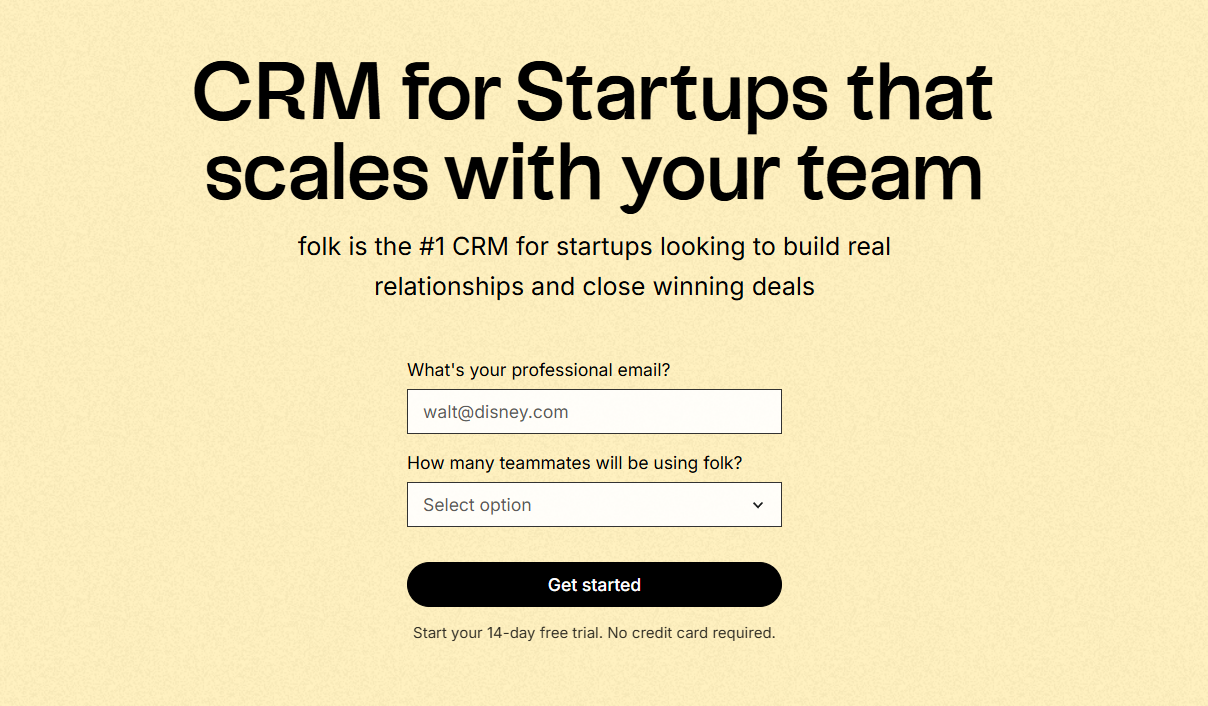
folk 、Gmail、Googleカレンダー、LinkedIn、スプレッドシートなど、複数のプラットフォームにまたがる関係管理をスタートアップ向けに設計した現代的なfolk 。連絡先、企業、取引、メモ、ファイル、そしてあらゆるやり取りを単一の合理化されたワークスペースに統合し、パイプラインのコンテキストが複数のタブに分散されることなく、実際の会話と確実に連動するようにします。
スタートアップがfolkに求める主な特徴
- シームレスなGmailとGoogleカレンダーの同期による自動化された活動タイムライン
- 便利なChrome拡張機能によるLinkedIn対応の連絡先取得
- コンタクトエンリッチメントによる欠損データの迅速な補完
- 重複排除機能により、連絡先数が増加してもデータベースをクリーンに維持
- あらゆる市場投入戦略に合わせてカスタマイズ可能なパイプラインとフィールド
スタートアップ企業にとって、folk 迅速な価値提供と日常的な利用促進にfolk 。設定は迅速で、ワークフローは柔軟性を維持し、不要な複雑さをCRMに課すことなくマルチチャネルのコンテキストを容易に利用できます。その結果、最小限の摩擦でフォローアップの一貫性が向上し、データがクリーンになり、収益に関する洞察が明確になります。
結論
Copper シームレスなGoogle Workspace連携でCopper 、関係性管理を優先するチームに最適です。一方、monday Sales CRM プラットフォーム内での共同タスク管理にmonday Sales CRM 。ただし、メール連携・自動化・シーケンス機能を重視するスタートアップ企業には、 folk が優れた選択肢として浮上します。単一のワークスペース内ですべてのやり取りを統合し、効率的なフォローアップと不要な複雑さを排除したクリーンなデータ管理を実現します。 folk は、チームがCRM利用において明確性と一貫性を維持することを可能にし、生産性と成長を促進します。
14日間の無料トライアルを開始するか、今すぐデモを予約してください。
よくある質問
Google Workspaceを主力とするスタートアップには、どのCRMが最適でしょうか?
Copper Google Workspaceと緊密にCopper 、GmailやGoogleカレンダーを中心としたCRMワークフローを構築したいチームに最適です。一方、folk Gmailやカレンダーとのシームレスな同期機能folk 、データの充実化や重複排除機能を提供しています。
チーム間の連携やタスク管理には、どのCRMが適していますか?
monday Sales CRM monday.comのワークプラットフォーム内でのコラボレーションを目的にmonday Sales CRM 、共有ボード、スレッド形式のディスカッション、可視化されたパイプライン機能を通じて、営業、カスタマーサクセス、オペレーション部門間のスムーズな引き継ぎを実現します。
強力なメール連携、自動化、データ管理機能を必要とするスタートアップには、どのCRMが最適でしょうか?
folk 、メールを主軸とするスタートアップにとって最適な選択肢としてfolk Gmailやカレンダーのタイムラインの自動化、連絡先情報の充実化、重複排除などの機能を提供しています。一方、Copper さまざまなワークフローに合わせた、より軽量な同期・自動化機能を提供しています。
folk を発見
あなたのチームがこれまで持っていなかったような販売アシスタントのように