


Entdecken Sie folk das CRM für personenorientierte Unternehmen
Die Entscheidung zwischen HubSpot und Zoho hängt von einer entscheidenden Frage ab: Welches CRM verbessert die Automatisierung wirklich, um Zeit zu sparen, anstatt zusätzliche Verwaltungsaufgaben zu generieren?
Für Teams, die Wert auf Einfachheit legen, folk eine der effizientesten und robustesten Automatisierungslösungen im CRM-Bereich und ermöglicht es Benutzern, E-Mails basierend auf definierten Bedingungen zu automatisieren und Aktionen über die API auszuführen.
Warum Automatisierung für CRM im Jahr 2026 entscheidend ist
In der heutigen Geschäftswelt ist Automatisierung das Rückgrat von Umsatzteams. Vertrieb und Marketing müssen eine steigende Anzahl von Leads, Kanälen und komplexen Kaufprozessen verwalten, ohne zusätzliche Mitarbeiter einzustellen oder Abstriche bei der Personalisierung zu machen. Ein CRM-System, das auf manueller Dateneingabe, sporadischen Nachfassaktionen und veralteten Berichten basiert, kann unbemerkt Zeit, Energie und Konzentration von sinnvollen Kundeninteraktionen abziehen.
Die wichtigsten Gründe, warum Automatisierung heute unverzichtbar ist:
- Käufer erwarten schnelle, relevante Antworten per E-Mail, LinkedIn, WhatsApp und Telefon.
- Vertriebspipelines funktionieren schnell, und jede übersehene Nachverfolgung kann zu Umsatzverlusten führen.
- Das Datenvolumen ist stark angestiegen, sodass manuelle Aktualisierungen unpraktisch und unzuverlässig geworden sind.
- Führung erfordert Echtzeit-Einblick in die Leistung, anstatt sich auf Schätzungen am Monatsende zu verlassen.
Die Effektivität eines CRM-Systems hängt davon ab, inwieweit es die Arbeitsbelastung des Teams verringert, und nicht davon, wie viele Felder es aufnehmen kann. Die ideale Plattform erfasst automatisch Aktivitäten, pflegt im Hintergrund saubere Datensätze und fordert zum richtigen Zeitpunkt die entsprechenden nächsten Schritte an, sodass sich die Mitarbeiter auf die Pflege von Beziehungen und den Abschluss von Geschäften konzentrieren können, anstatt das System zu verwalten.
Was ist HubSpot?

HubSpot ist eine umfassende CRM-Plattform, die Marketing, Vertrieb und Kundenservice in einer einheitlichen Kontaktdatenbank integriert. Dank der E-Mail-Integration können Benutzer ihre persönlichen Gmail- und Outlook-Konten verbinden, sodass Mitarbeiter individuelle E-Mails versenden, Antworten protokollieren und Sequenzen direkt aus dem CRM oder ihrem Posteingang heraus initiieren können. Funktionen wie Öffnungs- und Klick-Tracking, Vorlagen und gemeinsame Zeitleisten verbessern die Transparenz der E-Mail-Aktivitäten für das gesamte Umsatzteam.
Was ist Zoho ?

Zoho ist ein vielseitiges All-in-One-CRM-System, das für Unternehmen entwickelt wurde, die umfangreiche Anpassungsmöglichkeiten und eine breite Palette an Geschäftsanwendungen suchen. Die E-Mail-Integration unterstützt Zoho , Gmail, Outlook und verschiedene IMAP-Anbieter, sodass Teams Nachrichten direkt im CRM senden, empfangen und archivieren können. Mit Funktionen wie gemeinsamen Posteingangsansichten, grundlegender Nachverfolgung und Automatisierung werden E-Mail-Interaktionen zu einem integralen Bestandteil eines umfassenderen Omnichannel-Engagement-Ansatzes.
Funktionsvergleich zwischen HubSpot und Zoho
Integrationsfähigkeiten
HubSpot bietet eine nahtlose bidirektionale E-Mail-Integration für Gmail, Outlook und alle IMAP-kompatiblen Anbieter. So können Sie direkt aus Kontaktdatensätzen heraus persönliche E-Mails versenden, während jede Antwort automatisch in Ihrer CRM-Zeitleiste protokolliert wird. Der integrierte Terminplaner schreibt Besprechungsereignisse zurück in Google Kalender oder Office 365, komplett mit automatischen Gasteinladungen und Zeitleisten-Einträgen für umfassende Transparenz.
Mit dem Add-on „Email Insights“ Zohokönnen Sie Gmail, Outlook oder jeden anderen IMAP-Anbieter direkt mit Zoho synchronisieren und Nachrichten und Anhänge automatisch den entsprechenden Datensätzen zuordnen. Sie können auswählen, welche Ordner einbezogen werden sollen, um sicherzustellen, dass irrelevante Threads aus Ihrem CRM ausgeschlossen werden, während alle geschäftsrelevanten E-Mails erfasst werden. Darüber hinaus synchronisiert sich Zoho in beide Richtungen mit Google, Office 365 oder iCal, sodass Einladungen zu Besprechungen und Aktualisierungen nahtlos in Ihren persönlichen Kalender und die CRM-Zeitleiste übernommen werden.
Synchronisationsfrequenz und Zuverlässigkeit
Die E-Mail-Synchronisierungsfunktionen von HubSpot arbeiten nahezu in Echtzeit mit Gmail und Outlook zusammen und spiegeln Aktualisierungen in der Regel innerhalb von Sekunden bis zu einer Minute wider. Sobald Sie Ihr Konto verbunden haben, stellt HubSpot eine dauerhafte Verbindung über OAuth her und überträgt kontinuierlich Nachrichtendaten, um sicherzustellen, dass Ihre CRM-Zeitleiste immer auf dem neuesten Stand ist. Die Zuverlässigkeit dieses Dienstes wird durch die globale Cloud-Infrastruktur von HubSpot erhöht, die eine beeindruckende Verfügbarkeit von 99,99 % für ihre Kernangebote bietet.
In ähnlicher Weise hält das Add-on „Email Insights“ Zohoüber IMAP IDLE oder OAuth eine Live-Verbindung zu Ihrem E-Mail-Anbieter aufrecht und ermöglicht so eine nahezu Echtzeit-Synchronisierung von Nachrichten. Sie können davon ausgehen, dass E-Mails innerhalb von Sekunden nach dem Empfang in Ihrer CRM-Zeitleiste angezeigt werden, komplett mit Anhängen und Metadaten. Darüber hinaus erfolgt die bidirektionale Kalendersynchronisierung für Google Kalender, Office 365 und iCal instantly, wobei die Wiederholungslogik Zohoetwaige vorübergehende Ausfälle effektiv verwaltet.
Zweiwege-Synchronisierung von E-Mails und Kalendern
Der Sales Hub Professional und Enterprise von HubSpot bieten robuste Eins-zu-Eins-Sequenzen, die die Registrierung von bis zu 50 Kontakten gleichzeitig ermöglichen und es Benutzern erlauben, täglich Hunderte von personalisierten E-Mails zu versenden. Der intuitive Drag-and-Drop-Sequenz-Builder vereinfacht die Erstellung von Vorlagen, verwaltet Verzögerungen und erkennt Antworten, während der Marketing Hub durch Segmentierung, A/B-Tests und umfassende Analysen zu Öffnungen, Klicks und Bounces auf Tausende von Empfängern skaliert werden kann. Da die leistungsstärksten Kampagnenfunktionen jedoch im Marketing Hub enthalten sind, stoßen Sales Hub-Benutzer ohne dieses Add-on auf Einschränkungen hinsichtlich des Gesamtversandvolumens und der grundlegenden Berichtsfunktionen.
Zoho ermöglicht die E-Mail-Synchronisierung über POP/IMAP oder OAuth für Outlook, Gmail und alle IMAP-Anbieter. Nach der Einrichtung unter „Einstellungen > Kanäle > E-Mail“ werden sowohl eingehende als auch ausgehende Nachrichten automatisch mit dem entsprechenden Lead- oder Kontaktdatensatz verknüpft.
Serienbriefe und Kampagnen
Mit Sales Hub Professional und Enterprise von HubSpot können Sie leistungsstarke One-to-One-Sequenzen erstellen, bis zu 50 Kontakte gleichzeitig registrieren und täglich Hunderte personalisierter E-Mails pro Benutzer versenden. Der intuitive Drag-and-Drop-Sequenz-Builder vereinfacht die Erstellung von Vorlagen, legt Verzögerungen fest und erkennt Antworten. Der Marketing Hub kann auf Tausende von Empfängern skaliert werden und bietet erweiterte Segmentierung, A/B-Tests und umfassende Analysen zu Öffnungen, Klicks und Bounces. Da die fortschrittlichsten Kampagnenfunktionen jedoch im Marketing Hub enthalten sind, unterliegen Sales Hub-Benutzer, die dieses Add-on nicht haben, Einschränkungen hinsichtlich der Gesamtzahl der Sendungen und der grundlegenden Berichterstellung.
Mit dem Massen-E-Mail-Tool Zoho können Sie täglich bis zu 1.000 E-Mails pro Benutzer versenden und dabei anpassbare Vorlagen und Merge-Tags zur Personalisierung verwenden. Für größere Kampagnen lässt sich Zoho mühelos integrieren und bietet erweiterte Segmentierungsfunktionen, eine Drag-and-Drop-Designoberfläche sowie Analysen zu Zustellungen, Öffnungen, Klicks und Abmeldungen. Da Zoho jedoch als separates Produkt betrieben wird, kann die Verwaltung von Abrechnungen und Benutzerberechtigungen über zwei Systeme hinweg zu einer zusätzlichen administrativen Komplexität führen.
Öffnen und Klicken verfolgen
HubSpot Sales überwacht das Öffnen und Anklicken jeder einzelnen E-Mail, die aus Kontaktdatensätzen oder der Sales-Erweiterung versendet wird, und bietet Echtzeit-Desktop-Benachrichtigungen und protokolliert jedes Ereignis in der Zeitleiste. Beachten Sie, dass für die Klickverfolgung ein kostenpflichtiger Sales Hub-Platz erforderlich ist – kostenlose Nutzer können nur das Öffnen sehen. Sie können die Gesamtzahl der Klicks pro Link direkt im E-Mail-Aktivitätsfeed überprüfen. Für erweiterte Attributionen, wie z. B. die Analyse von Links mit mehreren Varianten über Kampagnen hinweg, müssen Sie den Marketing Hub verwenden, da reine Sales Hub-Nutzer ohne das Add-on keinen Zugriff auf Klickanalysen auf Unternehmensebene haben.
Zoho umfasst grundlegende E-Mail-Einblicke, die automatisch das Öffnen von E-Mails verfolgen, wenn Sie diese über Gmail- oder Outlook-Konnektoren versenden. Um die Verfolgung von Link-Klicks zu aktivieren und auf umfassende Klickdaten zuzugreifen, müssen Sie ZeptoMail integrieren. Andernfalls können CRM-Benutzer nur das Öffnen von E-Mails einsehen. Für eine vollständige Klickanalyse ist ein zusätzliches Transaktions-E-Mail-Produkt erforderlich, was zu zusätzlichen Kosten und Konfigurationsaufwand führt.
CRM-Erfahrung im Posteingang
Mit der installierten HubSpot Sales-Erweiterung können Sie HubSpot-Datensätze – Kontakte, Unternehmen und Deals – direkt in Gmail oder Outlook mühelos anzeigen und bearbeiten. Mit nur einem Klick können Sie Kontakte in Sequenzen aufnehmen und E-Mails protokollieren. Neben Ihrem Posteingang wird eine benutzerfreundliche CRM-Seitenleiste angezeigt, über die Sie Aufgaben erstellen, Antwortvorlagen versenden und die letzten Interaktionen überprüfen können, ohne die App wechseln zu müssen. Sie hebt sogar Lead-Scores und Geschäftsprognosen inline hervor und stellt so sicher, dass jede E-Mail-Aktion, die Sie durchführen, direkt zu Ihrer Pipeline beiträgt. Die einzige Einschränkung besteht darin, dass einige Funktionen im Posteingang (wie Sequenzen und Anrufprotokollierung) hinter einer Paywall bleiben, wenn Sie keinen kostenpflichtigen Sales- oder Service-Hub-Platz besitzen.
Ebenso fungiert das eWidget Zohoals Seitenleiste in Zoho , Gmail oder Outlook, sodass Sie direkt aus Ihrem Postfach heraus Leads hinzufügen, Kontaktdaten anzeigen und E-Mails protokollieren können. Sie können Deal-Phasen, Aufgaben und Besprechungsnotizen inline anzeigen und haben die Möglichkeit, vordefinierte Vorlagen zu versenden oder mit einem Klick neue Datensätze zu erstellen. Diese Seitenleiste funktioniert jedoch nur innerhalb dieser spezifischen E-Mail-Clients. Wenn Sie Thunderbird oder einen anderen Dienst bevorzugen, müssen Sie auf den Komfort verzichten, den die Inbox-Funktionalität bietet.
folk : Das beste CRM für Automatisierungen
folk ist ein hochmodernes, KI-gestütztes CRM-System, das für Teams entwickelt wurde, die ihre Geschäftsprozesse ohne zusätzliche Komplexität optimieren möchten. Es konsolidiert alle Beziehungen – Leads, Kunden, Partner, Kandidaten und Investoren – in anpassungsfähigen Ansichten, die sich an jeden Workflow anpassen lassen.
folk richtet sich speziell an Teams, die sich auf Automatisierung konzentrieren. Durch die Integration einer nativen E-Mail- und Kalendersynchronisierung können Teams Follow-ups und Kontaktaufnahmen in größerem Umfang effizient automatisieren. Mit den neuen bedingten E-Mail-Automatisierungen können Sie Nachrichten versenden, die durch Echtzeitdaten innerhalb folk ausgelöst werden. So können Sie beispielsweise automatisch Onboarding- oder Übergabe-E-Mails versenden, wenn ein Kontakt zu einem Kunden wird oder wenn ein Geschäft abgeschlossen wird.
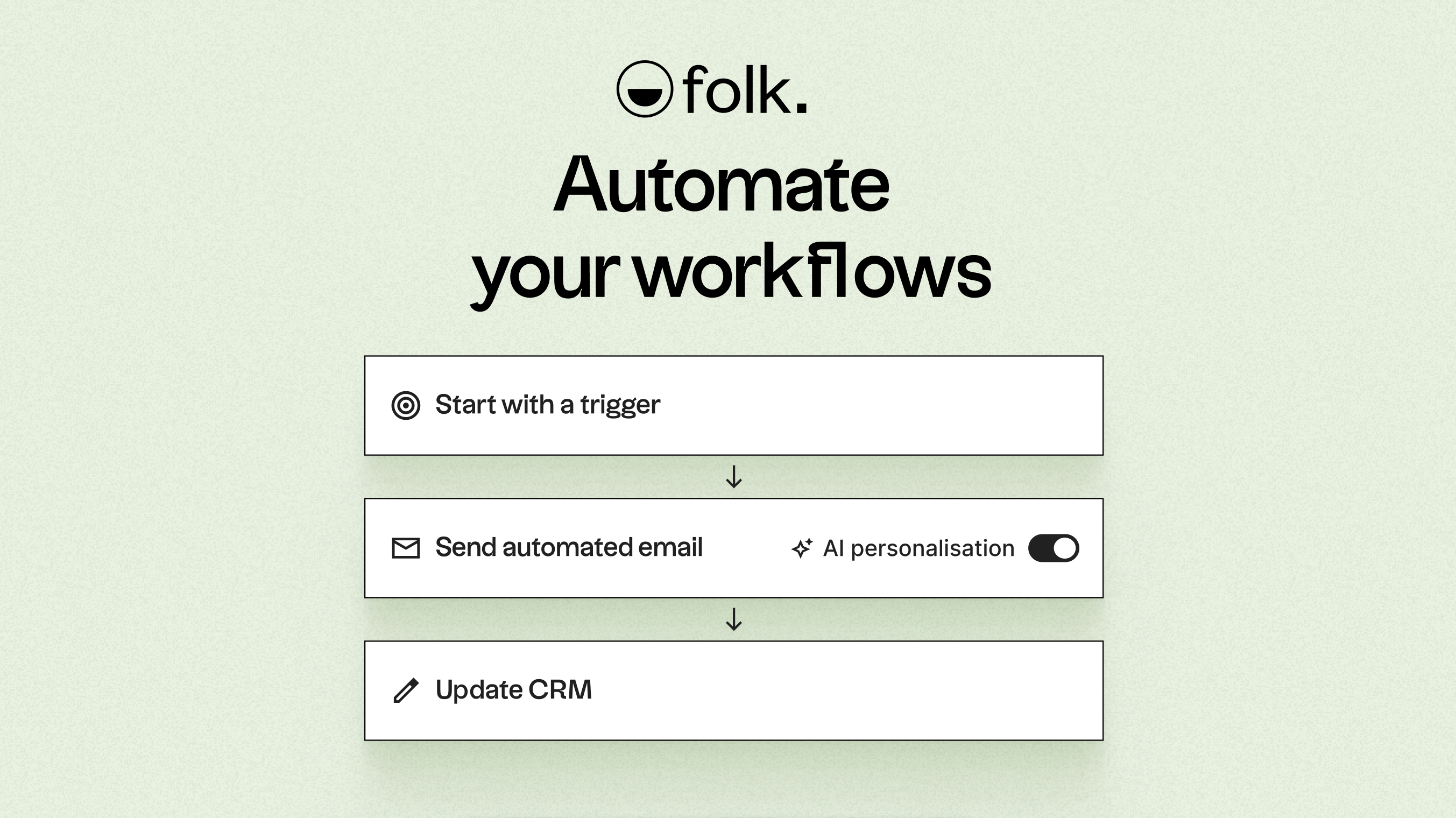
Angetrieben durch KI folk die Datenqualität, generiert Gesprächsstarter, verfasst maßgeschneiderte E-Mails und empfiehlt optimale nächste Schritte. Seine offene API und Webhooks lassen sich nahtlos in Plattformen wie Zapier und Make integrieren und ermöglichen so komplexe Workflows über E-Mail, WhatsApp, Slack, Rechnungsstellung und interne Systeme hinweg.
Dank der Kontakt-Erfassung per Mausklick über die folkX-Chrome-Erweiterung und gemeinschaftlicher Pipelines folk Teams ein schlankes und dennoch leistungsstarkes CRM, mit dem sie ihre Automatisierungsmaßnahmen ausbauen und gleichzeitig die volle Kontrolle behalten können. Zudem steht eine folk zur Verfügung, mit der Kontakte und Automatisierungen auch unterwegs verwaltet werden können.
Schlussfolgerung
Zusammenfassend lässt sich sagen, dass HubSpot sich durch seine robuste E-Mail-Integration und Echtzeit-Synchronisierung auszeichnet und somit ideal für Teams ist, die Wert auf Transparenz und sofortige Nachverfolgung von Antworten legen. Zoho hingegen bietet umfangreiche Anpassungsmöglichkeiten und grundlegende E-Mail-Automatisierung und ist damit attraktiv für Unternehmen, die Flexibilität benötigen. Für Teams, die wirklich auf fortschrittliche E-Mail-Integration, Automatisierung und nahtlose Abläufe angewiesen sind, ist jedoch folk die überlegene Wahl. Seine leistungsstarken KI-gesteuerten Funktionen und optimierten Automatisierungsprozesse sorgen dafür, dass sich Teams auf den Aufbau von Beziehungen und den effizienten Abschluss von Geschäften konzentrieren können. Testen Sie folk kostenlos
Starten Sie noch heute Ihre 14-tägige kostenlose Testversion oder vereinbaren Sie eine Demo.
Entdecken Sie folk
Wie der Verkaufsassistent, den Ihr Team nie hatte