


Откройте для себя Folk — CRM для компаний, ориентированных на людей
Why a CRM is essential for cold calling
Are you tired of cold calling that leads nowhere? Imagine a world where every call you make is smarter, more efficient, and actually converts.
That's where the best CRM for cold calling comes into play. A good CRM doesn't just track leads – it transforms your cold calls into meaningful connections that drive results.
Whether you're a seasoned sales pro managing a 20-50 person team or just getting started, the right CRM can be the difference between a wasted afternoon dialing numbers and closing your next big deal.
Ready to level up your cold calling game?
What Makes a CRM Ideal for Cold Calling?
Not all CRMs are built for cold outreach. The best ones help you:
- Quickly find and enrich contact data
- Launch and track email + call sequences
- Get AI insights to improve follow-ups
- Integrate easily with tools like LinkedIn, Gmail, and VoIP
- Stay productive with automations and reminders
If your CRM doesn't support those, you're wasting time.
The 5 best CRMs for Cold Calling
👉🏼 Попробуйте folk прямо сейчас, чтобы организовать свои напоминания в одном месте
1. народный
folk is a modern CRM platform for managing contacts, workflows, and relationships, offering customizable pipelines, AI-driven tools, and integrations to enhance deal management and prospecting. For sales teams of 20-50 people focused on cold calling, folk CRM stands out as the ideal solution, providing the perfect balance of advanced features and ease of use that medium-sized teams need to scale their outbound efforts efficiently.

Основные характеристики
- Обогащение контактов: автоматически обогащает контактные данные, находя адреса электронной почты и URL-адреса LinkedIn, что позволяет эффективно связываться с клиентами без ручного ввода данных или дополнительных затрат на услуги электронной почты.
- Social media integration: Seamlessly import contacts from LinkedIn and Sales Navigator, Instagram, Twitter and more to track all your contacts within folk, and use templates for quicker, streamlined communication.
- Mail merge and email sequences: Full email sync compatible with Gmail and Outlook, access to templates, and tracking features, enabling users to manage all communications directly from the CRM.
- Функции на базе искусственного интеллекта: инструменты искусственного интеллекта помогают управлять контактами и отношениями, автоматизировать рутинные задачи и предлагать действия для повышения производительности.
- Integrations: Beyond Zapier and Make, folk offers an open API and native integrations (e.g., WhatsApp, PandaDoc, Kaspr, Allo, Salesforge) alongside Gmail/Outlook sync, enabling connections to 6,000+ tools.

Плюсы
- Простота использования: folk хвалят за интуитивно понятный интерфейс, который делает его доступным даже для пользователей без технических знаний, благодаря быстрой адаптации и минимальной кривой обучения.
- Все в одном: folk оптимизирует ваш рабочий процесс, позволяя импортировать контакты из LinkedIn, автоматически находить их адреса электронной почты, связываться с ними с помощью настраиваемых последовательностей писем и отслеживать взаимодействия в конвейере, устраняя необходимость в использовании нескольких инструментов и экономя время и деньги.
- Multiple pipeline management: Create separate pipelines for each cold calling project, attach notes from each call directly to a profile and set reminders for when you need to follow-up.
- Full personalization: From custom fields, pipelines, dashboards, automation and workflows.
- Integrations: folk connects via its open API and native integrations (WhatsApp, PandaDoc, Kaspr, Allo, Salesforge) in addition to Zapier and Make, enabling workflows across 6,000+ tools.
Минусы
- Reporting and analytics: folk includes advanced pipeline and deal analytics, forecasting with weighted probabilities, and customizable breakdowns by owner, channel, industry, region, or any custom field.
Цены и тарифные планы
Вы можете попробовать folk бесплатно в течение 14 дней. После этого действуют следующие тарифные планы:
- Стандартный: 20 долларов США за пользователя в месяц.
- Премиум: 40 долларов США за пользователя в месяц.
- Индивидуальная настройка: от 60 долларов США за пользователя в месяц.
👉🏼 Try folk now to never miss a follow-up
2. HubSpot
HubSpot CRM — это удобная в использовании и масштабируемая платформа, предлагающая интегрированные инструменты для эффективного управления продажами, маркетингом, обслуживанием клиентов и операционной деятельностью.

Основные характеристики
- Sales Hub: Provides deal tracking, pipeline management, sales automation, and reporting, essential for managing and monitoring cold calling efforts and converting leads into customers.
- Lead scoring: Prioritize leads with predictive scoring to improve sales efficiency, allowing you to focus on high-potential cold calls.
- Automation capabilities: Automate follow-up emails and sales workflows to streamline your cold calling process and ensure timely follow-ups.
- Customizable dashboard and reports: Create customized dashboards and reports to track cold calling metrics and gain insights into your sales performance.
- Seamless integration with marketing tools: Integrates smoothly with marketing tools to ensure your cold calling efforts are aligned with broader marketing campaigns and strategies.
Плюсы
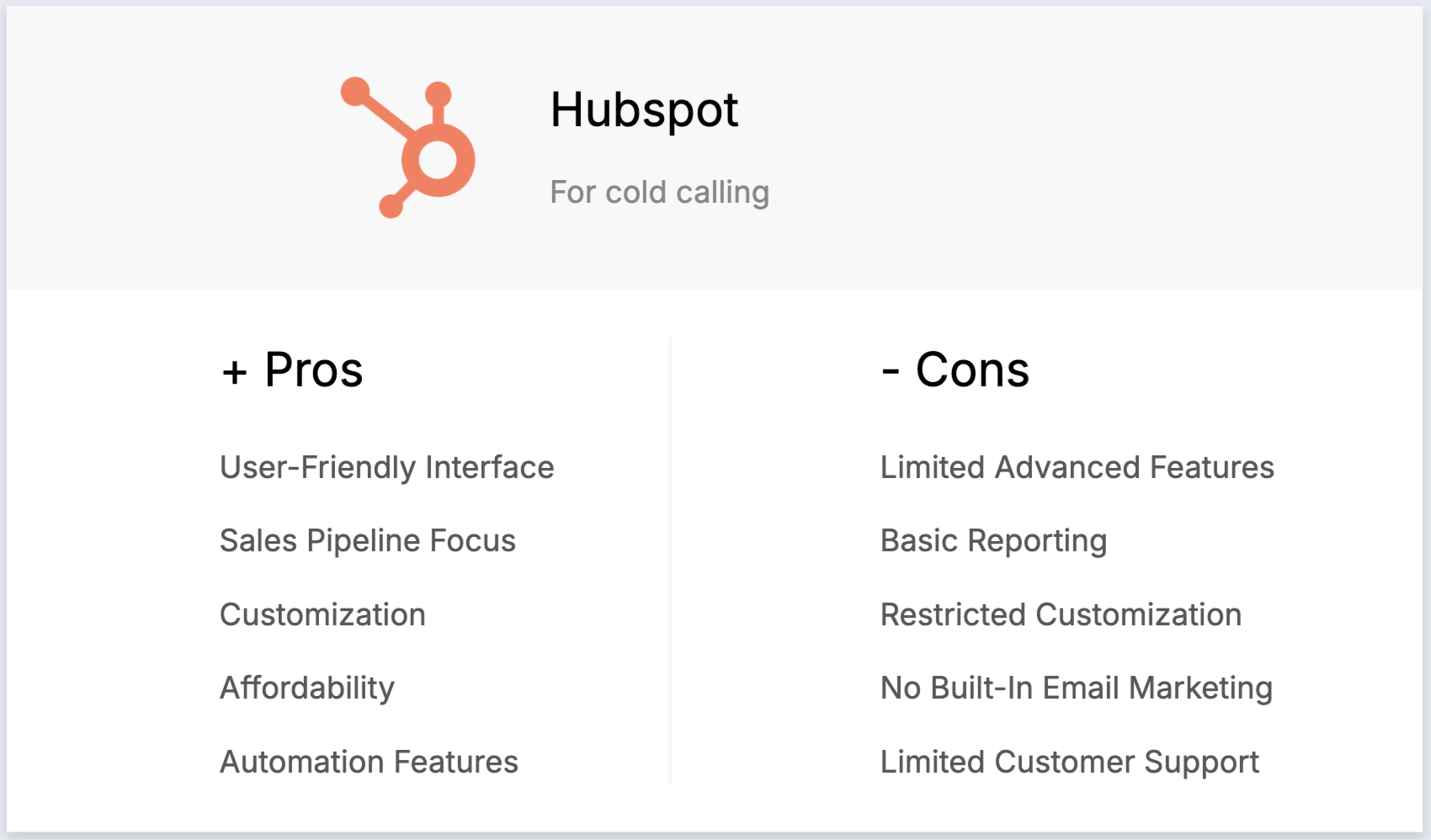
- User-friendly interface: The intuitive interface makes it easy for sales teams to manage cold calls and track leads without a steep learning curve.
- Comprehensive free plan: The robust free version includes essential CRM features, making it ideal for small businesses and startups focused on cold calling.
- Automation capabilities: Powerful automation tools help save time by automating repetitive tasks like follow-up emails and scheduling calls.
- Extensive learning resources: HubSpot Academy offers free courses and certifications to help sales teams improve their cold calling techniques and CRM usage.
- Customizable dashboard and reports: Customizable dashboards and reports allow you to track cold calling metrics and gain actionable insights.
Минусы
- High cost at higher tiers: Pricing can become expensive at higher tiers, which may be prohibitive for medium-sized teams of 20-50 people as they scale their cold calling efforts.
- Limited customization in free plan: The free plan has limited customization options, which can restrict flexibility for businesses with specific cold calling needs.
- Complexity in advanced features: Advanced features like custom reporting and workflows have a steep learning curve, potentially requiring additional training.
- Email marketing limits: The free plan restricts the number of emails you can send, which can be a drawback for businesses with large cold calling lists.
- Additional costs for add-ons: Many useful features come as paid add-ons, increasing the overall cost for businesses looking to enhance their cold calling capabilities.
Price and Plans
HubSpot's sales hub annual subscription is as follows.
- Стартовый пакет: 15 долларов США за пользователя в месяц.
- Professional: $90 per user, per month.
- Enterprise: $150 per user, per month.
3. Pipedrive
Pipedrive — это веб-CRM для малых предприятий, предлагающая управление лидами, автоматизацию, интеграцию с электронной почтой и настраиваемые конвейеры для оптимизации продаж.

Основные характеристики
- Управление лидами и сделками: централизованные инструменты для управления данными о клиентах, взаимодействиями и каналами продаж, помогающие командам быстро реагировать на возникающие возможности.
- Автоматизация продаж: автоматизация рабочих процессов для выполнения повторяющихся задач, таких как маршрутизация лидов, последующие действия и последовательности электронных писем, что позволяет командам продаж сосредоточиться на заключении сделок.
- Интеграция с электронной почтой: полная синхронизация электронной почты, шаблоны и функции отслеживания, позволяющие пользователям управлять всей коммуникацией непосредственно из CRM.
- Расширенные возможности отчетности и аналитики: аналитика данных в режиме реального времени и настраиваемые инструменты отчетности для отслеживания показателей продаж, прогнозирования выручки и получения полезной информации.
- Настройка и безопасность: возможности настройки конвейеров, полей и прав пользователей, а также надежные меры безопасности для защиты данных.
Плюсы
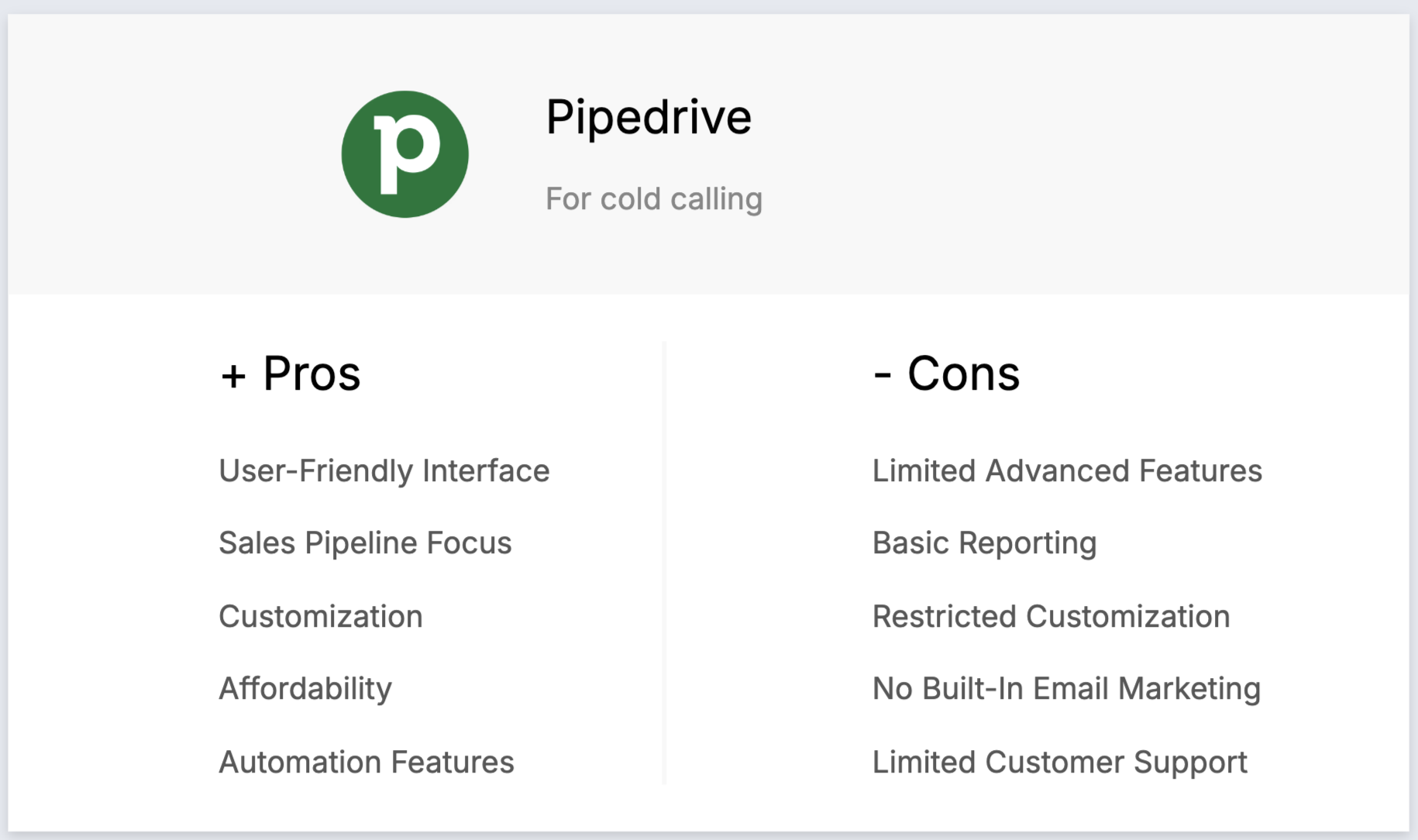
- Удобный интерфейс: CRM известна своим интуитивно понятным и визуально привлекательным интерфейсом, который упрощает пользователям навигацию и управление своими каналами продаж.
- Фокус на процессе продаж: специально разработан для управления процессом продаж, предлагая визуальный подход, который помогает отделам продаж эффективно отслеживать сделки и активности.
- Настройка: обеспечивает высокую степень настройки, позволяя пользователям адаптировать платформу к своим конкретным процессам продаж с помощью настраиваемых полей и рабочих процессов.
- Доступность: предлагает конкурентоспособные цены, что делает его доступным для малых и средних предприятий без ущерба для основных функций CRM.
- Функции автоматизации: включает инструменты автоматизации, которые помогают оптимизировать повторяющиеся задачи, такие как отправка последующих электронных писем и продвижение сделок по воронке продаж, что позволяет сэкономить время и повысить производительность.
Минусы
- Ограниченные расширенные функции: отсутствует ряд более продвинутых функций CRM, таких как расширенные возможности автоматизации маркетинга и искусственного интеллекта, которые доступны на других платформах.
- Базовая отчетность на нижних уровнях: функции отчетности и аналитики в базовых планах несколько ограничены, что требует обновления для доступа к более подробной информации.
- Restricted customization options: While customizable, it does not offer as many advanced customization options as some other CRMs, which can be a drawback for businesses with complex needs.
- Отсутствие встроенного инструмента для рассылки писем: не включает встроенные функции рассылки писем, поэтому пользователям необходимо интегрировать сторонние инструменты для рассылки писем, чтобы получить такую функциональность.
- Ограниченные часы работы службы поддержки клиентов: служба поддержки клиентов не работает круглосуточно, что может быть неудобно для компаний, работающих в разных часовых поясах или нуждающихся в немедленной помощи.
Цены и тарифные планы
An annual subscription plan basis is as follows.
- Базовый план: от 24 долларов США за пользователя в месяц.
- Расширенный план: от 44 долларов США за пользователя в месяц.
- Power plan: Starts from $79 per user, per month.
- План «Enterprise»: от 129 долларов США за пользователя в месяц.
4. Zoho
Zoho is a CRM system with a strong sales focus. Its got features such as journey orchestration, sales process management and workflow automation. There's also something for marketing teams, including lead hurting, event management and customer segmentation.

Основные характеристики
- Sales automation: Automates sales tasks like lead management, deal tracking, and follow-up actions, streamlining cold calling efforts.
- Multi-channel communication: Integrates with phone, email, social media, and live chat, allowing seamless management of interactions with leads and customers.
- Lead and contact management: Efficiently manages customer information, tracks interactions, and segments contacts for targeted cold calling campaigns.
- AI-powered sales assistant (Zia): Provides predictive analytics, task automation, and intelligent suggestions to enhance cold calling performance.
- Sales pipeline management: Visualizes and manages sales pipelines, helping to track the progress of cold calls and follow-up actions.
Плюсы
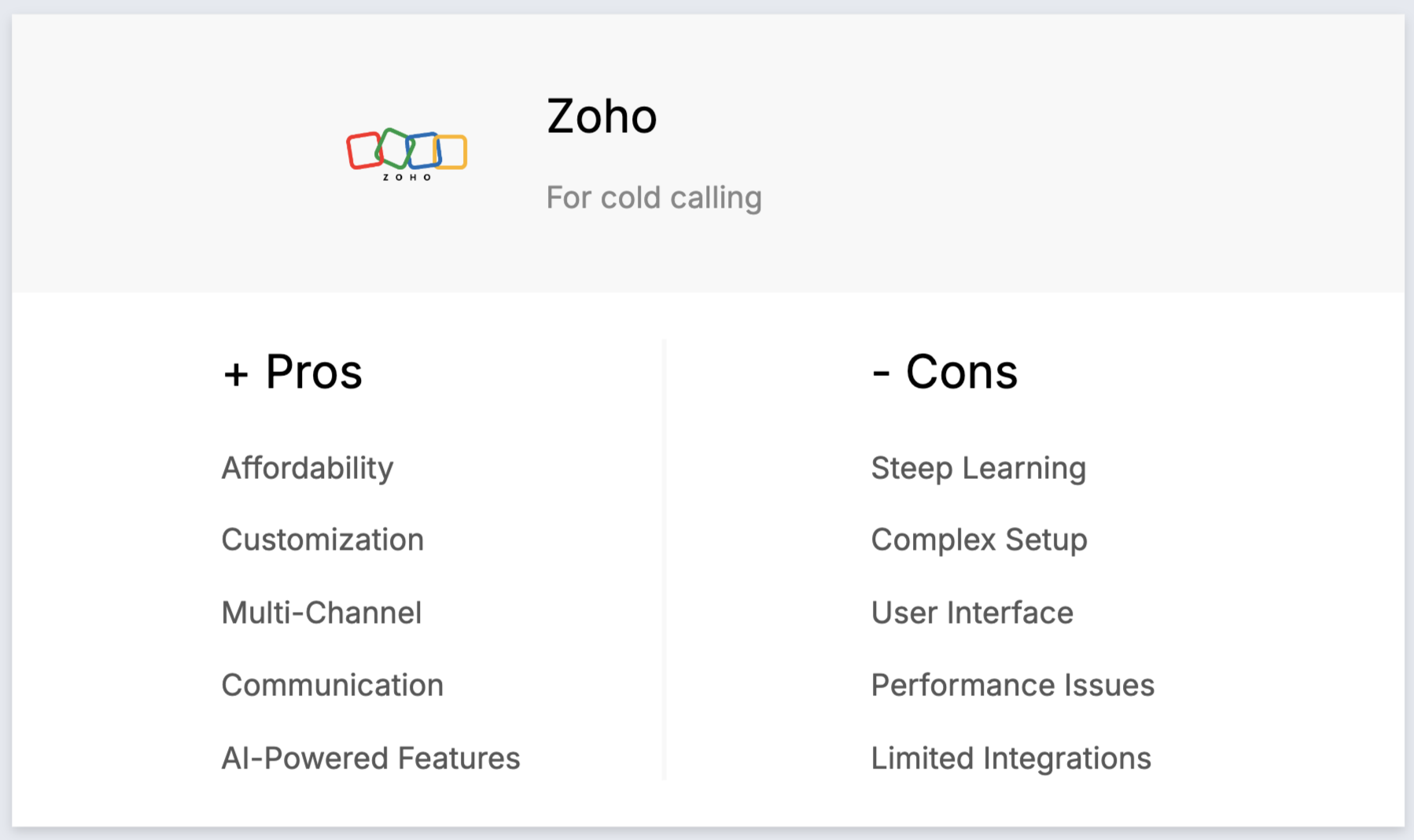
- Affordability: Competitive pricing with various tiers makes Zoho CRM accessible to startups and small businesses focused on cold calling.
- Customization: Extensive customization options allow tailoring the CRM to specific cold calling needs, including custom fields and workflows.
- Multi-channel communication: Supports phone, email, social media, and live chat, enabling management of all cold calling interactions from a single platform.
- AI-powered features: Zia, the AI assistant, offers intelligent insights and predictive analytics, improving the efficiency of cold calling campaigns.
- Mobile accessibility: Robust mobile app allows managing customer relationships and accessing data on the go, essential for cold calling on the move.
Минусы
- Сложная кривая обучения: обширные возможности настройки могут ошеломить новых пользователей, и для освоения платформы потребуется время.
- Complex setup: Initial setup and configuration can be complex, especially for businesses without technical expertise.
- User interface: Some users find the interface outdated or cluttered, which can affect usability during cold calling operations.
- Performance issues: Occasional reports of slow performance, especially with large datasets, can hinder cold calling productivity.
- Limited third-party integrations: Integration with third-party applications can be limited, requiring additional effort for comprehensive cold calling workflows.
Цены и тарифные планы
Free plan limited to three users suitable for small businesses. After that, an annual subscription plan is as follows.
- Стандартный: 20 долларов США за пользователя в месяц.
- Профессиональная версия: 35 долларов США за пользователя в месяц.
- Предприятие: 50 долларов США за пользователя в месяц.
5. Salesforce
Salesforce — это надежная CRM-платформа для крупных предприятий, предлагающая инструменты для продаж, маркетинга, обслуживания и аналитики с широкими возможностями масштабирования.

Основные характеристики
- Lead management: Efficiently track and manage leads from initial contact through to conversion, essential for cold calling campaigns.
- Call logging: Automatically log call details and outcomes to keep accurate records of all interactions with prospects and customers.
- Auto-dialer integration: Integrate with auto-dialer systems to streamline the cold calling process and increase call efficiency.
- Follow-up reminders: Set automated reminders for follow-up calls, ensuring no lead is forgotten.
- Reporting and analytics: Gain insights into call performance and lead conversion rates to continually refine your cold calling strategy.
Плюсы
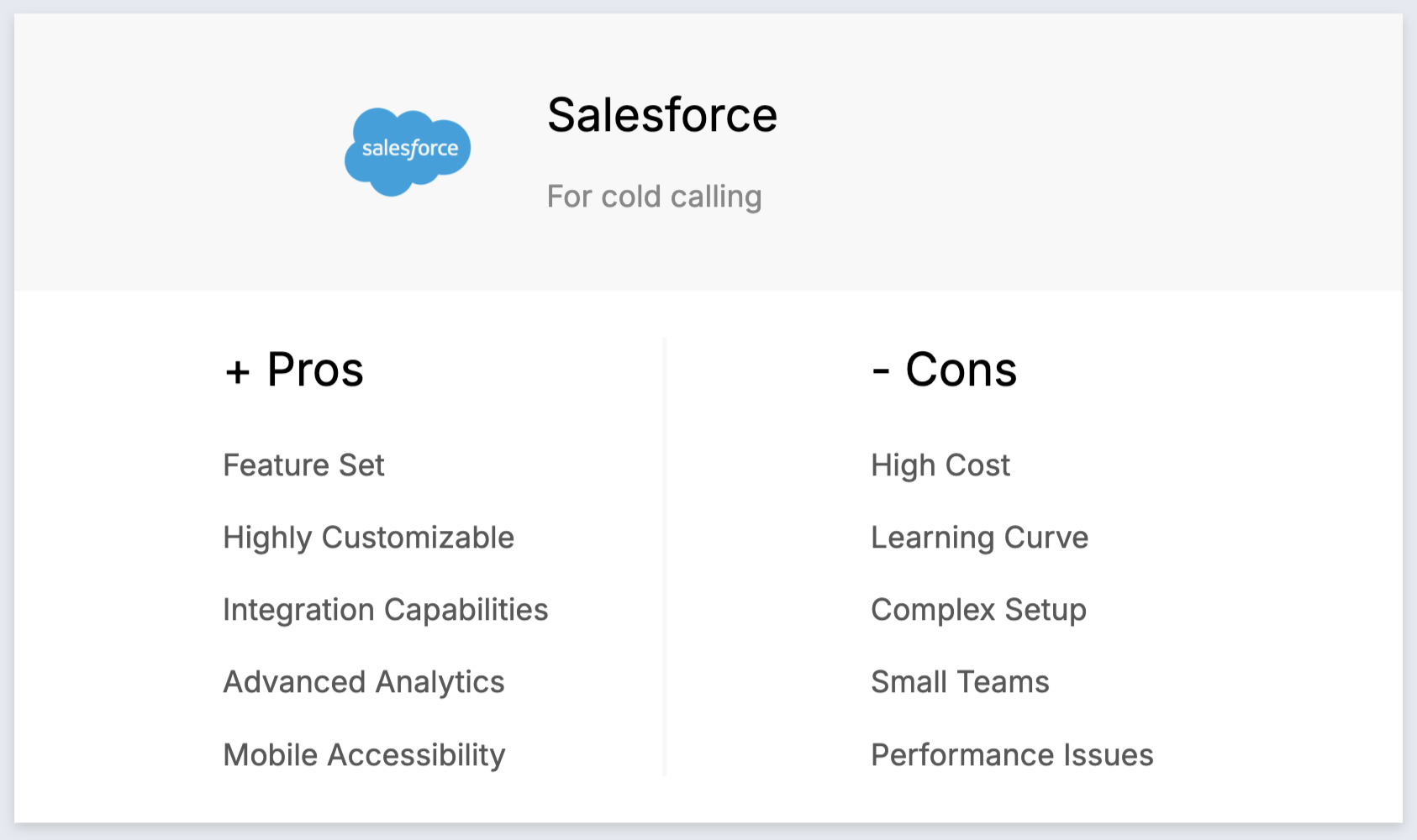
- Comprehensive feature set: Salesforce offers a wide range of features that support every aspect of cold calling, from lead management to follow-up automation.
- Highly customizable: Customize the CRM to fit your specific cold calling workflows and business needs.
- Extensive integration capabilities: Seamlessly integrate with auto-dialers and other third-party tools to enhance your cold calling efforts.
- Advanced analytics and reporting: Utilize powerful analytics to track cold calling performance and optimize strategies.
Минусы
- High cost: The pricing can be prohibitive for medium-sized teams of 20-50 people, especially when factoring in additional costs for necessary add-ons.
- Steep learning curve: New users may find the extensive feature set overwhelming, requiring significant time to become proficient.
- Complex setup and customization: Initial setup and customization can be challenging, often necessitating expert assistance.
- Overwhelming for small teams: The robust features may be more than what small teams need, leading to underutilization.
- Performance issues: Users sometimes report slow performance, particularly when handling large volumes of data.
Цены и тарифные планы
- Starter Suite: $25/user/month provides basic CRM features for small businesses.
- Pro Suite: $100/user/month includes advanced tools for growing businesses.
- Enterprise Plan: $165/user/month offers extensive customization and automation for large companies.
- Unlimited Plan: $330/user/month provides comprehensive features for large enterprises.
- Einstein 1 Sales: 500 долларов США за пользователя в месяц — предоставляет аналитическую информацию на основе искусственного интеллекта и расширенные функции для крупных предприятий.
Other call tools to consider
Think beyond CRM. You need a solid calling app too. Here are a few to check out:
- CloudTalk – Easy setup. Great call routing and analytics.
- KrispCall – Simple setup, powerful features. Cloud contact center starting at $15/user/month.
- Aircall – Built for sales teams. Click-to-dial and real-time dashboards.
- Dialpad – AI-powered voice and messaging. Smart transcription included.
- RingCentral – Enterprise-grade. Video, fax, and team messaging in one.
Pick one. Get calling. Start closing.
How to valuate and choose a CRM
1. Определите свои требования
When selecting the best CRM for cold calling, it's crucial to identify the key features that will benefit your business. We've rounded up some key features that can be helpful for your cold calling needs.
Key features of a CRM for cold calling
- Автоматизированные процессы: оптимизирует задачи за счет автоматизации повторяющихся рабочих процессов.
- Обогащение контактов: автоматический поиск адресов электронной почты и контактной информации потенциальных клиентов и клиентов, повышение эффективности.
- Структурированный конвейер: отслеживает лиды и клиентов на определенных этапах, обеспечивая ясность и эффективность процесса.
- Слияние почты и последовательности электронных писем: повышает эффективность коммуникации с помощью шаблонов для последующих действий и автоматизированных последовательностей.
- LinkedIn integration: Seamlessly imports Leads, Customers from LinkedIn and tracks conversations within the CRM.
2. Budget Considerations
Balancing cost and return on investment is vital when choosing a CRM for cold calling. Assess the pricing plans of various CRM platforms and consider the long-term benefits versus the initial cost. While some CRMs may offer advanced features at a higher price, they can significantly boost your sales team's productivity and lead conversion rates, ultimately providing a higher ROI. For teams of 20-50 people, folk CRM offers exceptional value with its comprehensive feature set at $20 per user per month, making it cost-effective compared to enterprise solutions like Salesforce.
3. Selection Process
To find the right CRM platform that suits your busy workflow, start by researching top-rated CRMs specialized in cold calling. Read user reviews, compare feature lists, and request demos. Check for vendors with a strong reputation in customer support and continuous software updates. Engaging with vendors through webinars or consultations can also provide deeper insights into how their CRM can meet your specific needs.
4. Получите демо-версию
Trial different CRM platforms to understand their usability and effectiveness in cold calling. Compare features like call tracking, reporting, and integration capabilities. Engage your sales team in the evaluation process to gather their feedback. Choose a CRM that not only meets your current requirements but also scales with your business growth, ensuring long-term value. Get started with a demo of folk and see how it can streamline your cold calling processes.
3 совета по внедрению CRM
At this stage it's time to get excited about your brand new CRM system! We've rounded up some tips to help you make the most of your onboarding experience.
1. Импортируйте свои данные в новую CRM-систему.
Migrating your existing data is a critical step when switching CRMs. Start by exporting your data as a CSV file from your current CRM. Once you have your data ready, import it into your new CRM to ensure a smooth transition without losing any valuable information.
2. Создайте свой первый конвейер
Setting up your initial pipeline tailored to cold calling is essential for tracking your progress and managing leads effectively. Define the stages that correspond to your cold calling process, such as "Initial Contact," "Follow-Up," "Qualified Lead," and "Closed Deal." This structured approach helps in monitoring the status of each lead and ensures no potential client falls through the cracks.
3. Привлеките свою команду
Once your CRM is set up, it's time to get your team on board. Provide comprehensive training sessions to familiarize them with the CRM's features, particularly those designed for cold calling. Encourage your team to utilize the CRM for logging calls, setting reminders, and tracking follow-ups. Effective onboarding ensures that everyone is aligned and can leverage the CRM to its full potential, ultimately boosting your cold calling efficiency.
Заключение
Selecting the right CRM for cold calling is a game-changer for your business. Whether you're a startup founder or running a medium-sized sales team of 20-50 people, the CRM you choose can make all the difference in streamlining your processes, improving lead management, and increasing sales performance.
Each platform—folk, HubSpot, Pipedrive, Zoho, and Salesforce—has its own strengths tailored to different business needs. folk CRM stands out as the top choice for teams of 20-50 people, offering seamless integration, ease of use, and all-in-one capabilities that are perfectly sized for medium teams focused on effective cold calling without the complexity and cost of enterprise solutions. HubSpot offers a strong free plan and powerful automation tools, while Pipedrive excels with its intuitive interface and focus on sales pipelines. Zoho impresses with its customization options and multi-channel communication, and Salesforce provides a highly scalable solution for large enterprises with advanced features.
When choosing your CRM, consider factors like your specific business needs, budget, and team size to pick the one that will supercharge your cold calling efforts and drive growth. Ready to elevate your cold calling? Try folk for free now and see how it can transform your workflow.
Нужна помощь? Воспользуйтесь нашим бесплатным инструментом, чтобы найти идеальный CRM-решение.
Часто задаваемые вопросы
Which CRM is best for cold calling?
For mid-sized teams, folk CRM stands out with contact enrichment, email sequences, and LinkedIn/VoIP integrations. Other options include HubSpot, Pipedrive, Zoho, and Salesforce. Choose based on budget, team size, customization, and reporting needs.
How do you use a CRM to improve cold calling?
Import and enrich leads, segment by persona, set pipeline stages, build call and email cadences, click‑to‑dial and log outcomes, schedule reminders, and review analytics to refine scripts and timing. Repeat what works and automate follow‑ups.
What features should a cold-calling CRM include?
Contact enrichment, VoIP/auto‑dialer integration, call logging, email sequences and templates, reminders/tasks, pipeline stages, analytics and dashboards, LinkedIn/Gmail/Outlook sync, and open API or Zapier/Make to connect other tools.
How much does a cold-calling CRM cost?
Entry plans run $15–$25/user/month; mid‑tier $40–$100; enterprise $150+ with add‑ons. Trials are common. Example: folk CRM starts at $20/user/month with a 14‑day trial. Factor onboarding, calling tool, and integration costs.
Откройте для себя народную CRM-систему
Как помощник по продажам, которого у вашей команды никогда не было
