


Descubra folk o CRM para empresas impulsionadas por pessoas
No ambiente empresarial acelerado de hoje, as startups em fase inicial enfrentam o desafio assustador de gerir os processos de vendas de forma eficiente. À medida que os negócios escapam devido a acompanhamentos dispersos em várias plataformas, como e-mails, folhas de cálculo e aplicações de mensagens, torna-se essencial implementar um CRM robusto para startups. Esta ferramenta garante que todas as interações, próximos passos e responsáveis sejam facilmente visíveis e rapidamente acessíveis.
Pipedrive Copper duas abordagens distintas para lidar com essa questão. Pipedrive uma estratégia que prioriza as vendas, com um pipeline leve e configuração rápida que enfatiza a gestão de atividades, enquanto Copper perfeitamente ao Google Workspace, priorizando a gestão de contactos fácil de usar e o desenvolvimento de relacionamentos.
Este artigo aprofunda as nuances destes dois CRMs, examinando as suas capacidades em operações diárias, tais como captura de contactos, integridade de dados, funcionalidades de automação e rentabilidade geral à medida que a equipa se expande.
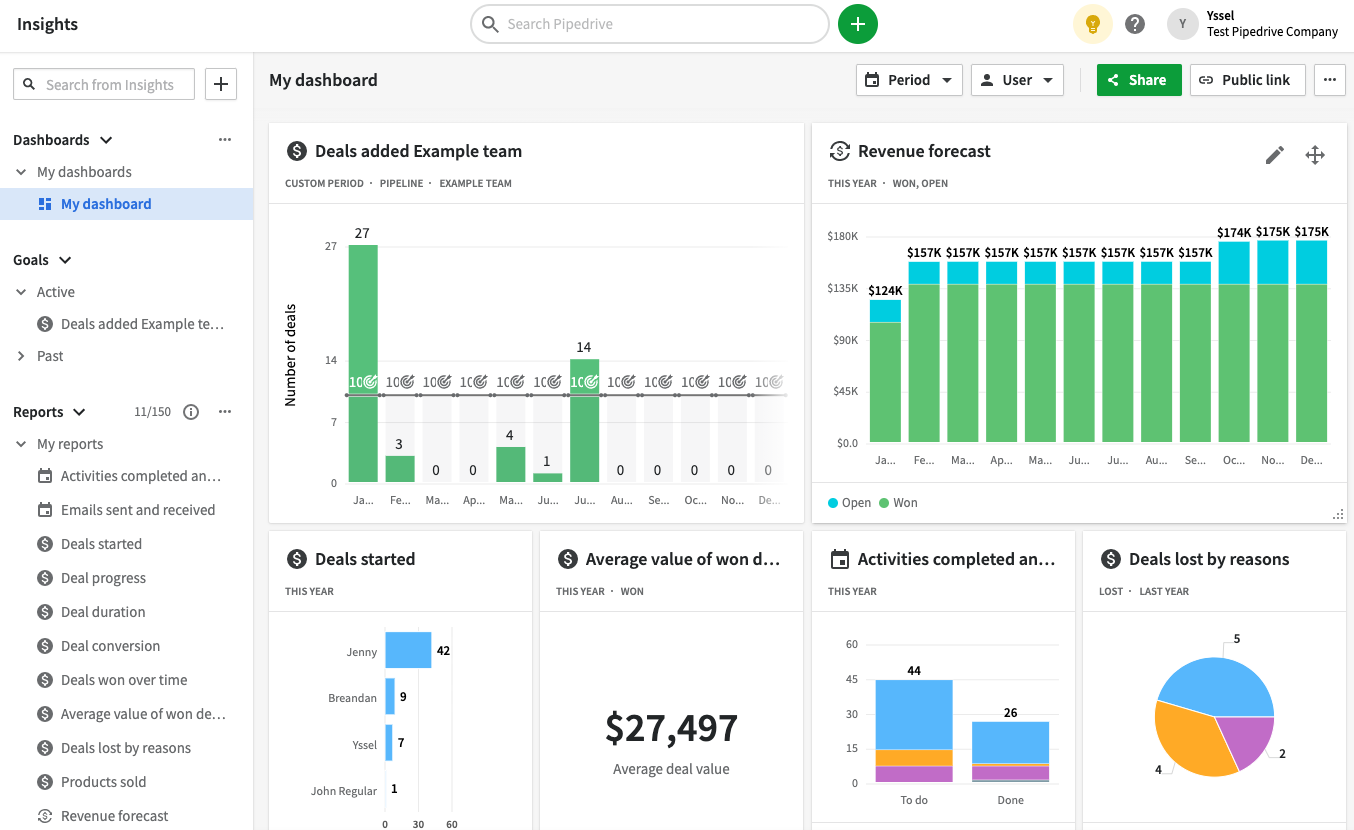
O que é Pipedrive?
Pipedrive um CRM focado em vendas, projetado em torno de um pipeline visual e um acompanhamento meticuloso das atividades. Ele atende a startups envolvidas em processos orientados para negócios, garantindo que os representantes de vendas estejam sempre cientes dos próximos passos. A configuração é rápida, a interface do utilizador é simples e a personalização do pipeline é direta. É ideal para equipas de vendas outbound e inbound que priorizam o acompanhamento imediato e a rapidez. No entanto, os seus recursos de automação de marketing são limitados em comparação com plataformas mais abrangentes, tornando-o uma escolha comum para combinar com ferramentas de marketing especializadas.
O que é Copper?
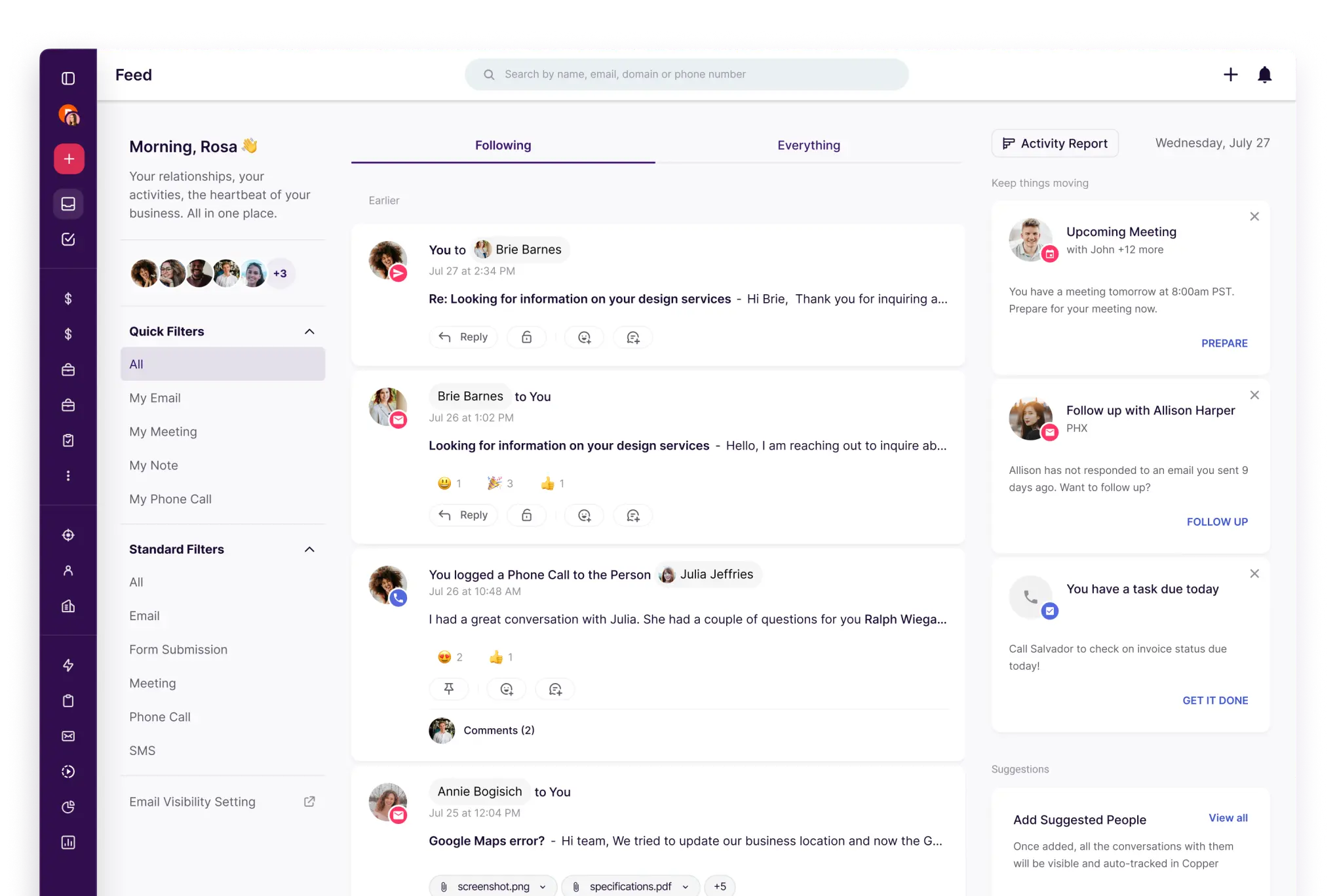
Copper um CRM intuitivo que se destaca para equipas que utilizam o Google Workspace. É adequado para empresas de serviços e startups que buscam um acompanhamento direto do pipeline e gestão de contactos com o mínimo de complicações. A plataforma prioriza a facilidade de uso e a rápida integração em detrimento de uma personalização extensa. É uma excelente escolha quando a gestão de relacionamentos tem prioridade sobre a automação complexa. No entanto, equipas maiores podem acabar por superá-lo se precisarem de fluxos de trabalho avançados, recursos de previsão ou relatórios com vários objetos.
Comparação de funcionalidades do Pipedrive Copper
Sincronização de e-mail e calendário
Pipedrive integra-se Pipedrive com o Gmail e o Outlook, permitindo que os e-mails sejam importados para o CRM e vinculados à pessoa, organização e negócio apropriados. A sincronização do calendário suporta os calendários do Google e da Microsoft, oferecendo opções de sincronização unidirecional ou bidirecional, dependendo da sua configuração. Isso garante que as reuniões e atividades estejam sempre visíveis nos registos, permitindo que as equipas mantenham um acompanhamento consistente. O resultado é uma linha do tempo de atividades unificada que permanece atualizada sem a necessidade de entradas manuais constantes. Observe que a disponibilidade pode variar de acordo com o seu plano e as configurações de administração.
Copper especificamente concebido para se integrar facilmente com o Google Workspace, garantindo que as atividades de e-mail e calendário sejam conectadas às pessoas e empresas certas com o mínimo de esforço. A sua integração com o Gmail e o Google Calendar torna-o uma excelente escolha para startups que gerem as suas operações principalmente por e-mail. O histórico de atividades permanece visível nos registos, o que minimiza o registo manual e mantém o contexto durante as transferências. Esta solução é particularmente benéfica para equipas que procuram uma experiência de CRM leve e intuitiva.
Limpe os dados de contacto com enriquecimento e deduplicação
Pipedrive enriquecimento de dados para preencher informações em falta sobre indivíduos e organizações, utilizando detalhes disponíveis publicamente ligados a um endereço de e-mail ou domínio. Este processo minimiza registos incompletos e melhora a segmentação e a prontidão de divulgação. A sua funcionalidade de gestão de duplicados permite a fusão de pessoas, organizações e negócios, garantindo que o histórico de atividades permanece intacto em todos os registos. Além disso, o CRM identifica potenciais duplicados com base nos seus critérios de correspondência, resultando em dados mais limpos que aumentam a precisão dos relatórios e minimizam os erros de encaminhamento.
Copper ferramentas para manter a integridade dos dados à medida que as listas se expandem, incluindo recursos de deteção e fusão de duplicados para contactos e empresas. Essa funcionalidade evita a divisão de cronogramas quando as equipas importam leads de formulários, eventos ou folhas de cálculo. Registos limpos facilitam a segmentação, o encaminhamento e o acompanhamento, o que é particularmente benéfico para equipas pequenas, pois dados desorganizados podem impedir a adoção rápida.
Pipelines e visualizações flexíveis
Pipedrive a colaboração ao integrar notas, atividades e contexto ao nível do registo, permitindo que os colegas de equipa acedam às informações com base nas suas permissões. As menções e comentários facilitam a coordenação interna diretamente nos itens, eliminando a necessidade de fios de comunicação externos durante as transferências. Os grupos de visibilidade e conjuntos de permissões determinam quem pode visualizar ou editar dados, o que é crucial à medida que as startups expandem as suas equipas e lidam com negócios confidenciais. Esta abordagem garante que o contexto partilhado seja mantido sem excessos, mantendo a governança gerenciável à medida que a conta cresce.
Copper pipelines e etapas personalizáveis para acompanhar negócios, permitindo que as equipas criem um funil de vendas simples que mantém o trabalho em andamento com os próximos passos bem definidos. Os registos permanecem ligados às pessoas e empresas envolvidas, garantindo que as atividades do pipeline mantenham o seu contexto de relacionamento. Isso é especialmente útil para startups que vendem de forma consultiva ou gerem parcerias sem precisar de previsões complexas.
Colaboração em equipa
Pipedrive a colaboração ao integrar notas, atividades e contexto ao nível do registo que os colegas de equipa podem aceder com base nas suas permissões. As menções e comentários facilitam a coordenação interna diretamente nos itens, eliminando a necessidade de threads de comunicação externa durante as transferências. Os grupos de visibilidade e conjuntos de permissões regulam quem pode visualizar ou editar dados, o que é crucial à medida que as startups crescem e lidam com negócios confidenciais. Esta abordagem garante um contexto partilhado sem partilha excessiva desnecessária, permitindo que a governança permaneça gerenciável à medida que a conta se expande.
Copper a colaboração em equipa com visibilidade partilhada de registos, tarefas e cronogramas de atividades. A definição clara de responsabilidades e atribuições aumenta a prestação de contas, enquanto notas e históricos partilhados minimizam a dependência de fios de comunicação separados. As configurações de permissão gerenciam de forma eficaz quem pode aceder ou editar informações à medida que a equipa cresce, promovendo transferências contínuas sem impor sobrecarga adicional ao processo.
Automação e integrações leves
Pipedrive automações que são ativadas com base em gatilhos, como criar, atualizar ou excluir pessoas, organizações, atividades ou negócios, bem como gatilhos baseados em datas. Essas automações podem realizar ações como criar ou atualizar itens de CRM e enviar e-mails a partir do endereço de e-mail sincronizado, dependendo da sua configuração. Além disso, o Zapier permite fluxos de trabalho bidirecionais para enviar dados de forma integrada para Pipedrive exportar dados para outras aplicações. Para aqueles que procuram um controlo mais granular, Pipedrive uma REST API suporta webhooks para integrações orientadas por eventos, atendendo tanto à automação leve de startups quanto a caminhos de construção mais complexos.
Copper a automação por meio de regras de fluxo de trabalho que acionam ações com base em alterações nos registos, reduzindo significativamente a necessidade de atualizações manuais. Ele também se integra ao Zapier, permitindo que startups conectem Copper formulários, ferramentas de marketing e fluxos de trabalho internos sem a necessidade de desenvolvimento personalizado. Para tarefas de integração mais complexas, Copper uma API para desenvolver lógica de sincronização personalizada e pipelines de dados, facilitando o início com automações básicas e a expansão à medida que sua pilha de tecnologia cresce.
folk : O melhor CRM para startups em 2026
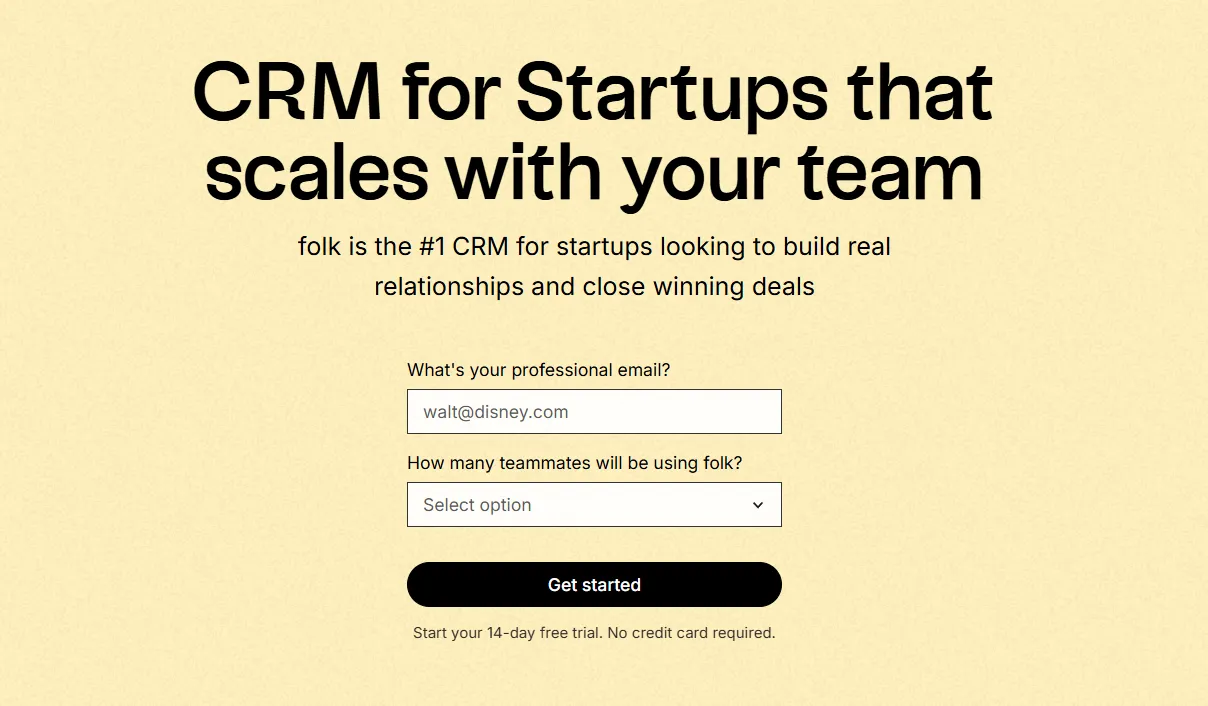
folk um CRM inovador concebido especificamente para startups, permitindo-lhes gerir relações através do Gmail, Google Calendar, LinkedIn e folhas de cálculo. Ele consolida contactos, empresas, negócios, notas, ficheiros e todas as interações num único espaço de trabalho leve, garantindo que o contexto do pipeline esteja ligado a conversas reais, em vez de espalhado por várias abas.
Principais características que as startups adoram no folk
- Cronograma automático de atividades com sincronização do Gmail + Google Agenda
- Extensão do Chrome para captura de contactos compatível com o LinkedIn
- Enriquecimento rápido de contactos para acelerar a conclusão dos dados
- Desduplicação de bases de dados para manter a limpeza à medida que o seu volume aumenta
- Pipelines e campos personalizados, adaptados a qualquer estratégia de entrada no mercado
Para startups, folk pela rapidez na geração de valor e pela usabilidade diária. A configuração é rápida, os fluxos de trabalho são adaptáveis e o contexto multicanal permanece facilmente acessível, evitando o peso de um pacote de CRM pesado. Isso leva a acompanhamentos mais consistentes, dados mais limpos e insights de receita mais claros, com o mínimo de atrito.
👉 Experimente folk gratuitamente
Conclusão
Pipedrive uma abordagem direta e focada em vendas, com configuração rápida e gestão de atividades, ideal para equipas que priorizam acompanhamentos rápidos. Copper pela integração perfeita com o Google Workspace, atendendo a equipas que valorizam a gestão de contatos fácil de usar e o desenvolvimento de relacionamentos. No entanto, para startups que dependem muito da integração de e-mail, automação e sequenciamento, folk surge como a escolha superior. Combina contexto multicanal, implementação rápida e funcionalidades essenciais sem complexidade, garantindo fluxos de trabalho simplificados e acompanhamentos consistentes. 👉 Experimente folk gratuitamente
Comece o seu período de avaliação gratuita de 14 dias ou marque uma demonstração hoje mesmo.
Descubra folk
Como o assistente de vendas que a sua equipa nunca teve